1. المقدمة
This manual provides detailed instructions for the Eyoyo 8-inch Mini Monitor, Model S811H. Please read this manual thoroughly before using the product to ensure proper operation and to maximize its lifespan. Keep this manual for future reference.

Image: The Eyoyo 8-inch Mini Monitor, showcasing its display capabilities with a colorful image.
2. انتهى المنتجview
الميزات الرئيسية
- حجم العرض: 8 بوصة
- دقة: 1024 × 768 بكسل
- نسبة العرض إلى الارتفاع: 4:3
- Viewزاوية جي: عرض 140 درجة Viewزاوية جي
- سطوع: 400 شمعة/م²
- مقابلة: 500:1
- مدخلات الفيديو: HDMI, VGA, AV
- مزود الطاقة: DC 12V/1A or Micro USB 5V/2A
- السكن: غلاف معدني متين
- صوتي: مكبر صوت مدمج
ماذا يوجد في الصندوق
- شاشة مقاس 8 بوصة
- محول تيار مستمر 12 فولت
- كابل الطاقة USB
- AV to BNC Converter
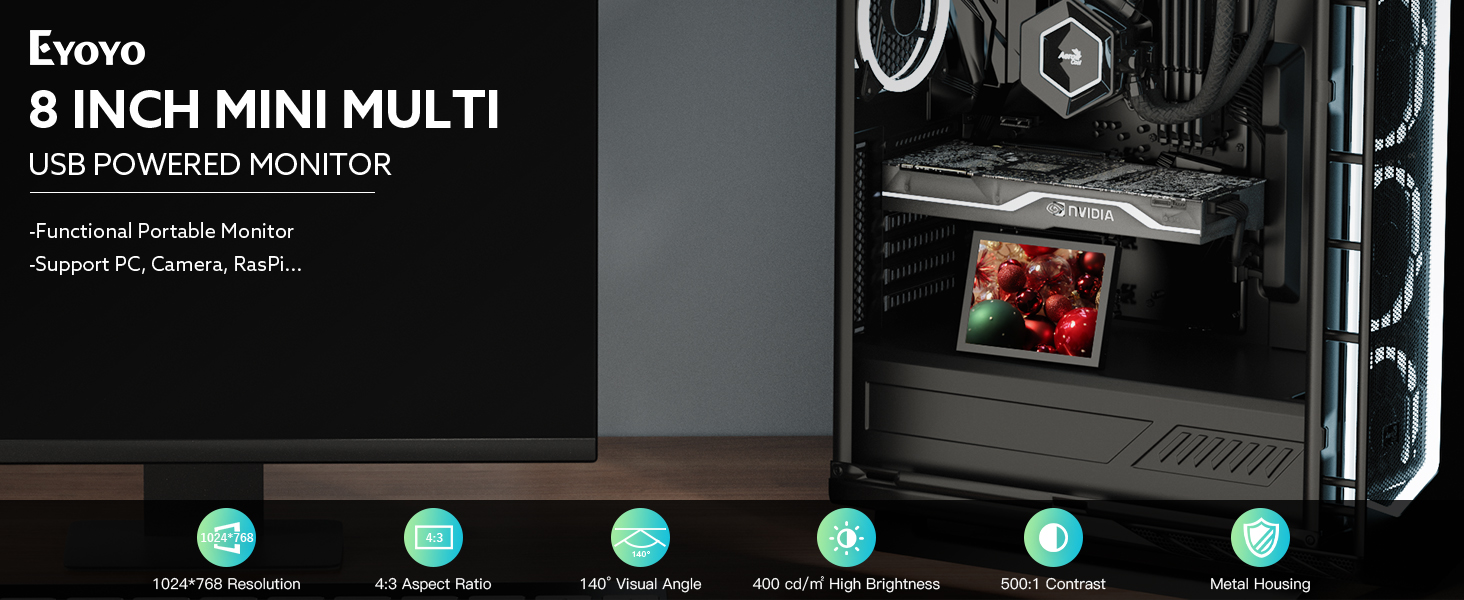
الصورة: أكثر منview of the Eyoyo 8-inch Mini Monitor, highlighting its key features such as resolution, input types, and metal housing.
3. تعليمات الإعداد
3.1 توصيل الشاشة
The monitor supports HDMI, VGA, and AV video inputs. Select the appropriate cable for your device and connect it to the corresponding port on the monitor.
- HDMI: Connect an HDMI cable from your source device (e.g., PC, DVD player, camera) to the HDMI port on the monitor.
- VGA: Connect a VGA cable from your source device to the VGA port on the monitor.
- من: Connect an AV cable from your source device to the AV port on the monitor. For BNC connections, use the provided AV to BNC converter.
3.2 تشغيل الشاشة
The monitor can be powered using two methods:
- محول تيار مستمر 12 فولت: Connect the included 12V DC adapter to the DC port on the monitor and plug it into a power outlet.
- Micro USB 5V/2A: Connect the included Micro USB power cable to the USB port on the monitor and to a 5V/2A power source, such as a power bank or a compatible USB wall adapter.

Image: A diagram illustrating the two power supply options: DC 12V adapter and Micro USB 5V/2A cable.

Image: A diagram demonstrating the connection of an AV to BNC adapter for use with analog CCTV security cameras.
4. تعليمات التشغيل
4.1 التشغيل الأساسي
After connecting the power and video source, the monitor should power on automatically. If not, press the 'KEY' button on the side of the monitor to power it on.
4.2 اختيار المدخلات
Use the 'KEY' button to navigate through the input sources (HDMI, VGA, AV). Press the button repeatedly to cycle through the available inputs until your desired source is displayed.
4.3 ضبط الإعدادات
The monitor features a multi-function button (often labeled 'KEY' or similar) and potentially additional buttons for menu navigation. These allow adjustment of display settings such as brightness, contrast, color, and aspect ratio. Refer to the on-screen display (OSD) menu for specific options.

Image: The rear panel of the Eyoyo monitor, illustrating the location of the multi-function button, DC power input, USB power input, HDMI, VGA, and AV ports.
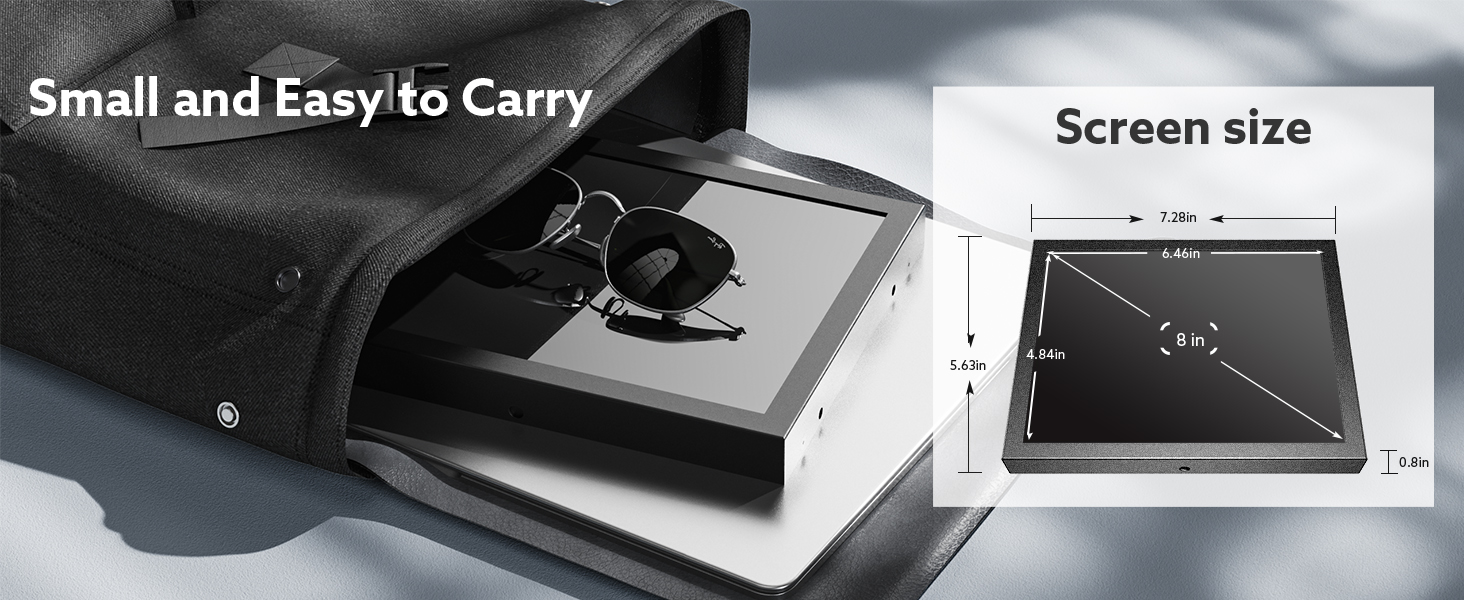
Image: The Eyoyo monitor with a visual representation of sound waves emanating from its built-in speaker.
5. التطبيقات
The Eyoyo 8-inch Mini Monitor is designed for versatile use across various scenarios:
- CCTV Systems: Ideal for monitoring security camera feeds.
- مؤخرةview Camera Monitors: Can be integrated into vehicles for rearview عرض.
- PC Monitors: Suitable as a secondary display for computers, including Raspberry Pi projects.
- Multimedia Devices: Compatible with DVD, DVR, and CCD devices.

الصورة: عرض الكولاجasing the wide range of applications for the Eyoyo monitor, such as CCTV monitoring, PC display, and Raspberry Pi integration.

Image: The Eyoyo monitor integrated into a PC case, functioning as a sensor panel or status display.
Product Size Comparison Video
Video: This video provides a visual comparison of various Eyoyo monitor sizes, including the 8-inch model, alongside other devices like a cellphone and different monitor sizes, demonstrating their relative dimensions and how they fit into different setups, such as inside a PC case.
6. الصيانة
6.1 التنظيف
لتنظيف شاشة العرض، امسحها برفق بقطعة قماش ناعمة وخالية من الوبر. لإزالة البقع الصعبة، استخدمampen the cloth slightly with water or a screen-safe cleaning solution. Avoid using harsh chemicals or abrasive materials.
For the monitor's metal housing, use a dry or slightly damp cloth. Ensure no liquid enters the ports or ventilation openings.
6.2 التخزين
When not in use for extended periods, store the monitor in a cool, dry place away from direct sunlight and extreme temperatures. If possible, use the original packaging for protection.
7. استكشاف الأخطاء وإصلاحها
- لا يوجد طاقة:
- Ensure the power adapter is securely connected to both the monitor and a working power outlet.
- If using Micro USB, verify the power source provides 5V/2A.
- Try a different power outlet or USB port. - لا توجد تغطية:
- Check that the video cable (HDMI, VGA, or AV) is securely connected to both the monitor and the source device.
- Verify that the correct input source is selected on the monitor using the 'KEY' button.
- Test the monitor with a different video source or cable if possible. - ضعف جودة الصورة:
- Adjust the brightness, contrast, and color settings via the monitor's OSD menu.
- Ensure the source device's resolution output is compatible with the monitor's native 1024x768 resolution.
- Check for any damage to the video cable. - لا يوجد صوت:
- Ensure the volume is not muted or set too low on both the monitor and the source device.
- If using HDMI, verify the source device is sending audio through HDMI.
- If using AV, ensure the audio cables are correctly connected.
8. المواصفات
| ميزة | مواصفة |
|---|---|
| أبعاد المنتج | 0.7 × 4.88 × 3.11 بوصة |
| وزن العنصر | 1.08 رطل |
| الشركة المصنعة | إيويو |
| رقم الموديل | س811ح |
| حجم شاشة العرض الدائمة | 8 بوصة |
| نسبة العرض إلى الارتفاع | 4:3 |
| المجلدtage | 12 فولت |
| دقة | 1024 × 768 بكسل |
| سطوع الصورة | 400 شمعة/م² |
| إجمالي منافذ USB | 1 (Micro USB for power) |
| وصف سطح الشاشة | لامع |
9. الضمان والدعم
For warranty information or technical support, please contact Eyoyo USA directly. Refer to the product packaging or the official Eyoyo webالموقع للحصول على تفاصيل الاتصال الحالية.


