1. المقدمة
The BESTISAN SE06 Soundbar is designed to enhance your audio experience, delivering crystal-clear sound for your TV, PC, and other devices. With its compact design and versatile connectivity options, it's an ideal addition to any home entertainment setup. This manual will guide you through the features and functions of your new soundbar.
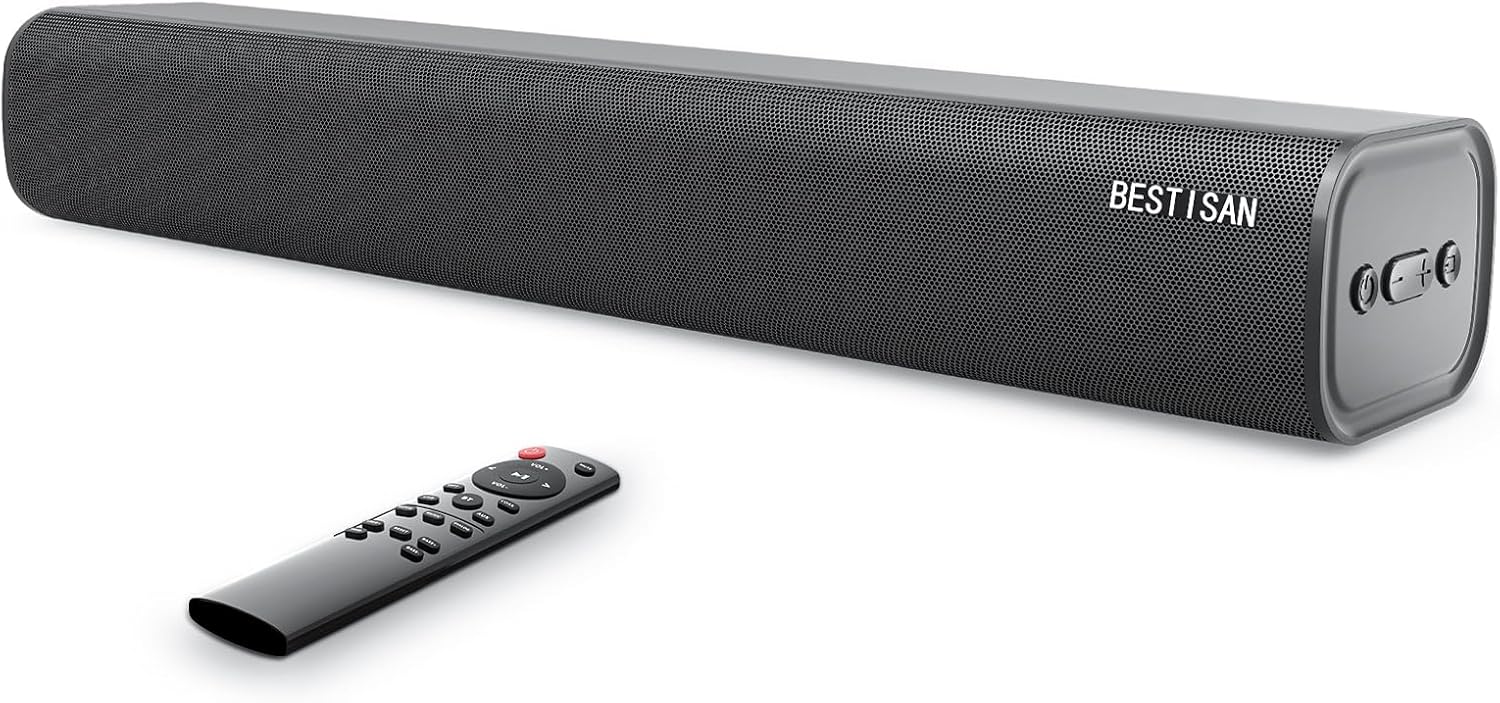
Figure 1: BESTISAN SE06 Soundbar and Remote Control
2. ماذا يوجد في الصندوق
Carefully unpack your soundbar and ensure all items are present:
- Sound bar (Model: SE06)
- جهاز التحكم عن بعد
- محول الطاقة
- كابل بصري رقمي
- كابل صوتي (3.5 ملم إلى 3.5 ملم)
- Wall Mount Kits & Template
- دليل المستخدم
- بطاقة الخدمة

Figure 2: All included accessories and the soundbar
3. مواصفات المنتج
- تصميم مضغوط: The SE06 delivers outstanding crystal sound with low distortion, designed to produce an immersive sound experience.
- اتصال متعدد الاستخدامات: Features Bluetooth 5.0, USB input, Optical input, Coaxial input, and an AUX port for wide compatibility with TVs, phones, PCs, and other output devices.
- Multiple Sound Modes with DSP Technology: Choose from 3 different Equalizer Modes (Movie, Music, Dialogue) for an optimized audio experience.
- التحكم المريح: Control the soundbar via the supplied remote control or the side buttons on the unit. The remote allows for treble and bass intensity adjustments.
- التوظيف المرن: Can be placed directly on a TV cabinet or wall-mounted using the included accessories.

Figure 3: Compact dimensions of the soundbar (20.8 inches long)

Figure 4: DSP Technology for optimized sound modes
4. الإعداد
4.1 التنسيب
The BESTISAN SE06 Soundbar offers flexible placement options:
- وضع الطاولة: Place the soundbar on a flat, stable surface directly in front of your TV. Ensure it does not block the TV's remote sensor.
- التثبيت على الحائط: Use the included wall mount brackets, screws, and template to securely mount the soundbar below your TV. Follow the instructions on the wall mount template for proper installation.

Figure 5: Soundbar can be placed on a cabinet or wall-mounted
4.2 الاتصالات
قم بتوصيل مكبر الصوت بمصدر الصوت الخاص بك باستخدام إحدى الطرق التالية:
- الاتصال البصري (موصى به): Use the supplied Digital Optical Cable to connect the soundbar's OPTICAL port to your TV's Optical Digital Audio Out port. Select 'Optical' input on the soundbar.
- وصلة AUX: Use the supplied 3.5mm audio cable to connect the soundbar's AUX port to your device's 3.5mm audio output. Select 'AUX' input on the soundbar.
- اتصال USB: أدخل محرك أقراص USB في منفذ USB الخاص بمكبر الصوت لتشغيل الصوت files directly. The soundbar will automatically switch to USB input.
- اتصال بلوتوث: Power on the soundbar and switch to Bluetooth mode. On your device, search for 'BESTISAN SE06' and pair.
- اتصال محوري: Use a coaxial cable (not supplied) to connect the soundbar's COAX port to your TV's Coaxial Digital Audio Out port. Select 'Coax' input on the soundbar.

Figure 6: Available input ports on the soundbar
5. تعليمات التشغيل
5.1 تشغيل/إيقاف التشغيل
Press the Power button on the remote control or the side panel of the soundbar to turn the unit on or off.
5.2 اختيار المدخلات
Press the 'Input' button on the remote or the side panel to cycle through the available input sources (Optical, AUX, USB, Bluetooth, Coaxial).
5.3 التحكم في مستوى الصوت
Use the 'VOL+' and 'VOL-' buttons on the remote or the side panel to adjust the volume. For optimal sound, ensure your TV's internal speakers are muted or set to a low volume.
5.4 أوضاع صوتية
Utilize the dedicated buttons on the remote control to select different sound modes:
- وضع الفيلم: Provides louder surround sound, ideal for films and cinematic content.
- وضع الموسيقى: Adds clarity and melodious tones, perfect for listening to music.
- وضع الحوار: Focuses on clarifying and elevating vocals and pronunciation, enhancing speech clarity.
5.5 ضبط الصوت الجهير والصوت الحاد
Use the 'BASS+' / 'BASS-' and 'TREB+' / 'TREB-' buttons on the remote control to fine-tune the bass and treble intensity to your preference.

Figure 7: Side panel controls and remote control functions
6. الصيانة
To ensure the longevity and optimal performance of your BESTISAN SE06 Soundbar, follow these maintenance guidelines:
- تنظيف: Use a soft, dry cloth to clean the surface of the soundbar. Do not use liquid cleaners or aerosol sprays, as they may damage the finish or internal components.
- تهوية: تأكد من وجود تهوية كافية حول شريط الصوت. لا تسد أي فتحات تهوية.
- بيئة: تجنب تعريض مكبر الصوت لدرجات حرارة شديدة أو رطوبة عالية أو لأشعة الشمس المباشرة. أبقه بعيداً عن مصادر الحرارة والرطوبة.
- سلك الطاقة: افحص سلك الطاقة بانتظام بحثًا عن أي تلف. في حال وجود أي تلف، توقف عن الاستخدام واتصل بخدمة العملاء.
7. استكشاف الأخطاء وإصلاحها
If you encounter issues with your soundbar, refer to the following common troubleshooting steps:
| مشكلة | الحل المحتمل |
|---|---|
| لا يوجد صوت |
|
| مشاكل الاقتران بالبلوتوث |
|
| جهاز التحكم عن بعد لا يعمل |
|
| صوت مشوه |
|
8. المواصفات
| ميزة | التفاصيل |
|---|---|
| اسم الموديل | SE06 |
| نوع السماعة | شريط الصوت |
| تكنولوجيا الاتصال | Wireless (Bluetooth), Wired (Optical, AUX, USB, Coaxial) |
| تكنولوجيا الاتصالات اللاسلكية | بلوتوث 5.0 |
| وضع إخراج الصوت | صوت محيطي ، ستيريو |
| تكوين قناة الصوت المحيطي | 2.0 |
| الحد الأقصى لقوة خرج السماعة | 120 واط |
| أبعاد المنتج | 3.43 بوصة عمق × 20.8 بوصة عرض × 4.5 بوصة ارتفاع |
| وزن العنصر | 5.59 جنيه (2.54 كيلوجرام) |
| لون | أسود |
| نوع وحدة التحكم | زر، جهاز التحكم عن بعد |
| الاستخدامات الموصى بها للمنتج | لأجهزة التلفاز |
| نوع التركيب | حامل الحائط |
9. الضمان والدعم
The BESTISAN SE06 Soundbar comes with a Limited Warranty. For any questions, technical support, or warranty claims, please contact BESTISAN support directly.
معلومات الاتصال:
- بريد إلكتروني: support@bestisan
- Alternatively, you may ask through the Q&A section on the product's retail page.
Please refer to your Service Card included in the box for additional warranty details and terms.


