مقدمة
The Philips S7505 Wireless Bluetooth Speaker is designed to deliver powerful, portable audio with a range of convenient features. This manual provides essential information for setting up, operating, maintaining, and troubleshooting your speaker to ensure optimal performance and longevity. Key features include a built-in power bank, IPX7 waterproof rating, and up to 20 hours of playtime.

Image: The Philips S7505 Wireless Bluetooth Speaker, showcasing its sleek design and fabric finish.
ماذا يوجد في الصندوق
تأكد من وجود جميع العناصر في العبوة:
- كابل شحن USB
- دليل التثبيت السريع
- كتيب الضمان العالمي
- بطاقة الضمان
المنتج انتهىview
Familiarize yourself with the speaker's controls and indicators.

Image: Close-up of the speaker's top panel, highlighting the embossed control buttons for power, Bluetooth, playback, and volume.
The top panel features embossed buttons for easy control:
- زر الطاقة: لتشغيل مكبر الصوت أو إيقاف تشغيله.
- زر البلوتوث: يبدأ وضع الاقتران عبر البلوتوث.
- زر التشغيل/الإيقاف المؤقت: التحكم في تشغيل الصوت.
- أزرار رفع / خفض الصوت: يضبط مستوى صوت السماعة.
- أضواء مؤشر البطارية: يعرض مستوى البطارية الحالي.
يثبت
1. شحن مكبر الصوت
Before first use, fully charge your Philips S7505 speaker. Use the included USB-C cable to connect the speaker to a power source. A full charge takes approximately 4.5 hours.

Image: The USB-C charging port on the side of the speaker with a cable inserted, indicating the charging process.
2. اقتران بلوتوث
- قم بتشغيل مكبر الصوت بالضغط على زر الطاقة.
- The Bluetooth indicator will flash, indicating it is in pairing mode. If not, press and hold the Bluetooth button until it flashes.
- على جهازك المحمول (الهاتف الذكي، الجهاز اللوحي، الكمبيوتر المحمول)، قم بتمكين البلوتوث وابحث عن الأجهزة المتاحة.
- Select "Philips S7505" from the list of devices.
- Once connected, the Bluetooth indicator will glow solid, and you will hear a confirmation tone.
سيتم إعادة توصيل مكبر الصوت تلقائيًا بالجهاز المقترن الأخير عند تشغيله، إذا كان الجهاز ضمن النطاق وتم تمكين البلوتوث.

Image: A person holding a smartphone, displaying a low battery icon, connected via cable to the Philips S7505 speaker, which is placed on a picnic blanket.
تعليمات التشغيل
1. عناصر التحكم الأساسية في التشغيل
- تشغيل/إيقاف مؤقت: اضغط على زر التشغيل/الإيقاف المؤقت مرة واحدة.
- رفع الصوت: اضغط على زر "+".
- اخفض الصوت: اضغط على زر '-'.
- المسار التالي: اضغط مع الاستمرار على زر "+".
- المسار السابق: اضغط مع الاستمرار على الزر '-'.
2. وظيفة بنك الطاقة
The Philips S7505 features a built-in power bank, allowing you to charge your mobile devices. Connect your device to the USB-A port on the speaker using a compatible charging cable.

Image: A smartphone connected to the Philips S7505 speaker via a USB cable, demonstrating the power bank functionality.
3. Stereo Pairing (Twin Mode)
For an enhanced audio experience, you can pair two identical Philips S7505 speakers together to create a stereo sound system.
- تأكد من تشغيل كلا السماعتين وعدم توصيلهما بأي جهاز بلوتوث.
- On one speaker (this will be the primary speaker), press and hold the Bluetooth button until you hear a prompt or see an indicator for stereo pairing mode.
- سوف يبحث المتحدث الأساسي عن المتحدث الثانوي.
- بمجرد توصيل السماعتين، سيتم تشغيل الصوت بنظام ستيريو.

Image: Two Philips S7505 speakers positioned side-by-side, illustrating the stereo pairing capability.
4. الاتصال بدون استخدام اليدين
The built-in microphone allows you to handle hands-free calls when your speaker is connected to a smartphone. When a call comes in, press the Play/Pause button to answer or end the call.
صيانة
1. مقاومة الماء (IPX7)
The Philips S7505 speaker is IPX7 waterproof, meaning it can be immersed in water up to 1 meter for up to 30 minutes. This makes it suitable for use in wet environments like showers or by the pool. Ensure all port covers are securely closed before exposing the speaker to water.
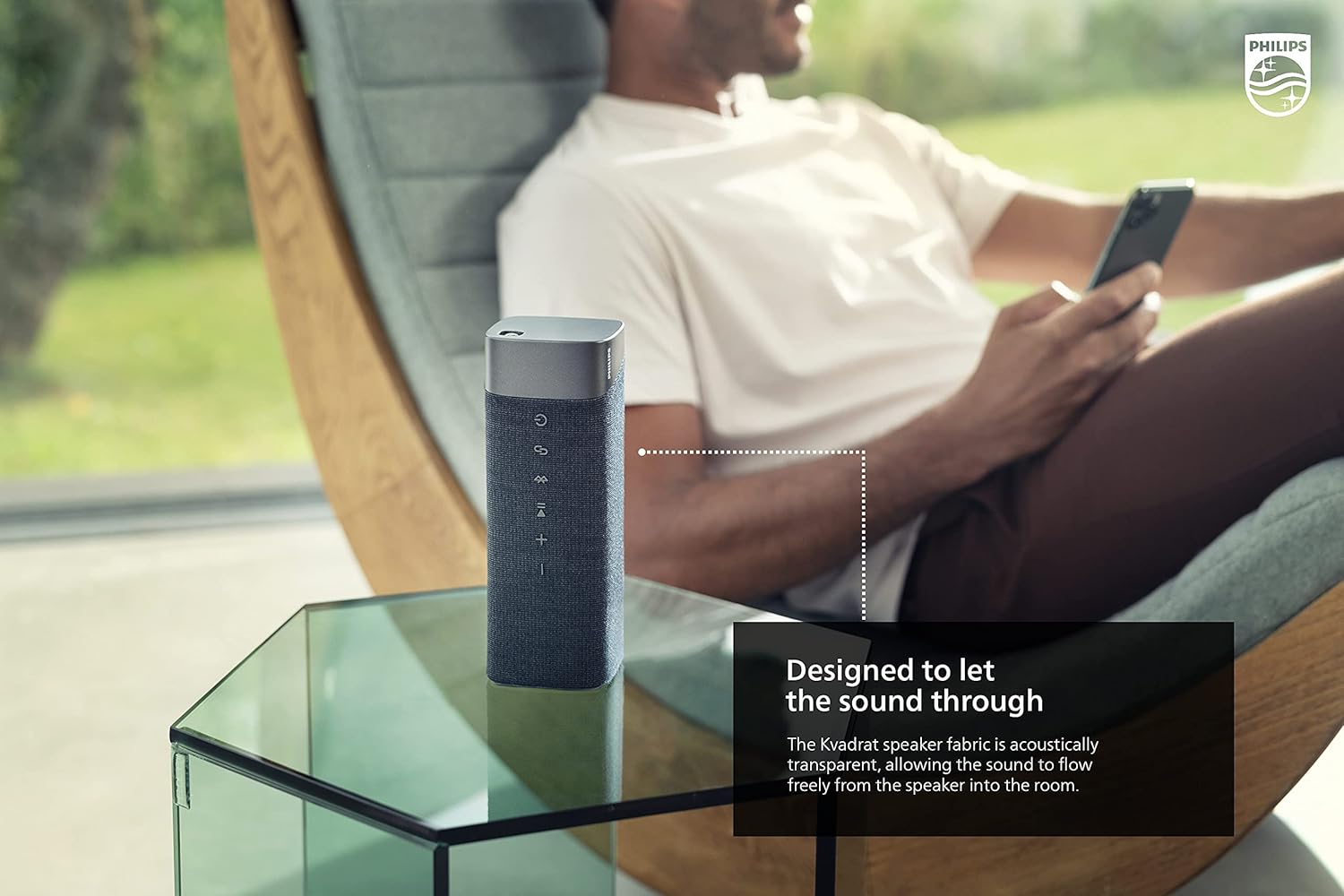
Image: The Philips S7505 speaker placed on a picnic blanket outdoors, highlighting its suitability for various environments due to its waterproof design.
2. العناية بالأقمشة
The speaker features a premium Kvadrat fabric. To clean, gently wipe with a soft, damp cloth. Avoid using harsh chemicals or abrasive materials, as these may damage the fabric or speaker components.
استكشاف الأخطاء وإصلاحها
If you encounter issues with your Philips S7505 speaker, refer to the following common problems and solutions:
- لا يتم تشغيل مكبر الصوت: Ensure the battery is charged. Connect the speaker to a power source using the USB-C cable and allow it to charge for a few minutes before attempting to power on again.
- لا يوجد صوت أو صوت مشوه:
- تحقق من مستوى الصوت على كل من السماعة والجهاز المتصل.
- Ensure the speaker is properly paired via Bluetooth. Disconnect and re-pair if necessary.
- قرّب مكبر الصوت من جهازك لتجنب التداخل.
- فشل عملية الاقتران عبر البلوتوث:
- تأكد من أن السماعة في وضع الاقتران (يومض مؤشر البلوتوث).
- قم بإيقاف تشغيل البلوتوث على الأجهزة الأخرى القريبة التي قد تحاول الاتصال.
- أعد تشغيل كل من مكبر الصوت وجهازك.
- يتم إيقاف تشغيل مكبر الصوت تلقائيًا: The speaker is designed to power off after a period of inactivity to conserve battery. This feature cannot be disabled. To prevent this, ensure audio playback is active.
تحديد
Detailed technical specifications for the Philips S7505 Wireless Bluetooth Speaker:

Image: The Philips S7505 speaker with overlaid measurements, indicating its dimensions of 9.1 inches (width), 3.3 inches (depth), and 3.4 inches (height).
| رقم الموديل | س7505 |
| ماركة | فيليبس للصوتيات |
| تكنولوجيا الاتصال | بلوتوث، يو اس بي |
| تكنولوجيا الاتصالات اللاسلكية | بلوتوث |
| الحد الأقصى لقوة خرج السماعة | 30 واط |
| حجم السماعة | 4 بوصة |
| مقاومة | 3 أوم |
| وضع إخراج الصوت | Mono (can be paired for Stereo) |
| مصدر الطاقة | تعمل بالبطارية (بطارية ليثيوم أيون واحدة متضمنة) |
| وقت اللعب | حتى ساعتين |
| وقت الشحن | 4.5 ساعة |
| مستوى مقاومة الماء | مقاومة للماء بدرجة IPX7 |
| أبعاد المنتج (العمق × العرض × الارتفاع) | 3.3 بوصة عمق × 9.1 بوصة عرض × 3.4 بوصة ارتفاع |
| وزن العنصر | 2.2 رطل (1 كيلوجرام) |
| طريقة التحكم | يلمس |
الضمان والدعم
Your Philips S7505 Wireless Bluetooth Speaker comes with a full warranty. Please refer to the included Warranty Card and World Wide Warranty Leaflet for detailed terms and conditions.
For further assistance, technical support, or warranty claims, please visit the official Philips Audio support website or contact their customer service. Contact information can typically be found on the Philips Audio webالموقع أو في وثائق الضمان.


