1. المقدمة
This manual provides instructions for the Monoprice Dark Matter 27-inch 165Hz Gaming Monitor. This monitor features an IPS panel, a 165Hz refresh rate, and a 1920x1080p Full HD resolution. It includes Adaptive Sync technology for smooth visuals and offers multiple connectivity options, including HDMI and DisplayPort inputs.
2. معلومات السلامة
- Read all instructions before operating the monitor.
- Keep the monitor away from water or damp البيئات.
- لا تسد فتحات التهوية.
- استخدم فقط محول الطاقة الذي توفره الشركة المصنعة.
- تجنب وضع الشاشة على الأسطح غير المستقرة.
- افصل كابل الطاقة أثناء العواصف الرعدية أو عند عدم استخدامه لفترات طويلة.
- أحيل جميع الخدمات إلى الموظفين المؤهلين.
3. محتويات العبوة
تأكد من أن الحزمة الخاصة بك تحتوي على العناصر التالية:
- Monoprice Dark Matter 27-inch Gaming Monitor
- حامل الشاشة (القاعدة والرقبة)
- محول الطاقة وكابل الطاقة
- كابل HDMI
- دليل المستخدم (هذا المستند)
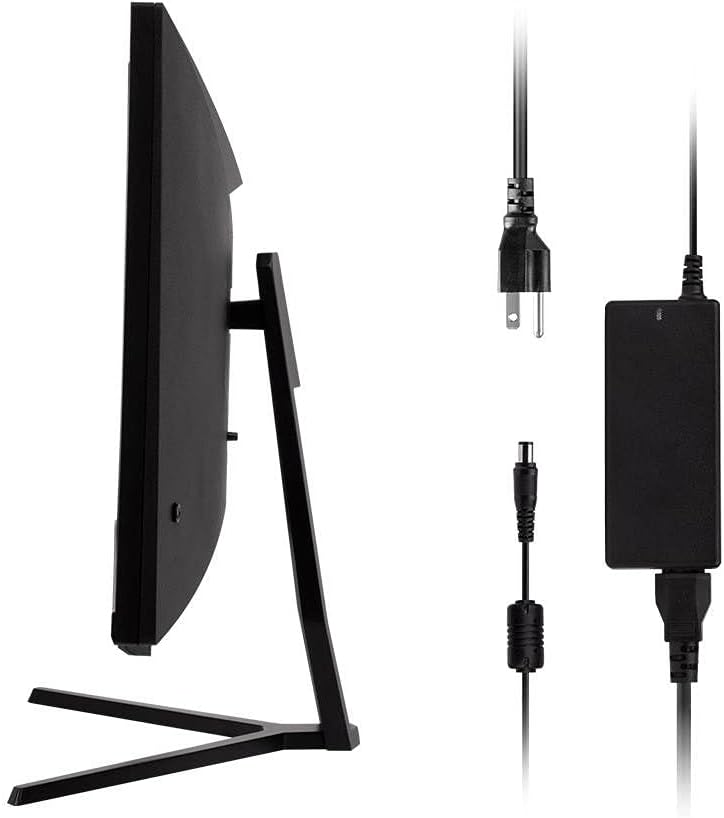
Image: Monitor side view with included power adapter and cable.
4. مراقبة أكثرview
أمام View
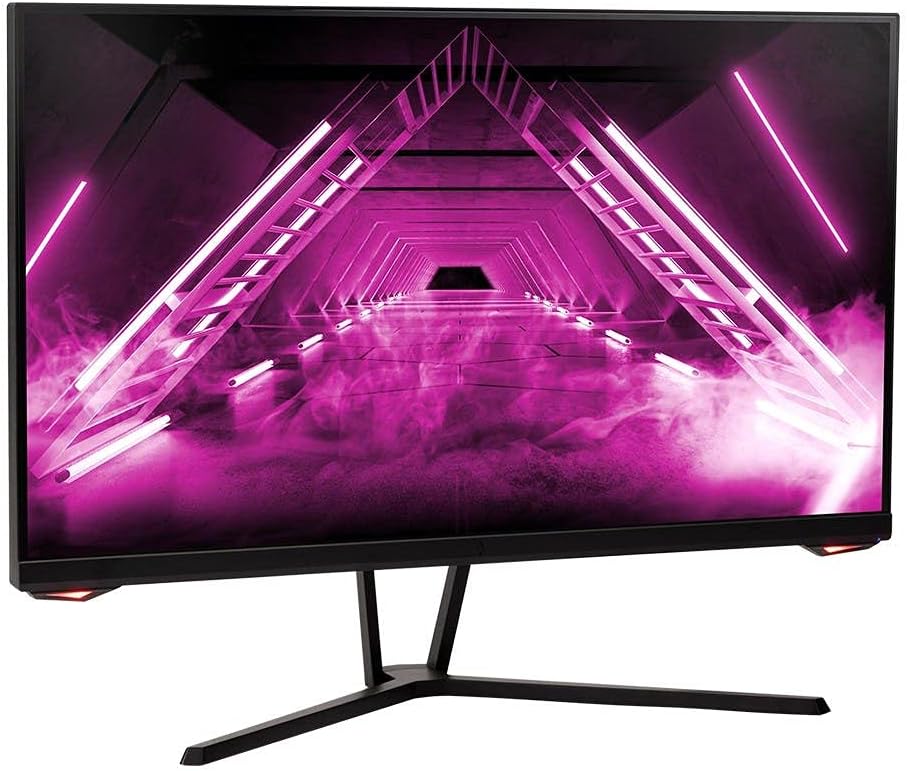
الصورة: الجبهة view من الشاشة.
مؤخرة View والموانئ
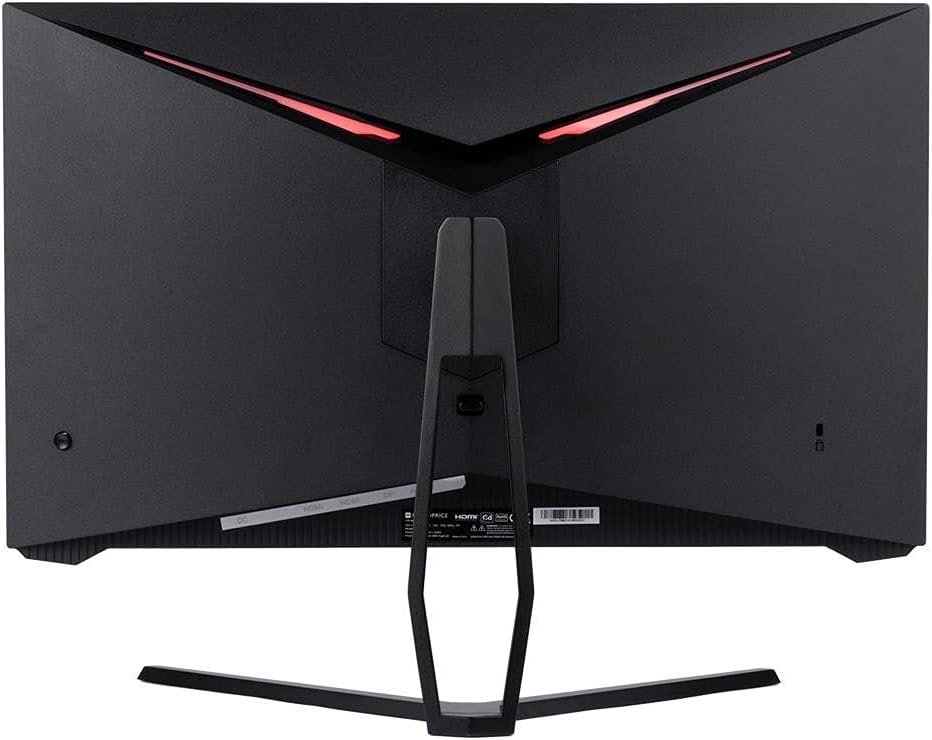
الصورة: الخلفية view of the monitor, highlighting the VESA mount and stand attachment.

Image: Close-up of the monitor's input ports.
5. الإعداد
5.1 تجميع الحامل
- قم بإزالة الشاشة بعناية من عبوتها، مع الحرص على حمايتها بوضعها على سطح ناعم.
- Attach the stand neck to the monitor's rear panel by aligning the tabs and securing any screws if present.
- قم بتثبيت قاعدة الحامل على رقبة الحامل، مع التأكد من تثبيتها بإحكام.
- ضع الشاشة المجمعة على سطح ثابت ومستوٍ.
5.2 تركيب VESA
The monitor supports a 75x75mm VESA mount pattern. To use a wall or desk mount:
- Remove the pre-attached stand by unscrewing it from the monitor's rear panel.
- Attach your VESA-compatible mount to the monitor using the appropriate screws (not included).
- Ensure the mount is securely fastened before releasing الشاشة.
5.3 التوصيل بجهاز كمبيوتر
Connect the monitor to your computer using one of the following methods:
- منفذ العرض: Connect one end of a DisplayPort cable to the DisplayPort output on your computer's graphics card and the other end to the DisplayPort input on the monitor.
- HDMI: Connect one end of an HDMI cable to an HDMI output on your computer's graphics card and the other end to one of the HDMI inputs on the monitor.
After connecting the video cable, connect the power adapter to the monitor's DC input and then plug the power cable into a wall outlet.
6. تشغيل الشاشة
6.1 تشغيل/إيقاف التشغيل
Press the power button, typically located on the rear or bottom of the monitor, to turn the monitor on or off. The power indicator light will illuminate when the monitor is on.
6.2 قائمة العرض على الشاشة (OSD)
The OSD menu allows you to adjust various monitor settings. Access the OSD menu by pressing the menu button (often a joystick or a series of buttons) on the monitor. Navigate through the options using the directional controls and confirm selections.
تتضمن إعدادات OSD الشائعة ما يلي:
- إعدادات الصورة: السطوع، التباين، الحدة، درجة حرارة اللون.
- تحديد الإدخال: اختر بين مدخلات DisplayPort و HDMI.
- صوتي: Volume control for the audio output.
- ميزات الألعاب: Overdrive, FreeSync/Adaptive Sync settings.
6.3 الميزات الرئيسية
- معدل تحديث 165 هرتز: This monitor supports a 165Hz refresh rate, providing smoother motion and reduced input lag compared to standard 60Hz monitors. Ensure your graphics card and system settings are configured to utilize this refresh rate.
- المزامنة التكيفية: This technology synchronizes the monitor's refresh rate with your graphics card's frame rate, eliminating screen tearing and stuttering for a smoother gaming experience. Enable Adaptive Sync in your graphics card's control panel and the monitor's OSD menu.
- Full HD Resolution (1920x1080p): The monitor displays content at 1920x1080 pixels, offering clear and detailed visuals.
7. الصيانة
To maintain your monitor and ensure its longevity:
- تنظيف الشاشة: امسح الشاشة برفق بقطعة قماش ناعمة وخالية من الوبر. لإزالة البقع الصعبة، استخدم محلول تنظيف مخصص للشاشة، وضعه على قطعة القماش، وليس مباشرة على الشاشة.
- تنظيف Casing: استخدم قطعة قماش ناعمة وجافة لمسح الشاشة.asinز. تجنب استخدام المنظفات الكاشطة.
- تهوية: تأكد من خلو فتحات التهوية في الشاشة من الغبار والعوائق لمنع ارتفاع درجة الحرارة.
- إيقاف التشغيل: Turn off the monitor when not in use for extended periods.
8. استكشاف الأخطاء وإصلاحها
إذا واجهت مشاكل مع شاشتك، فراجع دليل استكشاف الأخطاء وإصلاحها التالي:
| مشكلة | السبب المحتمل | حل |
|---|---|---|
| لا توجد صورة على الشاشة / مؤشر الطاقة مطفأ | Monitor not powered on; Power cable loose; Power outlet faulty. | Press the power button; Check power cable connections; Try a different power outlet. |
| لا توجد صورة / رسالة "لا توجد إشارة" | Video cable loose; Incorrect input selected; Computer not outputting signal. | Check video cable connections; Select the correct input via OSD; Ensure computer is on and outputting video. |
| Screen flickers or goes black intermittently | Loose video cable; Graphics driver issue; Monitor overheating; Faulty cable. | Ensure video cable is secure; Update graphics drivers; Ensure adequate ventilation around the monitor; Try a different video cable. |
| ارتفاع درجة الحرارة / الدخان | Blocked ventilation; Internal component issue. | Immediately unplug the monitor. Ensure ventilation is clear. Do not use the monitor if smoke is present. Contact support. |
| Red line or other display artifacts | Faulty panel; Graphics card issue. | Test with a different video cable and computer. If the issue persists, contact support. |
| Backlight turns off, requires power cycle | Power management settings; Internal fault. | Check computer's power saving settings. If issue persists, contact support. |
9. المواصفات
| ميزة | مواصفة |
|---|---|
| رقم الموديل | 142771 |
| حجم الشاشة | 27 بوصة |
| نوع اللوحة | اي بي اس |
| دقة | 1920 × 1080 (FHD 1080p) |
| معدل التحديث | 165 هرتز |
| نسبة العرض إلى الارتفاع | 16:9 |
| مدخلات الفيديو | 2x HDMI 1.4, 1x DisplayPort 1.2a |
| VESA Mount | 75×75 ملم |
| الأبعاد (الطول × العرض × الارتفاع) | 28.8 × 7.1 × 19.3 بوصة |
| وزن العنصر | 15.77 رطل |
10. الضمان والدعم
10.1 معلومات الضمان
This Monoprice monitor is backed by a 1 Year PixelPerfect Guarantee. This warranty covers defects in materials and workmanship under normal use for one year from the date of purchase. Please refer to Monoprice's official webموقع للحصول على شروط وأحكام الضمان الكامل.
10.2 دعم العملاء
For technical assistance, warranty claims, or further information, please contact Monoprice Customer Support. Contact details can typically be found on the official Monoprice webالموقع أو وثائق الشراء الخاصة بك.
11. مصادر الفيديو
لم يتم العثور على أي فيديوهات رسمية للمنتج من البائع لهذا الطراز.


