مقدمة
This manual provides detailed instructions for setting up and using your MOFii Wireless Keyboard and Mouse Combo. Designed for comfort and efficiency, this combo offers a reliable 2.4GHz wireless connection, making it ideal for various computing tasks.
The MOFii Wireless Keyboard and Mouse Combo features a stylish multi-color design and is compatible with Windows XP/Vista/7/8/10 or later operating systems. It is also compatible with laptops, desktops, PCs, and notebooks. Please note that it is not fully compatible with Mac systems.
تعليمات الإعداد
- تركيب البطاريات: Open the battery compartment on the underside of both the keyboard and the mouse. Insert the required batteries (typically AA for keyboard, AAA for mouse, not included) ensuring correct polarity.
- تحديد موقع جهاز استقبال USB: The single USB receiver for both the keyboard and mouse is typically stored in the battery compartment of the mouse for convenience. Carefully remove it.
- توصيل جهاز استقبال USB: Plug the USB receiver into an available USB port on your computer (PC, laptop, desktop, or notebook).
- تشغيل الطاقة: قم بتشغيل لوحة المفاتيح والماوس باستخدام مفاتيح الطاقة الخاصة بكل منهما (عادة ما تكون موجودة في الجانب السفلي).
- الاتصال التلقائي: The keyboard and mouse should automatically connect to your computer within a few seconds. No additional software installation is required.
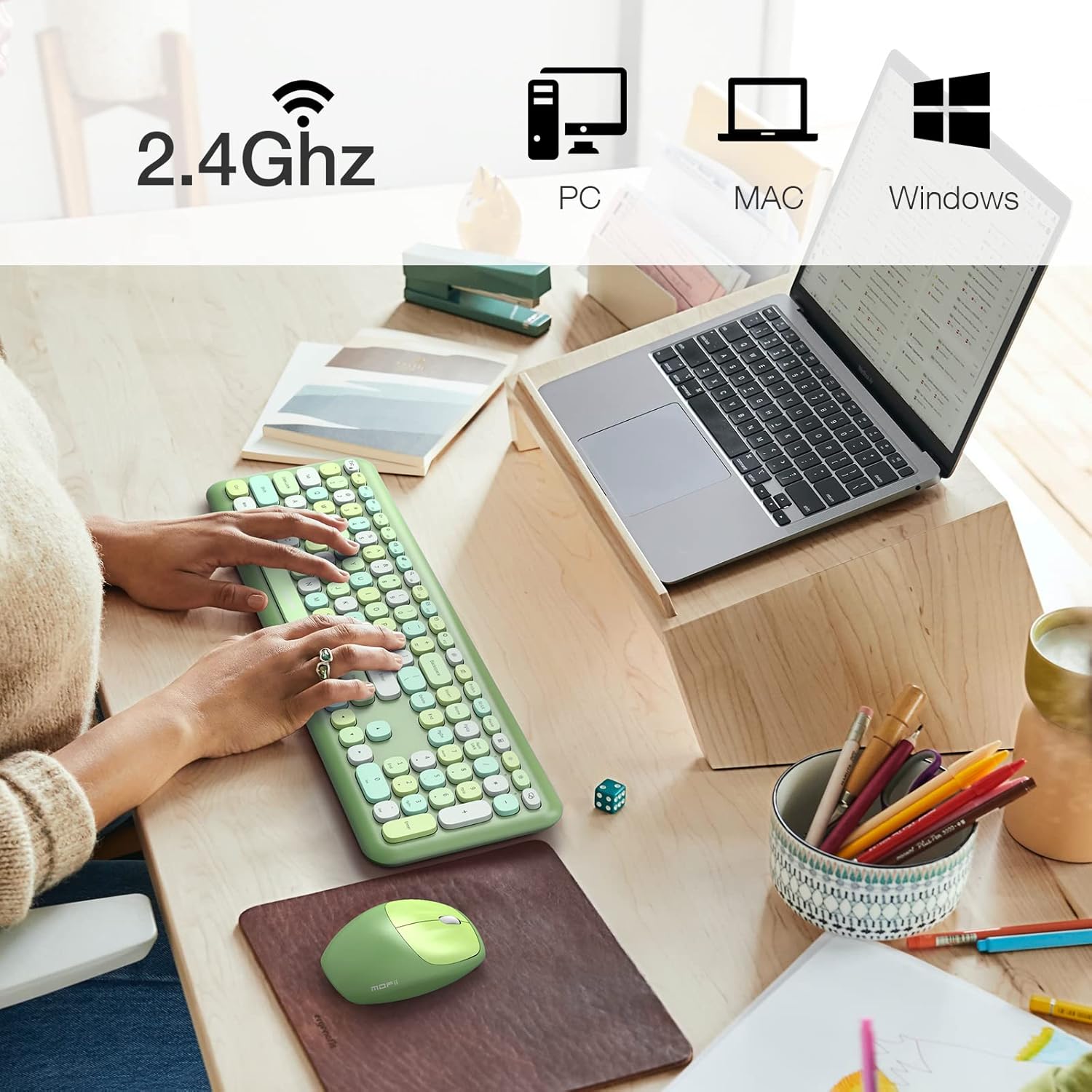
Image: The MOFii wireless mouse showing its battery compartment, where the USB receiver is stored, and indicating a 10-meter wireless range.
تعليمات التشغيل
استخدام لوحة المفاتيح:
- الكتابة: The full-size keyboard provides a comfortable typing experience with responsive keys.
- مفاتيح الوظائف (مجموعات Fn): Utilize the 'Fn' key in combination with other keys for various shortcuts. For exampعلى:
| مجموعة المفاتيح | وظيفة |
|---|---|
| مفتاح Fn + مفتاح Esc | قفل الكمبيوتر |
| فن + F1 | المسار السابق |
| فن + F2 | تشغيل / إيقاف مؤقت للوسائط |
| فن + F3 | المسار التالي |
| فن + F4 | كتم الصوت |
| فن + F5 | خفض الصوت |
| فن + F6 | رفع الصوت |
| فن + F7 | يفتح Web المتصفح |
| فن + F8 | بحث |
| فن + F9 | عميل البريد الإلكتروني المفتوح |
| فن + F10 | افتح المفضلة |
| فن + F12 | افتح الإعدادات |

Image: A visual representation of the MOFii keyboard highlighting the 'Fn' key and its various shortcut combinations for enhanced productivity.
استخدام الماوس:
- Clicking and Scrolling: The mouse provides precise tracking and quiet clicks for comfortable navigation.
- توفير الطاقة التلقائي: To conserve battery life, the mouse will automatically enter sleep mode after 15 minutes of inactivity. Press any button to wake it up instantly.

Image: The MOFii wireless mouse, emphasizing its quiet click feature, suitable for environments where minimal noise is desired.

Image: A diagram showing the automatic power-saving features of the MOFii wireless mouse, transitioning from active use to auto-sleep and reactivation.
صيانة
- تنظيف: استخدم قطعة قماش ناعمة وجافة لتنظيف أسطح لوحة المفاتيح والماوس. وللتنظيف العميق، استخدم قطعة قماش مبللة قليلاً.amp يمكن استخدام قطعة قماش مع صابون خفيف، لضمان عدم دخول السوائل إلى الأجهزة.
- استبدال البطارية: When the devices become unresponsive or performance degrades, replace the batteries. Refer to the 'Setup Instructions' for battery compartment location.
- تخزين: When not in use for extended periods, turn off the devices and store them in a cool, dry place. Consider removing batteries if storing for several months.
استكشاف الأخطاء وإصلاحها
- لا يوجد اتصال:
- تأكد من توصيل جهاز الاستقبال USB بشكل آمن بمنفذ USB العامل.
- Check if the batteries in both the keyboard and mouse are correctly installed and have sufficient charge.
- تأكد من تشغيل كلا الجهازين.
- حاول توصيل مستقبل USB بمنفذ USB مختلف.
- اتصال متقطع أو متقطع:
- قم بتقريب لوحة المفاتيح والماوس من جهاز استقبال USB.
- تجنب وضع جهاز الاستقبال بالقرب من الأجهزة اللاسلكية الأخرى (مثل أجهزة توجيه الواي فاي والهواتف اللاسلكية) التي قد تسبب تداخلاً.
- تأكد من عدم وجود أجسام معدنية كبيرة بين الأجهزة وجهاز الاستقبال.
- يقفز مؤشر الماوس أو يكون غير دقيق:
- قم بتنظيف المستشعر البصري الموجود على الجانب السفلي للفأرة.
- استخدم الماوس على سطح نظيف وغير عاكس أو على لوحة الماوس.
- المفاتيح لا تستجيب:
- تحقق من مستويات البطارية واستبدلها إذا لزم الأمر.
- تأكد من تشغيل لوحة المفاتيح وتوصيلها بالكهرباء.
- أعد تشغيل الكمبيوتر الخاص بك.
تحديد
- ماركة: موفى
- نموذج: B09BFBCQWF
- لون: Green Mixed
- تقنية الاتصال: 2.4GHz USB Wireless
- ميزة خاصة: Cute Design, Automatic Power Saving
- الأجهزة المتوافقة: Laptop, Personal Computer, Tablet (Windows XP/Vista/7/8/10 or later; not fully compatible with Mac System)
- أبعاد الحزمة: 17.52 × 5.63 × 2.83 بوصة
- وزن السلعة: 1.89 رطل
- مؤشر الماوس لكل بوصة: 1200
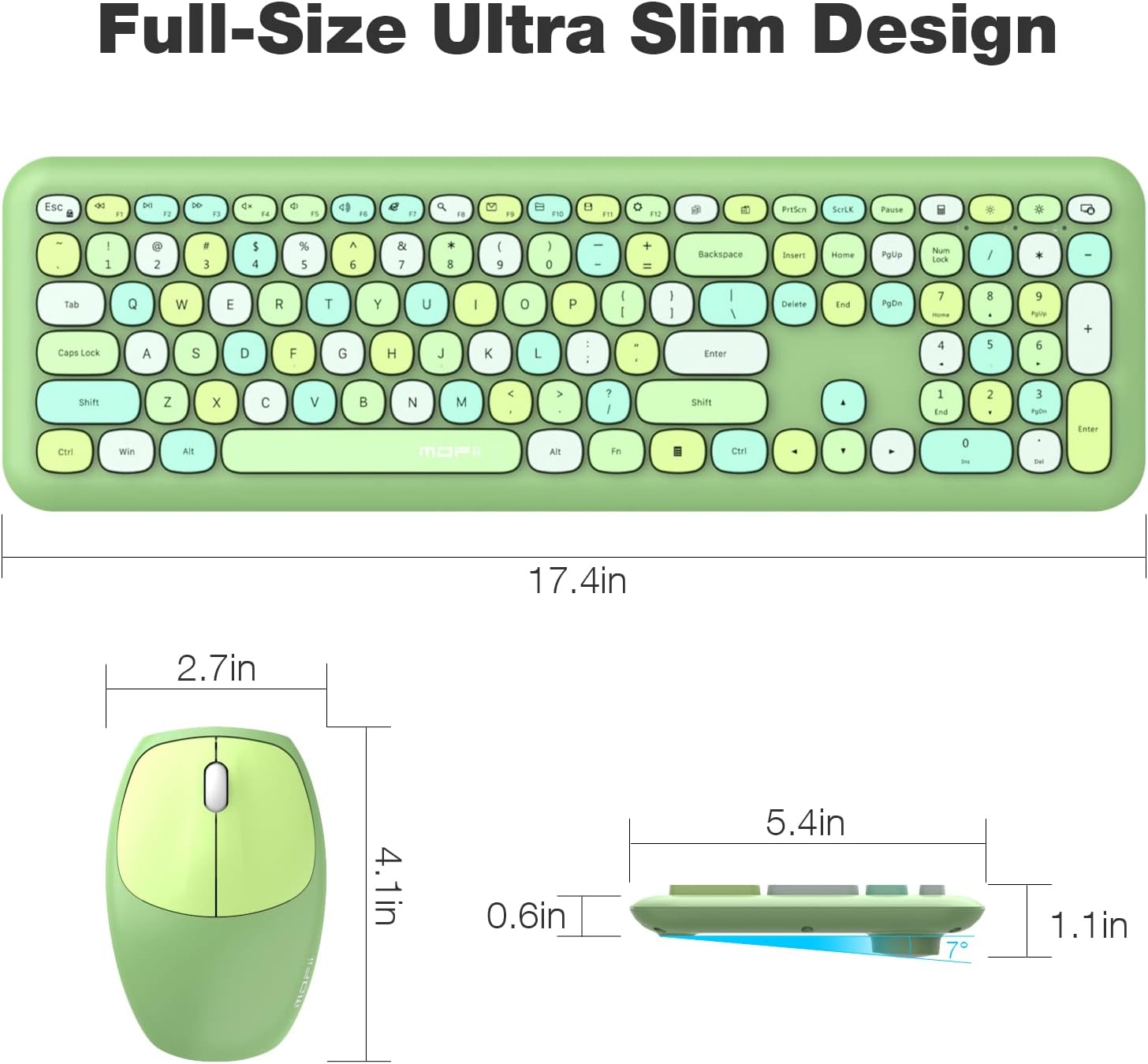
Image: Detailed dimensions of the MOFii wireless keyboard and mouse, illustrating their compact and ergonomic design.
الضمان والدعم
For warranty information and customer support, please refer to the documentation included with your product packaging or visit the official MOFII webالموقع. احتفظ بإيصال الشراء الخاص بك كإثبات للشراء في حالة وجود أي مطالبات بالضمان.
If you encounter any issues not covered in this manual, please contact MOFii customer service for assistance.


