1. المقدمة وما فوقview
Capture your driving experience with the Ring Automotive RSDC2000 Smart Dash Cam. This advanced dash cam features Full HD 1080p resolution at 30 frames per second, providing clear and detailed video footage. Integrated Wi-Fi and a G-sensor ensure easy connectivity and automatic incident recording. The Ring Connect app allows convenient access and control, while the compact 2-inch screen offers easy viewing. Its sleek black design ensures it blends seamlessly with your vehicle's interior, making it an essential accessory for safe and secure driving.

Image: The Ring Smart Dash Cam RSDC2000 shown with its magnetic mount and a smartphone displaying the Ring Connect application, highlighting its connectivity features.
2. مواصفات المنتج
- Secure Recording: Works in conjunction with Ring Connect to save, store, and easily share captured content.
- مستشعر الجاذبية: Automatically saves moments during a collision, ensuring critical footagتم الحفاظ عليه.
- سهولة التركيب: Simple setup with a magnetic mount and included trim tool for quick and secure placement.
- App and Wi-Fi Connectivity: Stay connected with the Ring Connect app and Wi-Fi features for convenient viewing and sharing of footage.
- High Quality Video: Enjoy crystal-clear videos captured in Full HD 1080p at 30fps.
- وضع وقوف السيارات: Records collisions even when the vehicle is parked, providing continuous surveillance.
- منفذ كارت الذاكرة الصغيرة: Supports up to 32GB capacity for ample storage of recordings.
- تصميم مضغوط: Smaller than a credit card, ensuring an unobstructed view أثناء القيادة.
- مجال واسع من View: مجال 120 درجة view to capture a comprehensive view من الطريق.

Image: Diagram illustrating the secure recording capabilities, including G-sensor, parking mode, and Micro SD card slot.

Image: Visual representation of the dash cam's compact size, comparing it to a credit card and showing its dimensions.
3. ما الذي يوجد في الصندوق؟
The Ring Smart Dash Cam RSDC2000 package includes the following components:
- Ring Smart Dash Cam RSDC2000 Body
- 3.5m 12V DC Power Cable with USB
- جبل المغناطيسي
- تعليمات البدء السريع
- أداة إزالة القطع
- Recording Window Sticker
- Spare Self-Adhesive Pad

Image: An illustration detailing all items included in the product packaging, such as the dash cam unit, power cable, magnetic mount, and tools.
4. الإعداد
Follow these steps to set up your Ring Smart Dash Cam RSDC2000:
- اختر موقع التركيب: Select a location on your windshield that provides a clear view of the road and does not obstruct your driving visibility. The area should be clean and dry.
- Attach Magnetic Mount: Secure the magnetic mount to the chosen location on your windshield using the adhesive pad. Ensure it is firmly attached.
- قم بتوصيل كاميرا السيارة: The dash cam unit easily attaches to the magnetic mount. Ensure it clicks securely into place.
- توصيل الطاقة: Plug the 3.5m 12V DC power cable into the dash cam and then into your vehicle's cigarette lighter socket. Route the cable neatly along the windshield edge using the included trim removal tool to tuck it under the vehicle's trim for a clean installation.
- أدخل بطاقة SD الصغيرة: Insert a compatible Micro SD card (up to 32GB, not included) into the designated slot on the dash cam.
- التشغيل الأولي: Once connected to power, the dash cam should power on automatically. Follow any on-screen prompts for initial setup, such as setting the date and time.
- Download Ring Connect App: Download the Ring Connect app from your smartphone's app store. This app will allow you to connect to your dash cam via Wi-Fi for viewإعداد وإدارة الطعامtage.

Image: The dash cam mounted on a car's windshield, demonstrating its discreet placement and ease of installation.
5. تعليمات التشغيل
The Ring Smart Dash Cam RSDC2000 is designed for straightforward operation:
- التسجيل التلقائي: The dash cam will automatically begin recording when your vehicle's ignition is turned on. Footage is recorded in Full HD 1080p at 30 frames per second.
- التسجيل المتكرر: When the Micro SD card is full, the dash cam will automatically overwrite the oldest unprotected footage to continue recording.
- G-Sensor (Incident Detection): في حالة حدوث تأثير أو تصادم مفاجئ، سيكتشف المستشعر G المدمج الحدث تلقائيًا ويقفل مقطع الفيديو الحالي، مما يمنع استبداله بالتسجيل المتكرر.
- وضع وقوف السيارات: When enabled, the dash cam can continue to monitor your vehicle for impacts even when parked. If an impact is detected, it will automatically record and save the footage.
- Using the 2-inch Screen: The integrated 2-inch screen allows for real-time viewing of the recording, playback of saved footage, and navigation through the device's menu settings.
- Wi-Fi and Ring Connect App: Connect your smartphone to the dash cam's Wi-Fi network. Open the Ring Connect app to view يعيش فوtage, download recorded videos to your phone, adjust settings, and share clips.

Image: A driver's perspective showing the dash cam mounted on the windshield, illustrating its wide 120-degree field of view and clear recording capabilities.
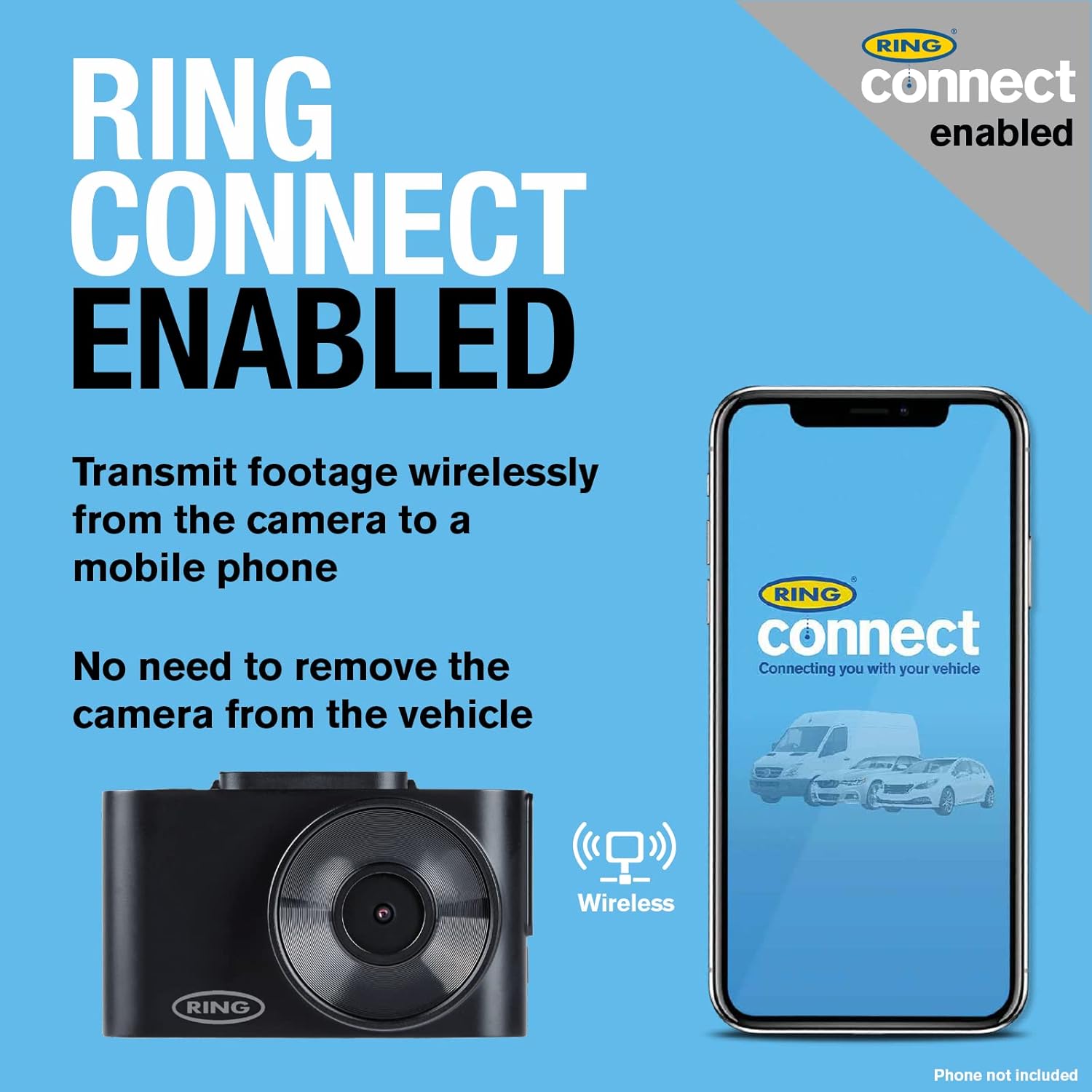
Image: The dash cam and a smartphone with the Ring Connect app, demonstrating the wireless connectivity for footage transmission without removing the camera.
6. الصيانة
Proper maintenance ensures the longevity and optimal performance of your Ring Smart Dash Cam RSDC2000:
- تنظيف العدسة: Regularly wipe the camera lens with a soft, lint-free cloth to ensure clear recordings. Avoid abrasive cleaners.
- تنظيف الشاشة: Use a microfiber cloth to gently clean the 2-inch display screen.
- إدارة بطاقة Micro SD: It is recommended to format the Micro SD card periodically (e.g., once a month) using the dash cam's menu settings. This helps maintain card health and prevents data corruption. Back up any important footagقبل التنسيق.
- تحديثات البرامج الثابتة: Check the Ring Automotive website or the Ring Connect app for any available firmware updates. Keeping your dash cam's firmware up-to-date can improve performance and add new features.
- اعتبارات درجة الحرارة: Avoid exposing the dash cam to extreme temperatures for prolonged periods. If the vehicle is parked in direct sunlight on a hot day, consider removing the dash cam or shading it.
- فحص الكابلات: Periodically inspect the power cable for any signs of wear or damage. Replace if necessary.
7. استكشاف الأخطاء وإصلاحها
If you encounter issues with your Ring Smart Dash Cam RSDC2000, refer to the following common troubleshooting steps:
- كاميرا لوحة القيادة لا تعمل:
- تأكد من توصيل كابل الطاقة بشكل آمن بكل من كاميرا لوحة القيادة ومقبس ولاعة السجائر في السيارة.
- Check if the vehicle's cigarette lighter socket is receiving power (e.g., by testing with another device).
- Try a different 12V power source if available.
- مشاكل التسجيل (لا يوجد تسجيل/ملف تالف) Fileالصورة):
- Ensure a Micro SD card is inserted correctly.
- Format the Micro SD card using the dash cam's menu. If issues persist, try a different, high-quality Micro SD card.
- تحقق مما إذا كانت البطاقة ممتلئة وتم تفعيل التسجيل الحلقي.
- مشاكل الاتصال بالواي فاي:
- تأكد من تفعيل خاصية الواي فاي على كاميرا السيارة وهاتفك الذكي.
- أعد تشغيل كل من كاميرا لوحة القيادة والهاتف الذكي الخاص بك.
- Ensure you are within close proximity to the dash cam for a stable Wi-Fi connection.
- جودة الفيديو رديئة:
- تنظيف عدسة الكاميرا.
- Ensure the protective film (if any) has been removed from the lens.
- Check the video resolution settings in the dash cam's menu or the Ring Connect app.
- Dash Cam Freezes/Unresponsive:
- اضغط مع الاستمرار على زر الطاقة لإعادة التشغيل قسراً.
- If a reset button is available (refer to quick start guide), use a thin object to press it.
If these steps do not resolve the issue, please refer to the official Ring Automotive support resources or contact customer service.
8. المواصفات
| ميزة | مواصفة |
|---|---|
| اسم الموديل | Ring Automotive RSDC2000 Smart Dash Cam 2000 |
| رقم الموديل | آر إس دي سي 2000 |
| ماركة | جرس |
| لون | أسود |
| حجم الشاشة | 2 بوصة |
| تكنولوجيا الاتصال | واي فاي |
| دقة تسجيل الفيديو | 1080 بكسل (عالي الدقة بالكامل) |
| مجال View | 120 درجة |
| نوع التركيب | Windshield Mount (Magnetic) |
| المميزات الخاصة | Integrated Display, App Control, Loop Recording, Integrated Speaker, Integrated Microphone, Parking Monitor, Integrated Wi-Fi |
| الأجهزة المتوافقة | سيارة |
| تكوين البطارية | ليثيوم أيون (1 متضمنة) |
| بطارية قابلة لإعادة الشحن | نعم |
9. الضمان والدعم
For warranty information, please refer to the documentation provided with your product or visit the official Ring Automotive website. Information regarding spare parts availability and guaranteed software updates is not directly available in this manual.
For technical support, troubleshooting assistance beyond this manual, or inquiries about spare parts and software updates, please contact Ring Automotive customer service directly. You can typically find contact details on their official webالموقع أو في دليل البدء السريع للمنتج.
Ring Automotive Official Webموقع: www.ringautomotive.com


