1. المقدمة
شكرا لك على الشراءasing the EARISE D61 Plus Bluetooth Speaker. This manual provides important information regarding the safe operation, setup, and maintenance of your device. Please read it thoroughly before use and retain it for future reference.

Image 1.1: The EARISE D61 Plus Bluetooth Speaker, showcasing its portable design and integrated RGB lighting.
2. معلومات هامة حول السلامة
- Do not expose the speaker to water or excessive moisture, as it is not waterproof.
- تجنب درجات الحرارة القصوى، وأشعة الشمس المباشرة، ومصادر الحرارة.
- لا تقم بتفكيك الجهاز أو إصلاحه أو تعديله. يجب إحالة جميع أعمال الصيانة إلى فنيين مؤهلين.
- استخدم فقط كابل الشحن ومحول الطاقة المحددين.
- احفظ السماعة بعيدًا عن متناول الأطفال والحيوانات الأليفة.
- لا تقم بتشغيل مكبر الصوت بمستوى صوت مرتفع للغاية لفترات طويلة لتجنب تلف السمع.
3. محتويات العبوة
يرجى التحقق من الحزمة للعناصر التالية:
- EARISE D61 Plus Bluetooth Speaker
- كابل شحن USB
- دليل المستخدم (هذا المستند)
إذا كانت أي من العناصر مفقودة أو تالفة، يرجى الاتصال بدعم العملاء.
4. انتهى المنتجview
تعرف على مكونات مكبر الصوت وأدوات التحكم فيه.
الصورة 4.1: الجبهة view of the EARISE D61 Plus speaker, highlighting the control panel and speaker grille.
4.1 لوحة التحكم والمنافذ

Image 4.2: Diagram illustrating the various input options and features of the speaker, including USB, TF card, AUX, Microphone, Bluetooth, and FM radio.
- زر الوضع/الإضاءة: Short press to switch between input modes (Bluetooth, AUX, USB, TF, FM). Long press to change light effects.
- M-/V- Button: Short press for previous track (in music modes) or previous station (in FM mode). Long press to decrease volume.
- MSCAN/TWS Button: Short press to Play/Pause (in music modes) or auto-scan FM stations (in FM mode). Long press to activate TWS pairing.
- M+/V+ Button: Short press for next track (in music modes) or next station (in FM mode). Long press to increase volume.
- منفذ USB: لتشغيل محرك أقراص فلاش USB.
- فتحة بطاقة TF: لتشغيل الملفات من بطاقة TF (MicroSD).
- مدخلات AUX: لتوصيل أجهزة الصوت الخارجية عبر كابل صوت مقاس 3.5 ملم.
- مدخلات الميكروفون: لتوصيل الميكروفون.
- منفذ الشحن: لشحن البطارية الداخلية للسماعة.
5. الإعداد
5.1 شحن السماعة
Before first use, fully charge the speaker. Connect the provided USB charging cable to the speaker's charging port and the other end to a USB power adapter (not included) or a computer's USB port. The charging indicator will illuminate during charging and turn off when fully charged.

Image 5.1: Visual representation of the speaker being charged, indicating battery status.
5.2 تشغيل/إيقاف التشغيل
Press and hold the Power button (often integrated with the MODE button or a separate switch, refer to physical device for exact location) to turn the speaker ON or OFF. A sound prompt will indicate the power status.
5.3 اقتران بلوتوث
- Ensure the speaker is powered on and in Bluetooth mode (indicated by a voice prompt or flashing LED). If not, short press the MODE/LIGHT button to switch to Bluetooth mode.
- قم بتمكين البلوتوث على جهازك المحمول (الهاتف الذكي، والكمبيوتر اللوحي، وما إلى ذلك).
- بحث عن available Bluetooth devices. You should see "EARISE D61 Plus" in the list.
- Select "EARISE D61 Plus" to connect. Once paired, a confirmation sound will be heard.
- The speaker will automatically reconnect to the last paired device when in Bluetooth mode, if the device is within range and Bluetooth is enabled.
إقران 5.4 TWS (ستيريو لاسلكي حقيقي)
To achieve stereo sound, you can pair two EARISE D61 Plus speakers together.

Image 5.2: Illustration of two EARISE D61 Plus speakers connected via TWS for a stereo audio experience, controlled by a single smartphone.
- Ensure both EARISE D61 Plus speakers are powered on and in Bluetooth mode, but not yet connected to any device.
- On one of the speakers (this will be the primary speaker), long press the MSCAN/TWS button. You will hear a prompt indicating TWS pairing mode.
- سيقوم مكبرا الصوت بالبحث عن بعضهما البعض والاتصال تلقائيًا. وسيصدر صوت تأكيد للإشارة إلى نجاح عملية الاقتران اللاسلكي.
- Once paired, the primary speaker will be ready for Bluetooth connection to your mobile device. Follow the steps in "5.3 Bluetooth Pairing" to connect your device to the primary speaker.
- سيتم الآن تشغيل الصوت بنظام ستيريو من خلال كلا السماعتين.
- To disconnect TWS, long press the MSCAN/TWS button on either speaker.
6. تعليمات التشغيل
6.1 اختيار الوضع
اضغط لفترة قصيرة على الوضع / الضوء button to cycle through available input modes: Bluetooth, AUX, USB, TF Card, FM Radio.
6.2 Audio Playback (Bluetooth, USB, TF Card, AUX)
- تشغيل/إيقاف مؤقت: اضغط لفترة قصيرة على MSCAN/TWS زر.
- المسار التالي: اضغط لفترة قصيرة على M+/V+ زر.
- المسار السابق: اضغط لفترة قصيرة على M-/V- زر.
- رفع الصوت: اضغط لفترة طويلة على M+/V+ زر.
- اخفض الصوت: اضغط لفترة طويلة على M-/V- زر.
تشغيل راديو 6.3 FM
- قم بالتبديل إلى وضع FM باستخدام الوضع / الضوء زر.
- اضغط لفترة قصيرة على MSCAN/TWS button to automatically scan and save available FM stations. The speaker will play the first saved station.
- ضغطة قصيرة M+/V+ or M-/V- للتنقل بين المحطات المحفوظة.
6.4 RGB Light Effects
The speaker features dynamic RGB lighting. Long press the الوضع / الضوء زر للتنقل بين أوضاع الإضاءة المختلفة أو لإطفاء الأنوار.
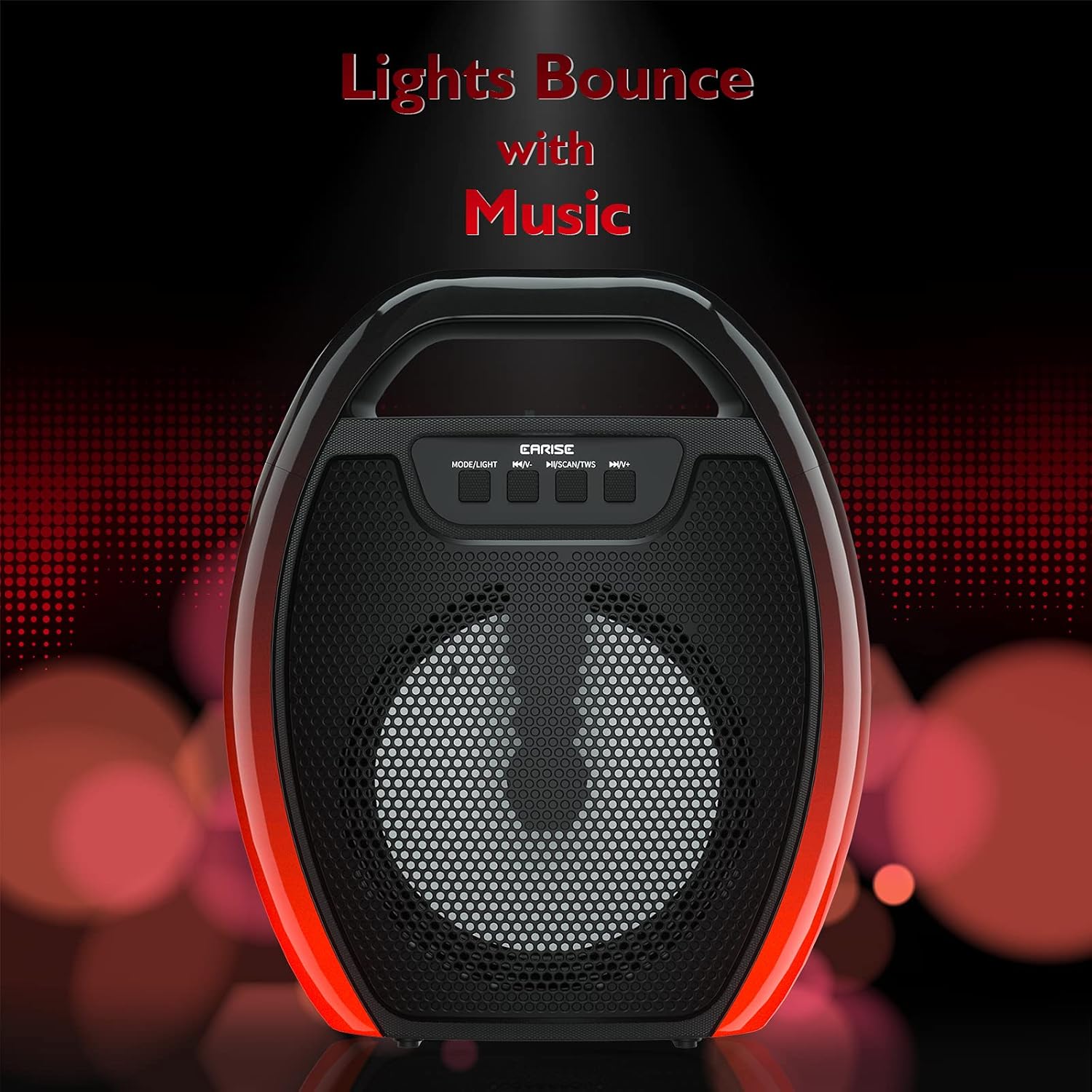
Image 6.1: The speaker displaying its light effects, which can synchronize with music playback.
6.5 إدخال الميكروفون
Connect a wired microphone (not included) to the MIC input port for karaoke or public address functions. Adjust the microphone volume using the connected microphone's controls or the speaker's main volume controls.
7. الصيانة
- تنظيف: Use a soft, dry cloth to clean the speaker. Do not use liquid cleaners or aerosols.
- تخزين: قم بتخزين مكبر الصوت في مكان بارد وجاف بعيدًا عن أشعة الشمس المباشرة ودرجات الحرارة القصوى.
- العناية بالبطارية: To prolong battery life, fully charge the speaker before long periods of inactivity and recharge it at least once every three months. Avoid completely draining the battery frequently.
8. استكشاف الأخطاء وإصلاحها
| مشكلة | السبب المحتمل | حل |
|---|---|---|
| لا يتم تشغيل مكبر الصوت. | بطارية منخفضة؛ لم يتم الضغط على زر الطاقة بشكل صحيح. | Charge the speaker; Press and hold the Power button for a few seconds. |
| لا يمكن الاقتران عبر البلوتوث. | مكبر الصوت ليس في وضع الاقتران؛ البلوتوث في الجهاز مغلق؛ مكبر الصوت بعيد جدًا عن الجهاز؛ متصل بالفعل بجهاز آخر. | Ensure speaker is in Bluetooth pairing mode; Turn on Bluetooth on your device; Move device closer to speaker; Disconnect from other devices. |
| لا يوجد صوت. | مستوى الصوت منخفض جدًا؛ وضع الإدخال غير صحيح؛ الجهاز لا يقوم بتشغيل الصوت. | Increase speaker and device volume; Switch to correct input mode (Bluetooth, AUX, etc.); Ensure audio is playing on your device. |
| فشل اقتران TWS. | Speakers too far apart; One speaker already paired to a device; Not in TWS pairing mode. | Ensure speakers are close; Disconnect both speakers from any devices; Long press MSCAN/TWS on one speaker to initiate TWS pairing. |
| أضواء RGB لا تعمل. | انطفأت الأنوار؛ عطل فني. | Long press MODE/LIGHT button to cycle through light modes; If issue persists, contact support. |
9. المواصفات
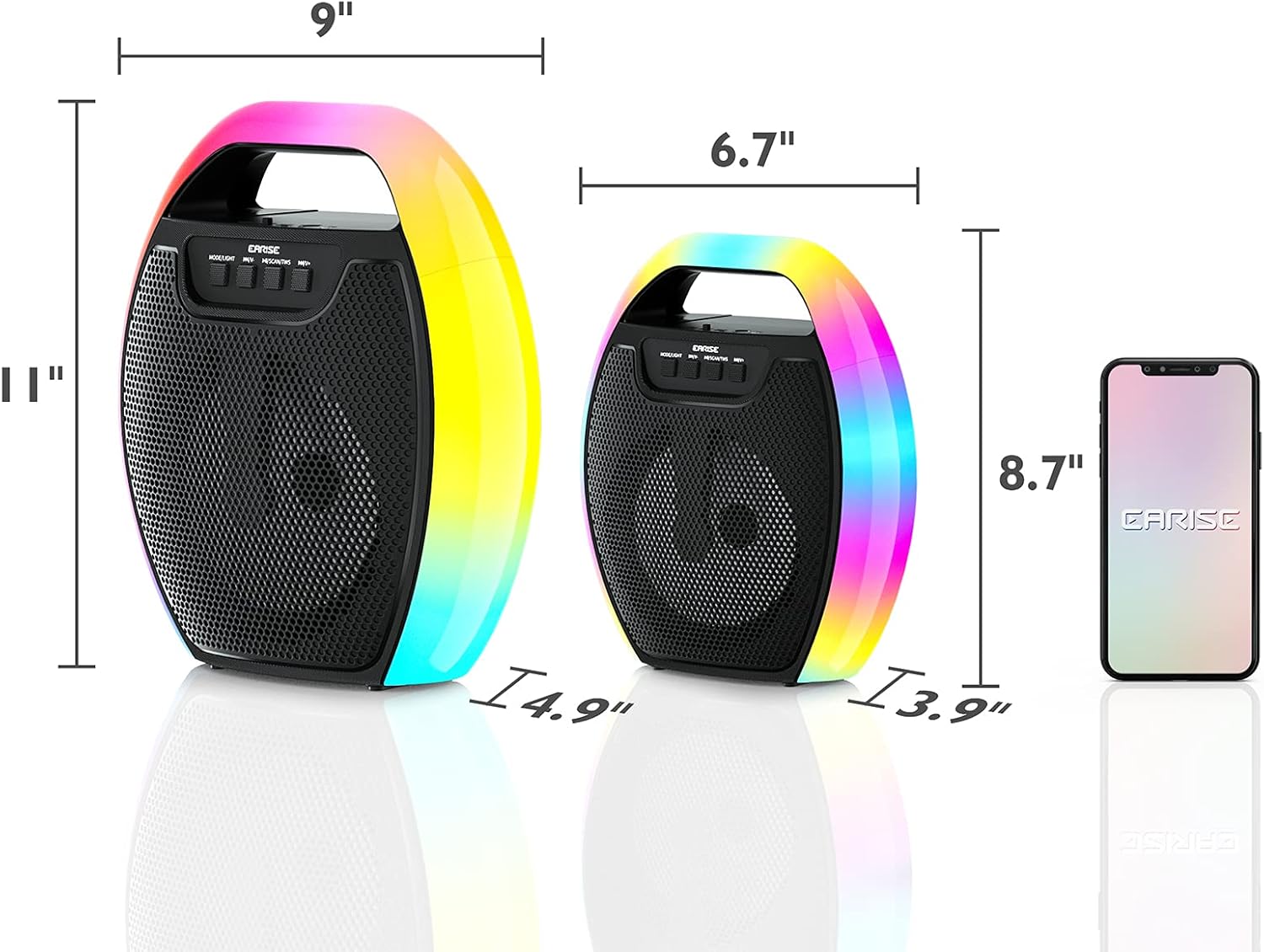
Image 9.1: Product dimensions of the EARISE D61 Plus speaker.
| ميزة | التفاصيل |
|---|---|
| اسم الموديل | دي 61 بلس |
| ماركة | آريز |
| تكنولوجيا الاتصال | Bluetooth, Auxiliary (3.5mm), USB, TF Card, FM Radio |
| وضع إخراج الصوت | ستيريو (مع TWS) |
| نوع السماعة | مكبر صوت محمول في الهواء الطلق |
| حجم السماعة | 4 بوصة |
| مصدر الطاقة | تعمل بالبطارية |
| عمر البطارية | Up to 12 Hours (actual playtime varies with volume and light usage) |
| ضد للماء | لا |
| أبعاد المنتج | 9 × 5 × 11 بوصة (الطول × العرض × الارتفاع) |
| وزن العنصر | 2.28 رطل |
| المميزات الخاصة | RGB Lights, TWS Pairing, Portable |
10. الضمان والدعم
EARISE products are designed and manufactured to the highest quality standards. For information regarding warranty coverage, technical support, or service inquiries, please refer to the warranty card included with your purchase or visit the official EARISE webموقع.
يرجى الاحتفاظ بإثبات الشراء الخاص بك لمطالبات الضمان.


