1. المقدمة
The BirdDog PF120 is a high-performance Full HD NDI box camera designed for professional video production environments. It features an Exmor R back-illuminated sensor, 20x optical zoom, and a full color matrix, all housed within a durable all-metal chassis. This manual provides essential information for the proper setup, operation, and maintenance of your PF120 camera.
2. محتويات العبوة
يرجى التأكد من وجود جميع العناصر المذكورة أدناه في طردك. في حال وجود أي عناصر مفقودة أو تالفة، يرجى الاتصال بالبائع فوراً.
- BirdDog PF120 Full HD NDI 20x Box Camera
- محول الطاقة (DC 12V)
- غطاء العدسة
- التوثيق (دليل البدء السريع، معلومات السلامة)
3. انتهى المنتجview
The BirdDog PF120 is engineered for versatility and robust performance. Key features include:
- Full NDI support for seamless integration into IP workflows.
- 20x optical zoom for detailed close-ups.
- Exmor R back-illuminated sensor for superior low-light performance.
- Durable all-metal housing.
- Multiple connectivity options including HDMI, NDI/PoE, RS-232, and USB2.0.
3.1 كاميرا Views and Components

الشكل 3.1: الجانب الامامي view of the BirdDog PF120 camera, showcasing the lens and the BirdDog logo on the side panel.
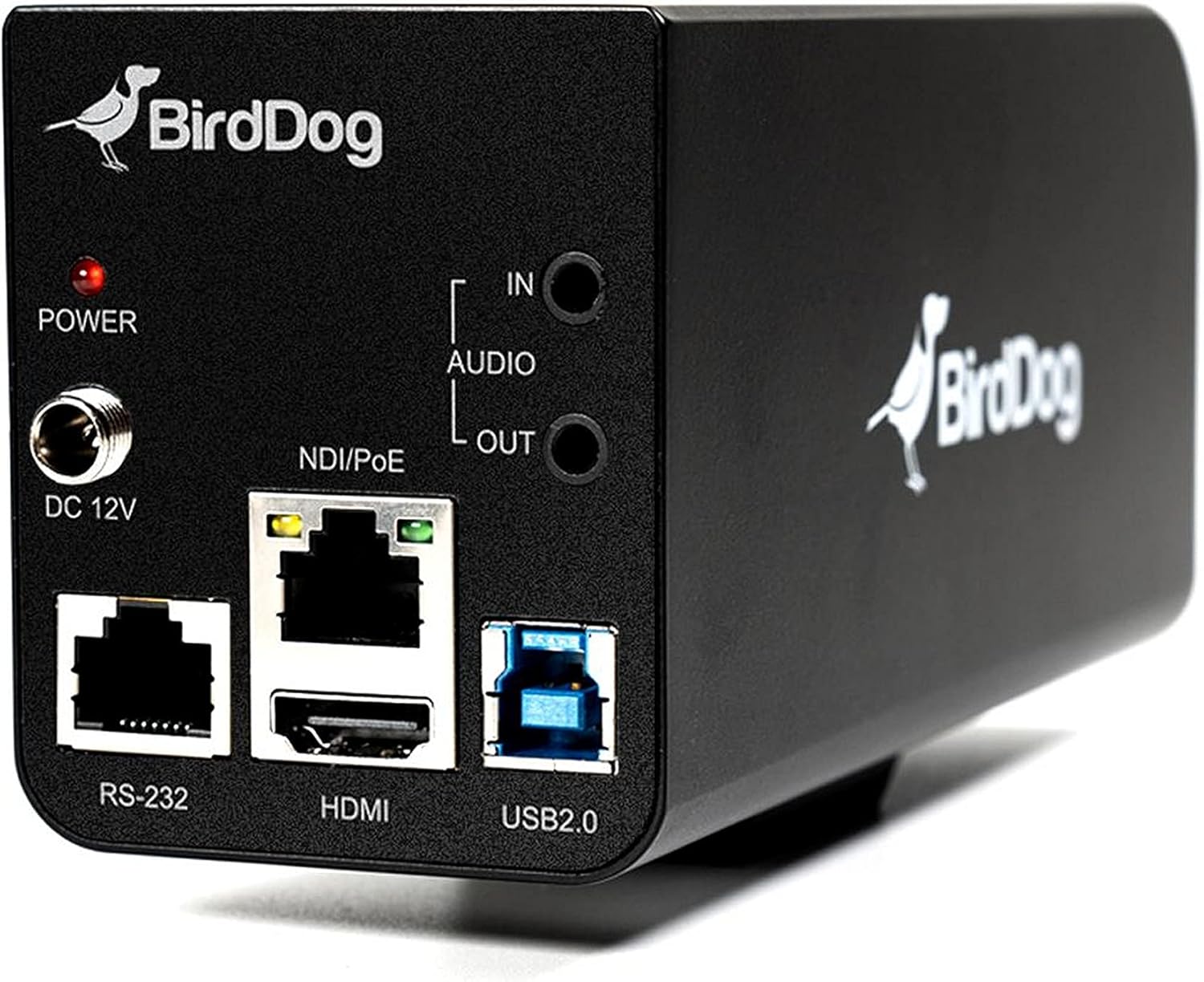
الشكل 3.2: Rear panel of the BirdDog PF120, displaying the power input (DC 12V), audio input/output, NDI/PoE port, HDMI output, RS-232 port, and USB2.0 port.
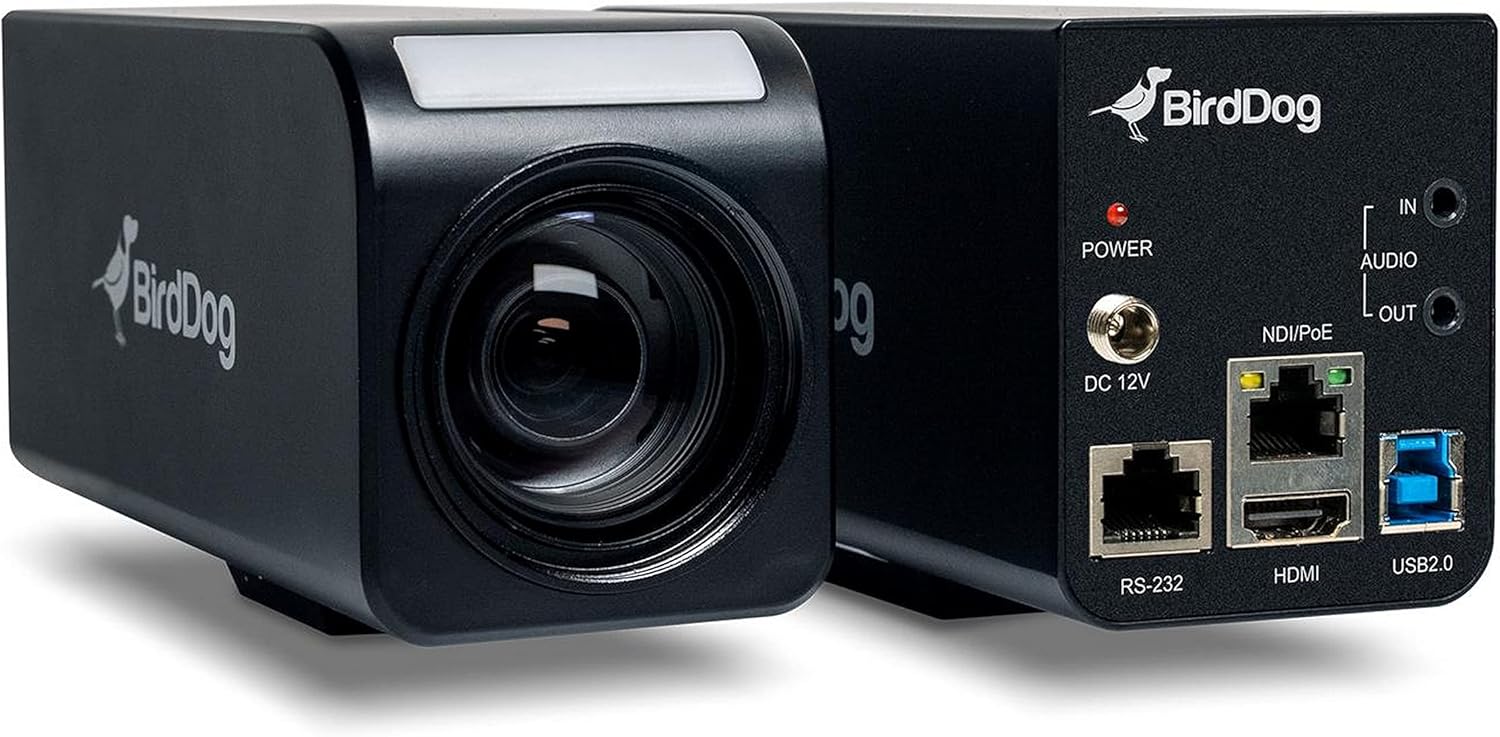
الشكل 3.3: مجموع view of the BirdDog PF120, showing both the front lens assembly and the rear connectivity panel.

الشكل 3.4: قمة view of the BirdDog PF120 camera, highlighting the sleek design and BirdDog branding.
4. الإعداد
4.1 التشغيل
- Connect the supplied DC 12V power adapter to the "DC 12V" port on the rear of the camera.
- قم بتوصيل محول الطاقة بمأخذ طاقة مناسب.
- Alternatively, if using a PoE-enabled network switch, connect an Ethernet cable to the "NDI/PoE" port. The camera will power on via Power over Ethernet.
4.2 Network Connection (NDI)
- Connect an Ethernet cable from the "NDI/PoE" port on the camera to your network switch or router.
- Ensure your network is configured to support NDI protocols.
- The camera will obtain an IP address automatically via DHCP. For static IP configuration, refer to the BirdDog Central application or web واجهة.
4.3 إخراج الفيديو
- NDI Output: The primary video output is via NDI over the Ethernet connection.
- مخرج HDMI: Connect an HDMI cable from the "HDMI" port on the camera to a monitor or video switcher for direct video monitoring.
5. تشغيل الكاميرا
5.1 الوصول إلى Web الواجهة
- Once connected to the network, use the BirdDog Central application or an IP scanner to discover the camera's IP address.
- افتح web استخدم المتصفح وأدخل عنوان IP الخاص بالكاميرا للوصول إليها web واجهة.
- من web interface, you can configure video settings, network parameters, and control camera functions.
5.2 التحكم بالكاميرا
The PF120 can be controlled via:
- NDI Tools: Utilize NewTek NDI Tools (e.g., NDI Studio Monitor) for basic control.
- BirdDog Central / Cam Control: BirdDog's dedicated software provides comprehensive control over camera settings, including zoom, focus, iris, and color matrix.
- RS-232: Connect a compatible serial controller to the RS-232 port for hardware control.
- جهاز التحكم عن بعد: The camera supports remote control methods as specified in the product documentation.
5.3 التكبير والتركيز
The PF120 features a 20x optical zoom lens. Zoom and focus adjustments are typically made through the web interface or compatible control software.
6. الصيانة
- تنظيف: Use a soft, dry cloth to clean the camera body. For the lens, use a specialized lens cleaning solution and microfiber cloth. Avoid abrasive cleaners.
- تحديثات البرامج الثابتة: Periodically check the BirdDog website for firmware updates. Keeping the firmware updated ensures optimal performance and access to new features.
- تخزين: عند عدم استخدام الكاميرا لفترات طويلة، قم بتخزينها في مكان بارد وجاف، بعيدًا عن أشعة الشمس المباشرة ودرجات الحرارة القصوى.
7. استكشاف الأخطاء وإصلاحها
7.1 لا يوجد طاقة
- تأكد من توصيل محول الطاقة بشكل آمن بكل من الكاميرا ومأخذ الطاقة العامل.
- If using PoE, verify that the Ethernet cable is connected to a PoE-enabled port on your switch and that the switch is providing power.
7.2 No NDI Signal
- تحقق من اتصال كابل إيثرنت.
- Verify that the camera has obtained an IP address (check your router's DHCP client list or use BirdDog Central).
- Ensure your network firewall is not blocking NDI traffic.
- Confirm that NDI tools or software on your receiving device are correctly configured to discover NDI sources.
7.3 مشاكل جودة الصورة
- Check lens for smudges or dust and clean if necessary.
- Adjust focus settings via the web interface or control software.
- Review exposure, white balance, and color matrix settings in the camera's web واجهة.
8. المواصفات
| ميزة | التفاصيل |
|---|---|
| رقم الموديل | BD-BDPF120 |
| دقة التقاط الفيديو | 1080 بكسل |
| دقة الفيديو الفعالة | 720 بكسل |
| التكبير البصري | 20x |
| نوع التكبير | Digital Zoom, Optical Zoom |
| تكنولوجيا الاتصال | سلكي |
| بروتوكول الاتصال | Wi-Fi (for control/management, NDI is primary video) |
| طريقة التحكم | Remote, Iris, RS-232 |
| مصدر الطاقة | AC/DC, PoE |
| واتtage | 5 واط |
| مادة | معدن |
| أبعاد العنصر (الطول × العرض × الارتفاع) | 9.9 × 9 × 3.6 بوصة |
| وزن العنصر | 2.94 رطل |
| نوع التركيب | Wall Mount (as per spec, but typically box cameras are versatile) |
| تصنيف الحماية الدولية | IP65 |
| تقنية الإضاءة المنخفضة | لون الليل |
9. الضمان والدعم
For warranty information and technical support, please refer to the official BirdDog website or contact your authorized BirdDog reseller. Keep your proof of purchase for warranty claims.
BirdDog Official Webموقع: www.bird-dog.tv


