1. المقدمة
This manual provides detailed instructions for the operation, maintenance, and troubleshooting of your Zebronics ZEB-BS1H2000BT 1D Wireless BT Handheld Barcode Scanner. Please read this manual thoroughly before using the device to ensure proper functionality and to prevent damage.

الصورة: الجبهة view of the Zebronics ZEB-BS1H2000BT 1D Wireless BT Handheld Barcode Scanner, showing its black body and blue trigger button.
2. مواصفات المنتج
- الربط اللاسلكي: Bluetooth v4.0 for flexible operation.
- مسح الباركود 1D: Designed for efficient scanning of 1D barcodes.
- التصميم المحمول: Ergonomic and comfortable for extended use.
- Inbuilt Buzzer & LED Indicator: Provides clear feedback on scan status.
- واجهة USB: للشحن ونقل البيانات.
- عملية الزناد: Easy-to-use trigger for scanning.
- مستقبل USB Nano: For wireless connection to devices.

Image: Diagram highlighting key features of the scanner including 1D Scanner, USB Interface, Trigger Operation, LED Indicator, USB Nano Receiver, and Wireless BT v4.0.
3. الإعداد
3.1. شحن الماسح الضوئي
Before first use, ensure the scanner is fully charged. Connect the scanner to a USB power source using the provided USB cable. The LED indicator will show charging status.
3.2. الاتصال عبر البلوتوث
- قم بتشغيل الماسح الضوئي بالضغط على زر الطاقة.
- Activate Bluetooth on your host device (e.g., tablet, smartphone, computer).
- Put the scanner into pairing mode (refer to the quick start guide for specific button combinations if needed).
- On your host device, search for available Bluetooth devices and select "ZEB-BS1H2000BT" from the list.
- Once paired, the scanner's LED indicator will confirm the connection.
3.3. Connecting via USB Nano Receiver
- Insert the USB Nano Receiver into an available USB port on your computer or host device.
- قم بتشغيل الماسح الضوئي. من المفترض أن يتصل تلقائيًا بجهاز الاستقبال.
- The LED indicator on the scanner will confirm a successful connection.
4. تشغيل الماسح الضوئي
4.1. Basic Scanning Operation
To scan a barcode, point the scanner's laser at the barcode and press the trigger button. A successful scan will be indicated by a beep from the inbuilt buzzer and a flash of the LED indicator.

Image: A person in a warehouse setting using the Zebronics ZEB-BS1H2000BT wireless barcode scanner to scan an item.
4.2. التطبيقات
The ZEB-BS1H2000BT scanner is suitable for various applications, including:
- إدارة المستودعات
- المكتبات
- Cargo & Shipping
- Attendance & Biometrics
- خدمات البريد السريع
- Super Markets

Image: The barcode scanner shown alongside icons representing its various applications such as warehouse, libraries, cargo & shipping, attendance & biometrics, courier services, and super markets.
5. الصيانة
لضمان طول عمر الماسح الضوئي وأدائه الأمثل، اتبع إرشادات الصيانة التالية:
- تنظيف: Use a soft, dry cloth to clean the scanner's exterior. Do not use abrasive cleaners or solvents.
- العناية بالعدسة: Gently wipe the scanning window with a lint-free cloth. Avoid touching the lens directly with fingers.
- تخزين: قم بتخزين الماسح الضوئي في مكان بارد وجاف بعيدًا عن أشعة الشمس المباشرة ودرجات الحرارة القصوى.
- بطارية: For long-term storage, ensure the battery is partially charged (around 50%) to preserve battery life.
6. استكشاف الأخطاء وإصلاحها
| مشكلة | السبب المحتمل | حل |
|---|---|---|
| الماسح الضوئي لا يعمل | بطارية منخفضة | اشحن الماسح الضوئي بالكامل. |
| لا يمكن الاتصال عبر البلوتوث | Not in pairing mode; Bluetooth off on host device; interference | Ensure scanner is in pairing mode. Turn on Bluetooth on host device. Move closer to host device. |
| الماسح الضوئي لا يقرأ الباركود | Barcode damaged; incorrect angle; dirty lens | Try scanning a different barcode. Adjust scanning angle. Clean the scanning lens. |
| No beep or LED feedback | Settings configured to silent; malfunction | Check scanner settings (if applicable). Contact support if issue persists. |
7. المواصفات
| ميزة | التفاصيل |
|---|---|
| ماركة | الزبرونيك |
| نموذج | ZEB-BS1H2000BT-cr |
| نوع الجهاز | ماسح الباركود المحمولة |
| الاتصال | Wireless (Bluetooth v4.0), USB |
| نوع الباركود | الباركود 1D |
| الأجهزة المتوافقة | الكمبيوتر اللوحي والهاتف الذكي |
| أبعاد المنتج | 8.6 × 6.5 × 16.5 سم |
| وزن العنصر | 290 جرام |
| المؤشرات | جرس تنبيه، مؤشر LED |
8. الضمان والدعم
8.1. معلومات الضمان
This product comes with a minimum six-month seller warranty. Please retain your purchase receipt for warranty claims. The warranty covers manufacturing defects and issues arising from normal use.
8.2. دعم العملاء
For any technical assistance, troubleshooting, or warranty inquiries, please contact Zebronics customer support. Refer to the product packaging or the official Zebronics webالموقع للحصول على أحدث معلومات الاتصال.
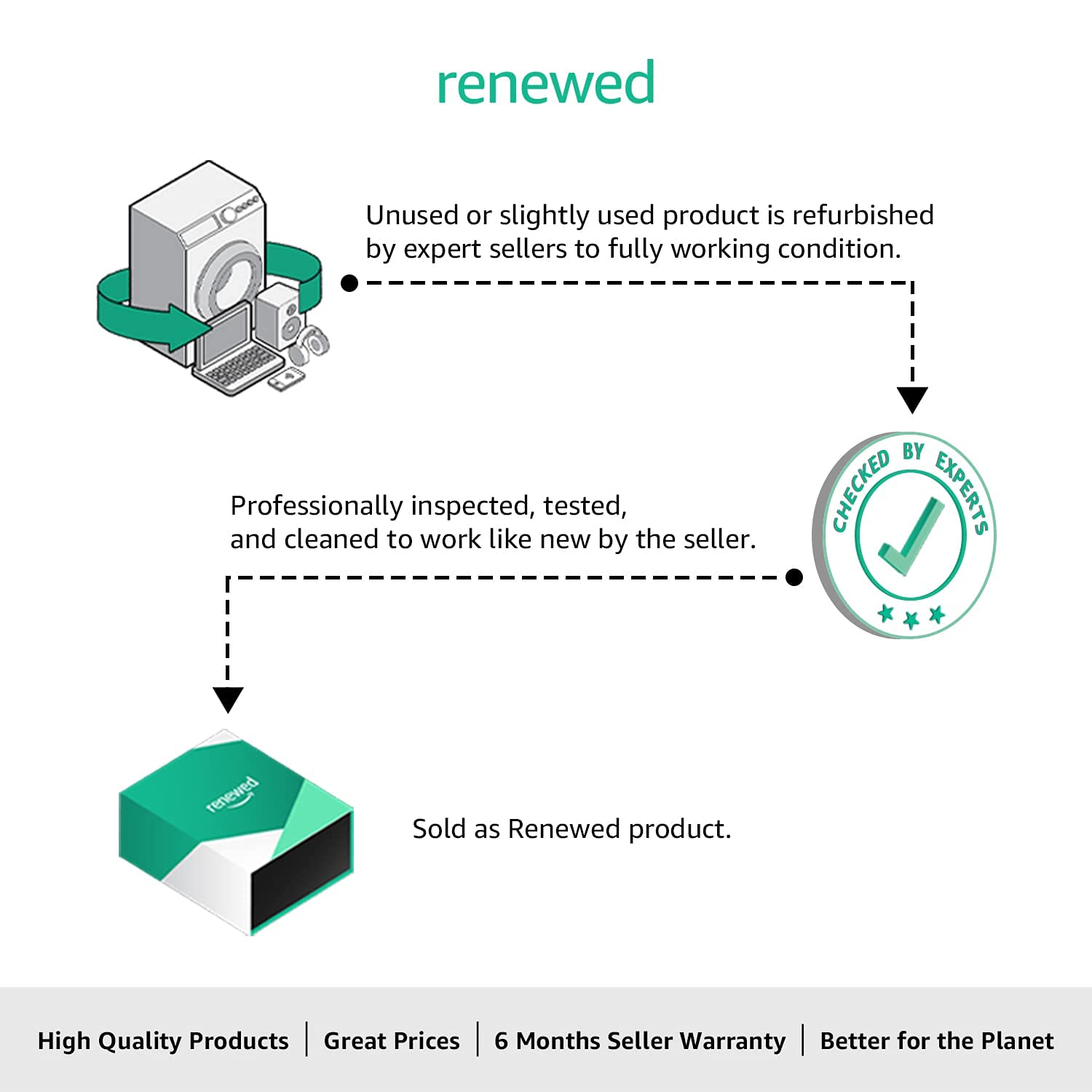
Image: Graphic explaining the "Renewed" product process, indicating that the product is tested to work and look like new, backed by a minimum six-month seller warranty.


