مقدمة
The Daewoo DIBT2626 is a compact and versatile wireless portable Bluetooth speaker designed for audio playback and hands-free communication. It features Bluetooth 5.0 connectivity, FM radio, an SD card slot for MP3 playback, a USB port, and an AUX input. The speaker is equipped with a 1200 mAh lithium-ion battery, providing up to 4 hours of playback on a 2-hour charge. Its robust design includes a metal speaker grille and protective rubber edges.
معلومات السلامة
لضمان التشغيل الآمن وإطالة عمر جهازك، يرجى مراعاة ما يلي:
- لا تعرض مكبر الصوت لدرجات حرارة عالية أو أشعة الشمس المباشرة أو الرطوبة العالية.
- تجنب إسقاط السماعة أو تعريضها لصدمات قوية.
- لا تحاول تفكيك السماعة أو تعديلها. سيؤدي ذلك إلى إلغاء الضمان وقد يتسبب في تلفها.
- أبقِ مكبر الصوت بعيدًا عن الماء والسوائل الأخرى.
- استخدم فقط كابل الشحن USB المرفق أو كابل شحن معتمد مماثل.
- نظّف السماعة بقطعة قماش ناعمة وجافة. لا تستخدم منظفات أو مذيبات كاشطة.
محتويات الحزمة
- Daewoo DIBT2626 Wireless Portable Bluetooth Speaker
- كابل شحن USB
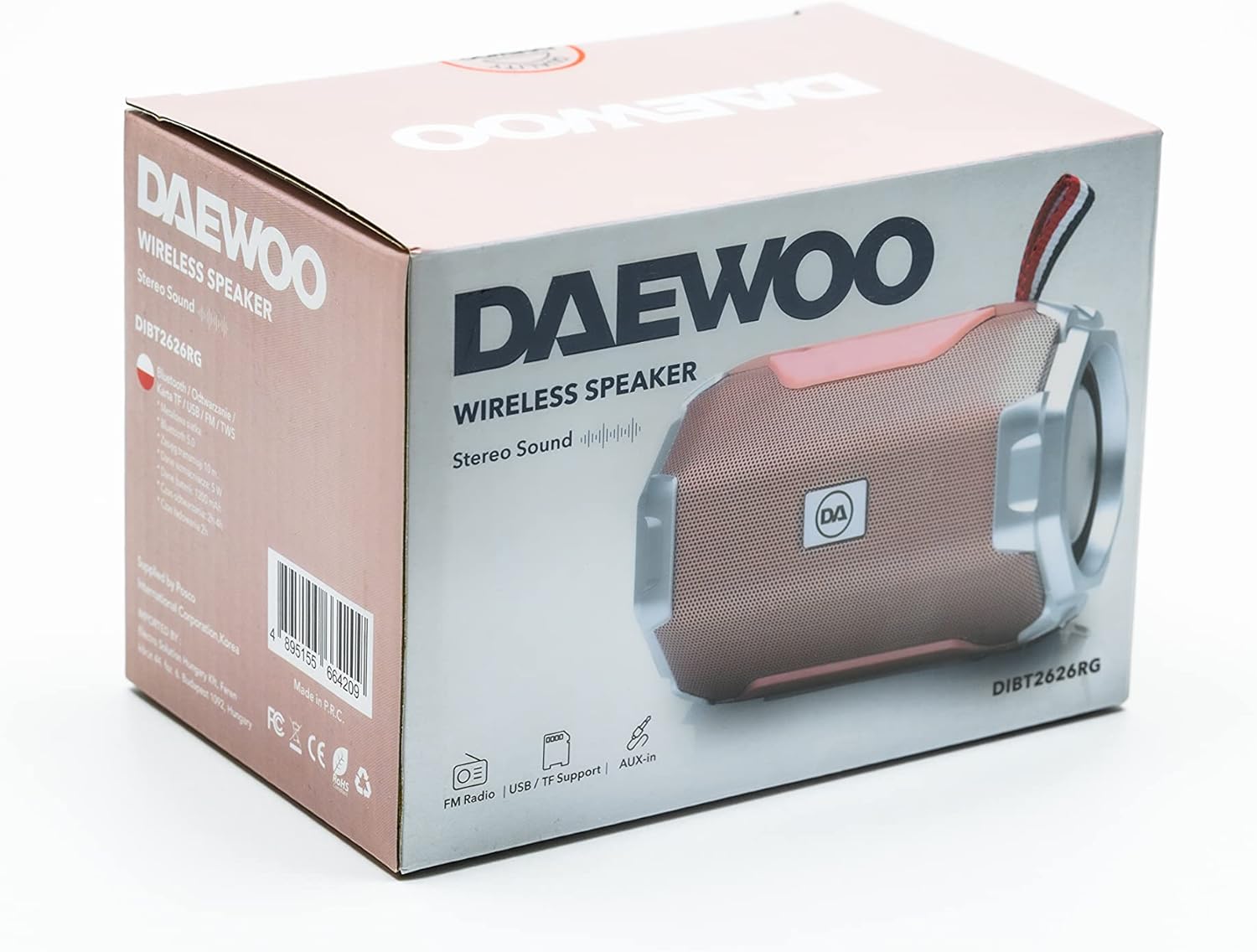
Image: The retail packaging box for the Daewoo DIBT2626 speaker, showing the product image and branding.
المنتج انتهىview
تعرّف على عناصر التحكم والمنافذ الخاصة بالسماعة.
لوحة التحكم
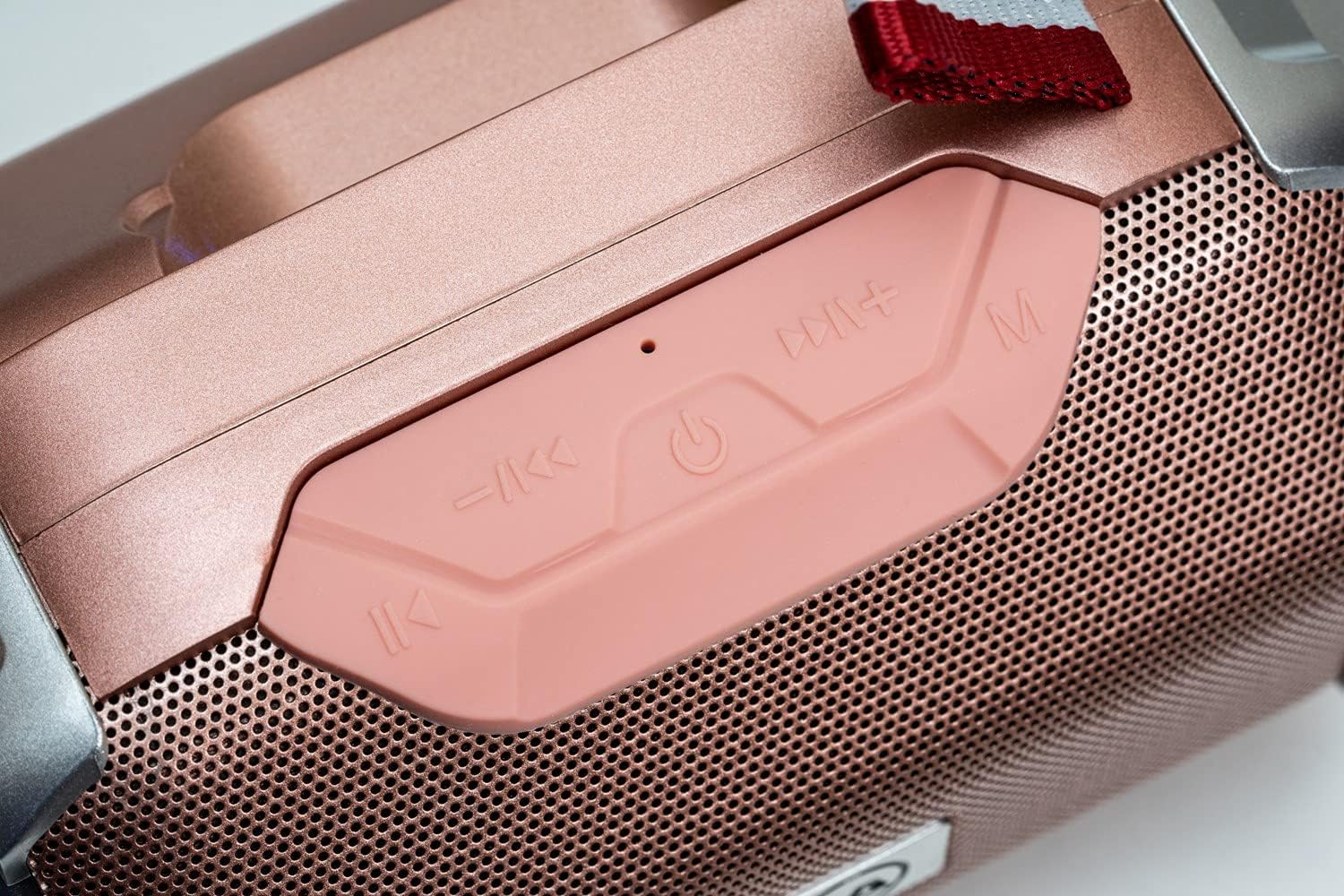
الصورة: لقطة مقربة view of the speaker's control panel, featuring four buttons and an LED indicator.
- المسار السابق / خفض الصوت: Short press for previous track, long press to decrease volume.
- الطاقة / التشغيل / الإيقاف المؤقت: Long press to power on/off. Short press to play/pause music. In call mode, short press to answer/end call.
- المسار التالي / رفع الصوت: Short press for next track, long press to increase volume.
- الوضع (م): Short press to switch between Bluetooth, FM Radio, SD Card, USB, and AUX modes.
- مؤشر LED: Indicates power status, charging, and Bluetooth pairing.
منافذ التوصيل

الصورة: تفصيلية view of the speaker's rear panel, showing the AUX, USB, TF (SD card), and DC 5V charging ports.
- منفذ AUX: For connecting external audio devices via a 3.5mm audio cable.
- منفذ يو اس بي: For playing music from a USB flash drive.
- TF Card Slot (SD Card): For playing MP3 files من بطاقة microSD.
- منفذ تيار مستمر 5 فولت: Micro USB port for charging the speaker.

Image: The Daewoo DIBT2626 speaker in rose gold, showcasing its front grille, control panel, and fabric hook.
يثبت
1. شحن مكبر الصوت
- قم بتوصيل كابل الشحن USB المرفق بمنفذ التيار المستمر 5 فولت الموجود على السماعة.
- قم بتوصيل الطرف الآخر من كابل USB بمحول طاقة USB (غير متضمن) أو بمنفذ USB الخاص بالكمبيوتر.
- سيضيء مؤشر LED أثناء الشحن. يستغرق الشحن الكامل حوالي ساعتين.
- بعد اكتمال الشحن، قد يتغير لون مؤشر LED أو ينطفئ، وذلك حسب الطراز. افصل كابل الشحن.
A fully charged speaker provides up to 4 hours of playback time.
2. تشغيل / إيقاف التشغيل
- لتشغيل: اضغط لفترة طويلة على الطاقة / التشغيل / الإيقاف المؤقت button until you hear an audible prompt or the LED indicator lights up.
- لإيقاف التشغيل: اضغط لفترة طويلة على الطاقة / التشغيل / الإيقاف المؤقت اضغط على الزر مرة أخرى حتى تسمع تنبيهًا صوتيًا أو ينطفئ مؤشر LED.
أوضاع التشغيل
1. وضع بلوتوث
- Ensure the speaker is powered on. It will automatically enter Bluetooth pairing mode, indicated by a flashing LED.
- على جهازك المحمول (الهاتف الذكي، الجهاز اللوحي، الكمبيوتر المحمول)، قم بتمكين البلوتوث وابحث عن الأجهزة المتاحة.
- Select "DIBT2626" from the list of devices.
- بمجرد الاقتران، سيتوقف مؤشر LED عن الوميض، وستسمع صوت تأكيد.
- You can now play audio from your device through the speaker. Use the speaker's control buttons or your device to adjust volume, play/pause, and skip tracks.
2. وضع راديو FM
- قم بتشغيل مكبر الصوت.
- اضغط على الوضع (م) button repeatedly until you enter FM Radio mode.
- To auto-scan and save available stations, short press the الطاقة / التشغيل / الإيقاف المؤقت زر. سيقوم مكبر الصوت بمسح المحطات وتخزينها تلقائيًا.
- استخدم المسار السابق / خفض الصوت و المسار التالي / رفع الصوت أزرار للتنقل بين المحطات المحفوظة.
3. SD Card / USB Mode
- Insert a microSD card (TF card) with MP3 files into the TF Card slot or a USB flash drive into the USB port.
- Power on the speaker. It should automatically detect the storage device and switch to SD Card or USB mode, beginning playback. If not, press the الوضع (م) زر لاختيار الوضع الصحيح.
- Use the speaker's control buttons to play/pause, skip tracks, and adjust volume.
4. وضع AUX
- قم بتوصيل أحد طرفي كابل الصوت 3.5 ملم (غير مرفق) بمنفذ AUX الموجود على السماعة.
- Connect the other end of the audio cable to the audio output jack of your external device.
- Power on the speaker. It should automatically switch to AUX mode. If not, press the الوضع (م) الزر لتحديد وضع AUX.
- التحكم في التشغيل ومستوى الصوت من جهازك الخارجي.
5. الاتصال بدون استخدام اليدين
- عند توصيل مكبر الصوت بهاتفك الذكي عبر البلوتوث، يمكن استخدامه لإجراء مكالمات بدون استخدام اليدين.
- When an incoming call is received, short press the الطاقة / التشغيل / الإيقاف المؤقت زر للرد على المكالمة.
- To end a call, short press the الطاقة / التشغيل / الإيقاف المؤقت الزر مرة أخرى.
صيانة
- حافظ على نظافة مكبر الصوت عن طريق مسحه بقطعة قماش ناعمة وجافة.
- تجنب استخدام المواد الكيميائية القاسية، أو مذيبات التنظيف، أو المنظفات القوية.
- قم بتخزين مكبر الصوت في مكان بارد وجاف عند عدم استخدامه لفترات طويلة.
- Charge the battery periodically if the speaker is stored for a long time to maintain battery health.
استكشاف الأخطاء وإصلاحها
| مشكلة | السبب المحتمل | حل |
|---|---|---|
| لا يتم تشغيل مكبر الصوت. | نفدت طاقة البطارية. | اشحن السماعة لمدة 2 ساعة على الأقل. |
| لا يوجد صوت. | مستوى الصوت منخفض جدًا أو مكتوم. تم اختيار وضع غير صحيح. | Increase volume on both the speaker and the connected device. Press the الوضع (م) button to ensure the correct input mode is selected. |
| لا يمكن الاقتران عبر البلوتوث. | Speaker is not in pairing mode. Bluetooth is off on device. Device is too far. | Ensure speaker is powered on and LED is flashing. Enable Bluetooth on your device. Move device closer to the speaker (within 10 meters). |
| استقبال الراديو FM ضعيف. | اشارة ضعيفة. | انقل مكبر الصوت إلى مكان ذي استقبال أفضل. |
تحديد
| رقم الموديل | DIBT2626 |
| ماركة | دايو للإلكترونيات |
| أبعاد | 14 × 9 × 9 سم |
| وزن | 350 جرام |
| طاقة خرج السماعة | 5 واط |
| نوع البطارية | 1200 ماه بطارية ليثيوم أيون |
| وقت الشحن | حوالي 2 ساعات |
| وقت التشغيل | تصل إلى 4 ساعة |
| نسخة البلوتوث | 5.0 |
| خيارات الاتصال | Bluetooth, USB, TF (SD Card), AUX (3.5mm) |
| الأجهزة المتوافقة | الهواتف الذكية، والأجهزة اللوحية، وأجهزة الكمبيوتر المحمولة |
| المميزات الخاصة | FM Radio, Hands-free Calling |
الضمان والدعم
For warranty information and technical support, please refer to the documentation provided with your purchase or visit the official Daewoo Electronics webالموقع. احتفظ بإثبات الشراء الخاص بك لاستخدامه في أي مطالبات بالضمان.


