1. المقدمة
This manual provides essential information for the safe and efficient use of your TECLAST F7 Plus3 14-inch Laptop. Please read this manual thoroughly before operating the device and retain it for future reference.

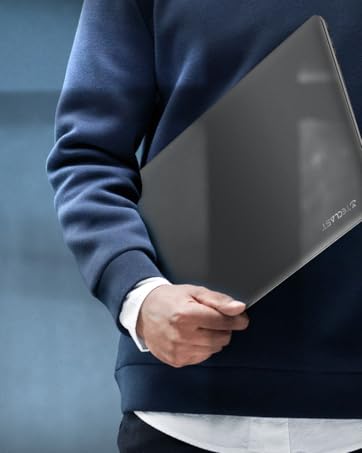
The TECLAST F7 Plus3 14-inch laptop in a closed position, showcasinتصميمها الأنيق.

انتهىview of the TECLAST F7 Plus3 laptop's key features, including Intel N4120 processor, 2.4G+5G WiFi, 38000mWh battery, 14-inch FHD IPS display, full-size keyboard, 8GB RAM, and 256GB SSD.
2. الإعداد
2.1 فك التغليف والشحن الأولي
Carefully remove the laptop and all accessories from the packaging. Before first use, connect the power adapter to the laptop and a power outlet. It is recommended to charge the device for at least 30 minutes before powering it on for the first time.
محتويات الصندوق:
- TECLAST F7 Plus3 Laptop
- محول الطاقة
- لوحة المفاتيح
- كابل الطاقة
2.2 تشغيل النظام وإعداد نظام التشغيل ويندوز الأولي
- Press and hold the power button located on the top right of the keyboard until the screen illuminates.
- Follow the on-screen instructions to complete the Windows 10 (or Windows 11 if upgraded) initial setup. This includes selecting your region, language, and creating a user account.
- Connect to a Wi-Fi network when prompted to enable internet access and download necessary updates.
3. تعليمات التشغيل
3.1 Laptop Overview

The TECLAST F7 Plus3 14-inch laptop with its screen open, showing a high-resolution display.
3.2 المنافذ والموصلات
The TECLAST F7 Plus3 laptop is equipped with various ports for connectivity. Refer to the image below for port locations.
This image illustrates the various ports on the TECLAST F7 Plus3 laptop, including Micro Card slot, Headphone Jack, USB 2.0, USB 3.0, DC Power input, and Mini-HDMI output.
- Micro Card Slot: For expanding storage with a MicroSD card.
- مقبس سماعة الرأس: قم بتوصيل سماعات الرأس أو مكبرات الصوت الخارجية.
- منفذ USB 2.0: لتوصيل أجهزة USB.
- منفذ USB 3.0: لتوصيل أجهزة USB عالية السرعة.
- مدخلات طاقة التيار المستمر: Connect the power adapter for charging.
- Mini-HDMI Output: Connect to an external display or projector.

The TECLAST F7 Plus3 laptop connected to multiple external monitors via its USB 3.0 and Mini-HDMI ports, demonstrating its expandability.
3.3 لوحة المفاتيح ولوحة اللمس
The laptop features a full-size keyboard and a large, sensitive touchpad for efficient input.

مفصل view of the full-size keyboard and large touchpad (97mm x 64mm), indicating 20mm key spacing and built-in stereo speakers.
- لوحة المفاتيح: Full-size layout with 20mm key spacing for comfortable typing.
- لوحة اللمس: Large 97mm x 64mm sensitive touchpad for precise navigation.
3.4 العرض
The 14-inch Full HD (1920x1080) IPS display offers clear visuals and wide viewing angles with narrow 6mm bezels.

The laptop screen highlighting its narrow 6mm bezels and IPS display technology for wide viewing angles and 1920x1080 resolution.
3.5 الاتصال اللاسلكي
- واي فاي: Supports 2.4G and 5G dual-band Wi-Fi for stable and fast internet connections.
- بلوتوث شنومكس: For connecting wireless peripherals such as headphones, mice, and keyboards.

An illustration highlighting the laptop's 2.4G+5G Wi-Fi, Bluetooth 4.2, 867Mbps maximum speed, and 45.6Wh battery for reliable wireless connections and long battery life.
نظام التشغيل 3.6
The laptop comes with Windows 10 pre-installed and is upgradeable to Windows 11. Ensure your system is updated regularly for optimal performance and security.
4. الصيانة
4.1 التنظيف
- شاشة: استخدم قطعة قماش ناعمة وخالية من الوبر وامسحها برفق.ampاغسلها بالماء أو بمنظف الشاشة. تجنب المواد الكيميائية القاسية.
- لوحة المفاتيح والهيكل: Use a soft, dry cloth. A can of compressed air can help remove dust from between keys.
4.2 العناية بالبطارية
The laptop is equipped with a 45600mWh battery. To prolong battery life:
- تجنب درجات الحرارة القصوى.
- لا تقم بتفريغ البطارية بالكامل بشكل متكرر.
- If storing the laptop for an extended period, charge it to about 50-60%.

The TECLAST F7 Plus3 laptop is designed for a longer work-life balance, featuring Intel 9th UHD Graphics 600 for 4K video playback and a 45600mAh safe design battery.
4.3 إدارة التخزين
The laptop includes a 256GB SSD and supports expansion up to 1TB via an SSD slot or TF Card slot. Regularly manage your files and uninstall unused applications to maintain performance.
5. استكشاف الأخطاء وإصلاحها
This section addresses common issues you might encounter with your TECLAST F7 Plus3 laptop.
| مشكلة | الحل المحتمل |
|---|---|
| لا يعمل الكمبيوتر المحمول. | Ensure the power adapter is securely connected and the laptop has been charged for at least 30 minutes. Try pressing and holding the power button for 10-15 seconds. |
| Charger is not charging the laptop. | Verify the power adapter and cable are not damaged. Ensure the power outlet is functional. Try a different outlet if available. |
| مشاكل في الاتصال بشبكة Wi-Fi. | Restart your router and modem. Check if other devices can connect to the Wi-Fi. Ensure Wi-Fi is enabled on the laptop (often via a function key or Windows settings). |
| الأداء بطيء. | أغلق التطبيقات غير الضرورية. تحقق من عمليات الخلفية. تأكد من وجود مساحة خالية كافية على قرص SSD. قم بإجراء فحص للنظام بحثًا عن البرامج الضارة. |
إذا لم تُحل هذه الحلول المشكلة، يُرجى الاتصال بدعم العملاء.
6. المواصفات
Below are the technical specifications for the TECLAST F7 Plus3 14-inch Laptop:
| ميزة | التفاصيل |
|---|---|
| اسم الموديل | F7 Plus3 |
| حجم الشاشة | 14 بوصة |
| دقة الشاشة | 1920 × 1080 بكسل (FHD IPS) |
| المعالج | Intel N4120 (حتى 2.6 جيجاهرتز) |
| كبش | 8 جيجا بايت DDR4 SDRAM |
| القرص الصلب | 256 GB SSD (1TB Extensible) |
| بطاقة الرسوميات | بطاقة رسومات Intel UHD 600 المتكاملة |
| نظام التشغيل | Windows 10 (Windows 11 Upgradeable) |
| نوع لاسلكي | 2.4G+5G WiFi, Bluetooth 4.2 |
| الموانئ | USB 3.0, USB 2.0, Mini-HDMI, Headphone Jack, Micro Card Slot, DC Power |
| وزن العنصر | 2.86 رطل (حوالي 1.3 كجم) |
| أبعاد المنتج | 12.6 × 8.6 × 0.8 بوصة |
| بطارية | 45600mWh Lithium Polymer |
7. الضمان والدعم
7.1 ضمان المنتج
Your TECLAST F7 Plus3 laptop is covered by a ضمان لمدة 1 سنوات from the date of purchase. This warranty includes a 1-year unconditional replacement service for eligible issues.
7.2 دعم العملاء
For any questions, concerns, or technical assistance, please contact TECLAST customer service. Our professional staff will respond within 1 working day.

TECLAST offers reliable support before and after purchase, with professional staff available to assist with any issues.
7.3 فيديو المنتج الرسمي
شاهد الفيديو الرسمي للمنتج للحصول على نظرة عامة مرئيةview of the TECLAST F7 Plus3 laptop's features and design.
عرض فيديو رسمي للمنتجasing the TECLAST F7 Plus3 14-inch laptop's design, features, and connectivity options.


