1. المقدمة
The Fanvil PA3 is designed for internal installations, particularly for public broadcasting. It offers HD audio and rich interfaces, enabling real-time and fixed-time MP3 broadcasting, and one-touch intercom functionality when connected to external devices. The PA3 is suitable for integrated broadcasting solutions in various environments such as campuses, shopping malls, railway stations, and buildings.
2. معلومات السلامة
- اقرأ كافة التعليمات بعناية قبل تشغيل الجهاز.
- لا تعرض الجهاز للماء أو الرطوبة.
- Use only the specified power supply adapter (12-24V/2Amp, not included).
- لا تحاول فتح أو إصلاح الجهاز بنفسك. أحل جميع أعمال الصيانة إلى فنيين مؤهلين.
- احفظ الجهاز بعيدًا عن مصادر الحرارة وأشعة الشمس المباشرة.
3. محتويات العبوة
تأكد من وجود جميع العناصر في الحزمة الخاصة بك:
- Fanvil PA3 SIP Paging Gateway Unit
- Audio in/out cables
- Programmable keys with indicator light (likely integrated or included as accessories)
4. انتهى المنتجview
The Fanvil PA3 features a compact design with various interfaces for connectivity and control. Key features include SIP lines, speaker and microphone interfaces, USB/TF card support, audio input/output, and programmable keys.

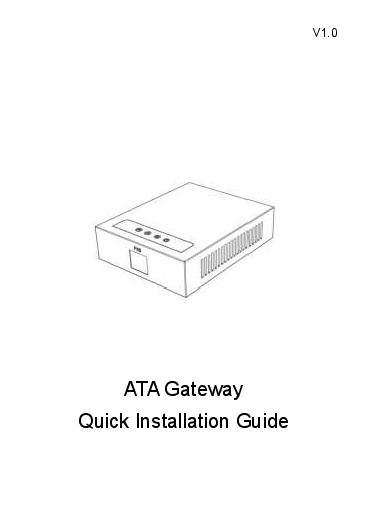
Image: Fanvil PA3 SIP Paging Gateway, front view.
المميزات الرئيسية:
- 2 خطوط SIP
- 1 Speaker Interface and 1 Microphone Interface
- Support for USB or TF card Connectivity (Max 32GB)
- 1 Audio in and 1 Audio out Interface
- 2 Interfaces of Programmable Keys with Indicator Light
5. الإعداد
5.1 التثبيت المادي
- The Fanvil PA3 supports multiple mounting types. Choose a suitable location for installation, considering network and power access.
- The device is constructed from metal and plastic, suitable for indoor use.
5.2 توصيل الطاقة
- Connect a compatible 12-24V/2Amp DC power supply adapter (not included) to the power input port on the PA3.
- Ensure the power source is stable and meets the device's requirements.
5.3 اتصال الشبكة
- Connect an Ethernet cable from your network switch or router to the LAN port on the PA3.
- The device will obtain an IP address via DHCP by default.
5.4 اتصالات الصوت
- Connect external speakers to the speaker interface.
- Connect a microphone to the microphone interface for two-way communication.
- Utilize the audio in/out interfaces for connecting other audio sources or destinations as required by your broadcasting setup.
6. تعليمات التشغيل
6.1 SIP Line Configuration
- The Fanvil PA3 supports 2 SIP lines. Access the device's web interface to configure SIP accounts, server addresses, and authentication details.
- Refer to your SIP server documentation for specific configuration parameters.
6.2 Public Broadcasting
- The PA3 can be used for real-time and fixed-time MP3 broadcasting. Configure broadcasting schedules and audio sources through the device's management interface.
- Ensure audio input sources are correctly connected and configured.
6.3 One-Touch Intercom
- Connect external devices or configure SIP extensions to enable one-touch intercom functionality.
- The programmable keys can be assigned for quick intercom calls.
6.4 مفاتيح قابلة للبرمجة
- The PA3 features 2 programmable keys with indicator lights. These keys can be customized via the web interface to perform various functions, such as initiating broadcasts, intercom calls, or controlling external devices.
6.5 USB/TF Card Usage
- Insert a USB drive or TF card (up to 32GB) into the designated slot for media storage or playback. This can be used for pre-recorded announcements or background music.
7. الصيانة
7.1 التنظيف
- امسح الجزء الخارجي من الجهاز بقطعة قماش ناعمة وجافة.
- لا تستخدم المنظفات السائلة أو البخاخات أو المذيبات، لأنها قد تتلف الجهاز.
7.2 تحديثات البرامج الثابتة
- Periodically check the official Fanvil website for the latest firmware updates for the PA3.
- Firmware updates can improve performance, add new features, and resolve potential issues. Follow the instructions provided by Fanvil for the update process.
8. استكشاف الأخطاء وإصلاحها
8.1 الجهاز لا يعمل
- تأكد من توصيل محول الطاقة بشكل آمن بالجهاز ومأخذ الطاقة العامل.
- Verify that the power adapter meets the specified voltage and current requirements (12-24V/2Amp (دي سي).
8.2 لا يوجد مخرج صوت
- Check all speaker connections to ensure they are secure and correctly wired.
- Verify the volume settings on the PA3 and any connected audio equipment.
- Confirm that the audio source is active and properly configured.
8.3 مشاكل الاتصال بالشبكة
- Ensure the Ethernet cable is securely connected to the LAN port on the PA3 and your network device.
- Check your network settings (IP address, subnet mask, gateway) via the device's web واجهة.
- Verify that the SIP accounts are registered successfully.
8.4 Intercom Not Working
- Check the connections to external intercom devices.
- Verify the configuration of intercom extensions or programmable keys.
8.5 مشاكل الأداء العامة
- Consider performing a firmware update as described in the Maintenance section.
- If issues persist, contact Fanvil support for further assistance.
9. المواصفات
| ميزة | وصف |
|---|---|
| اسم الموديل | السلطة الفلسطينية 3 |
| ماركة | فانفيل |
| نوع التركيب | Multiple mounting types |
| مادة | المعدن والبلاستيك |
| ميزة خاصة | Programmable Keys with Indicator Light |
| الاستخدامات الموصى بها | For Public Broadcasting, Integrated Broadcasting Solutions, and One-touch Intercom |
| الأجهزة المتوافقة | سطح المكتب |
| تكوين قناة الصوت المحيطي | 2.0 (Audio output capability) |
| لون | أسود |
| المكونات المضمنة | Audio in/out cables, Programmable keys with indicator light |
| مستوى مقاومة الماء | غير مقاوم للماء |
| طريقة التحكم | يلمس |
| تكنولوجيا الاتصالات اللاسلكية | Bluetooth (for auxiliary functions) |
| مصدر الطاقة | 12-24 فولت / 2Amp Power Supply adapter (Not Included) |
| حجم الإدخالtage | 12 فولت (تيار مستمر) |
| تكنولوجيا الاتصال | USB |
| وضع إخراج الصوت | ستيريو |
| وزن العنصر | 11.7 أونصات |
| أبعاد الحزمة | 8.39 × 5.04 × 2.8 بوصة |
| الاستخدام الداخلي والخارجي | داخلي |
| رمز المنتج الموحد | 889837001608 |
10. معلومات الضمان
For warranty details, please refer to the documentation provided with your purchase or contact Fanvil customer support directly. Keep your proof of purchase for warranty claims.
11. الدعم
For technical assistance, product inquiries, or further support, please visit the official Fanvil website or contact their customer service department. You can typically find contact information and FAQs on their webموقع.