1. المقدمة وما فوقview
يُقدّم هذا الدليل معلومات أساسية لتثبيت وتشغيل وصيانة قرص التخزين Acer FA200 NVMe Gen4 SSD بسعة 4 تيرابايت. صُمّم هذا القرص الصلب خصيصًا للحوسبة عالية الأداء، ويُوفّر تحسينات ملحوظة في السرعة والكفاءة لمختلف التطبيقات، بما في ذلك الألعاب، وإنشاء المحتوى، ومهام الحوسبة العامة.

الشكل 1: محرك أقراص Acer FA200 NVMe Gen4 SSD بسعة 4 تيرابايت، وهو محرك أقراص صغير الحجم من نوع M.2 2280 مع ملصق أخضر.
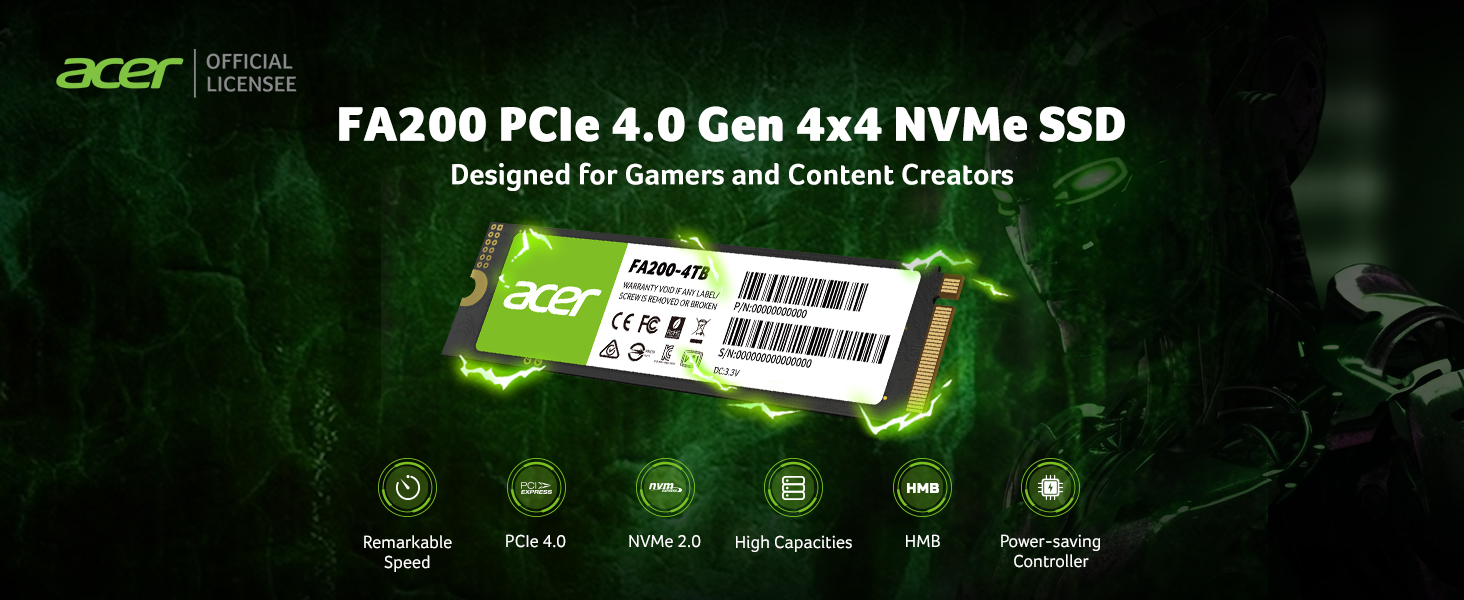
الشكل 2: تم تصميم محرك الأقراص الصلبة Acer FA200 PCIe 4.0 Gen 4x4 NVMe SSD للمستخدمين المتطلبين مثل اللاعبين ومنشئي المحتوى.
الفيديو 1: منتج رسميview من سلسلة Acer FA200 M.2 SSD بسعة 4 تيرابايت، مع تسليط الضوء على ميزاته وتطبيقاته.
2. الميزات الرئيسية
- أداء عالي السرعة: يستخدم وحدة تحكم PCIe Gen 4 x4 NVMe المتطورة مع واجهة NVMe 2.0، مما يوفر سرعات قراءة تصل إلى 7200 ميجابايت/ثانية وسرعات كتابة تصل إلى 6200 ميجابايت/ثانية.
- معالجة البيانات المحسّنة: تتضمن هذه الميزات آليات ذاكرة التخزين المؤقت للمضيف (HMB) وذاكرة التخزين المؤقت SLC لتعزيز أوقات بدء تشغيل الكمبيوتر بشكل كبير، file عمليات النقل، وسرعات تحميل الألعاب.
- الإدارة الحرارية المثلى: مزود بنظام تحكم حراري وإدارة طاقة، بما في ذلك وسادة حرارية من الجرافين ذات موصلية حرارية عالية، لضمان أداء مستقر أثناء المهام المكثفة.
- برنامج ترحيل البيانات: يتضمن نسخة مخصصة من برنامج Acronis True Image لنقل البيانات بسلاسة، والنسخ الاحتياطي، واستعادة النظام، مما يضمن الحفاظ على البيانات وأمانها.
- توافق متعدد الاستخدامات: تصميم لوحة الدوائر المطبوعة أحادية الجانب M.2 2280 القياسي متوافق مع أنظمة الجيل الرابع والجيل الثالث، مما يجعله مناسبًا لأجهزة الكمبيوتر المكتبية وأجهزة الكمبيوتر المحمولة وترقيات PS5.

الشكل 3: يستخدم جهاز Acer FA200 تصميمًا بدون ذاكرة الوصول العشوائي الديناميكية (DRAM)، ويدعم واجهة NVMe 2.0 عالية السرعة لتحقيق أداء ملحوظ.
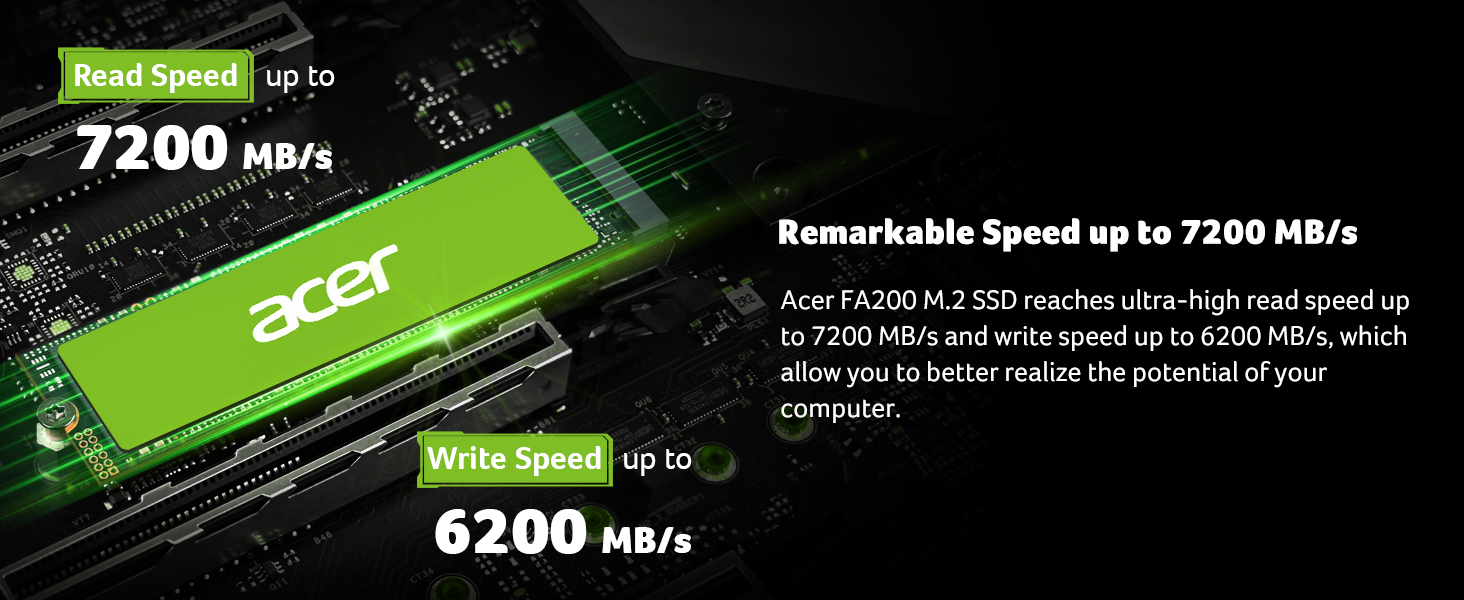
الشكل 4: يحقق محرك الأقراص الصلبة Acer FA200 M.2 سرعات قراءة فائقة تصل إلى 7200 ميجابايت/ثانية وسرعات كتابة تصل إلى 6200 ميجابايت/ثانية.
3. الإعداد والتثبيت
صُمم محرك الأقراص الصلبة Acer FA200 SSD لسهولة التركيب في الأنظمة المتوافقة. تأكد من أن اللوحة الأم أو جهازك يدعمان عامل الشكل M.2 2280 وواجهة PCIe Gen 4x4 NVMe.
خطوات التثبيت العامة:
- تحضير: أطفئ جهاز الكمبيوتر وافصل جميع الكابلات. بالنسبة لأجهزة الكمبيوتر المحمولة، قم بإزالة البطارية إن أمكن.
- الوصول إلى فتحة M.2: افتح غطاء جهاز الكمبيوتر أو اللوحة السفلية للكمبيوتر المحمول لتحديد موقع منفذ M.2 على اللوحة الأم. راجع دليل جهازك للحصول على تعليمات محددة حول كيفية الوصول إلى منفذ M.2.
- أدخل SSD: أدخل قرص Acer FA200 SSD برفق في فتحة M.2 بزاوية 30 درجة. ادفعه للأسفل حتى تسمع صوت طقطقة.
- SSD آمن: قم بتثبيت محرك الأقراص ذي الحالة الصلبة (SSD) باستخدام المسمار المرفق (إن وجد للوحة الأم/الجهاز).
- إعادة التجميع: أغلق غطاء جهاز الكمبيوتر أو أعد تركيب اللوحة السفلية للكمبيوتر المحمول. أعد توصيل جميع الكابلات وشغّل جهازك.
- التهيئة: بعد بدء التشغيل، قد تحتاج إلى تهيئة وتنسيق محرك الأقراص ذي الحالة الصلبة الجديد من خلال أداة إدارة الأقراص الخاصة بنظام التشغيل قبل أن تتمكن من استخدامه.

الشكل 5: يوفر محرك الأقراص الصلبة Acer FA200 SSD توافقًا واسعًا مع أجهزة الكمبيوتر المكتبية وأجهزة الكمبيوتر المحمولة ووحدات تحكم ألعاب PS5.
4. تعليمات التشغيل
بمجرد تثبيت محرك الأقراص الصلبة Acer FA200 SSD وتهيئته، يصبح جاهزًا للاستخدام. ستعمل إمكانياته عالية السرعة على تحسين استجابة نظامك.
نقل البيانات والاستنساخ:
يحتوي محرك الأقراص الصلبة Acer FA200 SSD على نسخة مُخصصة من برنامج Acronis True Image. يُسهّل هذا البرنامج نقل البيانات من محرك الأقراص القديم إلى محرك الأقراص الصلبة الجديد، بالإضافة إلى إنشاء نسخ احتياطية واستعادة النظام.
- قم بتنزيل برنامج Acronis True Image: يزور go.acronis.com/Acer لتنزيل البرنامج المخصص.
- تثبيت: اتبع التعليمات التي تظهر على الشاشة لتثبيت برنامج Acronis True Image على جهاز الكمبيوتر الخاص بك.
- النسخ الاحتياطي/الاستنساخ: استخدم واجهة البرنامج البديهية لاستنساخ نظام التشغيل والبيانات الحالية إلى محرك الأقراص ذي الحالة الصلبة الجديد أو لإنشاء نسخ احتياطية للنظام لحفظ البيانات.

الشكل 6: يأتي محرك الأقراص الصلبة Acer FA200 SSD مزودًا ببرنامج Acronis المجاني للاستنساخ من أجل نقل البيانات بسلاسة وإجراء النسخ الاحتياطي.

الشكل 7: يستخدم جهاز Acer FA200 ذاكرة التخزين المؤقت للمضيف (HMB) وذاكرة التخزين المؤقت SLC لتحسين أوقات بدء تشغيل الكمبيوتر بشكل كبير، file عمليات النقل، وسرعات تحميل الألعاب.
5. الصيانة
لضمان طول عمر وأداء محرك الأقراص الصلبة Acer FA200 SSD على النحو الأمثل، يُرجى مراعاة ممارسات الصيانة التالية:
- الإدارة الحرارية: يتميز محرك الأقراص ذو الحالة الصلبة (SSD) بنظام للتحكم الحراري وإدارة الطاقة. تأكد من وجود تهوية كافية داخل جهازك لمساعدة وسادة التبريد المصنوعة من الجرافين على تبديد الحرارة بكفاءة. تجنب إعاقة التهوية.
- تحديثات البرامج الثابتة: تحقق دوريًا من دعم Acer webيمكنك الاطلاع على الموقع الإلكتروني لمعرفة أي تحديثات متاحة للبرامج الثابتة الخاصة بطراز محرك الأقراص ذي الحالة الصلبة (SSD) الخاص بك. يمكن لتحديثات البرامج الثابتة تحسين الأداء والاستقرار والتوافق.
- سلامة البيانات: قم بعمل نسخ احتياطية منتظمة للبيانات المهمة باستخدام برنامج Acronis True Image المرفق أو أي حل نسخ احتياطي موثوق آخر.
- تجنب الإفراط في الملء: على الرغم من أن محرك الأقراص ذي الحالة الصلبة (SSD) يتمتع بسعة كبيرة، حاول تجنب ملئه بالكامل باستمرار. فترك مساحة فارغة يساعد في الحفاظ على الأداء الأمثل وعمر البطارية الطويل.

الشكل 8: تم تجهيز جهاز Acer FA200 بنظام التحكم الحراري وإدارة الطاقة لضبط درجات حرارة التشغيل واستهلاك الطاقة بشكل ديناميكي.
6. استكشاف الأخطاء وإصلاحها
إذا واجهت مشاكل مع محرك الأقراص الصلبة Acer FA200 SSD، فجرب الخطوات التالية:
- لم يتم اكتشاف محرك الأقراص:
- تأكد من تثبيت محرك الأقراص ذي الحالة الصلبة (SSD) بشكل صحيح في فتحة M.2.
- تحقق من إعدادات BIOS/UEFI الخاصة بنظامك للتأكد من تمكين فتحة M.2 وتكوينها بشكل صحيح (على سبيل المثال، وضع NVMe).
- تحقق من التوافق مع اللوحة الأم/الجهاز الخاص بك.
- إذا كان محرك أقراص جديدًا، فتأكد من تهيئته وتنسيقه في إدارة الأقراص (ويندوز) أو أداة القرص (ماك أو إس).
- الأداء البطيء:
- تأكد من أن منفذ M.2 في جهازك يدعم سرعات PCIe من الجيل الرابع. إذا كان المنفذ من الجيل الثالث، فسيعمل القرص بسرعة الجيل الثالث.
- تحقق من وجود عمليات تعمل في الخلفية وتستهلك موارد النظام.
- تأكد من تحديث البرامج الثابتة لمحرك الأقراص ذي الحالة الصلبة (SSD).
- راقب درجة حرارة القرص الصلب. فالحرارة الزائدة قد تؤدي إلى انخفاض الأداء وانخفاض سرعة المعالج.
- عدم استقرار النظام/الأعطال:
- تأكد من تحديث جميع برامج تشغيل النظام، وخاصة برامج تشغيل مجموعة الشرائح.
- أعد تركيب محرك الأقراص ذي الحالة الصلبة (SSD) لضمان اتصال آمن.
- قم بتشغيل أداة تشخيصية (إن وجدت من شركة Acer أو من جهة خارجية) للتحقق من حالة محرك الأقراص ذي الحالة الصلبة (SSD).
إذا استمرت المشاكل، فاتصل بدعم عملاء Acer للحصول على مزيد من المساعدة.
7. المواصفات
| يصف | قيمة |
| ماركة | أيسر |
| مسلسل | FA200 |
| رقم الموديل | FA200-4 تيرابايت |
| سعة التخزين الرقمية | 4 تيرابايت |
| واجهة القرص الصلب | الحالة الصلبة |
| تكنولوجيا الاتصال | م.2 |
| عامل شكل القرص الصلب | 2280 بوصة |
| نوع التثبيت | القرص الصلب الداخلي |
| سرعة القراءة (الحد الأقصى) | تصل إلى 7200 ميجابايت/ثانية |
| سرعة الكتابة (الحد الأقصى) | تصل إلى 6200 ميجابايت/ثانية |
| أبعاد المنتج | 3.15 × 0.12 × 0.87 بوصة |
| وزن العنصر | 0.212 أونصات |
| ميزة خاصة | متوافق مع الإصدارات السابقة |

الشكل 9: يتوفر محرك الأقراص الصلبة Acer FA200 SSD بسعات مختلفة، بما في ذلك 500 جيجابايت، و1 تيرابايت، و2 تيرابايت، و4 تيرابايت.
8. الضمان والدعم
تُصمَّم وتُصنَّع منتجات التخزين من Acer بواسطة شركة BIWIN Storage Technology، وهي شركة رائدة في تصنيع ذاكرة الفلاش عالية الجودة، وذاكرة الوصول العشوائي الديناميكية (DRAM)، ومحركات الأقراص الصلبة (SSD). وتُمنح علامة Acer التجارية لشركة BIWIN Semiconductor (HK) Co., Ltd. بموجب ترخيص من شركة Acer Incorporated.
للحصول على تفاصيل الضمان المحددة، يرجى الرجوع إلى عبوة المنتج أو إلى دعم Acer الرسمي. webيمكنك أيضًا العثور على الدعم العام وتنزيل برامج التشغيل على موقع Acer. webموقع.
تذكر استخدام النسخة المخصصة المضمنة من برنامج Acronis True Image لعمل نسخ احتياطية للبيانات واستعادة النظام، مما يساعد على ضمان الحفاظ على البيانات وأمنها وخصوصيتها.


