مقدمة
شكرا لك على الشراءasing the DELTACO GAMING Chair, Model GAM-080. This ergonomic gaming chair is designed to provide comfort and support during long gaming sessions, featuring adjustable components and integrated RGB lighting. Please read this manual carefully before assembly and use to ensure proper operation and longevity of your chair.
معلومات السلامة
- تأكد من تثبيت جميع المكونات بشكل آمن قبل الاستخدام.
- لا تقف على الكرسي.
- Do not use the chair if any parts are damaged or missing.
- احرص على إبقاء يديك وأصابعك بعيدة عن الأجزاء المتحركة أثناء الضبط.
- This chair is designed for a maximum weight of 120 kg (264 lbs). Exceeding this limit may cause damage or injury.
- The RGB lighting requires a USB power source. Ensure the cable is not pinched or damaged.
محتويات الحزمة
قبل البدء بالتجميع، تأكد من وجود جميع القطع وسلامتها. في حال وجود أي قطع مفقودة أو تالفة، يرجى التواصل مع خدمة العملاء.
- مسند الظهر
- قاعدة المقعد
- مساند للذراعين (2)
- نجم قاعدة
- عجلات (5)
- أسطوانة رفع الغاز
- غطاء رفع الغاز
- لوحة الآلية
- وسادة أسفل الظهر
- وسادة مسند الرأس
- أدوات التجميع (البراغي، الغسالات، مفتاح ألين)
- جهاز التحكم عن بعد RGB
- USB Power Cable for RGB
الإعداد والتجميع
Please follow these steps carefully for proper assembly. It is recommended to assemble the chair on a soft, clean surface to prevent damage.
- قم بتثبيت العجلات على القاعدة النجمية: Insert each of the five casters into the holes at the end of the star base until they click securely into place.
- إدراج رفع الغاز: أدخل أسطوانة رفع الغاز في الفتحة المركزية لقاعدة النجمة. غطِّها بغطاء رفع الغاز.
- Attach Mechanism Plate to Seat Base: Align the mechanism plate with the pre-drilled holes on the underside of the seat base. Ensure the front of the mechanism plate faces the front of the seat. Secure with screws.
- Attach Armrests to Seat Base: Secure the armrests to the sides of the seat base using the provided screws. Ensure they are firmly attached.
- Attach Backrest to Seat Base: Align the backrest with the mounting brackets on the seat base. Secure with screws.
- ربط المقعد برافعة الغاز: قم بوضع المقعد ومسند الظهر المجمعين بعناية على أسطوانة رفع الغاز، مع التأكد من ثباتهما في المنتصف.
- قم بتثبيت مسند الرأس ووسائد أسفل الظهر: Secure the headrest pillow and lumbar cushion to the chair using their respective straps.

Image: The DELTACO GAMING Chair fully assembled, showcasing its ergonomic design and RGB lighting strips along the edges.
تعليمات التشغيل
ضبط الارتفاع
To adjust the chair's height, pull the lever located on the right side of the seat upwards. While seated, lift your weight off the chair to raise it, or remain seated to lower it. Release the lever to lock the height.
مسند الظهر يتكئ
The backrest can be reclined between 90 and 180 degrees. Pull the recline lever, typically located on the right side of the chair, and lean back or forward to achieve your desired angle. Release the lever to lock the backrest in position.

Image: An illustration demonstrating the chair's ability to recline from an upright position to a nearly flat position, indicated by an orange arrow.
RGB Lighting Operation
The chair features integrated RGB lighting with 332 LED modes. To activate the lighting, connect the chair's USB cable to a 5V USB power source (e.g., a power bank, computer USB port, or USB wall adapter). Use the included remote control to change colors, modes, and brightness.
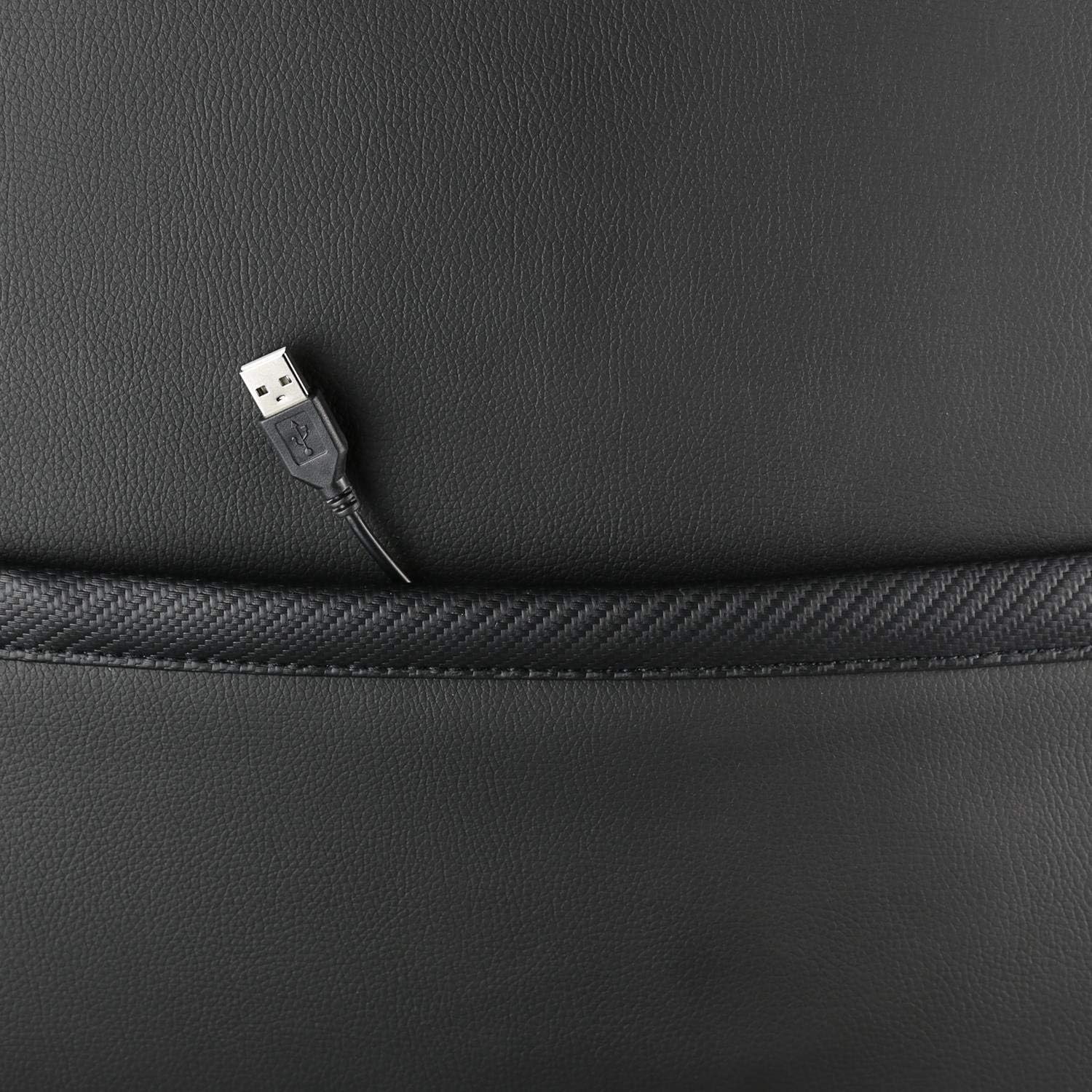
الصورة: لقطة مقربة view showing the USB power cable emerging from a pocket on the chair, used to power the RGB lighting.

الصورة: أكثر منview image of the DELTACO GAMING RGB Gaming Chair highlighting features such as remote control for RGB lights, adjustable headrest, included lumbar cushion, and adjustable backrest from 90-180 degrees, along with 332 LED modes.
الصيانة والعناية
- تنظيف: امسح بالإعلانamp cloth. Do not use harsh chemicals or abrasive cleaners, as this may damage the faux leather.
- تقتيش: افحص جميع البراغي والصواميل دوريًا للتأكد من إحكام ربطها. أعد ربطها إذا لزم الأمر.
- تخزين: قم بتخزين الكرسي في مكان بارد وجاف بعيدًا عن أشعة الشمس المباشرة لمنع تدهور المواد.
- كابل USB: Ensure the USB power cable for the RGB lighting is not kinked or damaged.
استكشاف الأخطاء وإصلاحها
| مشكلة | السبب المحتمل | حل |
|---|---|---|
| الكرسي لا يمكن تعديل ارتفاعه. | عطل في أسطوانة رفع الغاز أو عدم تشغيل الرافعة. | تأكد من سحب ذراع ضبط الارتفاع بالكامل. إذا استمرت المشكلة، فقد يلزم استبدال رافعة الغاز. |
| مسند الظهر لا يتكئ أو يقفل. | آلية الإمالة عالقة أو الرافعة غير منخرطة. | Check for obstructions around the recline mechanism. Ensure the recline lever is fully engaged. |
| إضاءة RGB لا تعمل. | USB power not connected, cable damaged, or remote control battery low. | Verify the USB cable is securely connected to a working 5V power source. Check the cable for damage. Replace remote control battery if necessary. |
| Chair is wobbly. | Loose screws or casters not fully inserted. | Tighten all assembly screws. Ensure all casters are fully inserted into the star base. |
تحديد
| ميزة | التفاصيل |
|---|---|
| اسم الموديل | جام-080 |
| ماركة | ألعاب DELTACO |
| لون | أسود |
| مادة | Faux leather, Foam |
| توصية الوزن الأقصى | 120 كيلوغرامًا (264 رطلاً) |
| أبعاد المنتج (الطول × العرض × الارتفاع) | 22.44 × 26.77 × 57.87 بوصة |
| وزن العنصر | 46.2 رطل |
| المميزات الخاصة | RGB Lighting, Adjustable Backrest (90-180°), Adjustable Height, Lumbar Cushion, Headrest Pillow |
| Power Source for RGB | يو اس بي 5 فولت |
الضمان والدعم
This DELTACO GAMING Chair (Model GAM-080) comes with a 1-year spare part availability duration within the EU, as per manufacturer specifications.
For technical support, warranty claims, or inquiries regarding spare parts, please contact DELTACO GAMING customer support. Refer to your purchase documentation for specific contact details or visit the official DELTACO GAMING webموقع.
Note: Proof of purchase may be required for warranty services.


