1. المقدمة
The COMPUTHERM T-32 room thermostat is designed for controlling most boilers and air conditioners available in the EU. It can be easily connected to any gas boiler with a two-wire thermostatic connection point, and to all air conditioning systems or electrical appliances, whether they have a 24V or 230V control circuit.
This digital thermostat allows for more precise temperature measurement and adjustment compared to traditional thermostats. It helps reduce energy costs while maintaining comfort by regulating the connected appliance (e.g., a gas boiler or pump) based on the measured and set temperatures.
المميزات الرئيسية:
- التحكم الدقيق في درجة الحرارة: Easily set desired temperature between 5°C and 30°C in 0.5°C increments.
- Constant Indoor Temperature: Switching sensitivity of ±0.2°C or 0.1°C ensures a uniform and stable room temperature.
- توافق متعدد الاستخدامات: Suitable for boilers with a two-wire connection and various HVAC systems (24V or 230V).
- أوضاع التدفئة والتبريد: Supports both heating and cooling functions.
- عرض رقمي: Provides clear and accurate temperature readings.
2. الإعداد والتثبيت
مهم: يجب أن يتم تركيب الجهاز من قبل شخص مختص.
2.1 محتويات العبوة
تأكد من وجود جميع المكونات:
- 1x COMPUTHERM T-32 Digital Room Thermostat
- 2 × بطاريات AAA
- أدوات التثبيت (مسامير ومثبتات جدارية)

Figure 1: Package contents including the thermostat, batteries, and mounting hardware.
2.2 تركيب البطارية
- Carefully remove the back cover of the thermostat.
- أدخل بطاريتي AAA في حجرة البطارية، مع التأكد من صحة القطبية (+/-).
- أعد تركيب الغطاء الخلفي.
2.3 التركيب والأسلاك
The thermostat is designed for wall mounting in a room. Choose a location away from direct sunlight, drafts, or heat sources that could affect temperature readings.
- Separate the front panel from the back plate.
- قم بتحديد موضع التثبيت المطلوب على الحائط.
- قم بحفر الثقوب وإدخال المقابس الحائطية.
- قم بتأمين اللوحة الخلفية على الحائط باستخدام البراغي المتوفرة.
- Connect the two-wire control circuit from your boiler or HVAC system to the terminals on the back plate. Refer to the wiring diagram on the back of the thermostat for correct connections.
- Carefully reattach the front panel to the back plate.

الشكل 2: خلفي view of the thermostat with wiring terminals and battery compartment details.
3. التشغيل
3.1 عرض أكثرview
The digital display shows the current room temperature and the set desired temperature. The thermostat features three control buttons below the display.

الشكل 3: الجبهة view of the COMPUTHERM T-32 thermostat with its digital display and three control buttons.
3.2 ضبط درجة الحرارة المطلوبة
Use the temperature control buttons (typically marked with up and down arrows or similar symbols) to adjust the desired temperature. Each press changes the temperature by 0.5°C within a range of 5°C to 30°C.
- اضغط على السهم لأعلى button to increase the desired temperature.
- اضغط على السهم للأسفل button to decrease the desired temperature.
The thermostat will automatically regulate the connected heating or cooling appliance to maintain the set temperature within its switching sensitivity of ±0.2°C.
3.3 Heating Mode Operation
In heating mode, if the measured room temperature falls below the set temperature minus the switching sensitivity (e.g., 22°C - 0.2°C = 21.8°C), the thermostat will activate the heating appliance. It will deactivate the heating when the room temperature rises above the set temperature plus the switching sensitivity (e.g., 22°C + 0.2°C = 22.2°C).
3.4 Cooling Mode Operation
In cooling mode, the operation is reversed. If the measured room temperature rises above the set temperature plus the switching sensitivity, the thermostat will activate the cooling appliance. It will deactivate cooling when the room temperature falls below the set temperature minus the switching sensitivity.
Note: After a temperature change using the thermostat's adjustment buttons, the switching sensitivity is temporarily not considered, allowing the thermostat to react to a difference of ±0.1°C for immediate response.
4. الصيانة
- تنظيف: امسح منظم الحرارة بقطعة قماش ناعمة وجافة. لا تستخدم المنظفات الكاشطة أو المذيبات.
- استبدال البطارية: Replace batteries when the low battery indicator appears on the display. Always use new AAA alkaline batteries.
- تجنب العوائق: Ensure no objects block the thermostat's ventilation slots or sensor, as this can affect temperature accuracy.
5. استكشاف الأخطاء وإصلاحها
| مشكلة | السبب المحتمل | حل |
|---|---|---|
| شاشة الترموستات فارغة. | البطاريات الميتة أو المثبتة بشكل غير صحيح. | استبدال البطاريات، والتأكد من القطبية الصحيحة. |
| نظام التدفئة/التبريد لا يستجيب. | Incorrect wiring; system power off; thermostat in wrong mode. | Check wiring connections (consult a professional); ensure system power is on; verify thermostat is set to appropriate mode (heating/cooling). |
| قراءة غير دقيقة لدرجة الحرارة. | Thermostat located near heat source/draft; sensor obstructed. | Relocate thermostat if possible; ensure no obstructions around the sensor. |
| Temperature fluctuates too much. | High switching sensitivity setting (not applicable for T-32 as it's fixed). | The T-32 has a fixed sensitivity of ±0.2°C. Ensure proper placement and insulation of the room. |
6. المواصفات
- نموذج: ت32
- مصدر الطاقة: 2x AAA 1.5V Alkaline Batteries (included)
- التحكم في حجم الصوتtage: 24V AC أو 230V AC
- قدرة التحميل: 8 Ampايريس
- نطاق قياس درجة الحرارة: 5 درجة مئوية إلى 30 درجة مئوية
- نطاق ضبط درجة الحرارة: 5 درجة مئوية إلى 30 درجة مئوية
- Temperature Setting Increment: 0.5 درجة مئوية
- حساسية التبديل: ±0.2°C (or ±0.1°C after manual adjustment)
- الأبعاد (الطول × العرض × الارتفاع): 8.5 × 8.5 × 2.8 سم
- وزن: 160 جرام
- الاتصال: سلكي
- لون: أبيض


Figure 4: Dimensions of the COMPUTHERM T-32 thermostat.
7. الضمان
The COMPUTHERM T-32 Digital Room Thermostat comes with a ضمان الشركة المصنعة لمدة عامينيرجى الاحتفاظ بإيصال الشراء للمطالبة بالضمان. يغطي الضمان عيوب المواد والتصنيع في ظل الاستخدام العادي.
8. الدعم
For further assistance or if you encounter issues not covered in this manual, please refer to the official COMPUTHERM website or contact your retailer. Always ensure that any electrical work is performed by a qualified professional.
للمزيد من المعلومات، يمكنك زيارة موقع الشركة المصنعة. webموقع: www.calorsol.de
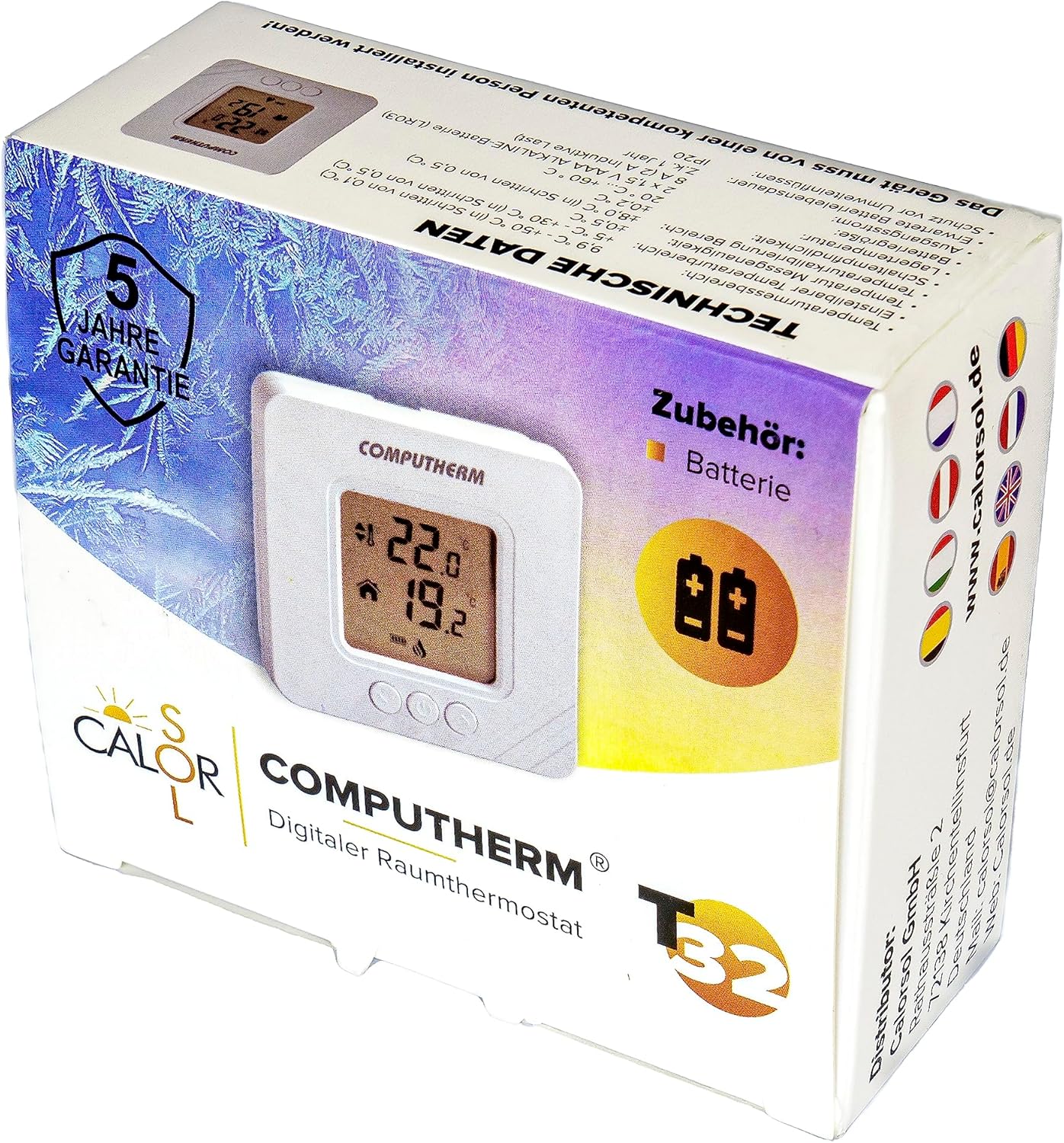
Figure 5: Product packaging displaying warranty information and technical data.


