1. المقدمة
Welcome to the user manual for your new LTC NB681 Nimbleback Wired 65% Mechanical Keyboard. This guide provides detailed instructions on setting up, operating, maintaining, and troubleshooting your keyboard to ensure optimal performance and longevity. Please read this manual thoroughly before using the product.

Figure 1: LTC NB681 Nimbleback Wired 65% Mechanical Keyboard
Video 1: LTC NB681 65% Hot Swappable Keyboard Overviewيقدم هذا الفيديو نظرة عامةview of the keyboard's features and design.
Video 2: LTC Nimbleback NB681 Keyboard. This video showcases the keyboard's aesthetics and some functionalities.
2. الميزات الرئيسية
The LTC NB681 Nimbleback Keyboard is designed with a range of features to enhance your typing and gaming experience:
- Compact but Practical 65% Layout: Ultra-compact design with 68 keys, balancing functionality with space-saving. Includes practical arrow, navigation, and control keys.
- مفاتيح قابلة للاستبدال أثناء التشغيل: Features a hot-swap PCB, allowing free replacement of 3-pin/5-pin MX-style switches (e.g., Gateron, Kailh). Equipped with quiet linear red switches for nimble reactions and quiet typing.
- 2 USB 2.0 Ports and Type-C Wired Connection: Two built-in USB passthrough ports for connecting peripheral devices like a mouse or flash drive, or for charging mobile devices. The Type-C wired connection ensures high-speed and stable data transmission.
- إضاءة خلفية ديناميكية بتقنية RGB: Offers 18 preset backlight modes with 5 adjustable brightness and flowing speed levels, providing gorgeous color schemes and reactive effects.
- دعم البرامج الاحترافي: Customize keypress combinations, assign macros, and personalize RGB lighting effects using the powerful LTC drive software. Compatible with Windows 7/8/10, iOS, and Mac systems.
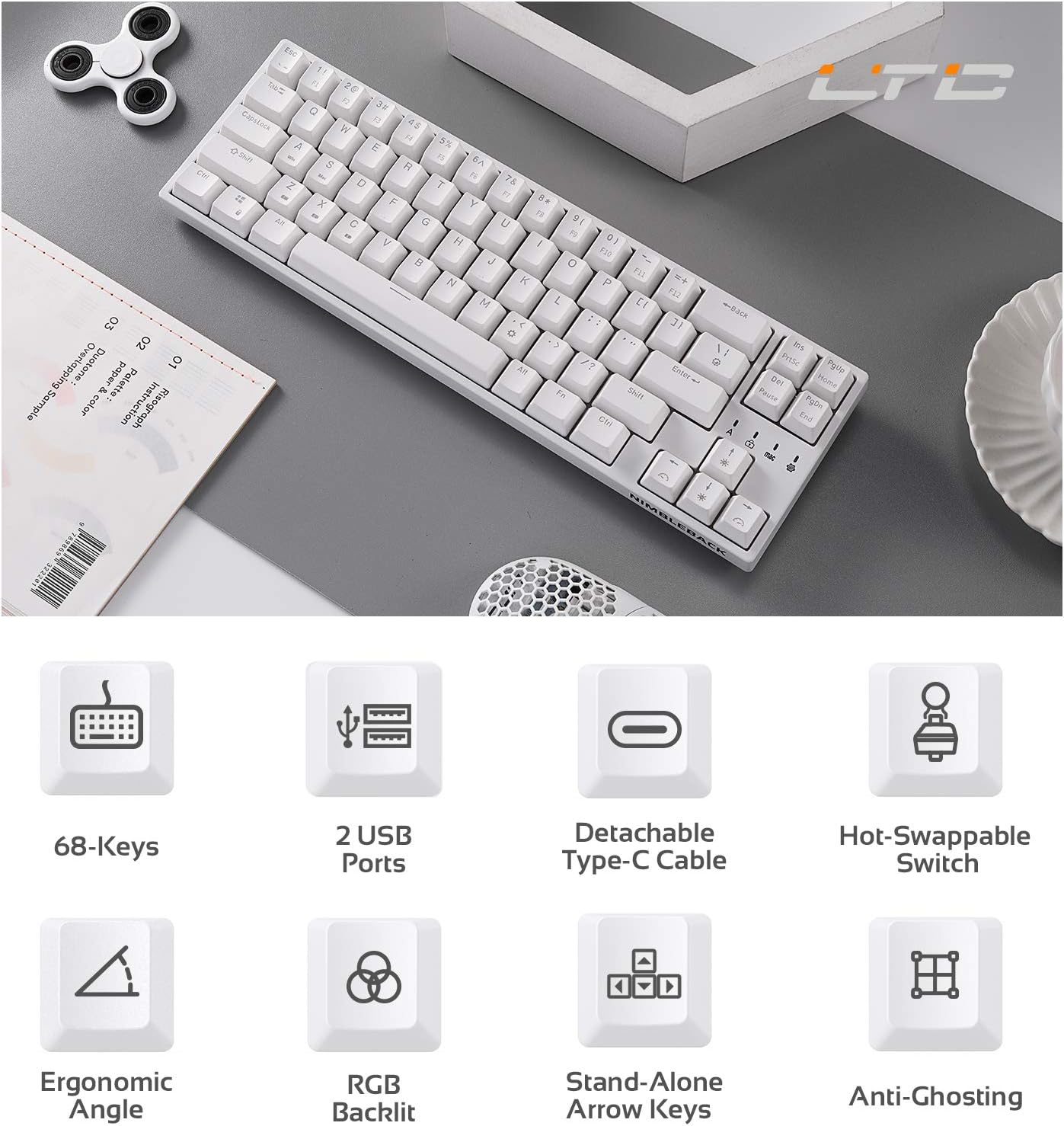
Figure 2: Visual representation of key features including 68-keys, 2 USB ports, detachable Type-C cable, hot-swappable switch, ergonomic angle, RGB backlit, stand-alone arrow keys, and anti-ghosting.
3. الإعداد
Follow these steps to set up your LTC NB681 keyboard:
- فك الصندوق: Carefully remove the keyboard and all accessories from the packaging. Ensure you have the keyboard, USB-C cable, and any included tools (e.g., keycap puller, switch puller).
- قم بتوصيل كابل USB-C: Plug the USB-C end of the provided cable into the Type-C port on the keyboard. Connect the other end (USB-A) to an available USB port on your computer.
- التعرف الأولي: سيكتشف جهاز الكمبيوتر لديك برامج التشغيل اللازمة ويُثبّتها تلقائيًا. قد يستغرق هذا بضع لحظات.
- التمركز: Place the keyboard on a stable, flat surface. You can adjust the typing angle using the foldable feet on the underside of the keyboard for ergonomic comfort.
- تثبيت البرنامج (اختياري ولكن يوصى به): For advanced customization, download the LTC drive software from the official LTC website. Install it on your Windows or Mac system to remap keys, assign macros, and customize RGB lighting.
Video 3: LTC NB681 Keyboard Unboxing! This video demonstrates the unboxing process and shows the included accessories.

Figure 3: Close-up of the keyboard's 2 built-in USB 2.0 passthrough ports and the detachable Type-C wired connection port.
4. تشغيل لوحة المفاتيح
4.1 الوظائف الأساسية
- الكتابة القياسية: The keyboard functions as a standard QWERTY keyboard.
- Arrow, Navigation, and Control Keys: Despite its compact size, the NB681 includes dedicated arrow keys and essential navigation/control keys for convenience.
4.2 التحكم في الإضاءة الخلفية RGB
The NB681 features dynamic RGB backlighting with multiple customization options:
- أوضاع التغيير: يضعط الجبهة الوطنية + \ | (pipe key) to cycle through 18 preset backlight modes.
- ضبط السطوع: يستخدم Fn + سهم لأعلى لزيادة السطوع و الجبهة الوطنية + سهم لأسفل لتقليل السطوع (5 مستويات).
- ضبط السرعة: يستخدم الجبهة الوطنية + سهم لليسار to decrease flowing speed and الجبهة الوطنية + السهم الأيمن to increase flowing speed (5 levels).

الشكل 4: لوحة المفاتيح المعروضةasing its dynamic 16.8 million RGB backlight with 19 modes and 5 brightness/speed levels.
4.3 مفاتيح قابلة للتبديل السريع
The hot-swappable design allows you to easily change switches without soldering:
- إزالة غطاء المفتاح: استخدم أداة سحب أغطية المفاتيح المرفقة لإزالة غطاء المفتاح المطلوب برفق.
- إزالة المفتاح: استخدم أداة سحب المفتاح المرفقة للإمساك بالمفتاح بعناية وسحبه لأعلى مباشرة.
- أدخل مفتاحًا جديدًا: Align the pins of the new 3-pin or 5-pin MX-style switch with the holes on the PCB. Press firmly until it clicks into place.
- استبدال غطاء المفتاح: قم بوضع غطاء المفتاح مرة أخرى على المفتاح الجديد.

Figure 5: Close-up demonstrating the hot-swappable switch feature, allowing easy replacement of 3-pin or 5-pin mechanical switches.
Video 4: LTC NB681 Red Switch Keyboard Sound Test. This video provides an audio demonstration of the keyboard's red switches.
4.4 Professional Software Customization
The dedicated software allows for in-depth customization:
- إعادة تعيين المفتاح: Change the function of any key to suit your preferences.
- مهمة الماكرو: Create and assign complex macros for gaming or productivity tasks.
- تخصيص إضاءة RGB: Design your own lighting effects, colors, and patterns beyond the preset modes.

Figure 6: Screenshot showing the professional software interface for customizing RGB backlight, remapping keys, and assigning macros.
5. الصيانة
تضمن الصيانة المناسبة طول عمر لوحة المفاتيح وأدائها الأمثل:
- التنظيف المنتظم: Use a soft brush or compressed air to remove dust and debris from between the keycaps. For deeper cleaning, remove keycaps and wipe the surface with a slightly damp cloth. Ensure the keyboard is disconnected before cleaning.
- تبديل الرعاية: The hot-swappable design makes switch replacement easy if a switch becomes faulty or if you wish to try different switch types. Avoid excessive force when inserting or removing switches to prevent damage to the PCB sockets.
- إدارة الكابلات: Keep the USB-C cable untangled and avoid sharp bends to prevent internal wire damage.
6. استكشاف الأخطاء وإصلاحها
If you encounter issues with your LTC NB681 keyboard, try the following steps:
- لوحة المفاتيح لا تستجيب:
- تأكد من توصيل كابل USB-C بشكل آمن بكل من لوحة المفاتيح والكمبيوتر.
- حاول توصيل لوحة المفاتيح بمنفذ USB مختلف على جهاز الكمبيوتر الخاص بك.
- اختبر لوحة المفاتيح على جهاز كمبيوتر آخر لتحديد ما إذا كانت المشكلة في لوحة المفاتيح أو في جهاز الكمبيوتر الأصلي.
- أضواء RGB لا تعمل/غير صحيحة:
- تحقق من إعدادات السطوع باستخدام Fn + سهم لأعلى/لأسفل.
- Cycle through different lighting modes using الجبهة الوطنية + \ |.
- If using the software, ensure the lighting profiles are correctly applied and the software is up to date.
- Keys Not Registering/Double Typing:
- This could indicate a faulty switch. Use the switch puller to remove the problematic switch and replace it with a spare or a known good switch.
- تأكد من أن المفتاح مثبت بشكل كامل في مقبسه.
- البرنامج لا يتعرف على لوحة المفاتيح:
- Ensure the keyboard is connected directly to the computer (avoiding USB hubs if possible).
- أعد تشغيل جهاز الكمبيوتر والبرنامج.
- Reinstall the LTC drive software.
If these steps do not resolve the issue, please contact LTC customer support for further assistance.
7. المواصفات
| ميزة | وصف |
|---|---|
| رقم الموديل | ن ب681 |
| تَخطِيط | 65% (68 مفتاح) |
| الاتصال | منفذ USB من النوع C سلكي |
| المفاتيح | Hot-Swappable (3-pin/5-pin MX-style compatible) |
| الإضاءة الخلفية | RGB (18 preset modes, 5 brightness/speed levels) |
| مرور USB | 2 منفذ USB 2.0 |
| التوافق | Windows 7/8/10, iOS, Mac |
| وزن العنصر | 2 رطل |
| أبعاد | 14.96 × 6.14 × 1.92 بوصة |
| الشركة المصنعة | ال تي سي |
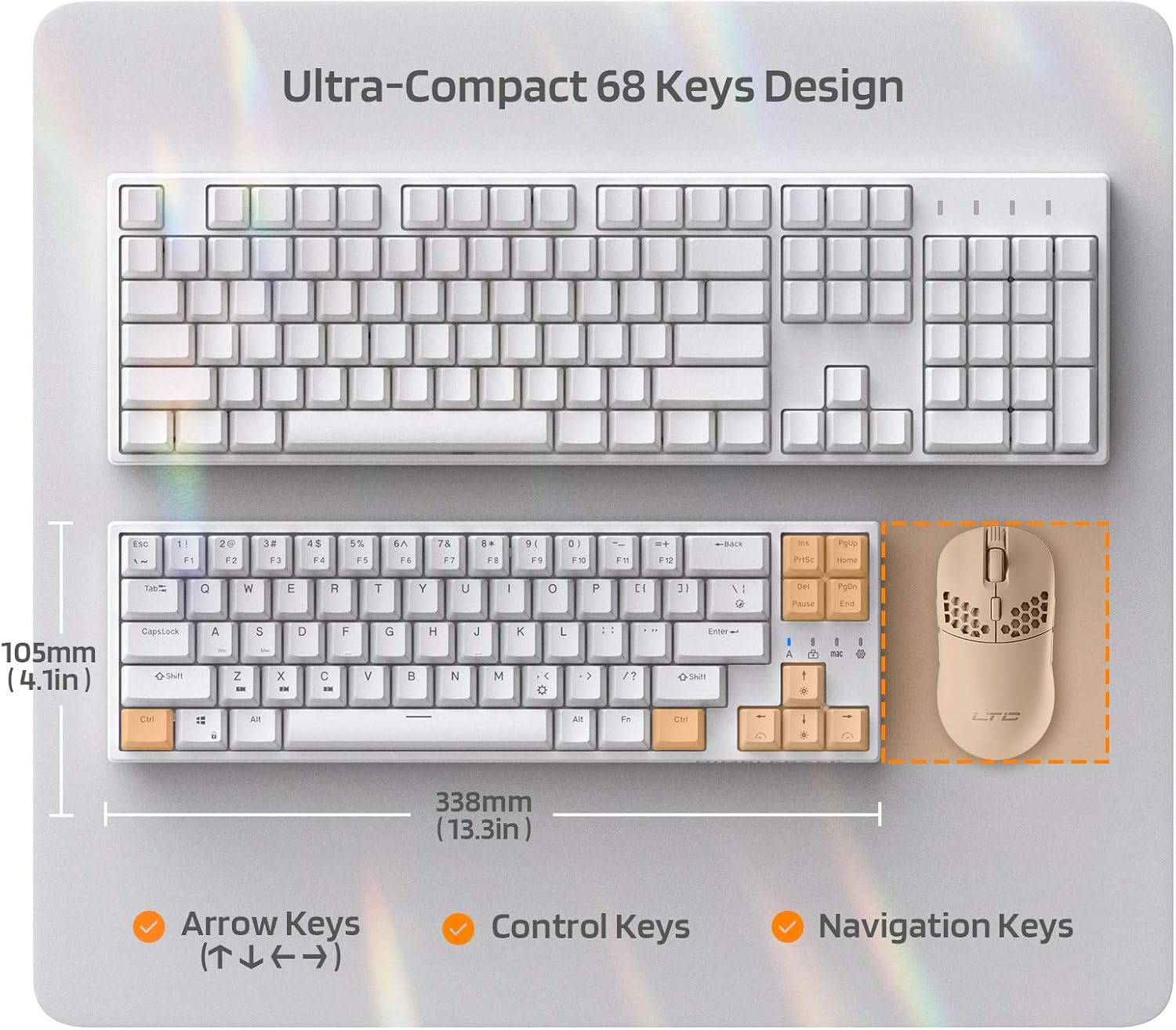
Figure 7: Comparison of the ultra-compact 68-key design with a full-size keyboard, highlighting its space-saving benefits.

Figure 8: Illustration of the ergonomic design with foldable feet for 10-degree and 5-degree typing angles, and anti-slip pads.
8. الضمان والدعم
For detailed warranty information and customer support, please refer to the official LTC webالموقع أو وثائق الشراء الخاصة بك.
You can also find additional resources and a downloadable PDF user manual here: دليل المستخدم الرسمي (PDF)
للمزيد من المنتجات والدعم، تفضل بزيارة الموقع الإلكتروني. LTC Store on Amazon.


