مقدمة
شكرا لك على الشراءasing the Sencor SWK 1080SS Glass Kettle. This manual provides important information regarding the safe operation, use, and maintenance of your new appliance. Please read it thoroughly before first use and keep it for future reference.
تعليمات السلامة الهامة
- اقرأ كافة التعليمات قبل استخدام الغلاية.
- لا تغمر الغلاية أو قاعدة الطاقة أو السلك أو القابس في الماء أو أي سوائل أخرى.
- لا يُقصد استخدام هذا الجهاز من قبل الأشخاص (بما في ذلك الأطفال) ذوي القدرات البدنية أو الحسية أو العقلية المحدودة، أو الذين يفتقرون إلى الخبرة والمعرفة، ما لم يتم الإشراف عليهم أو إعطائهم تعليمات فيما يتعلق باستخدام الجهاز من قبل شخص مسؤول عن سلامتهم.
- يجب مراقبة الأطفال والتأكد من عدم لعبهم بالجهاز.
- ضع الغلاية دائمًا على سطح ثابت ومسطح ومقاوم للحرارة.
- لا تقم بتشغيل الغلاية إذا كان السلك أو القابس تالفًا، أو إذا كانت الغلاية معطلة أو تعرضت للتلف بأي شكل من الأشكال.
- افصل الجهاز عن المقبس عند عدم استخدامه وقبل التنظيف. اتركه ليبرد قبل تركيب أو خلع الأجزاء وقبل تنظيف الجهاز.
- Do not fill above the MAX line or below the MIN line indicated on the kettle.
- Use only cold water for boiling.
- Avoid contact with steam from the spout when water is boiling or just after it has boiled.
- يجب استخدام الغلاية فقط مع الحامل المرفق.
المنتج انتهىview
The Sencor SWK 1080SS is a glass kettle with a 1-liter capacity, 2200W power, and electronic temperature control. It features an inner LED light and a removable tea infuser.
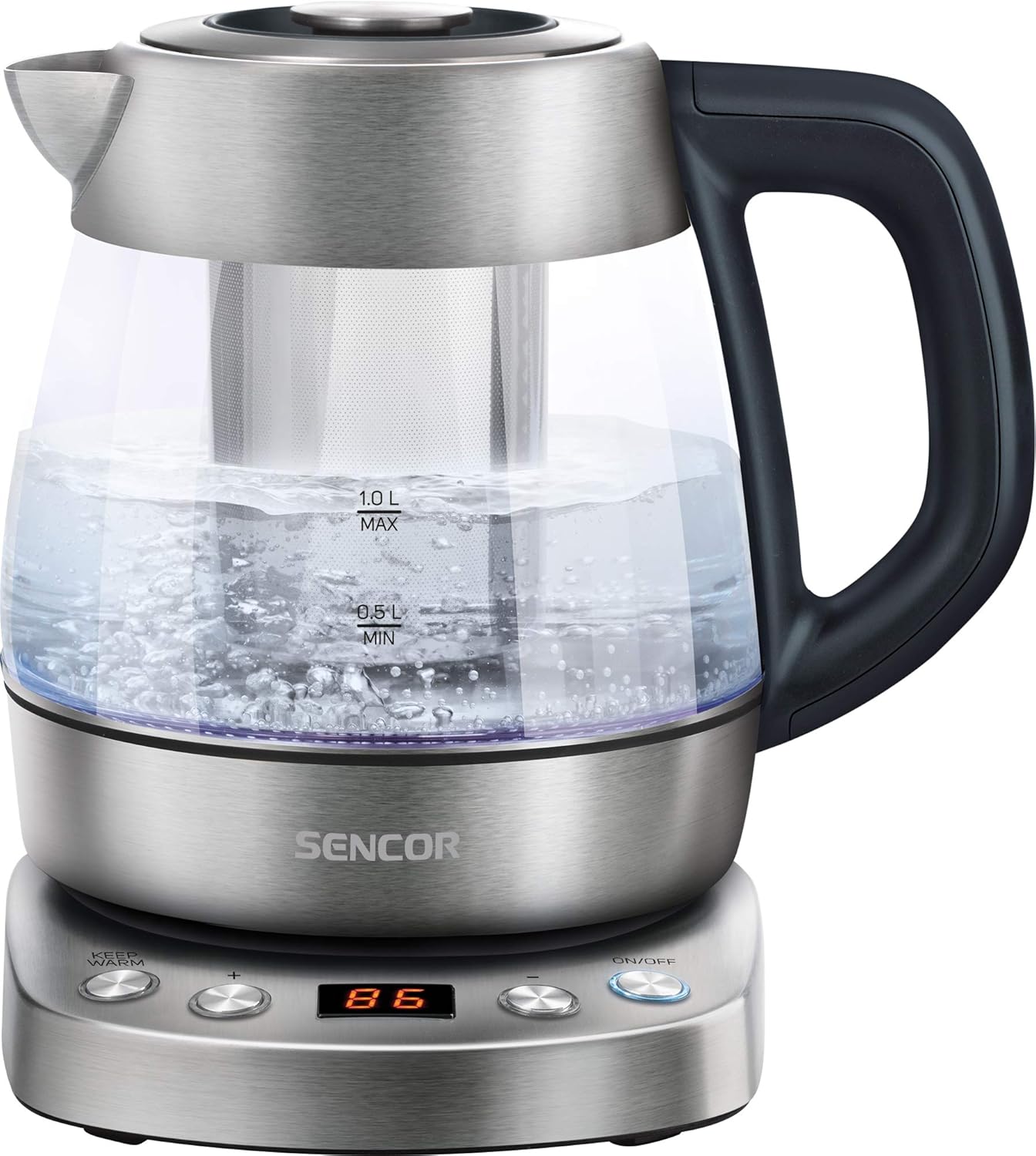
Image: The Sencor SWK 1080SS glass kettle on its power base, filled with boiling water. The capacity markings (0.5L MIN, 1.0L MAX) are visible on the glass body. The control panel on the base is illuminated.
عناصر:
- Glass Kettle Body with Capacity Markings
- غطاء مع زر تحرير
- صنبور
- مقبض
- Power Base with Control Panel
- Removable Stainless Steel Tea Infuser
- Inner LED Light

Image: The Sencor SWK 1080SS glass kettle with the stainless steel tea infuser inserted into the center of the kettle. The kettle is empty, showing the infuser's perforated design.

الصورة: لقطة مقربة view of the control panel on the kettle's power base. Buttons for "KEEP WARM", "+", "-", and "ON/OFF" are visible, along with a digital display showing "100".
الإعداد والاستخدام الأول
- فك التعبئة: Carefully remove the kettle and all accessories from the packaging. Retain the packaging for future storage or disposal.
- التنظيف الأولي: قبل الاستخدام الأول، املأ الغلاية بماء نظيف حتى خط الحد الأقصى. اغلي الماء ثم تخلص منه. كرر هذه العملية مرتين أو ثلاث مرات لإزالة أي بقايا تصنيع.
- الموقع: Place the power base on a stable, flat, heat-resistant surface, away from the edge of the countertop. Ensure the power cord is not dangling.
- توصيل الطاقة: قم بتوصيل سلك الطاقة بمأخذ كهربائي أرضي.
تعليمات التشغيل
1. الماء المغلي :
- Open the lid and fill the kettle with fresh cold water. Do not fill below the MIN (0.5L) mark or above the MAX (1.0L) mark.
- أغلق الغطاء جيدًا.
- ضع الغلاية بإحكام على قاعدة الطاقة.
- اضغط على تشغيل/إيقاف button. The kettle will start heating, and the LED light will illuminate.
- The kettle will automatically switch off once the water reaches boiling point (100°C).
2. Temperature Control (60°C - 100°C):
The kettle allows you to select specific temperatures for different beverages.

Image: The Sencor SWK 1080SS kettle on its base, with multiple smaller images illustrating different temperature settings (60°C, 70°C, 80°C, 90°C, 100°C) and their corresponding LED colors or display readings.
- Fill the kettle with water as described above.
- ضع الغلاية على قاعدة الطاقة.
- اضغط على تشغيل/إيقاف زر.
- استخدم + و - buttons to select your desired temperature (60°C, 70°C, 80°C, 90°C, or 100°C). The selected temperature will be displayed.
- The kettle will heat the water to the chosen temperature and then automatically switch off.
3. وظيفة الحفاظ على الدفء:
After selecting a temperature and starting the heating process, you can activate the Keep Warm function.
- After setting the desired temperature and pressing تشغيل/إيقافاضغط على ابقى دافئا زر.
- The kettle will heat the water to the selected temperature and then maintain that temperature for a certain period (refer to product specifications for exact duration, typically 30 minutes).
- لإلغاء التنشيط، اضغط على تشغيل/إيقاف again or remove the kettle from the base.
4. Using the Tea Infuser:
The removable tea infuser allows you to brew loose leaf tea directly in the kettle.
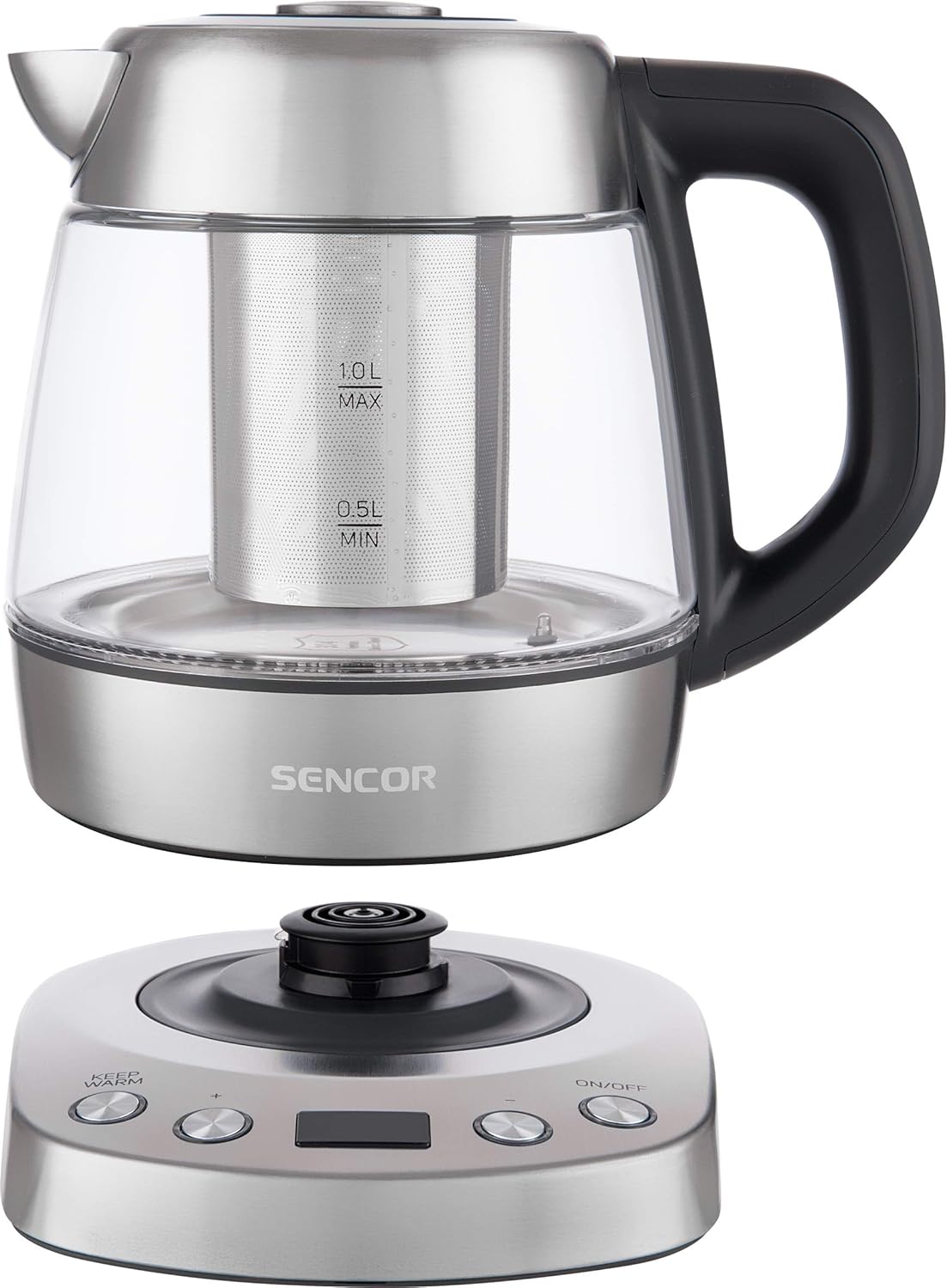
Image: A person's hand is shown adding loose leaf tea from a spoon into the stainless steel infuser, which is placed inside the Sencor glass kettle on its power base.
- Ensure the kettle is unplugged and cool.
- Remove the lid and carefully insert the tea infuser into the kettle.
- Add your desired amount of loose leaf tea into the infuser.
- Fill the kettle with water to the appropriate level for your tea type.
- أغلق الغطاء.
- Place the kettle on the power base and select the appropriate temperature for your tea (e.g., 80°C for green tea, 90°C for black tea).
- بمجرد أن تصل المياه إلى درجة الحرارة المطلوبة، اترك الشاي لينقع للمدة الموصى بها.
- Carefully remove the infuser using its handle to prevent over-steeping. Be cautious of hot steam.
الصيانة والتنظيف
التنظيف والصيانة المنتظمة سيطيلان عمر غلايتك.

Image: The stainless steel tea infuser and its separate lid are displayed next to a small pile of loose leaf tea, illustrating the removable components for cleaning or use.
1. التنظيف الخارجي:
- افصل الغلاية دائمًا عن مصدر التيار واتركها تبرد تمامًا قبل التنظيف.
- امسح الجزء الخارجي من الغلاية وقاعدة الطاقة بقطعة قماش ناعمة.amp قطعة قماش.
- لا تستخدم المنظفات الكاشطة أو الإسفنجات الكاشطة أو المواد الكيميائية القاسية، لأنها قد تؤدي إلى إتلاف الطبقة النهائية.
- Ensure no water enters the electrical components of the power base.
2. إزالة الترسبات:
Mineral deposits (limescale) can build up inside the kettle, especially in hard water areas. Descale regularly to maintain performance.
- Fill the kettle with a mixture of white vinegar and water (1:2 ratio) or a commercial descaling solution according to its instructions.
- Bring the mixture to a boil and let it stand for at least 30 minutes, or longer if scale is heavy.
- أفرغي الغلاية ثم اشطفيها جيدًا بالماء العذب عدة مرات.
- إذا لزم الأمر، كرر العملية.
3. Cleaning the Tea Infuser:
- Remove the infuser from the kettle.
- Rinse it under running water to remove tea leaves.
- For thorough cleaning, use a small brush to clean the mesh.
- The infuser is typically dishwasher safe, but hand washing is recommended to preserve its finish.
استكشاف الأخطاء وإصلاحها
| مشكلة | السبب المحتمل | حل |
|---|---|---|
| الغلاية لا تسخن. |
|
|
| يتم إيقاف تشغيل الغلاية قبل الغليان. |
|
|
| للماء طعم أو رائحة غير عادية. |
|
|
تحديد

Image: A diagram showing the Sencor SWK 1080SS kettle with its dimensions: 24.21 cm (depth), 22.1 cm (width), and 21.21 cm (height).
| ميزة | التفاصيل |
|---|---|
| ماركة | SENCOR |
| رقم الموديل | سوك 1080SS |
| سعة | 1 لتر |
| الطاقة / واتtage | 2200 واط |
| المجلدtage | 220 فولت |
| مادة | الفولاذ المقاوم للصدأ والزجاج |
| أبعاد المنتج | 24.2 × 22.1 × 21.2 سم |
| وزن العنصر | 1.37 كجم (1366 جرامًا) |
| المميزات الخاصة | Rapid Boil, Variable Temperature Control (60-100°C), Keep Warm Function, Inner LED Light, Removable Tea Infuser |
الضمان والدعم
SENCOR products are manufactured to the highest quality standards. For information regarding warranty terms and conditions, please refer to the warranty card included with your purchase or visit the official SENCOR webموقع.
For technical support, spare parts, or service inquiries, please contact your local SENCOR distributor or authorized service center. Contact details can typically be found on the SENCOR webالموقع أو في وثائق المنتج الخاص بك.
When contacting support, please have your product model number (SWK 1080SS) and purchase date available.


