1. المقدمة
This manual provides detailed instructions for the installation, operation, and maintenance of your BOIFUN DD202 2K Wi-Fi Outdoor Security Camera. Please read this manual thoroughly before using the product to ensure proper functionality and safety. The BOIFUN DD202 is a battery-powered outdoor camera designed for reliable surveillance, featuring 2K Full HD resolution, color night vision, and intelligent motion detection.

Image 1.1: BOIFUN DD202 2K Wi-Fi Outdoor Security Camera
2. محتويات العبوة
يرجى التحقق من محتويات الطرد عند استلامه. في حال وجود أي نقص أو تلف في المنتجات، يرجى التواصل مع خدمة العملاء.
- 1 × BOIFUN DD202 Battery Camera
- 1 × Fixed Mounting Bracket
- 4 × مسامير التثبيت
- 4 × Wall Plugs (Nuts)
- 1 × كابل شحن USB
- 1 × دليل المستخدم
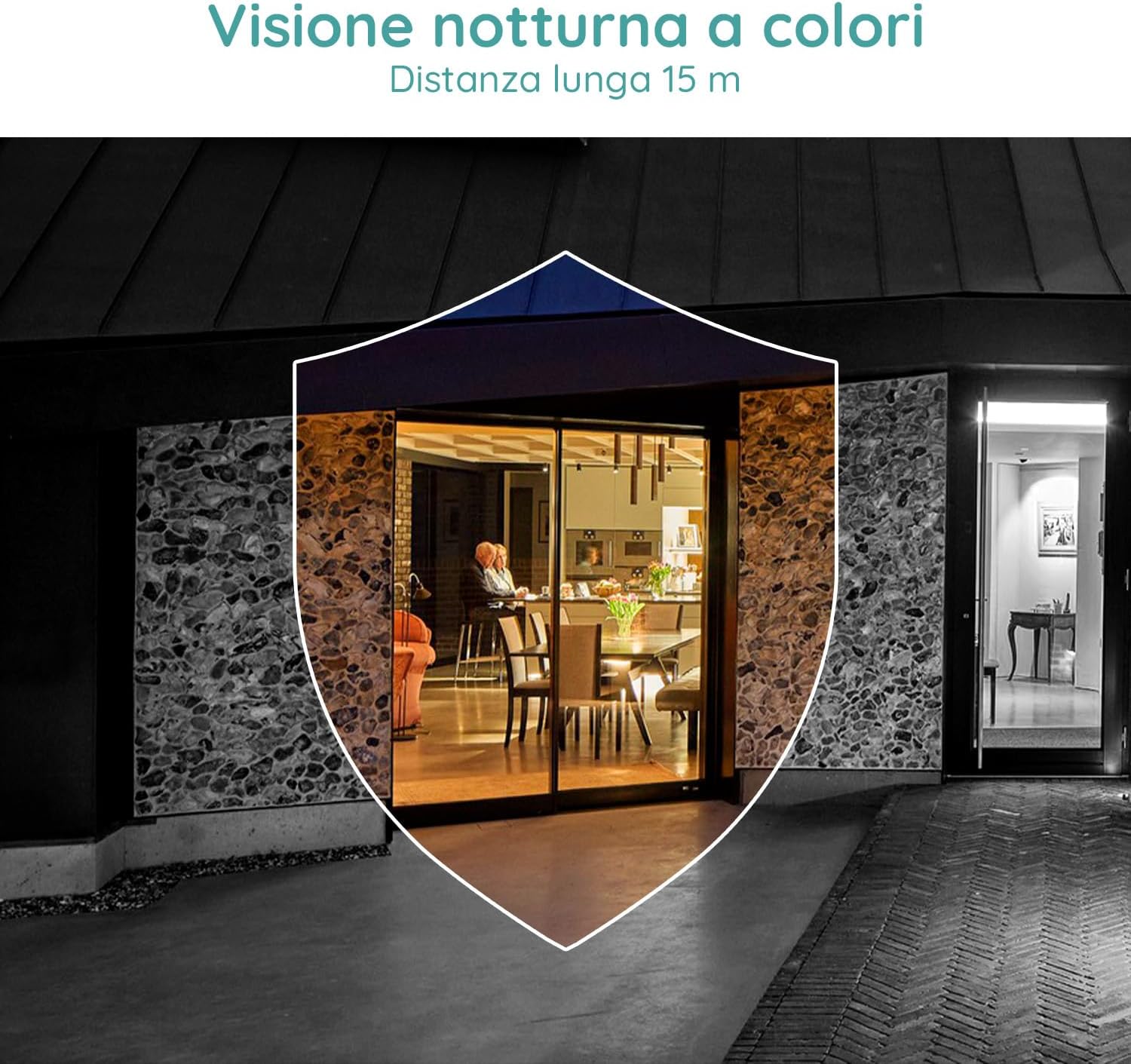
Image 2.1: Included components for the BOIFUN DD202 camera.
3. انتهى المنتجview
The BOIFUN DD202 camera is designed for outdoor security with several key features:
- 2K Full HD Resolution: يلتقط مقاطع فيديو واضحة ومفصلةtage.
- رؤية ليلية ملونة: Provides full-color video even in low-light conditions up to 20 meters.
- كشف الحركة PIR: Advanced AI algorithm for accurate human motion detection, reducing false alarms.
- Acoustic Alarm & Spotlight: Deters intruders with a 110 dB siren and bright spotlight.
- عمر البطارية 120 أيام: Long-lasting 10400 mAh battery (based on 10 wake-ups/day).
- صوت ثنائي الاتجاه: Communicate with visitors or deter unwanted guests remotely.
- IP66 مقاوم للطقس: مصممة لتحمل الظروف الجوية الخارجية المختلفة.
- 2.4 GHz Wi-Fi Connectivity: Ensures stable wireless connection.

Image 3.1: The camera continues to function and record even if the main power supply is interrupted, thanks to its internal battery.
4. الإعداد
4.1 شحن الكاميرا
Before initial use, fully charge the camera using the provided USB cable. Connect the cable to the camera's charging port and a standard USB power adapter (not included).
4.2 تثبيت التطبيق وإنشاء الحساب
- Download the official BOIFUN app from your smartphone's app store (iOS or Android).
- افتح التطبيق واتبع الإرشادات التي تظهر على الشاشة لإنشاء حساب جديد أو تسجيل الدخول إذا كان لديك حساب بالفعل.
4.3 اتصال واي فاي
The camera supports 2.4 GHz Wi-Fi networks only. Ensure your smartphone is connected to a 2.4 GHz Wi-Fi network during the setup process.
- In the app, select 'Add Device' and choose your camera model.
- Follow the app's instructions to connect the camera to your Wi-Fi network. This typically involves scanning a QR code displayed on your phone with the camera.

Image 4.1: The camera supports 2.4 GHz Wi-Fi, offering better penetration and range compared to 5 GHz networks.
4.4 التثبيت المادي
الكاميرا مصممة للتركيب على الحائط. اختر موقعًا يوفر الرؤية المطلوبة viewزاوية التصوير وتقع ضمن نطاق شبكة الواي فاي الخاصة بك بتردد 2.4 جيجاهرتز.
- قم بتحديد نقاط الحفر على الحائط باستخدام دعامة التثبيت كقالب.
- قم بحفر الثقوب وإدخال المقابس الحائطية.
- قم بتثبيت حامل التثبيت على الحائط باستخدام البراغي.
- Secure the camera to the mounting bracket. Adjust the angle as needed.
5. تعليمات التشغيل
5.1 مباشر View والتسجيل
Access the live feed of your camera through the BOIFUN app. You can manually record video or take screenshots from the live view.
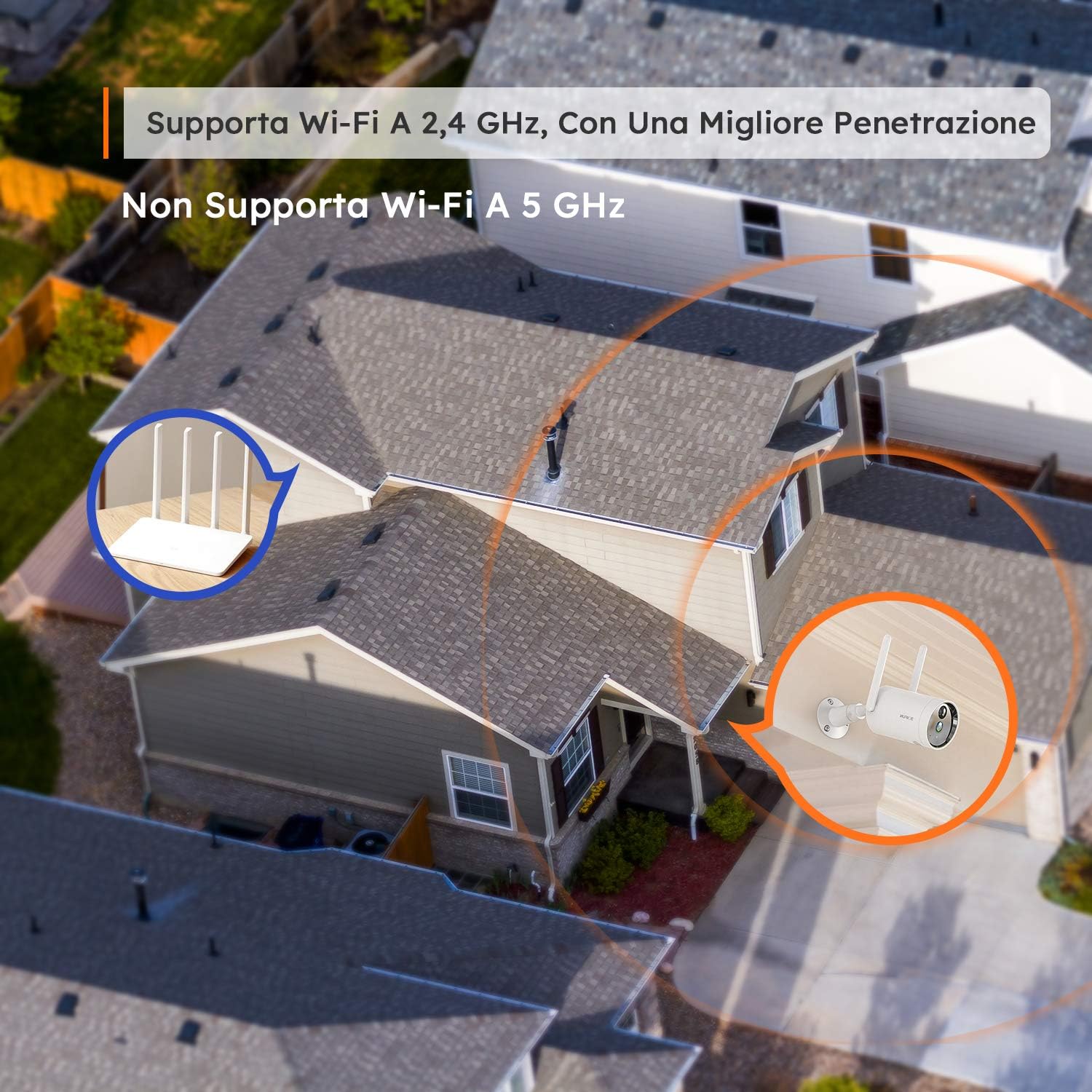
Image 5.1: Monitor multiple camera feeds simultaneously through the BOIFUN app on your smartphone.
5.2 اكتشاف الحركة
The camera features PIR (Passive Infrared) motion detection combined with an advanced AI algorithm to distinguish between humans and other moving objects, minimizing false alarms.
- كشف الإنسان: Configure the camera to only alert you when a human figure is detected.
- حساسية قابلة للتعديل: Customize the detection sensitivity (levels 1-10) to suit your environment.
- Custom Alarm Zone: تحديد مناطق محددة داخل الكاميرا view حيث يجب تفعيل خاصية كشف الحركة.
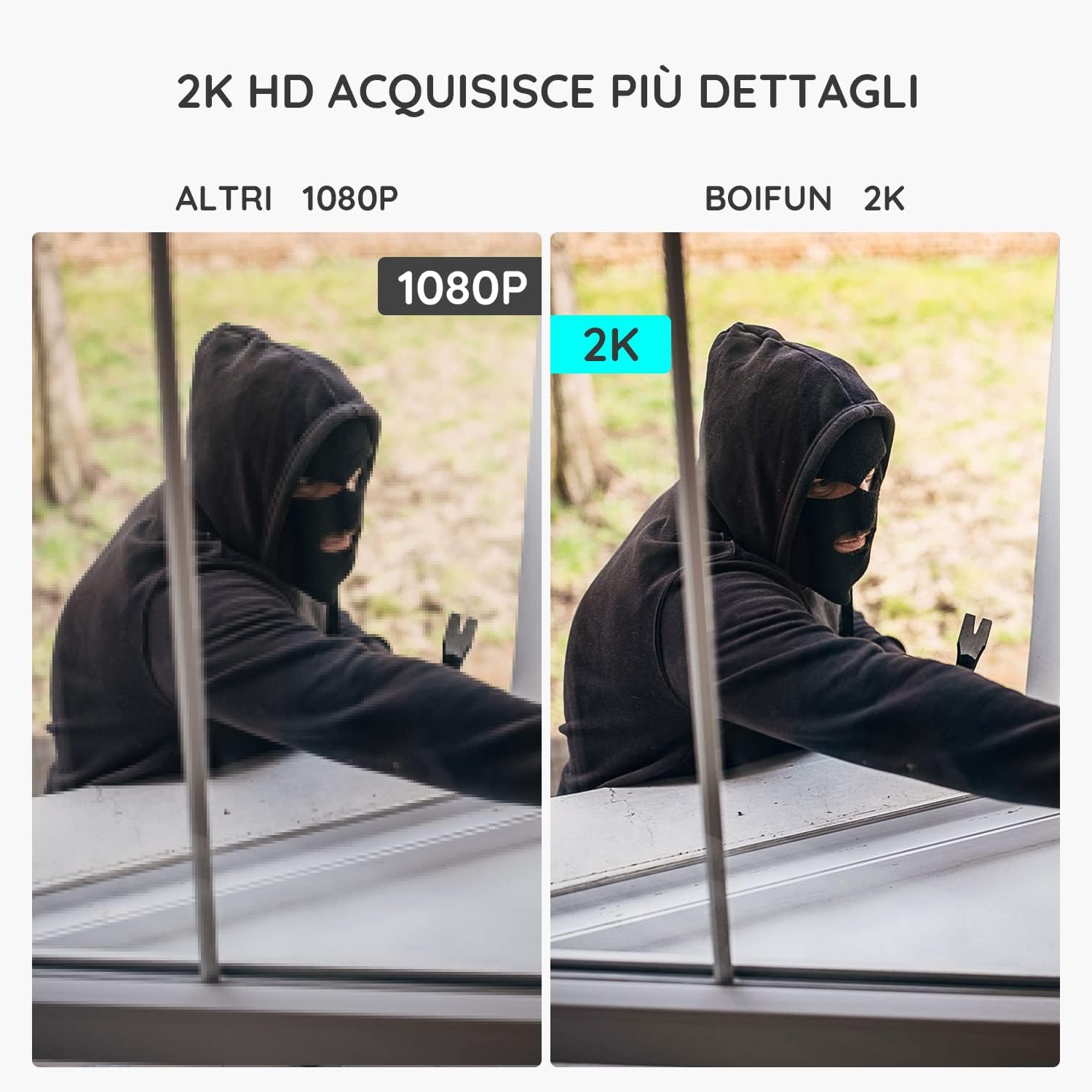
Image 5.2: The camera's PIR human detection accurately identifies people while ignoring other movements like pets or falling leaves, reducing unnecessary alerts.
5.3 الرؤية الليلية
The BOIFUN DD202 offers 2K Full HD color night vision, allowing you to see clear, detailed, and color images even in complete darkness up to 20 meters. When a human is detected at night, the fill lights automatically activate to provide color footage.

الصورة 5.3: مثالample of the camera's color night vision capability, providing clear visibility in low-light conditions.
5.4 وظائف إنذار
Upon detecting motion, the camera can trigger an acoustic alarm (up to 110 dB) and activate its spotlight to deter intruders. You will also receive real-time notifications on your smartphone.

Image 5.4: The camera's real-time alert system, featuring a siren and spotlight to deter potential threats.
5.5 الصوت ثنائي الاتجاه
The integrated microphone and speaker allow for two-way communication. You can speak through the camera to interact with visitors or warn off unwanted individuals.
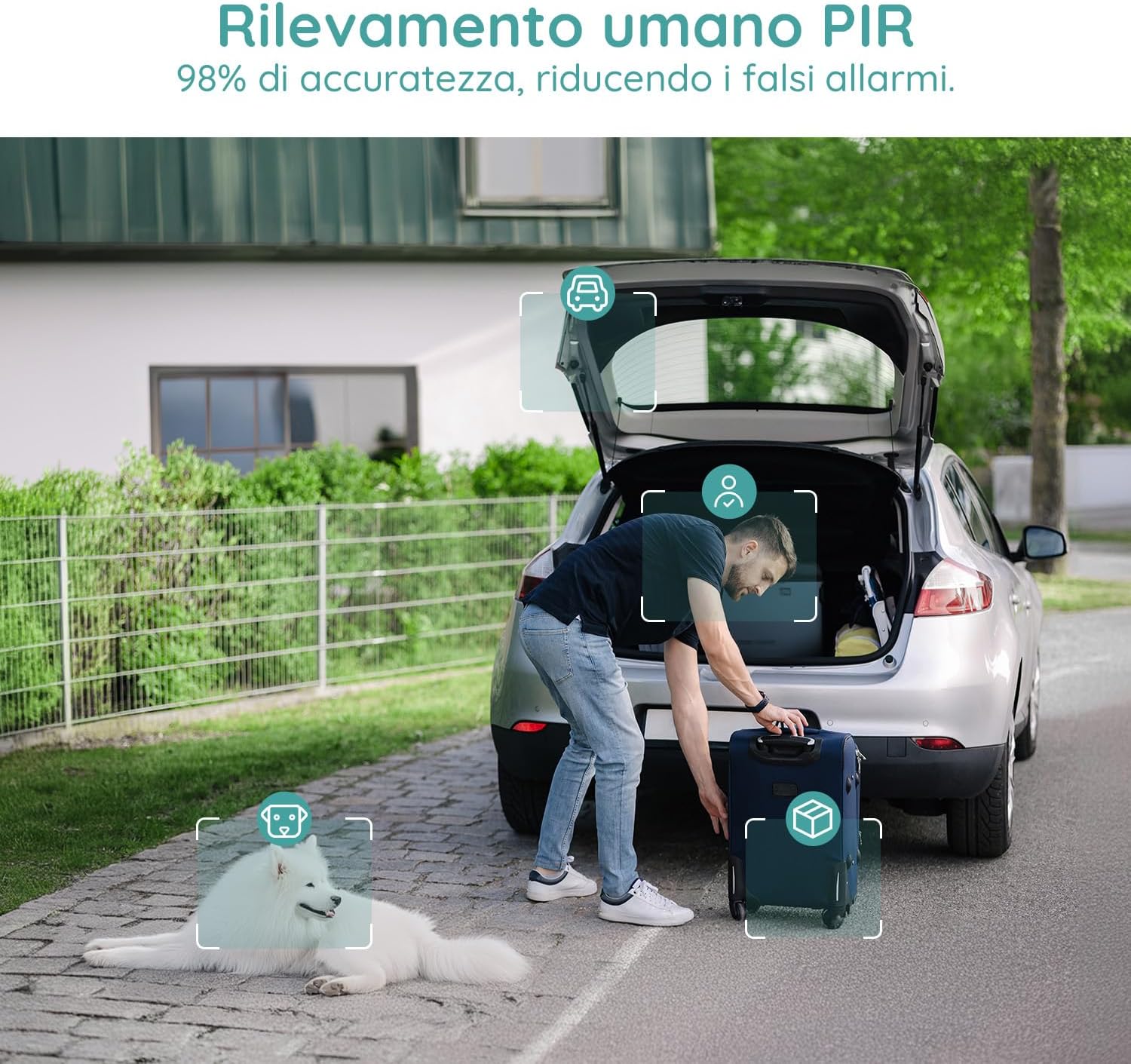
Image 5.5: Use the two-way audio feature to communicate with people near your camera.
5.6 خيارات التخزين
- بطاقة مايكرو التنمية المستدامة: Supports up to 128GB Micro SD card (not included) for local storage. When the card is full, older footagسيتم استبدالها تلقائيًا.
- التخزين السحابي: Offers a 7-day free trial for cloud storage. Subsequent cloud storage requires a subscription. All video files are encrypted for privacy.
6. الصيانة
- تنظيف: Regularly wipe the camera lens and body with a soft, dry cloth to ensure clear image quality. Avoid using harsh chemicals.
- شحن البطارية: Monitor the battery level via the app and recharge the camera when necessary to ensure continuous operation.
- تحديثات البرامج الثابتة: Check the app periodically for firmware updates to ensure optimal performance and security.
7. استكشاف الأخطاء وإصلاحها
7.1 الكاميرا لا تتصل بشبكة Wi-Fi
- تأكد من أن شبكة الواي فاي لديك تعمل بتردد 2.4 جيجاهرتز. الكاميرا لا تدعم شبكة الواي فاي بتردد 5 جيجاهرتز.
- تأكد من أن الكاميرا تقع ضمن نطاق جهاز توجيه الواي فاي الخاص بك.
- Verify your Wi-Fi password is entered correctly in the app.
- Restart your router and the camera, then try connecting again.
7.2 الإنذارات الكاذبة المتكررة
- اضبط حساسية كشف الحركة في التطبيق على مستوى أقل.
- Utilize the 'Human Detection' feature to filter out non-human movements.
- Set up a 'Custom Alarm Zone' to exclude areas with frequent irrelevant motion (e.g., busy roads, swaying trees).
7.3 جودة الصورة الرديئة
- تأكد من أن عدسة الكاميرا نظيفة وخالية من الغبار والبقع.
- تحقق من قوة إشارة الواي فاي لديك. قد تؤثر الإشارة الضعيفة على جودة بث الفيديو.
- Verify the video resolution setting in the app is set to 2K (HD).
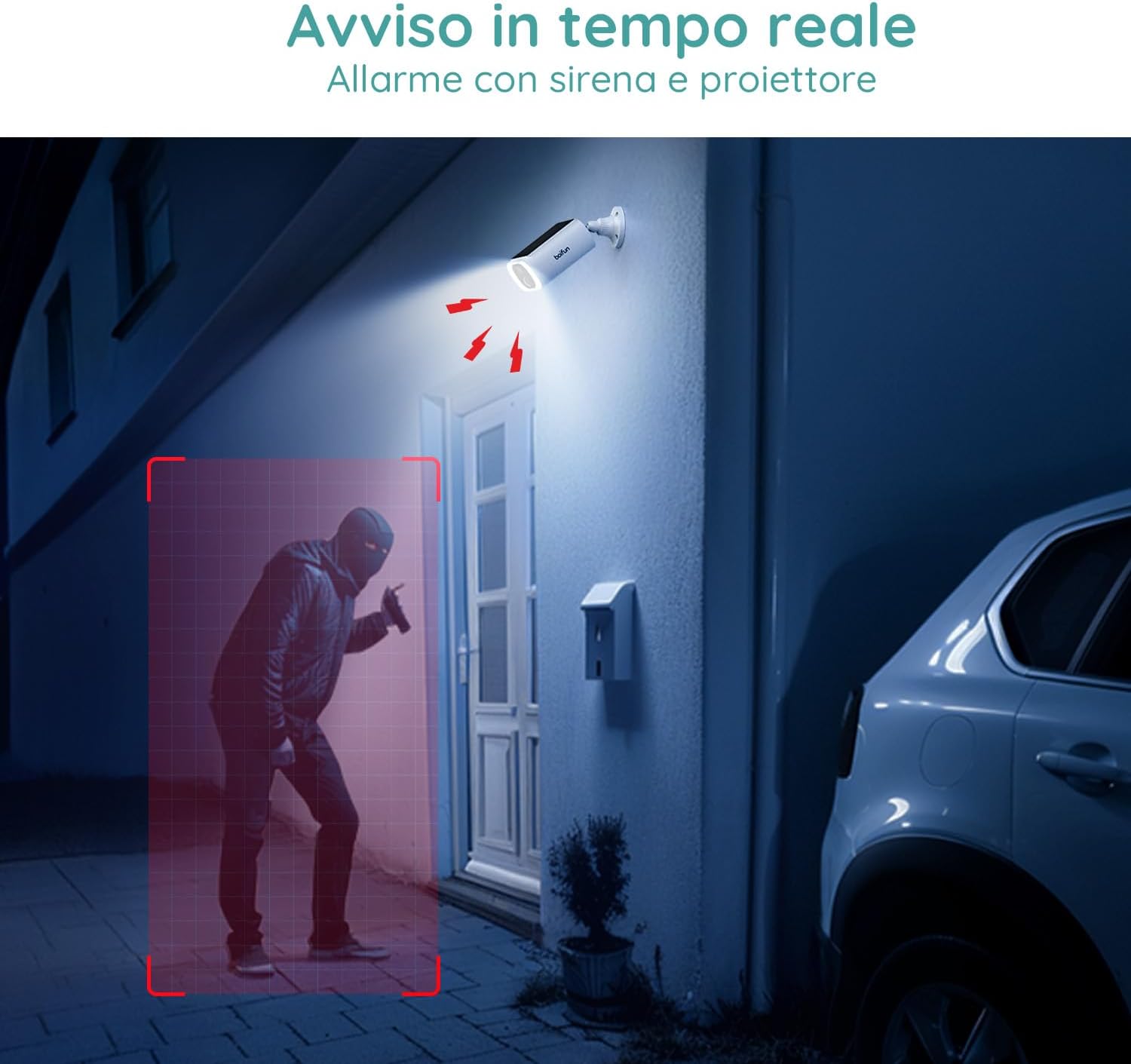
Image 7.1: Comparison illustrating the enhanced detail provided by 2K resolution compared to 1080p.
8. المواصفات
| اسم الموديل | دي دي 202 |
| ماركة | بويفون |
| دقة الفيديو | 2 كيلو بايت (1296 بكسل) |
| Viewزاوية جي | 130 درجة |
| نطاق الرؤية الليلية | 20 مترا |
| التكنولوجيا اللاسلكية | شبكة Wi-Fi (2.4 GHz) |
| مصدر الطاقة | Battery Powered (10400 mAh Lithium-ion) |
| مقاومة الماء | IP66 (ماء) |
| مادة | بلاستيك |
| الأبعاد (الطول × العرض × الارتفاع) | 12 × 8.5 × 20 سم |
| وزن | 710 جرام |
| الأجهزة المتوافقة | Smartphone, Tablet (Android & iOS) |
9. الضمان والدعم
BOIFUN is committed to providing advanced intelligent protection solutions and excellent customer service.
- ضمان: يأتي هذا المنتج مع ضمان لمدة 3 سنوات.
- سياسة العائدات: استمتع بسياسة إرجاع مجانية لمدة 30 يومًا.
- دعم العملاء: 24/7 after-sales support is available.
For any questions or assistance, please contact us at: admin@boifun.net

Image 9.1: BOIFUN offers 9 years of focus, a 3-year warranty, and timely support within 24 hours.


