1. المقدمة
This manual provides detailed instructions for the Redragon K598 TKL Wireless Mechanical Keyboard. Please read this guide thoroughly to ensure proper setup, operation, and maintenance of your device. The K598 is a compact 87-key tenkeyless keyboard designed for gaming and general use, featuring RGB backlighting and Outemu Brown mechanical switches.
2. محتويات العبوة
تأكد من وجود جميع العناصر في الحزمة الخاصة بك:
- Redragon K598 TKL Wireless Mechanical Keyboard
- كابل USB (للشحن والاتصال السلكي)
- دليل المستخدم (هذا المستند)
3. الإعداد والاتصال
3.1 شحن لوحة المفاتيح
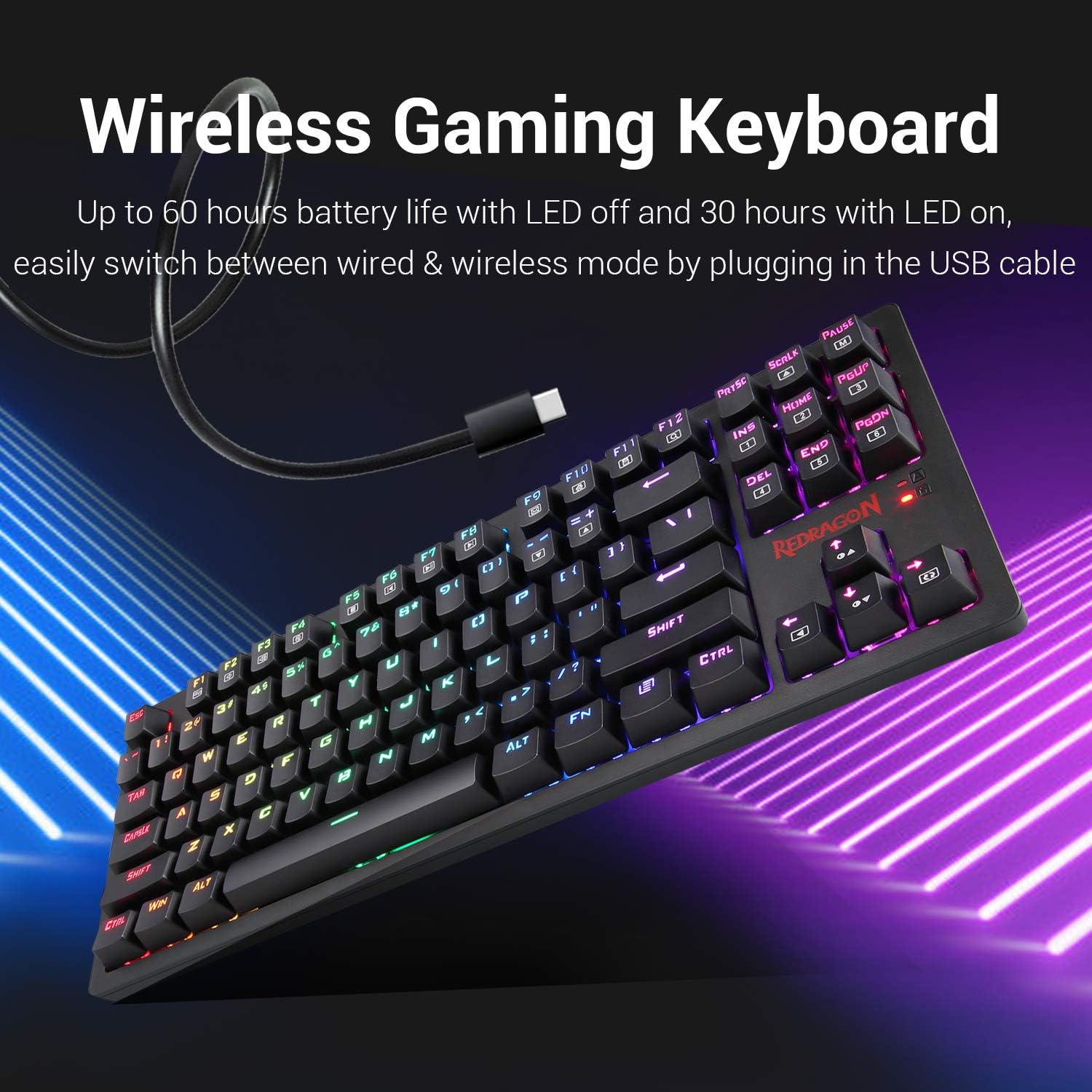
Before initial use, fully charge the keyboard. Connect the provided USB cable to the keyboard's USB port and to a powered USB port on your computer or a USB wall adapter. The keyboard features a built-in Lithium Polymer battery. A full charge provides approximately 60 hours of use with LEDs off, or 30 hours with LEDs on.
3.2 اتصال لاسلكي (2.4 جيجاهرتز)
- Locate the wireless USB receiver, typically stored in a compartment on the keyboard.
- قم بتوصيل مستقبل USB بمنفذ USB متاح على جهاز الكمبيوتر الخاص بك.
- Ensure the power switch on the keyboard is set to the "ON" position.
- ينبغي أن تتصل لوحة المفاتيح بجهاز الكمبيوتر الخاص بك تلقائيًا.
3.3 اتصال سلكي
To use the keyboard in wired mode, simply connect the USB cable from the keyboard to your computer. The keyboard will function as a wired device and charge simultaneously. This also allows for seamless switching between wired and wireless modes.
4. تعليمات التشغيل
4.1 وظائف لوحة المفاتيح الأساسية
The Redragon K598 is a standard 87-key layout. All keys function as labeled. For specific multimedia or function key combinations, refer to the keycap legends, often used in conjunction with the FN مفتاح.
4.2 التحكم في الإضاءة الخلفية RGB
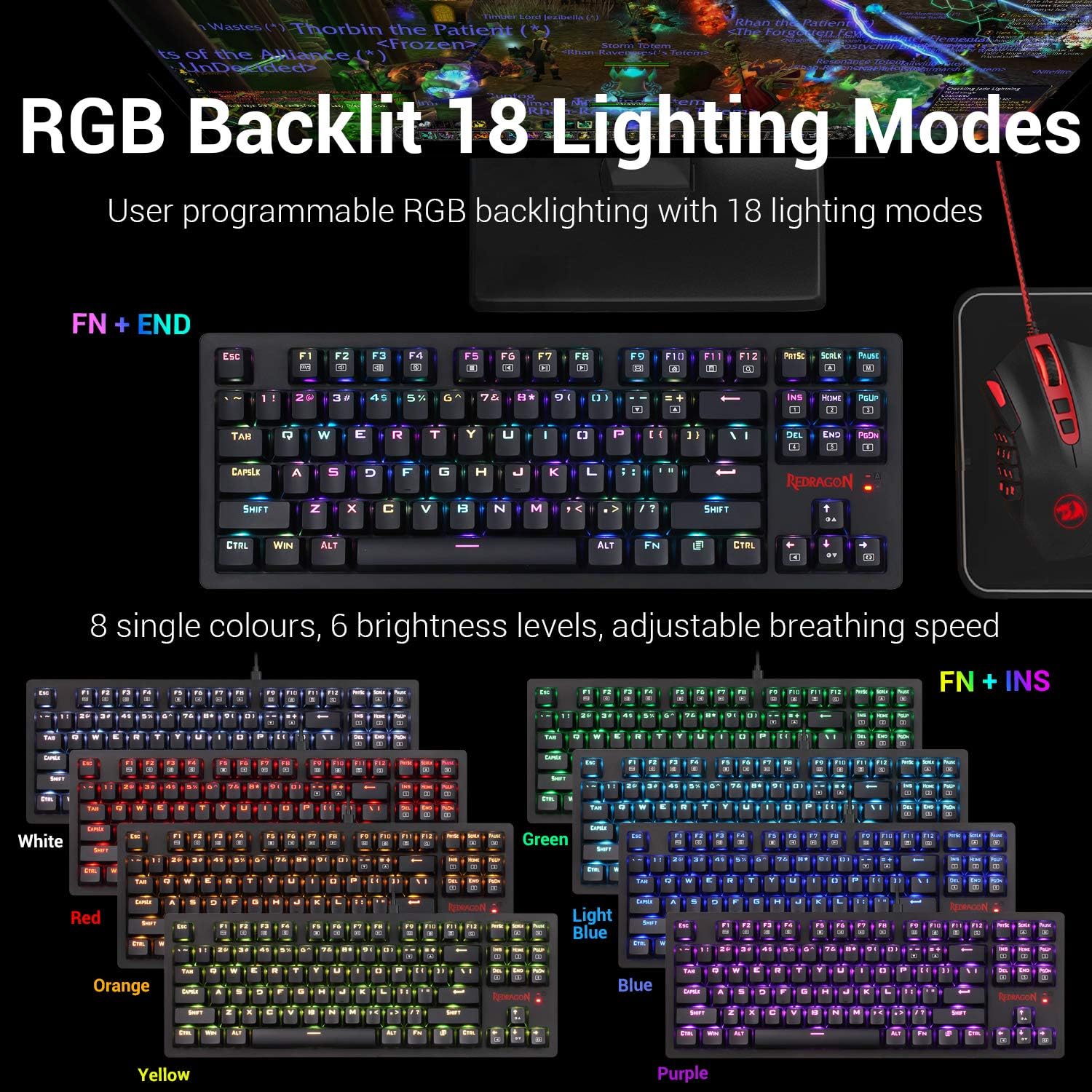
The keyboard features user-programmable RGB backlighting with 18 distinct lighting modes. You can customize colors, brightness, and animation speed.
- To cycle through lighting modes: Press FN + النهاية.
- To change single colors (8 options): Press الجبهة الوطنية + الإضافية.
- To adjust brightness (6 levels): Use dedicated brightness control keys or FN + Arrow Up/Down (if available, otherwise implied by "6 brightness levels").
- To adjust breathing speed: Use dedicated speed control keys or FN + Arrow Left/Right (if available, otherwise implied by "adjustable breathing speed").
4.3 Key Switch Characteristics
The K598 keyboard is equipped with Outemu Brown mechanical switches. These switches are characterized by a tactile bump, medium resistance, and quiet travel, providing precise tactile feedback suitable for both typing and gaming.
- قوة التشغيل: 45gf +/- 10gf
- Keystroke Travel: 2.2 مم +/- 0.6 مم
- متانة: Ultra-durable keys tested to 50 million keystrokes.


4.4 Keyboard Construction and Keycaps
The K598 features a solid ABS construction with plate-mounted mechanical keys, designed for durability under demanding use. The keycaps are precision-engineered to provide crystal clear uniform backlighting and are resistant to wear, ensuring legends do not scratch off over time.

4.5 Tenkeyless Design
The compact 87-key tenkeyless (TKL) design of the K598 saves desk space without compromising performance. This layout is preferred by many gamers for its ergonomic benefits and reduced footprint, allowing more room for mouse movement.

5. الصيانة
5.1 تنظيف لوحة المفاتيح
للحفاظ على الأداء الأمثل والمظهر الجميل، نظّف لوحة المفاتيح بانتظام. استخدم قطعة قماش ناعمة وخالية من الوبر.ampened with water or a mild cleaning solution. Avoid harsh chemicals, abrasive materials, or excessive moisture. For cleaning between keycaps, use compressed air or a small brush.
5.2 التخزين
When not in use for extended periods, store the keyboard in a dry, cool environment away from direct sunlight and extreme temperatures. Ensure the keyboard is powered off to conserve battery life.
6. استكشاف الأخطاء وإصلاحها
إذا واجهت مشكلات مع لوحة مفاتيح Redragon K598، فراجع المشكلات والحلول الشائعة التالية:
- Keyboard not responding (Wireless Mode):
- Ensure the keyboard's power switch is ON.
- تأكد من توصيل جهاز استقبال USB بشكل آمن بمنفذ USB يعمل على جهاز الكمبيوتر الخاص بك.
- Check the keyboard's battery level. Connect the USB cable to charge if the battery is low.
- حاول توصيل مستقبل USB بمنفذ USB مختلف.
- أعد تشغيل الكمبيوتر الخاص بك.
- لوحة المفاتيح لا تستجيب (الوضع السلكي):
- تأكد من توصيل كابل USB بشكل آمن بكل من لوحة المفاتيح وجهاز الكمبيوتر الخاص بك.
- حاول استخدام منفذ USB مختلف على جهاز الكمبيوتر الخاص بك.
- قم بإجراء الاختبار باستخدام كابل USB مختلف إذا كان متاحًا.
- أعد تشغيل الكمبيوتر الخاص بك.
- RGB Backlighting not working or incorrect:
- تأكد من تشغيل لوحة المفاتيح وشحنها.
- التنقل بين أوضاع الإضاءة باستخدام FN + النهاية.
- ضبط مستويات السطوع.
- If using wireless mode, low battery can affect LED performance. Charge the keyboard.
- تكرار الضغط على المفاتيح أو عدم تسجيلها:
- Clean the affected key switch area with compressed air to remove debris.
- Ensure the keycap is properly seated.
- إذا استمرت المشكلة، فقد يشير ذلك إلى وجود عطل في الجهاز.
- مشاكل تثبيت البرامج:
- Ensure you download the correct software version for your specific keyboard model from the official Redragon webموقع.
- Temporarily disable antivirus or firewall software during installation if it interferes.
- Run the installer as an administrator.
7. المواصفات
| ميزة | التفاصيل |
|---|---|
| ماركة | ريد دراجون |
| رقم الموديل | ك598 |
| أبعاد المنتج | 14.37 × 5.31 × 1.36 بوصة (36.5 × 13.5 × 3.45 سم) |
| وزن العنصر | 1.57 رطل (0.71 كجم) |
| تكنولوجيا الاتصال | USB (Wired) / 2.4GHz Wireless |
| الأجهزة المتوافقة | كمبيوتر شخصي (Windows) |
| وصف لوحة المفاتيح | Gaming, Tenkeyless (87-key) |
| المميزات الخاصة | Backlit, Ergonomic, Rechargeable |
| الخلفية الخلفية لوحة المفاتيح | RGB (18 modes, 8 single colors) |
| مفاتيح التبديل | مفاتيح أوتيمو براون الميكانيكية |
| نوع البطارية | 1 بطارية ليثيوم بوليمر (متضمنة) |
| مصدر الطاقة | بطارية قابلة لإعادة الشحن |
| المكونات المضمنة | كابل يو اس بي |
| أول تاريخ متاح | 25 ديسمبر 2024 |
8. الضمان والدعم
8.1 معلومات الضمان
Specific warranty details for the Redragon K598 TKL Wireless Mechanical Keyboard are typically provided with the product packaging or available on the official Redragon webيرجى الاحتفاظ بإثبات الشراء الخاص بك للمطالبة بالضمان.
8.2 دعم العملاء
For technical assistance, troubleshooting beyond this manual, or warranty inquiries, please contact Redragon customer support. Visit the official Redragon webالموقع للحصول على معلومات الاتصال والموارد الإضافية.
ريدراجون الرسمي Webموقع: www.redragonusa.com


