مقدمة
Thank you for choosing the AUNA Microstar Sing Vertical Karaoke Micro System. This manual provides essential information for the safe and efficient operation of your device. Please read it thoroughly before use and retain it for future reference.
تعليمات السلامة
- اقرأ كافة التعليمات بعناية قبل تشغيل الوحدة.
- أبقِ الجهاز بعيداً عن الماء والرطوبة وأشعة الشمس المباشرة.
- لا تسد فتحات التهوية. تأكد من وجود مساحة كافية حول الوحدة لضمان تدفق الهواء بشكل صحيح.
- استخدم فقط محول الطاقة المرفق مع الوحدة.
- لا تحاول إصلاح أو تعديل الوحدة بنفسك. أحل جميع أعمال الصيانة إلى فنيين مؤهلين.
- Clean the unit only with a dry, soft cloth. Do not use liquid cleaners or aerosols.
- Keep small parts and packaging materials out of reach of children.
محتويات الحزمة
يرجى التحقق من الحزمة للعناصر التالية:
- AUNA Microstar Sing Main Unit
- مكبرات صوت ستيريو (وحدتان)
- ميكروفون سلكي
- محول الطاقة
- دليل المستخدم (هذا المستند)
المنتج انتهىview
The AUNA Microstar Sing is a versatile micro system designed for karaoke and audio playback. It features a compact design, multiple input options, and integrated LED lighting.

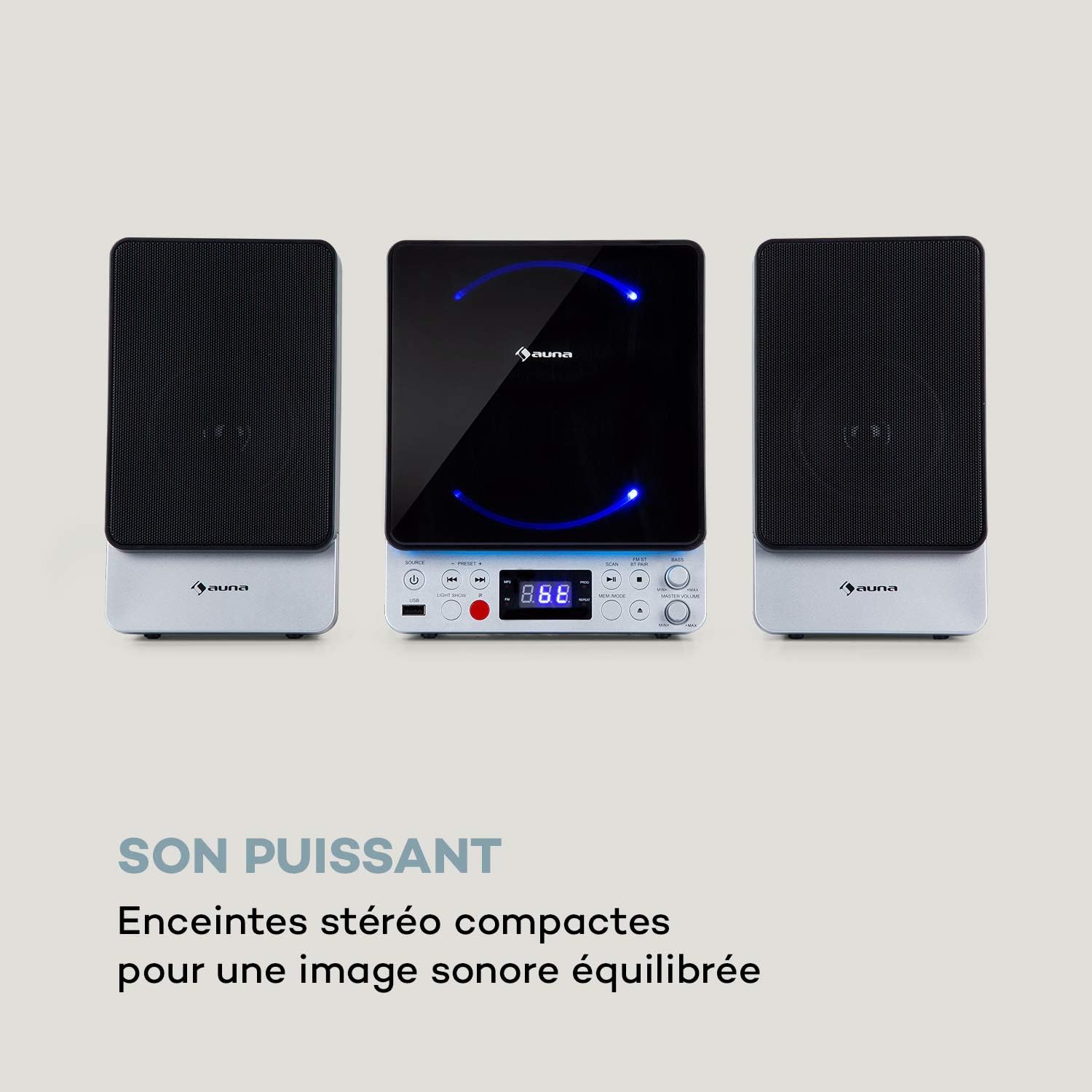

المميزات الرئيسية:
- Space-saving vertical design
- CD player compatible with standard audio CDs, CD-R, CD-RW, MP3 CDs, and CD-G (Karaoke CDs with graphics)
- Video output (composite PAL) for displaying CD-G lyrics on an external screen
- Bluetooth interface for wireless audio streaming
- USB port for MP3 playback from USB storage devices
- FM radio tuner with 30 preset stations
- Two microphone inputs for duets
- Integrated LED lighting for ambiance
- AUX-In for connecting external audio sources
يثبت
1. التفريغ والتنسيب:
Carefully remove all components from the packaging. Place the main unit and speakers on a stable, flat surface. Ensure there is adequate ventilation around the unit.
2. Connecting the Speakers:
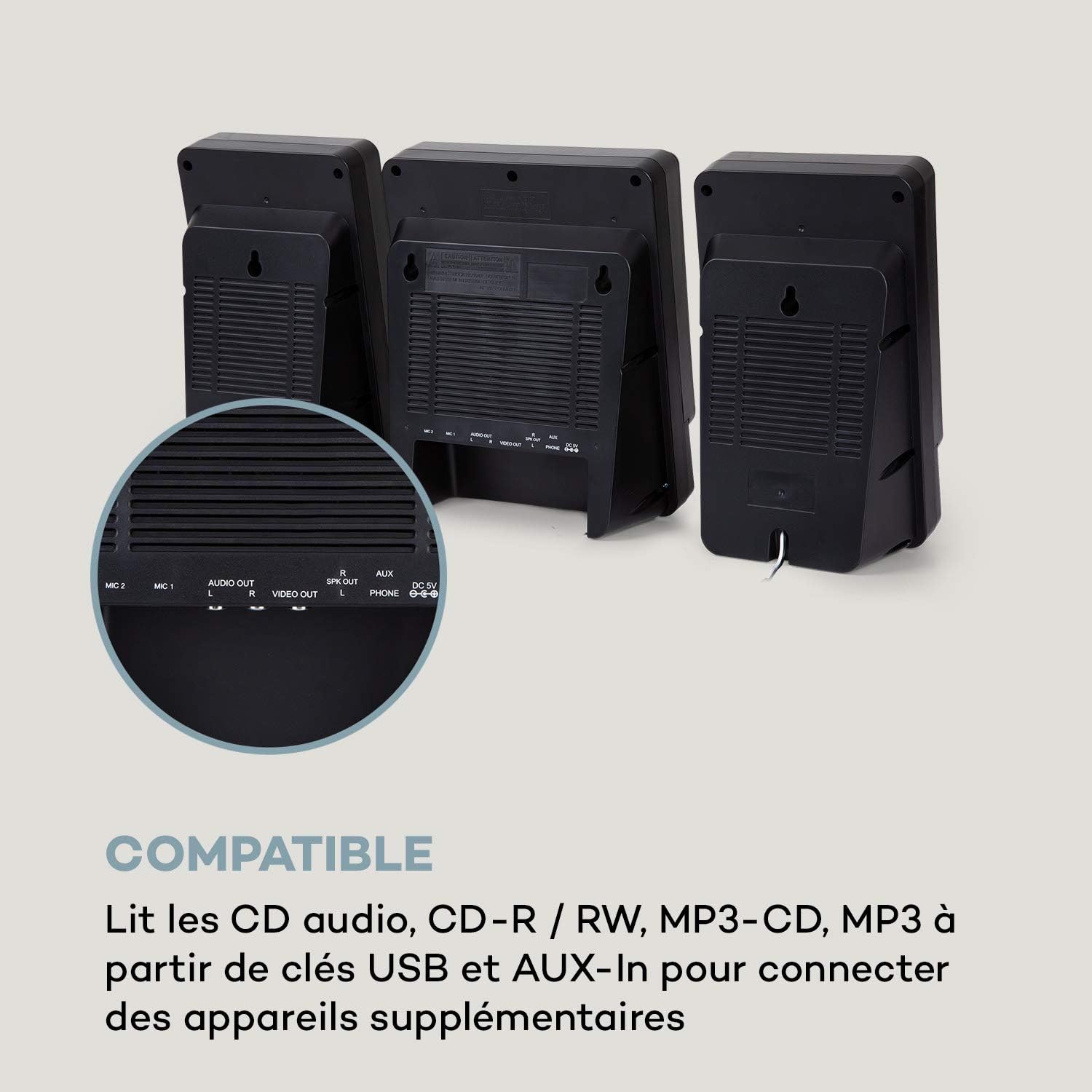
Connect the two stereo speakers to the speaker output ports on the main unit. Ensure a secure connection for optimal sound quality.
3. توصيل الطاقة:
Connect the supplied power adapter to the DC 5V input on the main unit, then plug the adapter into a wall outlet.
4. توصيل الميكروفون:
Plug the wired microphone into one of the MIC input jacks (MIC 1 or MIC 2) on the main unit.
5. Video Output (for CD-G):
If using CD-G discs, connect a composite video cable (not included) from the VIDEO OUT port on the main unit to the video input of your TV or monitor.
تعليمات التشغيل
1. تشغيل / إيقاف تشغيل الطاقة:
اضغط على قوة زر لتشغيل الوحدة أو إيقاف تشغيلها.
2. اختيار المصدر:
اضغط على مصدر button repeatedly to cycle through available modes: CD, Bluetooth (BT), USB, FM, AUX.
3. تشغيل القرص المضغوط:
- حدد وضع القرص المضغوط باستخدام مصدر زر.
- افتح حجرة القرص المضغوط.
- Place a CD (audio CD, CD-R, CD-RW, MP3 CD, or CD-G) onto the spindle with the label side facing up.
- Close the CD compartment. The disc will begin playing automatically or after pressing تشغيل/إيقاف مؤقت.
- يستخدم سابق و التالي أزرار لتخطي المسارات.

4. الاقتران بالبلوتوث:
- Select BT mode using the مصدر زر. ستظهر على الشاشة كلمة "BT" وستومض، مما يشير إلى وضع الاقتران.
- قم بتمكين البلوتوث على جهازك المحمول (الهاتف الذكي، والكمبيوتر اللوحي، وما إلى ذلك).
- بحث عن "AUNA Microstar Sing" in your device's Bluetooth settings and select it to pair.
- Once paired, you can stream audio wirelessly from your device to the Microstar Sing.

5. تشغيل USB:
- أدخل محرك أقراص فلاش USB يحتوي على ملف صوتي MP3 files في منفذ USB.
- حدد وضع USB باستخدام مصدر زر.
- ستقوم الوحدة تلقائيًا باكتشاف ملفات MP3 وبدء تشغيلها files.
- يستخدم سابق و التالي أزرار للتنقل بين المسارات.
6. راديو FM:
- حدد وضع FM باستخدام مصدر زر.
- اضغط على مسح ضوئي زر لمسح وحفظ محطات FM المتوفرة تلقائيًا.
- استخدم ضبط مسبق + و الإعداد المسبق - أزرار للتنقل بين المحطات المحفوظة.
7. Karaoke Function:
With a CD-G disc playing and connected to a TV, or any audio source playing, adjust the microphone volume using the dedicated حجم هيئة التصنيع العسكري knob. Sing along with the music. The LED lighting will enhance the karaoke experience.
8. التحكم في مستوى الصوت:
اضبط مستوى الصوت الإجمالي باستخدام المجلد الرئيسي مقبض الباب. ال BASS knob allows for bass level adjustment.
9. LED Light Show:
اضغط على عرض خفيف button to activate or deactivate the integrated LED lighting effects.
صيانة
تنظيف:
امسح الجهاز بقطعة قماش ناعمة وجافة. تجنب استخدام المنظفات الكاشطة أو الشمع أو المذيبات لأنها قد تُتلف السطح الخارجي. تأكد من فصل الجهاز عن الكهرباء قبل التنظيف.
تخزين:
If not in use for an extended period, unplug the unit and store it in a cool, dry place, away from direct sunlight and extreme temperatures.
استكشاف الأخطاء وإصلاحها
| مشكلة | السبب المحتمل | حل |
|---|---|---|
| لا يوجد طاقة | محول الطاقة غير متصل أو المنفذ معيب. | تأكد من توصيل محول الطاقة بشكل آمن بالجهاز وبمأخذ كهربائي يعمل. |
| لا يوجد صوت | Volume too low; incorrect source selected; speakers not connected. | Increase master volume. Select the correct input source. Check speaker connections. |
| القرص المضغوط لا يعمل | CD inserted incorrectly; disc scratched/dirty; incorrect mode. | Ensure CD is inserted correctly. Clean or replace the disc. Select CD mode. |
| البلوتوث غير متصل | Unit not in pairing mode; device too far; Bluetooth off on source device. | Ensure unit is in BT mode and flashing. Move device closer. Enable Bluetooth on your device. |
| الميكروفون لا يعمل | Microphone not connected; MIC volume too low. | Ensure microphone is securely plugged in. Increase MIC volume. |
| استقبال راديو FM ضعيف | Weak signal; antenna not positioned correctly. | Adjust the position of the unit or external antenna (if applicable) for better reception. |
تحديد
| ميزة | مواصفة |
|---|---|
| ماركة | أونا |
| رقم الموديل | MG3-9200-hghg |
| لون | فضي |
| تكنولوجيا الاتصال | بلوتوث، يو اس بي |
| الاتصالات | USB, AUX-In, Microphone (2), Video Out (Composite) |
| إجمالي منافذ USB | 1 |
| نوع الوسائط | CD-RW, USB, MP3 CD, CD-G |
| عدد مكبرات الصوت | 2 (ستيريو) |
| وشملت المكونات | ميكروفون |
| الاستخدامات الموصى بها | بيت |
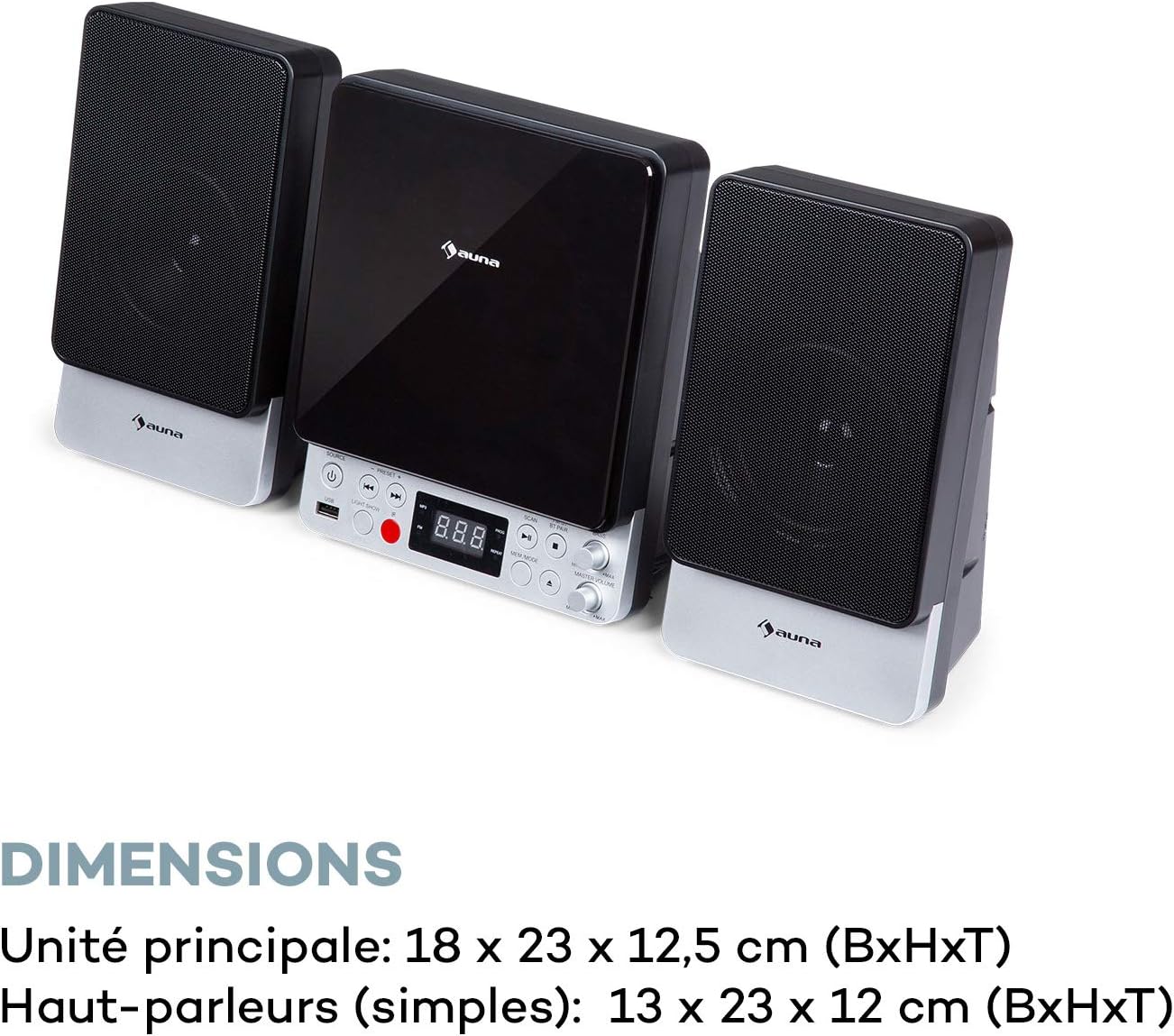
| Main Unit Dimensions (WxHxD) | 18 × 23 × 12.5 سم |
| Speaker Dimensions (WxHxD, each) | 13 × 23 × 12 سم |
الضمان والدعم
For warranty information and technical support, please refer to the warranty card included with your product or contact AUNA customer service directly. Keep your proof of purchase for any warranty claims.
For further assistance, please visit the official AUNA webالموقع أو الاتصال بقنوات الدعم الخاصة بهم.


