1. انتهى المنتجview
The HIKVISION Elite 7 Touch Portable SSD is a secure and high-performance external solid-state drive designed for reliable data storage and protection. It features a fingerprint encryption function, robust construction, and high-speed data transfer capabilities.

الشكل 1.1: الجبهة view of the HIKVISION Elite 7 Touch Portable SSD, showcasing its sleek black design and illuminated HIKVISION logo.
المميزات الرئيسية:
- أداء عالي السرعة: Utilizes USB 3.2 Gen2 with NVMe solution for transfer speeds up to 1060MB/s.
- Fingerprint Security: Integrated fingerprint sensor for secure data access and encryption.
- تصميم متين: All-aluminum alloy body with IPX7 waterproof rating.
- مجموعة برامج: Includes Hi Backup for data backup and Hi Security for enhanced data protection.
- توافق واسع: Supports TV, PS4, Xbox, Windows, Mac, Linux, and Android devices.
2. محتويات العبوة
قبل متابعة عملية الإعداد، يرجى التأكد من وجود جميع العناصر في الحزمة:
- 1 x HIKVISION Elite 7 Touch Portable SSD
- 1 × كابل من النوع C إلى النوع C
- 1 × كابل من النوع C إلى النوع A
- 1 × دليل المستخدم (هذه الوثيقة)

Figure 2.1: Contents of the HIKVISION Elite 7 Touch Portable SSD package, including the SSD unit, two types of USB cables, and the user manual.
3. دليل الإعداد
3.1 توصيل محرك الأقراص ذي الحالة الصلبة (SSD)
- Select the appropriate cable: Use the Type-C to Type-C cable for devices with a USB-C port, or the Type-C to Type-A cable for devices with a standard USB-A port.
- Connect the Type-C end of the cable to the HIKVISION Elite 7 Touch Portable SSD.
- Connect the other end of the cable to an available USB port on your computer, gaming console, or compatible device.

الشكل 3.1: الصورة عن قرب view of the Type-C interface on the HIKVISION Elite 7 Touch Portable SSD, indicating its high-speed data transfer capability.
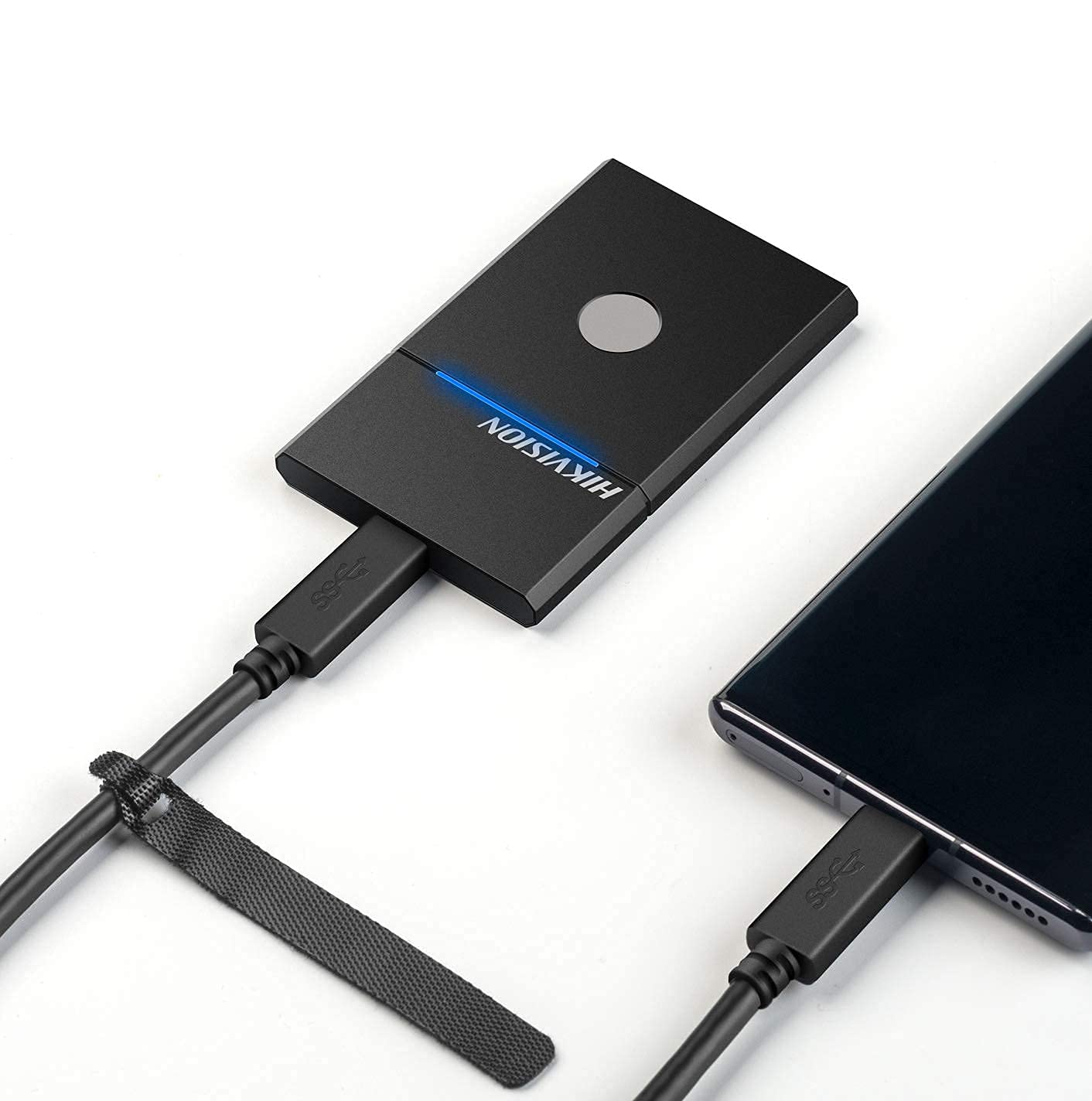
Figure 3.2: The HIKVISION Elite 7 Touch Portable SSD connected to a laptop via a USB-C cable, ready for data transfer.

Figure 3.3: The HIKVISION Elite 7 Touch Portable SSD connected to a smartphone, demonstrating its compatibility with mobile devices.
3.2 التنسيق الأولي (إذا لزم الأمر)
For optimal compatibility with your specific device (TV, PS4, Xbox, Windows, Mac, Linux, Android), it may be necessary to format the SSD to the required file system. Refer to your device's operating system instructions for formatting external storage devices. ملحوظة: Formatting will erase all data on the drive. Back up any important data before proceeding.
3.3 Software Installation (Hi Backup & Hi Security)
The HIKVISION Elite 7 Touch comes with pre-loaded software for enhanced data management and security. Connect the SSD to a computer and locate the installer files for 'Hi Backup' and 'Hi Security'. Follow the on-screen instructions to install these applications.
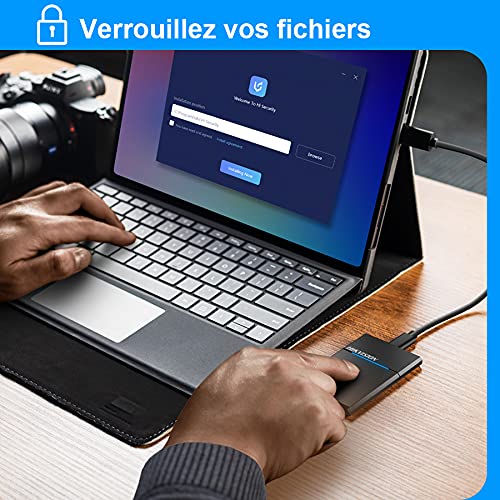
Figure 3.4: Screenshot of the 'Hi Security' software interface on a laptop, illustrating the setup process for data protection.
4. تعليمات التشغيل
4.1 نقل البيانات
Once connected and recognized by your device, the SSD will appear as an external storage drive. You can drag and drop fileانسخ والصق، أو استخدم إعدادات نظام التشغيل الخاص بك file management tools to transfer data to and from the SSD.
4.2 Fingerprint Unlocking and Security
The Elite 7 Touch features a fingerprint sensor for secure access to your data. After installing the 'Hi Security' software, you can register your fingerprints. The SSD can be configured to require fingerprint authentication for unlocking, creating separate private storage areas.
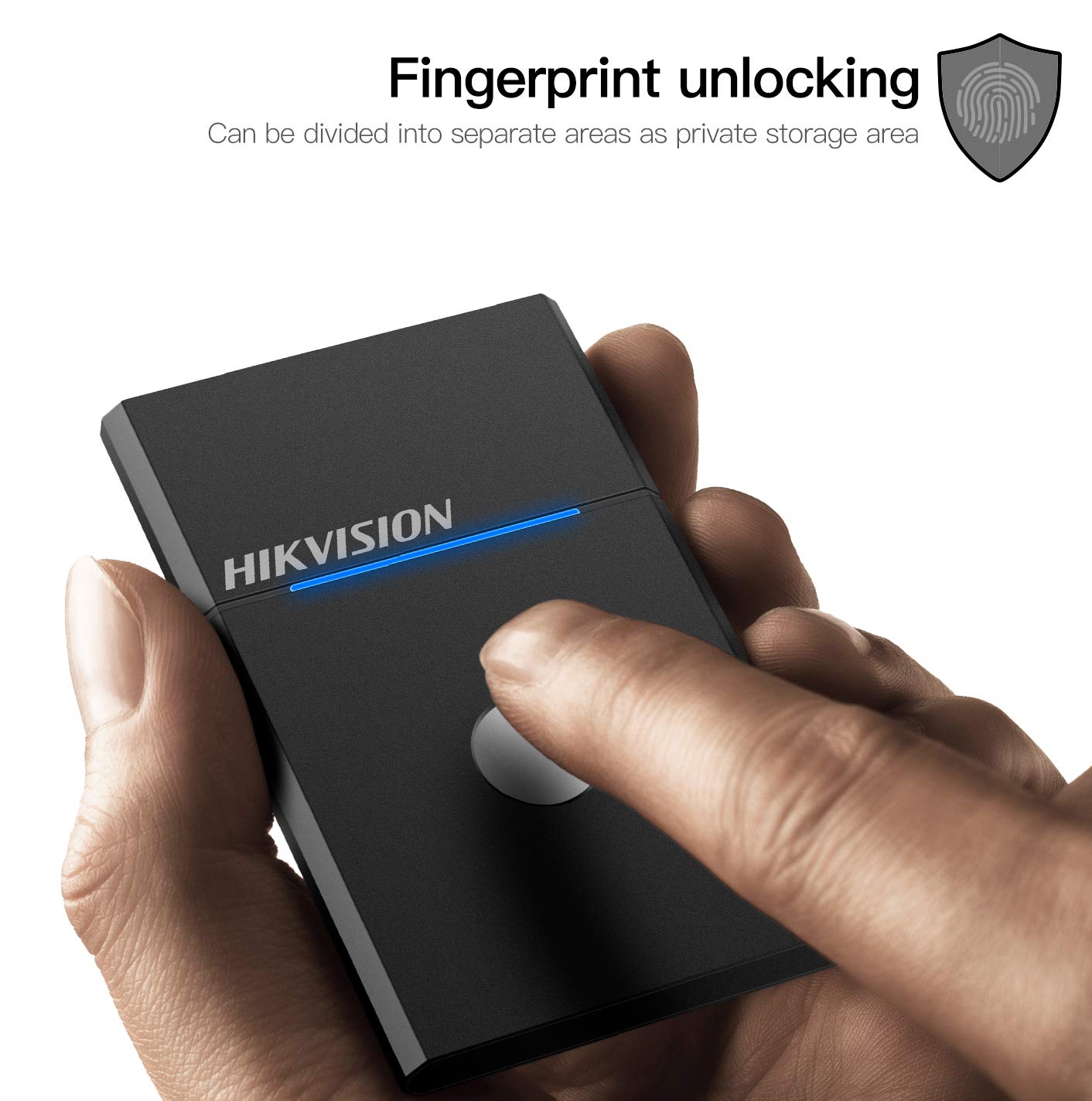
Figure 4.1: The HIKVISION Elite 7 Touch Portable SSD highlighting its fingerprint unlocking capability, allowing for secure access to data.

Figure 4.2: A user's hand interacting with the fingerprint sensor on the HIKVISION Elite 7 Touch Portable SSD to unlock the device.
4.3 Using Hi Backup Software
The 'Hi Backup' software allows you to create backups of your important files. Follow the software's interface to configure backup schedules, select files for backup, and manage your backup history. This software can also be integrated with cloud storage services for additional data redundancy.
5. الصيانة
5.1 العناية العامة
- حافظ على نظافة محرك الأقراص ذي الحالة الصلبة (SSD) عن طريق مسحه بقطعة قماش ناعمة وجافة.
- Avoid exposing the SSD to extreme temperatures or direct sunlight for prolonged periods.
- تأكد من خلو منفذ USB من الغبار والحطام قبل توصيل الكابل.
5.2 خاصية مقاومة الماء (IPX7)
The Elite 7 Touch Portable SSD is designed with an IPX7 waterproof rating, meaning it can withstand immersion in water up to 1 meter for 30 minutes. While this provides protection against accidental spills or submersion, it is not recommended for continuous underwater use. Always ensure the USB port is dry before connecting to a device.
6. استكشاف الأخطاء وإصلاحها
- لم يتم اكتشاف SSD:
- تأكد من توصيل كابل USB بشكل آمن بكل من محرك الأقراص ذي الحالة الصلبة (SSD) وجهازك.
- حاول استخدام منفذ USB مختلف على جهازك.
- حاول استخدام كابل USB مختلف.
- أعد تشغيل الكمبيوتر أو الجهاز.
- Check your device's disk management utility to see if the drive is recognized but unformatted.
- سرعات نقل بطيئة:
- Ensure you are using a USB 3.2 Gen2 compatible port on your device for optimal performance.
- تأكد من أن برامج تشغيل جهازك محدثة.
- أغلق أي تطبيقات غير ضرورية تعمل في الخلفية.
- مستشعر بصمة الإصبع لا يستجيب:
- تأكد من أن إصبعك نظيف وجاف.
- Re-register your fingerprints through the 'Hi Security' software.
- Ensure the 'Hi Security' software is running and properly configured.
- مشاكل الوصول إلى البيانات:
- If using fingerprint security, ensure the correct fingerprint is used.
- Check if the drive requires formatting for your specific operating system (refer to Section 3.2).
7. المواصفات

Figure 7.1: Diagram illustrating the compact dimensions of the HIKVISION Elite 7 Touch Portable SSD: 84mm length, 53mm width, and 8mm thickness.
| ميزة | مواصفة |
|---|---|
| ماركة | هيكفيجن |
| نموذج | Elite 7 Touch (HS-ESSD-Elite 7 Touch) |
| سعة | 1 تيرابايت (1024 جيجابايت) |
| الواجهة | منفذ USB 3.2 Gen2 Type-C |
| أقصى سرعة نقل | تصل إلى 1060 ميجابايت/ثانية |
| الأبعاد (الطول × العرض × الارتفاع) | 8.35 x 5.35 x 0.79 cm (3.29 x 2.10 x 0.31 inches) |
| وزن | 280 جرام (0.62 رطل) |
| تصنيف مقاومة الماء | IPX7 |
| منصة الأجهزة | Mac, Windows, Linux, Android, Gaming Consoles |
| لون | أسود |
8. الضمان والدعم
8.1 ضمان الشركة المصنعة
The HIKVISION Elite 7 Touch Portable SSD comes with a ضمان الشركة المصنعة لمدة 3 سنوات من تاريخ الشراء. يغطي هذا الضمان عيوب المواد والتصنيع في ظل الاستخدام العادي. يُرجى الاحتفاظ بإيصال الشراء للمطالبة بالضمان.
8.2 الدعم الفني
For technical assistance, troubleshooting beyond this manual, or warranty inquiries, please contact HIKVISION customer support through their official webالموقع الإلكتروني أو معلومات الاتصال المرفقة مع وثائق المنتج.


