1. معلومات السلامة
يرجى قراءة جميع تعليمات السلامة بعناية قبل تشغيل هذا الجهاز. احتفظ بهذا الدليل للرجوع إليه مستقبلاً.
- Do not overload wall outlets or extension cords beyond their rated capacity. Overloading can cause electric shock or fire.
- تجنب تعريض الوحدة للمطر أو الرطوبة لمنع نشوب حريق أو مخاطر الصدمات الكهربائية.
- لا تقم أبدا بفتح مجلس الوزراء. قم بإحالة الخدمة إلى الموظفين المؤهلين فقط.
- تأكد من عدم الضغط على سلك الطاقة أو المشي عليه.
2. انتهى المنتجview
The DANFI AUDIO DF TE-2017 is a versatile 3-speed record player with built-in speakers, Bluetooth input, and USB recording capabilities. It supports 7", 10", and 12" vinyl records.

الصورة 2.1: الجبهة view of the DANFI AUDIO DF TE-2017 Record Player with the dust cover open, showing the platter and tone arm.
المكونات المتضمنة:
- DANFI AUDIO DF TE-2017 Record Player
- محول 45 RPM
- سلك الطاقة والمحول
- Replacement Needle (Stylus)
- سجادة انزلاق القرص الدوار
- دليل المستخدم (هذا المستند)
3. تعليمات الإعداد
3.1 التفريغ والتنسيب
- Carefully remove the record player from its packaging.
- ضع الوحدة على سطح مستوٍ وثابت بعيدًا عن أشعة الشمس المباشرة ومصادر الحرارة والغبار الزائد أو الاهتزازات.
- تأكد من التهوية الكافية حول الوحدة.
3.2 التجميع الأولي
- غطاء الغبار: The removable dust cover can be placed on top of the unit to protect the platter and tone arm when not in use.
- سجادة انزلاقية: Place the provided turntable slipmat onto the platter.
- حماية القلم: Remove the clear plastic stylus protector from the needle before first use. Be careful not to damage the stylus.
3.3 توصيل الطاقة
- Connect the power adapter to the DC IN port on the back of the record player.
- قم بتوصيل محول الطاقة بمأخذ الحائط المناسب.
4. تعليمات التشغيل

Image 4.1: Diagram illustrating the various controls and components of the record player, including the 45 RPM adapter, tone arm, tone arm lifter, auto stop control, speed switch, ON/OFF button (volume control), and cartridge.
4.1 Basic Turntable Operation
- تشغيل/إيقاف التشغيل ومستوى الصوت: Rotate the ON/OFF/VOLUME knob clockwise to power on the unit and adjust the volume.
- حدد السرعة: Set the speed switch (33, 45, or 78 RPM) to match the record you are playing. For 45 RPM records, place the 45 RPM adapter on the spindle.
- مكان السجل: Place your vinyl record on the turntable platter.
- Lift Tone Arm: Use the tone arm lifter to gently raise the tone arm.
- موضع ذراع النغمة: Manually move the tone arm over the desired starting groove of the record.
- ذراع النغمة السفلية: Gently lower the tone arm using the lifter. The music will begin to play.
- التوقف التلقائي: The turntable features an auto-stop function that will stop the platter rotation automatically when the record finishes playing. Ensure the 'Auto Stop Control' switch is engaged for this feature.
- نهاية التشغيل: When the record finishes, use the tone arm lifter to raise the tone arm, return it to its rest, and secure it with the clip.
4.2 Bluetooth Input Mode
This record player can receive audio wirelessly from Bluetooth-enabled devices like smartphones or tablets.

Image 4.2: A smartphone displaying its Bluetooth settings, connected to the TE-2017 record player, demonstrating wireless music streaming.
- حدد وضع البلوتوث: Press the 'M' button on the front panel until 'BT' appears on the display. The unit will enter pairing mode.
- تفعيل البلوتوث على الجهاز: على هاتفك الذكي أو جهازك اللوحي، قم بتمكين Bluetooth وابحث عن الأجهزة المتاحة.
- إقران الجهاز: Select 'TE-2017' from the list of devices. Once paired, you will hear a confirmation sound.
- تشغيل الموسيقى: You can now stream music from your device through the record player's built-in speakers.
Note: This unit functions as a Bluetooth receiver only and cannot connect to external Bluetooth speakers.
4.3 USB Recording (Vinyl to Digital)
Convert your vinyl records into digital audio files (WAV format) directly onto a USB flash drive.
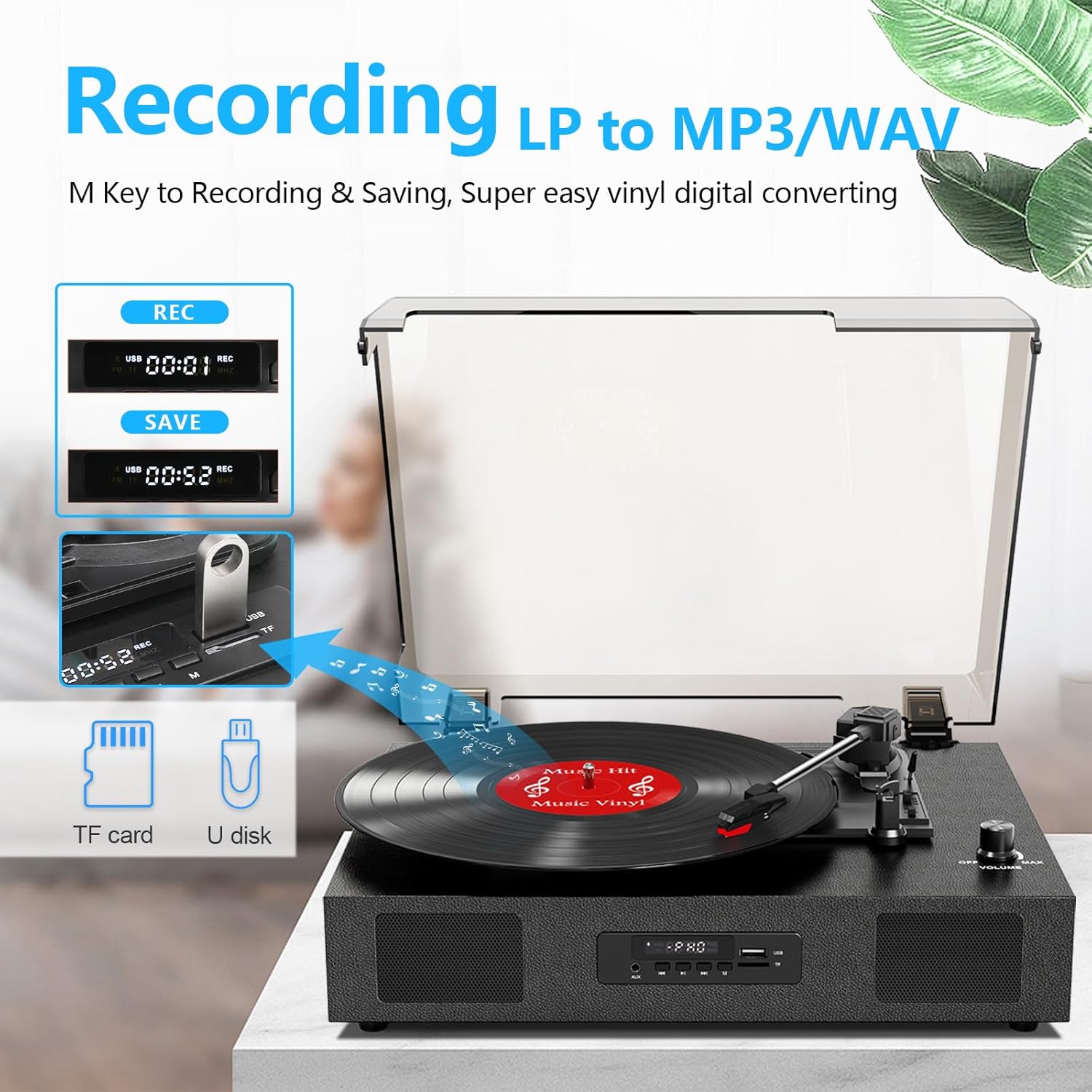
Image 4.3: The record player's display showing 'REC' and a timer, with a USB flash drive inserted, indicating the USB recording function.
- أدخل محرك أقراص USB: Insert a USB flash drive (formatted to FAT32) into the USB port on the front panel.
- بدء التشغيل: Begin playing your vinyl record as described in section 4.1.
- بدء التسجيل: Press the 'REC' button on the front panel. The display will show 'REC' and a timer, indicating recording has started.
- إيقاف التسجيل: Press the 'REC' button again to stop recording. The recorded file will be saved to your USB drive.
- وصول Files: You can access the recorded WAV files on your computer. If MP3 format is desired, conversion can be done using computer software.
4.4 RCA Line-Out Connection
Connect the record player to external powered speakers or a home audio system for enhanced sound.
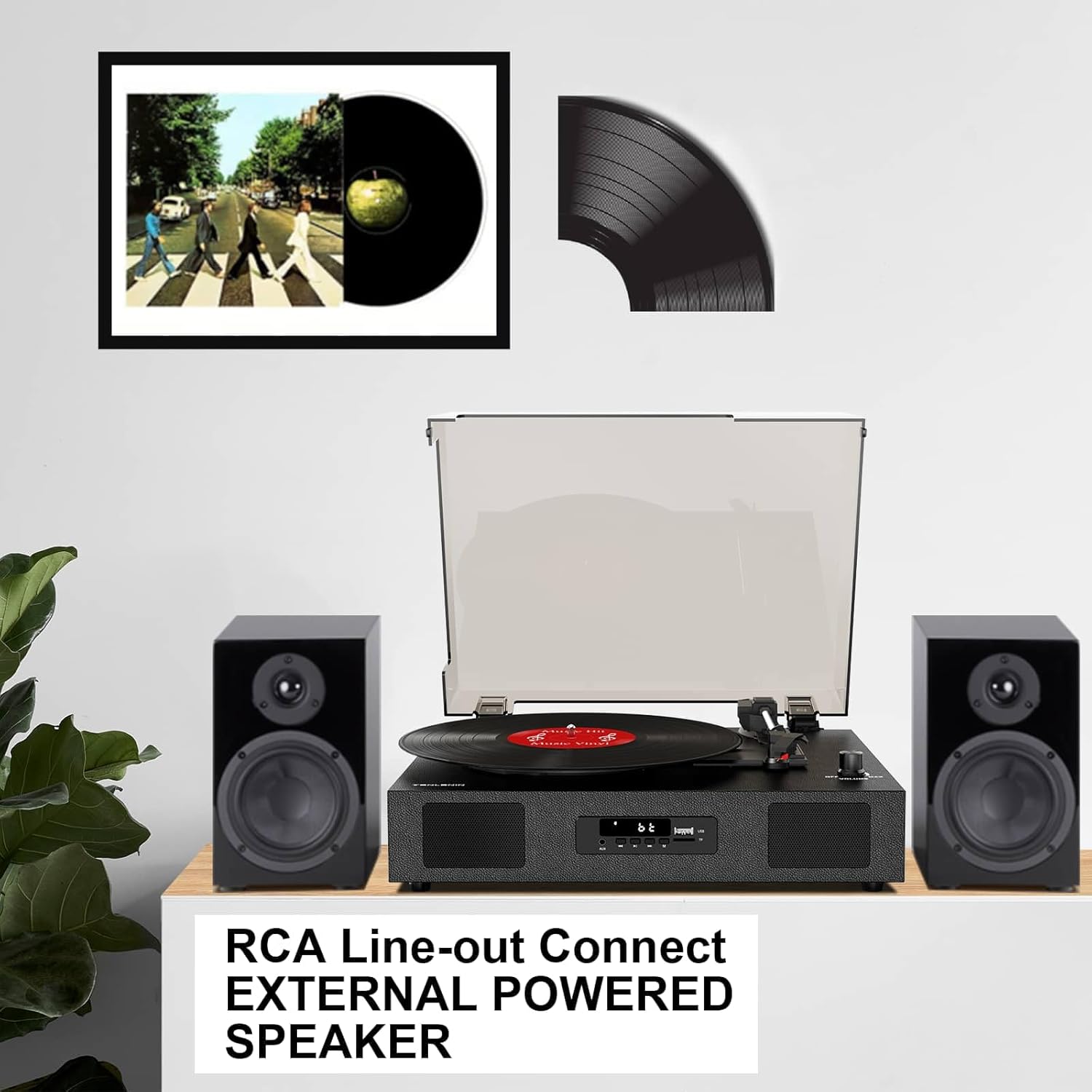
Image 4.4: The record player connected via RCA cables to a pair of external powered speakers, demonstrating the line-out functionality.
- توصيل الكابلات: Use RCA audio cables (not included) to connect the RCA L/R output jacks on the back of the record player to the corresponding input jacks on your external ampمكبر صوت أو مكبرات صوت تعمل بالطاقة.
- ضبط مستوى الصوت: Control the volume primarily through your external audio system. The record player's volume knob will still affect the output level.
4.5 AUX Line-In
Connect external audio devices (e.g., MP3 players) via the AUX IN port.
- توصيل الكابل: Use a 3.5mm audio cable (not included) to connect your external device to the AUX IN port on the front panel.
- حدد وضع AUX: Press the 'M' button until 'AUX' appears on the display.
- تشغيل الصوت: Play audio from your connected device. The sound will be output through the record player's speakers.
5. الصيانة
5.1 تنظيف الوحدة
- امسح الجزء الخارجي من الوحدة بقطعة قماش ناعمة وجافة. لا تستخدم منظفات أو مذيبات كاشطة.
- Keep the dust cover clean to prevent dust from settling on the platter and records.
5.2 العناية بالإبرة واستبدالها
- القلم (الإبرة) مكون حساس. تعامل معه بحرص.
- نظف القلم بشكل دوري بفرشاة ناعمة، مع الحرص على التنظيف بلطف من الخلف إلى الأمام.
- A worn stylus can damage records and degrade sound quality. Replace the stylus after approximately 300-500 hours of playback, or if you notice a decrease in sound quality or increased skipping.
- To replace the stylus, refer to the instructions provided with the replacement needle.
5.3 العناية بالسجلات
- Always handle records by their edges to avoid transferring oils from your skin.
- Store records vertically in their sleeves in a cool, dry place.
- Clean records regularly with a dedicated record cleaning brush or solution to remove dust and static.
6. استكشاف الأخطاء وإصلاحها
If you experience issues with your record player, consult the following troubleshooting guide.
- لا يوجد طاقة:
- تأكد من توصيل محول الطاقة بشكل آمن بالجهاز وبمأخذ كهربائي يعمل.
- Check if the ON/OFF/VOLUME knob is turned clockwise to power on.
- لا يوجد صوت:
- Increase the volume using the ON/OFF/VOLUME knob.
- Ensure the correct input mode (PHONO, BT, AUX) is selected.
- If using RCA output, ensure external speakers are powered on and correctly connected, and their volume is adjusted.
- Check if the stylus protector has been removed.
- تخطي السجلات:
- Ensure the record player is on a stable, level surface.
- Clean the record to remove dust or debris.
- Check the stylus for damage or wear; replace if necessary.
- Some records, especially new or heavier pressings, may be more prone to skipping.
- USB Recording Issues (e.g., skipping, corrupted fileالصورة):
- Ensure the USB drive is formatted to FAT32. Other formats like exFAT may not be compatible for recording.
- جرب استخدام ذاكرة فلاش USB أخرى.
- Ensure the record is clean and playing smoothly during recording.
- Bluetooth Disconnecting/Resetting:
- If the Bluetooth player is paused for an extended period, the unit may revert to another mode. Re-select Bluetooth mode using the 'M' button.
- Ensure your Bluetooth device is within range.
7. المواصفات
| اسم الموديل | TE 2017 |
| ماركة | دانفي الصوت DF |
| أبعاد المنتج | 14.1 × 11.2 × 4.9 بوصة |
| وزن العنصر | 4.85 رطل |
| مادة | الخشب الهندسي والبلاستيك |
| سرعة الدوران القصوى | 78 دورة في الدقيقة |
| السرعات المدعومة | 33 1/3، 45، 78 دورة في الدقيقة |
| المميزات الخاصة | Built-In Bluetooth Receiver, Digital Display, Digital Recorder, RCA Output |
| الأجهزة المتوافقة | Headphone, MP3 Player, Personal Computer, Smartphone, Tablet |
8. الضمان والدعم
DANFI AUDIO DF offers a 30-day money-back or replacement policy for this product. For any inquiries or assistance, please contact customer service. Support is available 24 hours a day.
For further support or warranty claims, please refer to your purchase documentation or contact the seller directly.


