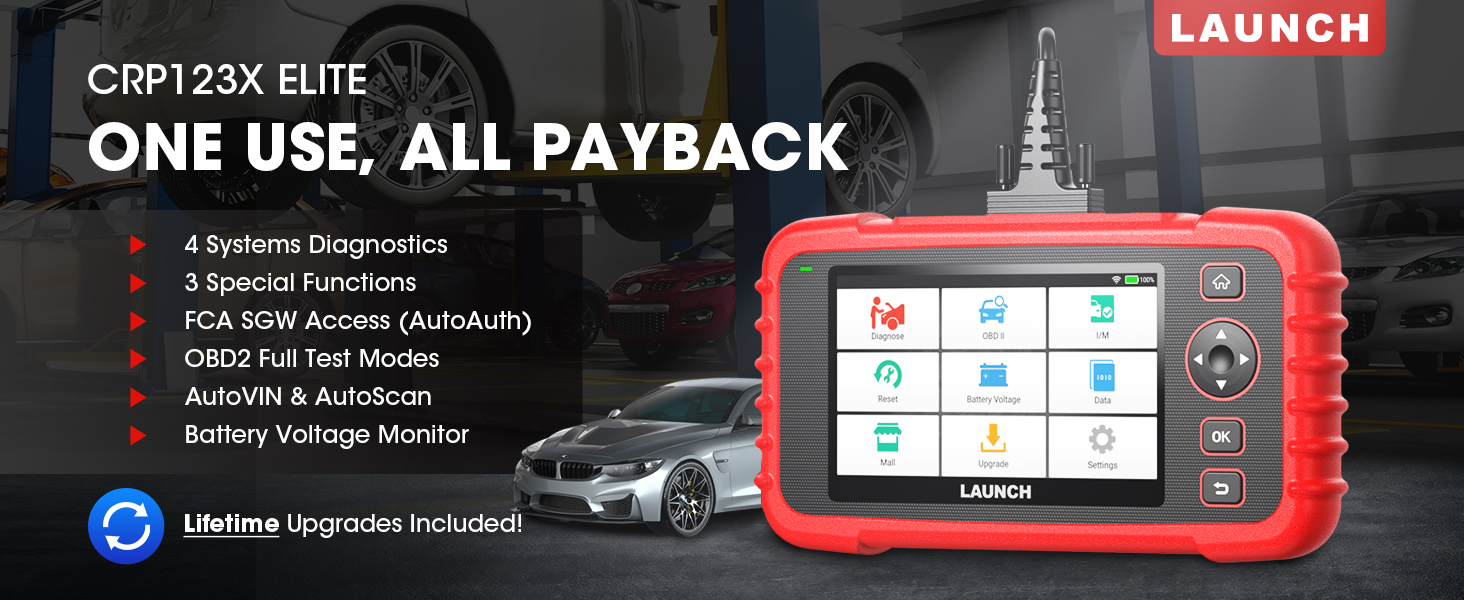
The LAUNCH CRP123X Elite is an advanced OBD2 diagnostic scan tool designed for comprehensive vehicle system analysis. It offers a wide range of functions including 4-system diagnostics (Engine, Transmission, ABS, SRS), 3 special reset services (Oil Reset, Electronic Throttle Relearn, Steering Angle Sensor Calibration), full OBD2 functions, AutoVIN technology, and lifetime free software updates via Wi-Fi. This manual provides detailed instructions for setting up, operating, and maintaining your CRP123X Elite scanner.
2. الميزات الرئيسية
تحديثات البرامج المجانية مدى الحياة: Ensures compatibility with future vehicles and systems, updated wirelessly via Wi-Fi.
3 Hottest Special Functions: Includes Oil Reset, Electronic Throttle Relearn (ETC Reset), and Steering Angle Sensor Calibration (SAS Reset).
4- تشخيص النظام: Comprehensive diagnostics for Engine, Anti-lock Braking System (ABS), Supplemental Restraint System (SRS), and Transmission Control Module (TCM). Read and clear DTCs, view live data, and read ECU information.
تغطية واسعة النطاق للمركبات: Supports over 72 car brands across US, EU, and Asia, including 2018+ FCA SGW (AutoAuth required).
AutoVIN & AutoScan: Automatically identifies vehicle information and quickly scans all modules in all systems for 2006+ vehicles.
All 10 OBD2 Test Modes: Supports all standard OBD2 functions for basic car issue diagnosis, including reading/clearing codes, live data, freeze frame, I/M readiness, O2 sensor test, EVAP system test, on-board monitor test, component test, and vehicle information retrieval.
الحجم في الوقت الفعليtagه مراقب: Displays dynamic graphic representation of the car's battery voltage.
4-in-1 Graphic Live Data: Allows merging up to 4 PIDs data on one screen for easier analysis.
مشاركة التقارير التشخيصية: Save and share diagnostic reports for further analysis or record-keeping.
تصميم سهل الاستخدام: Features a 5-inch HD touchscreen, Android 7.0 OS, 16GB memory, and anti-slip, shock-resistant casing.
3. محتويات العبوة
تأكد من وجود جميع العناصر في الحزمة الخاصة بك:
LAUNCH CRP123X Elite Scanner (Red unit with 5-inch touchscreen)
DC 5V Charging Cable (USB cable)
OBD2 Cable (DB-15 diagnostic connector)
Carrying Bag (Black zippered case)
User Manual (Printed document)
Figure 3.1: LAUNCH CRP123X Elite Package Contents. This image displays the main scanner unit, a USB charging cable, an OBD2 diagnostic cable, a black carrying bag, and the printed user manual.
4. دليل الإعداد
4.1 التشغيل الأولي والشحن
Before first use, ensure the device is fully charged. Connect the provided DC 5V Charging Cable to the scanner's charging port and a suitable USB power adapter (not included) or computer USB port. The device will power on automatically or can be powered on by pressing the power button.
Figure 4.1: Scanner Ports and Buttons. This image highlights the 5V charging port, the DB-15 diagnostic connector, and the power button on the top side of the scanner.
4.2 اتصال واي فاي
From the main menu, tap on "Settings".
Select "Wi-Fi" and turn it on.
اختر شبكة الواي فاي التي تريدها من القائمة وأدخل كلمة المرور إذا طُلب منك ذلك.
بمجرد الاتصال، سيظهر رمز Wi-Fi في شريط الحالة.
4.3 Initial Software Update
It is recommended to perform a software update after connecting to Wi-Fi to ensure you have the latest vehicle coverage and functions.
From the main menu, tap on "Upgrade".
The system will check for available updates. Select all necessary updates and tap "Download".
Allow the updates to complete. The device may restart during this process.
Figure 4.2: One-Click Wi-Fi Update. This image illustrates the simple process of updating the scanner's software via a Wi-Fi connection, highlighting its ease of use compared to other methods.
5. تعليمات التشغيل
5.1 التوصيل بالمركبة
Locate the vehicle's OBD2 port, usually under the dashboard on the driver's side. Connect the provided OBD2 cable to the scanner and then to the vehicle's OBD2 port. Turn the vehicle's ignition to the "ON" position (engine off or running, depending on the test).
Figure 5.1: Scanner Connected to Vehicle. This image shows the LAUNCH CRP123X Elite scanner connected to a vehicle's diagnostic port, ready for operation.
5.2 System Diagnostics (Engine, ABS, SRS, Transmission)
The CRP123X Elite can diagnose four core vehicle systems:
نظام المحرك: قراءة ومسح رموز أعطال المحرك، view live data streams, and check engine light status.
نظام منع انغلاق المكابح (ABS): Diagnose ABS issues, read and clear ABS fault codes, and view ABS sensor data.
Supplemental Restraint System (SRS/Airbag): Read and clear airbag fault codes. Note: Crash data cannot be cleared from memory even with a new airbag.
وحدة التحكم في ناقل الحركة (TCM): Diagnose transmission problems, read and clear transmission fault codes, and view transmission live data.
لإجراء تشخيص للنظام:
From the main menu, tap "Diagnose".
Select the vehicle make and model. The AutoVIN feature (for 2006+ vehicles) can automatically detect this.
Choose the system you wish to diagnose (e.g., "Engine", "ABS").
Select "Read Codes" to view Diagnostic Trouble Codes (DTCs) or "Clear Codes" to erase them.
يختار "View Data Stream" to monitor real-time sensor data.
Figure 5.2: 4 Systems Diagnostic Overview. This image visually explains the diagnostic capabilities for Engine, Transmission, SRS, and ABS systems, including reading/clearing codes and viewing data streams.Video 5.1: LAUNCH Code Reader - CRP123X OBD2 Scanner for Engine Transmission ABS SRS. This video demonstrates the diagnostic capabilities of the CRP123X scanner across engine, transmission, ABS, and SRS systems, showing how to read and clear codes and view بيانات حية.
5.3 Reset Functions (Oil, ETC, SAS)
The scanner supports three common reset services:
إعادة ضبط الزيت: Resets the oil life reminder after an oil change or maintenance service.
Electronic Throttle Relearn (ETC Reset): Relearns the electronic throttle body for optimal engine performance and smooth idle.
Steering Angle Sensor Calibration (SAS Reset): Calibrates the steering angle sensor after alignment or component replacement.
To perform a reset function:
From the main menu, tap "Reset".
Select the desired reset function (e.g., "Oil Reset").
Follow the on-screen instructions to complete the procedure.
Figure 5.3: 3 Hottest Reset Functions. This image illustrates the three primary reset functions: Oil Reset, Electronic Throttle Control (ETC) Reset, and Steering Angle Sensor (SAS) Reset, which are crucial for vehicle maintenance.
5.4 All 10 OBD2 Test Modes
The CRP123X Elite supports all 10 modes of OBD2 testing, providing comprehensive diagnostic capabilities for emissions-related issues and general vehicle health:
قراءة الرموز: Displays current, pending, and permanent Diagnostic Trouble Codes (DTCs).
رموز محو: يمسح رموز الأعطال التشخيصية من كمبيوتر السيارة ويطفئ مؤشر العطل Lamp (ميل).
بث البيانات المباشر: Displays real-time data from the vehicle's sensors in text or graph format.
تجميد بيانات الإطار: Shows a snapshot of operating conditions at the time an emission-related fault occurred.
أنا / م الاستعداد: التحقق من جاهزية أنظمة مراقبة الانبعاثات.
اختبار مستشعر O2: Retrieves and displays O2 sensor monitoring test results.
اختبار الشاشة الموجودة على متن السيارة: يسترجع نتائج الاختبارات لمكونات وأنظمة مجموعة نقل الحركة المتعلقة بالانبعاثات والتي لا تخضع للمراقبة المستمرة.
اختبار نظام EVAP: يبدأ اختبار نظام التحكم في انبعاثات التبخر.
اختبار المكون: يسمح ببدء اختبار التسرب لنظام تبخير الوقود في السيارة.
معلومات السيارة: يسترجع رقم تعريف المركبة (VIN) ومعرف المعايرة (CID) ورقم التحقق من المعايرة (CVN).
Figure 5.4: Complete OBD2 Test Modes. This image displays icons and brief descriptions for each of the 10 OBD2 test modes, including Read Codes, Erase Codes, Live Data Stream, Freeze Frame, I/M Readiness, On-Board Monitor Test, O2 Sensor Test, EVAP System Test, Vehicle Information, and DTC Library.
5.5 Live Data Stream & Recording
The scanner can display live sensor data in various formats. You can select up to four data parameters to view simultaneously in a graphical format for easier comparison and analysis.
From the main menu, tap "Data".
Select "Live Data" and choose the parameters you wish to monitor.
Tap the "Record" icon to begin recording the data for later review.
Figure 5.5: 4-in-1 Live Data Stream. This image shows the scanner's ability to display multiple live data parameters simultaneously in a graphical format, along with options for data recording and playback.
5.6 التقرير التشخيصي
After completing a diagnostic session, you can generate and save a diagnostic report. This report can be printed via PC or emailed for record-keeping or sharing with a mechanic.
After a scan, navigate to "Data" and then "Diagnostic Report".
أنت تستطيع view, playback, or share the report via email (requires Wi-Fi connection).
Figure 5.6: Diagnostic Report Generation and Sharing. This image highlights the scanner's capability to generate detailed diagnostic reports and offers options to print them via PC or share them electronically.
5.7 المجلد في الوقت الحقيقيtagه مراقب
The scanner includes a feature to monitor the vehicle's battery voltage in real-time, displayed graphically.
From the main menu, tap "Battery Voltagهـ".
Observe the real-time voltage readings and dynamic graphic.
Figure 5.7: Real-Time Voltage Monitor. This image demonstrates the scanner's ability to display the vehicle's battery voltage in real-time, including a dynamic graphical representation.
6. الصيانة
تنظيف: استخدمي قطعة قماش ناعمةamp استخدم قطعة قماش لتنظيف السطح الخارجي للماسح الضوئي. لا تستخدم منظفات كاشطة أو مذيبات.
تخزين: Store the device in its carrying bag in a dry, cool place away from direct sunlight and extreme temperatures.
تحديثات البرامج: Regularly connect the device to Wi-Fi and perform software updates to ensure optimal performance and access to the latest vehicle data and features.
العناية بالبطارية: اشحن الجهاز بانتظام، حتى لو لم يكن قيد الاستخدام المتكرر، للحفاظ على صحة البطارية. تجنب تفريغ البطارية بالكامل لفترات طويلة.
7. استكشاف الأخطاء وإصلاحها
مشكلة
السبب المحتمل
حل
الجهاز لا يعمل.
Low battery; faulty connection.
Charge the device fully. Ensure OBD2 cable is securely connected to vehicle and scanner.
حدث خطأ في الاتصال بالمركبة.
Loose connection; vehicle not OBD2 compliant; ignition off; blown fuse in vehicle.
Check all connections. Verify vehicle is OBD2 compliant (1996 and newer for US). Turn ignition ON. Check vehicle's fuse for the OBD2 port.
تتجمد الشاشة أو يصبح الجهاز غير مستجيب.
خلل برمجي؛ خطأ مؤقت في النظام.
Press and hold the power button to force a restart. If issue persists, perform a factory reset (data will be lost).
لا يمكن الاتصال بشبكة Wi-Fi.
كلمة المرور غير صحيحة؛ خارج النطاق؛ مشكلة في الشبكة.
Verify Wi-Fi password. Move closer to the Wi-Fi router. Restart the router.
For further assistance, please contact LAUNCH customer support.
8. المواصفات
ميزة
التفاصيل
رقم الموديل
launch crp123x
نظام التشغيل
أندرويد 7.0
عرض
5-inch HD Touch Screen (LCD touch screen)
ذاكرة
ذاكرة تخزين داخلية 16 جيجابايت، ذاكرة وصول عشوائي 2 جيجابايت
وحدة المعالجة المركزية
1.5 جيجاهرتز
الاتصال
واي فاي
أبعاد المنتج
10.24 × 3.15 × 7.48 بوصة (7.48 بوصة طول × 3.15 بوصة عرض × 10.24 بوصة ارتفاع)
وزن
2.36 رطل
لغة
English (and 9 other languages)
أول تاريخ متاح
16 نوفمبر 2020
Figure 8.1: Feature Comparison. This table compares the specifications of the CRP123X with other models, emphasizing its advantages in reset functions, wider coverage, Android OS, screen size, battery, memory, Wi-Fi update, AutoVIN, touchscreen, vehicle coverage, languages, system diagnosis, code search, online feedback, and battery voltagالاختبار الإلكتروني.Figure 8.2: Wide Car Compatibility & Language Options. This image illustrates the extensive vehicle compatibility of the scanner, covering American, European, and Asian car brands, along with the availability of 10 language options.
9. الضمان والدعم
LAUNCH stands behind the quality of the CRP123X Elite scanner with an extended 5-year product quality backup. Enjoy free lifetime software updates to ensure compatibility with future vehicles and systems.
For technical assistance or any inquiries, please contact LAUNCH Support:
الرقم المجاني: 1-888-756-2936
ساعات العمل: من الإثنين إلى الجمعة، من الساعة 9:00 صباحًا حتى 6:00 مساءً بتوقيت شرق الولايات المتحدة
بريد إلكتروني: Tech_Launchoriginal@outlook.com
LAUNCH also offers a 30-day money-back policy.
Figure 9.1: 24/7/365 Service & Multi-Language Menu. This image highlights the comprehensive customer support offered by LAUNCH, including one-on-one technical assistance, 100% original LAUNCH products, 5-year quality backup, and lifetime update included, along with support for multiple languages.
جهاز فحص الأعطال OBD2 من LAUNCH طراز CRP123X: معلومات أساسية قبل الشراء دليل أساسي يغطي ١٠ نقاط مهمة لمستخدمي جهاز فحص أعطال السيارات LAUNCH CRP123X OBD2، بما في ذلك التوافق، والتحديثات، والضمان، ونصائح الاستخدام، والملحقات المرفقة. تعرف على ميزات المنتج، والدعم الفني، وسياسات الإرجاع.
دليل عملية ترقية LAUNCH CReader VII+ دليل خطوة بخطوة لتحديث أداة فحص السيارات التشخيصية LAUNCH CReader VII+ باستخدام بطاقة ذاكرة TF أو كابل USB. يتضمن تعليمات تنزيل البرنامج وتثبيته وتسجيله.
LAUNCH Creader Professional 123i User Manual - Comprehensive Guide Explore the features and operation of the LAUNCH Creader Professional 123i automotive diagnostic tool. This user manual provides detailed instructions on vehicle diagnosis, system checks, updates, and settings.