مقدمة
The Inrico T526 is a robust network radio designed for global communication, leveraging 4G cellular networks and Wi-Fi for extensive coverage. It offers advanced features such as GPS, Bluetooth, and programmable buttons, making it suitable for professional use in various environments. This manual provides essential information for setting up, operating, and maintaining your T526 network radio.
ماذا يوجد في الصندوق
Upon unboxing your Inrico T526, please verify that all the following components are present:
- Inrico T526 Network Radio
- هوائي
- Battery (5000mAh Lithium Ion)
- Drop-in Charger
- كبل USB
- قابس الطاقة
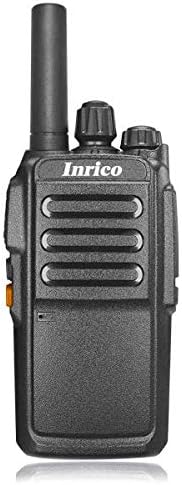
الصورة: الجبهة view of the Inrico T526 Network Radio, showing its compact design and antenna.
الميزات الرئيسية
- Intercom globally via cellular data card
- Guard Patrol function mapping capability
- Integrated WIFI and Bluetooth support
- GPS functionality for location services
- Exceptional audio output for clear communication
- Programmable buttons for emergency or quick access functions
- High-capacity 5000mAh battery for extended operation
يثبت
1. تركيب البطارية وشحنها
- تأكد من إيقاف تشغيل الراديو.
- افتح غطاء حجرة البطارية الموجود في الجزء الخلفي من الراديو.
- أدخل بطارية الليثيوم أيون 5000 مللي أمبير، مع التأكد من محاذاة نقاط التلامس بشكل صحيح.
- أغلق غطاء حجرة البطارية جيدًا.
- Place the radio into the drop-in charger. Connect the USB lead to the charger and the power plug to a wall outlet.
- Charge the battery fully before first use. The charging indicator light will change when charging is complete.
2. ملحق الهوائي
قم بربط الهوائي المرفق باتجاه عقارب الساعة في موصل الهوائي الموجود أعلى الراديو حتى يصبح محكمًا باليد. لا تفرط في إحكام الربط.
3. تركيب شريحة SIM (اختياري)
The T526 operates on cellular data. If using a SIM card for network connectivity, carefully insert it into the designated SIM card slot, usually located under the battery or on the side. Refer to the radio's internal markings for correct orientation.
تعليمات التشغيل
1. تشغيل/إيقاف التشغيل
- To power on: Press and hold the Power button (usually located on the side or top) until the radio powers on.
- To power off: Press and hold the Power button until the power-off prompt appears, then confirm.
2. ضبط مستوى الصوت
Rotate the volume knob (typically on the top) clockwise to increase volume and counter-clockwise to decrease volume.
3. وظيفة الضغط للتحدث (PTT)
To transmit, press and hold the PTT button (large button on the side). Speak clearly into the microphone. Release the PTT button to listen.
4. الاتصال بالشبكة
- البيانات الخلوية: Ensure a valid SIM card with an active data plan is installed. The radio will automatically connect to the available 4G network.
- واي فاي: Navigate to the Wi-Fi settings in the radio's menu. Select your desired Wi-Fi network and enter the password if required.
5. الوظائف الأساسية
The T526 supports basic functions such as group calls, individual calls, GPS tracking, Wi-Fi, and Bluetooth connectivity. Specific operation details for these functions can be found in the radio's on-screen menu or by referring to the detailed application software manual.

Image: Diagram illustrating the T526's radio features, technical specifications, and system functions, including network bands, memory, platform, and battery capacity.
صيانة
1. التنظيف
امسح سطح الراديو بقطعة قماش ناعمة و...amp قطعة قماش. لا تستخدم مواد كيميائية قاسية أو منظفات كاشطة. تأكد من إيقاف تشغيل الراديو وتجفيفه قبل التنظيف.
2. العناية بالبطارية
- تجنب تفريغ البطارية بالكامل بشكل متكرر.
- قم بتخزين الراديو والبطارية في مكان بارد وجاف عند عدم استخدامهما لفترات طويلة.
- Use only the original Inrico charger and battery.
3. العناية بالهوائي
Ensure the antenna is securely attached. Avoid bending or forcing the antenna, as this can damage the connector or affect signal quality.
استكشاف الأخطاء وإصلاحها
| مشكلة | السبب المحتمل | حل |
|---|---|---|
| الراديو لا يعمل. | البطارية منخفضة أو غير مثبتة بشكل صحيح. | Charge the battery fully. Reinstall the battery, ensuring proper contact. |
| لا توجد إشارة الشبكة. | No SIM card, no data plan, or out of network coverage. | Ensure SIM card is installed and active. Move to an area with better cellular coverage. Check Wi-Fi connection. |
| جودة الصوت رديئة. | انخفاض مستوى الصوت، أو ضعف الإشارة، أو وجود عائق أمام الميكروفون/مكبر الصوت. | Adjust volume. Check network signal strength. Ensure microphone and speaker are clear of debris. |
| الأزرار لا تستجيب. | Software glitch or radio frozen. | Attempt a soft reset (power off and on). If persistent, remove and reinsert battery. |
المواصفات الفنية
| ميزة | مواصفة |
|---|---|
| دعم الشبكة | 4G: TDD B38/B40/B41, FDD-LTE B1/B3/B5/B7/B20 |
| الذاكرة الموسعة | ذاكرة وصول عشوائي (RAM) سعة 512 ميجابايت + ذاكرة قراءة فقط (ROM) سعة 4 جيجابايت |
| منصة | إم تي 6737 إم |
| نظام التشغيل | أندرويد 6.0 |
| Speaker + Mic | Diameter of 40 big trumpet |
| مقبس سماعة الأذن | 3.5 ملم |
| نظام تحديد المواقع العالمي (جي بي اس) | مدعوم |
| سعة البطارية | 5000 مللي أمبير |
| الأبعاد (الطول*العرض*الارتفاع) | 106*56*33 ملم |
| وزن | ~220 جرام |
| حجم الطاقةtage | 7.4 فولت |
| تقنية الموالف | ترددات فائقة التردد |
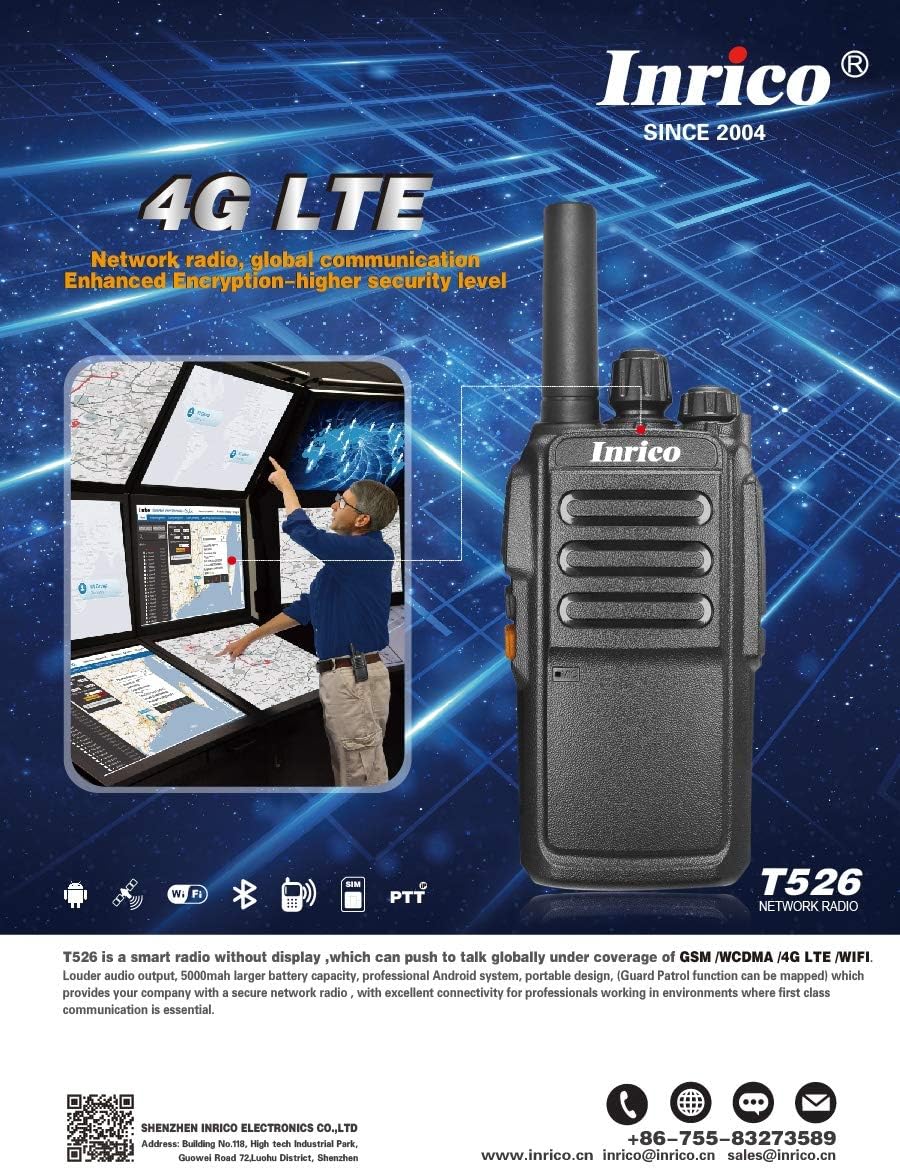
Image: Promotional image highlighting the Inrico T526's 4G LTE capabilities and showing an application schematic for network radio convergence.
الضمان والدعم
Inrico products are designed for reliability and performance. For warranty information, technical support, or service inquiries, please contact Inrico directly. Keep your purchase receipt as proof of purchase.
معلومات الاتصال:
- Webموقع: www.inrico.cn
- بريد إلكتروني: sales@inrico.cn
- الهاتف: +86-755-83273589
- الموارد الإضافية: http://733597.clewm.net/Fn4pWUL


