مقدمة
The EPOS Expand 80T is a premium, scalable Bluetooth speakerphone designed for conference calls with up to 16 in-room participants. It features six adaptive, beamforming microphones for clear voice pickup and a high-quality speaker for natural sound reproduction. This manual provides essential information for setting up, operating, and maintaining your device.

Image: EPOS Expand 80T speakerphone, showcasing its sleek black and silver design from an angled top-down perspective.
ماذا يوجد في الصندوق
تأكد من وجود جميع المكونات في العبوة:
- EPOS Expand 80T Speakerphone
- كابل USB-C
- BTD 800 USB dongle
- وحدة إمداد طاقة عالمية
- محول USB-C إلى USB-A
- دليل السلامة
- دليل سريع
- ورقة الامتثال

Image: The underside of the EPOS Expand 80T, illustrating the integrated cable management system and connection ports.
المنتج انتهىview
The Expand 80T features intuitive touch controls and a robust design suitable for various meeting environments.

الصورة: الجبهة view of the EPOS Expand 80T speakerphone, highlighting the control panel and speaker grille.
المميزات الرئيسية:
- Adaptive Microphones: Six beamforming microphones isolate voices and reduce ambient noise.
- Superior Speaker: Delivers rich, natural sound for clear communication.
- الاتصال: Bluetooth and USB-C for versatile connection options.
- معتمد من Microsoft Teams: Optimized for seamless integration with Microsoft Teams.
- قابلة للتطوير: Suitable for up to 16 in-room participants.

الصورة: لقطة مقربة view of the EPOS Expand 80T's touch controls and the EPOS brand logo, showing the detailed texture of the speaker grille.
يثبت
1. توصيل الطاقة
- Connect the universal power supply unit to the speakerphone's power input.
- Plug the power supply into a wall outlet. The device will power on automatically.
2. USB Connection (PC/Soft Phone)
- Connect the supplied USB-C cable to the speakerphone.
- Connect the other end of the USB-C cable to your computer's USB-C port. If your computer only has USB-A ports, use the provided USB-C to USB-A adapter.
- The speakerphone will be recognized as an audio device by your operating system.
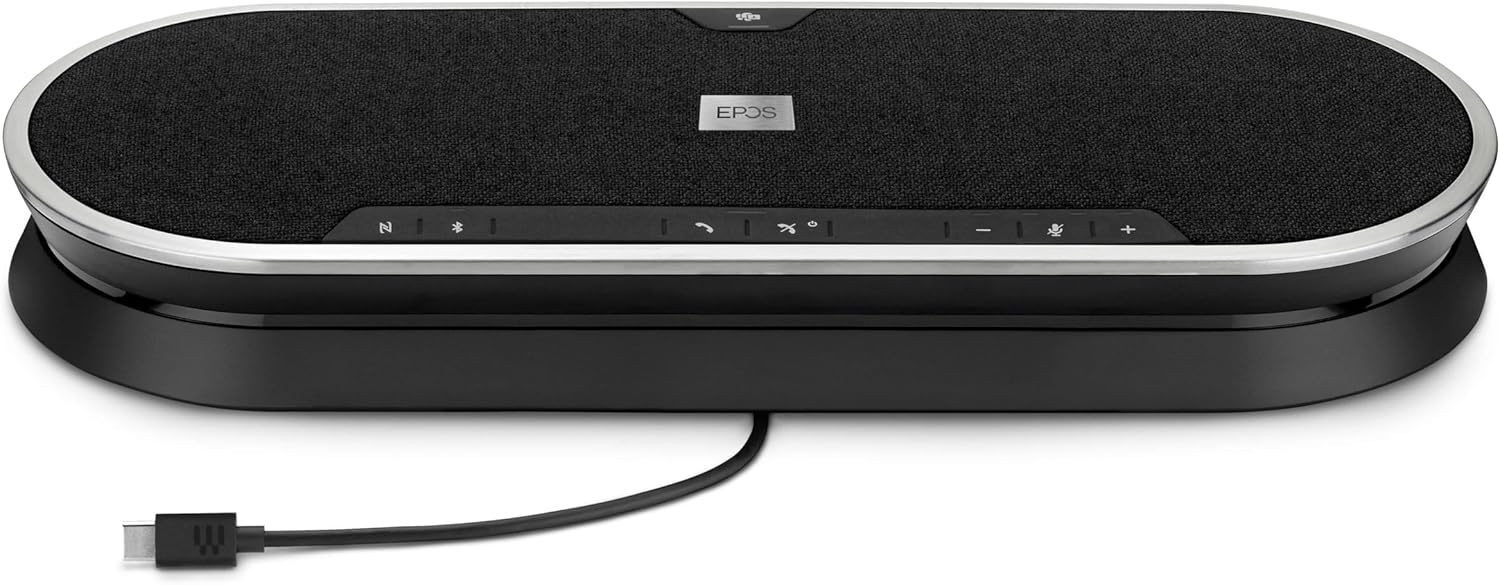
Image: The EPOS Expand 80T speakerphone with its USB-C cable connected, ready for wired communication.
3. Bluetooth Pairing (Mobile Phone/Tablet)
- Press and hold the Bluetooth button on the speakerphone until the LED indicator flashes blue. This indicates pairing mode.
- On your mobile phone or tablet, go to Bluetooth settings and select "EPOS Expand 80T" from the list of available devices.
- بمجرد الاتصال ، سيتحول مؤشر LED إلى اللون الأزرق الثابت.
4. Using the BTD 800 USB Dongle
- Plug the BTD 800 USB dongle into a USB port on your computer.
- The dongle will automatically pair with the Expand 80T. The LED on the dongle will turn solid blue when connected.
- This provides a dedicated, optimized Bluetooth connection for your PC.
تشغيل مكبر الصوت
The EPOS Expand 80T features touch-sensitive controls for easy management of calls and audio.

الصورة: الجانب المحترفfile of the EPOS Expand 80T speakerphone, showcasing its slim design and subtle curves.
إدارة المكالمات:
- الرد/إنهاء المكالمة: اضغط على يتصل زر.
- كتم / إلغاء كتم صوت الميكروفون: اضغط على صامت button. The LED will indicate mute status.
- رفع/خفض الصوت: اضغط على + or - أزرار.
- زر مايكروسوفت تيمز: اضغط على الفرق button to launch Microsoft Teams or bring it to the foreground (when connected to a PC with Teams installed).
تشغيل الصوت:
- When connected via Bluetooth or USB, the Expand 80T can play audio from your connected device.
- Use the volume controls on the speakerphone or your connected device to adjust playback volume.
صيانة
To ensure the longevity and optimal performance of your EPOS Expand 80T, follow these maintenance guidelines:
- تنظيف: Use a soft, dry cloth to clean the surface of the speakerphone. Do not use liquid cleaners or abrasive materials.
- تخزين: قم بتخزين الجهاز في مكان بارد وجاف بعيدًا عن أشعة الشمس المباشرة ودرجات الحرارة القصوى.
- تجنب الرطوبة: The device is not waterproof. Keep it away from liquids and high humidity.
- العناية بالكابلات: Handle cables gently. Avoid sharp bends or excessive pulling.
استكشاف الأخطاء وإصلاحها
If you encounter issues with your EPOS Expand 80T, refer to the following common solutions:
- لا يوجد طاقة:
- Ensure the power supply is securely connected to both the speakerphone and a working wall outlet.
- تحقق مما إذا كان مأخذ الطاقة يعمل أم لا.
- لا يوجد صوت/جودة صوت رديئة:
- Verify that the speakerphone is selected as the default audio output/input device in your computer's sound settings or conferencing application.
- Adjust the volume on both the speakerphone and your connected device.
- If using Bluetooth, ensure the device is within range (up to 10 meters) and there are no obstructions.
- Try reconnecting the USB cable or re-pairing the Bluetooth device.
- الميكروفون لا يعمل:
- Ensure the microphone is not muted on the speakerphone or in your conferencing software.
- تحقق من إعدادات إدخال الميكروفون على جهاز الكمبيوتر أو الجهاز الخاص بك.
- فصل البلوتوث:
- قرّب مكبر الصوت من الجهاز المتصل.
- قم بإزالة أي مصادر محتملة للتداخل (مثل الأجهزة اللاسلكية الأخرى).
- Forget the device in your phone/PC's Bluetooth settings and re-pair.
تحديد
| اسم الموديل | توسيع 80T |
| رقم موديل العنصر | 1000203 |
| ماركة | EPOS |
| تكنولوجيا الاتصال | بلوتوث، يو اس بي |
| تكنولوجيا الاتصالات اللاسلكية | بلوتوث |
| مدى البلوتوث | 10 مترا |
| الحد الأقصى للمدى | 30 Meters (for certain connections, e.g., with BTD 800 dongle) |
| نوع السماعة | Multimedia or Conference |
| الحد الأقصى لقوة خرج السماعة | 80 واط |
| وضع إخراج الصوت | ستيريو |
| ميزة خاصة | Built-in Microphone, USB connectivity, Universal, Speakerphone |
| الأجهزة المتوافقة | Mobile phone, Desk phone, PC / Soft phone, Tablet |
| طريقة التحكم | يلمس |
| أبعاد المنتج (الطول × العرض × الارتفاع) | 12.4 بوصة × 4.7 بوصة × 1.8 بوصة (31.5 سم × 11.9 سم × 4.6 سم) |
| وزن العنصر | 2.19 رطل (حوالي 0.99 كجم) |
| مصدر الطاقة | كهرباء سلكية |
| المكونات المضمنة | USB-C cable, BTD 800 USB dongle, power supply unit (universal), USB-C to USB-A adapter, safety guide, quick guide, compliance sheet |
الضمان والدعم
The EPOS Expand 80T comes with a manufacturer's warranty. For specific warranty terms and conditions, please refer to the included safety guide or visit the official EPOS webموقع.
For technical support, troubleshooting assistance, or to inquire about replacement parts, please contact EPOS customer support through their official channels. Keep your product model number (1000203) and proof of purchase readily available when seeking support.
يمكنك العثور على مزيد من المعلومات وموارد الدعم على EPOS Store on Amazon.


