1. المقدمة
شكرا لك على الشراءasing the SHARP XL-B512 Stereo Sound System. This micro sound system offers a rich 45-watt sound experience with versatile connectivity options including Bluetooth, CD player, USB, and FM radio. Its elegant design with a wooden speaker housing and LED display complements any living space. This manual provides essential information for setting up, operating, and maintaining your device to ensure optimal performance and longevity.
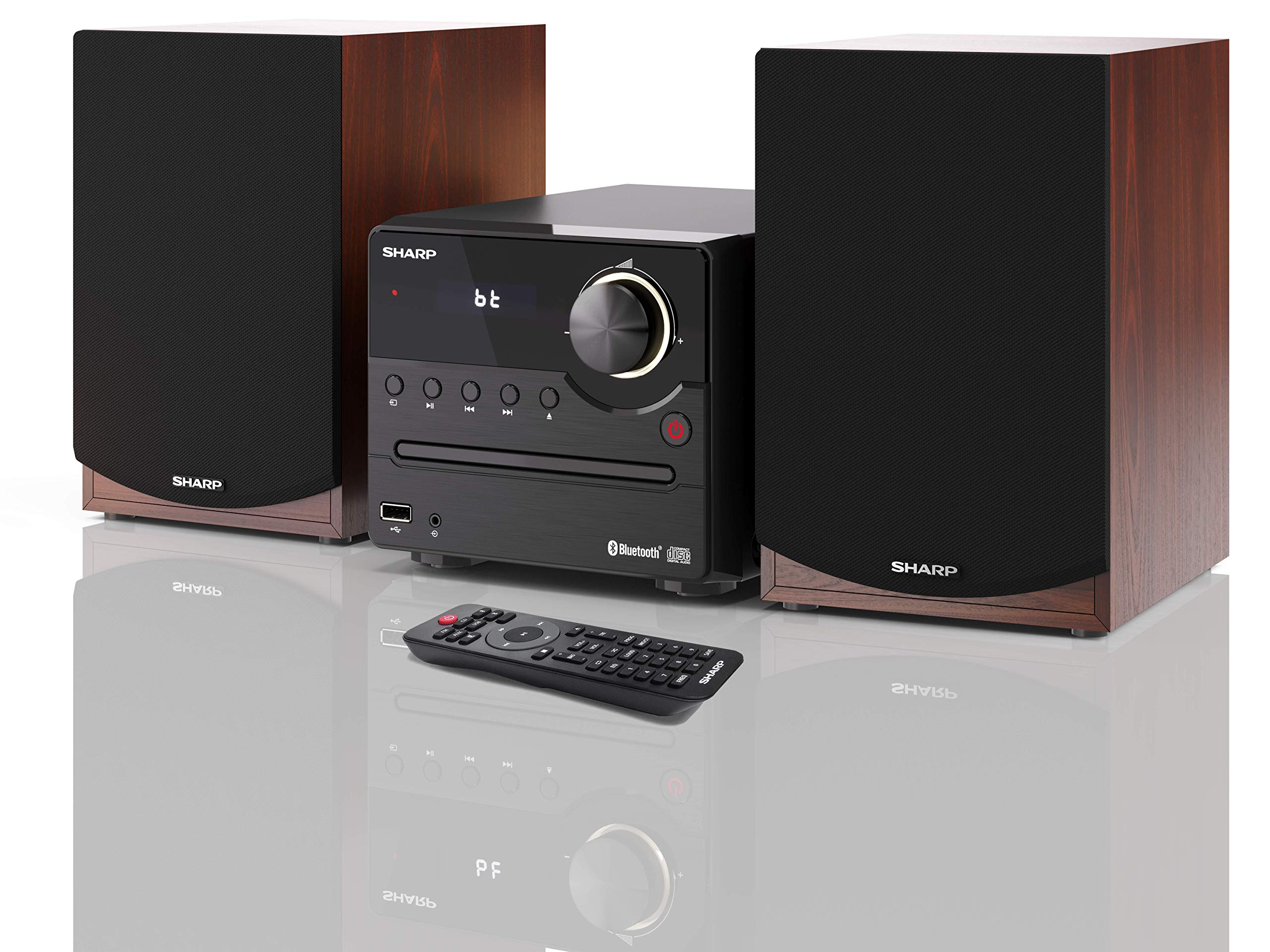
الشكل 1: SHARP XL-B512 Stereo Sound System. This image shows the central unit flanked by two wooden-cased speakers, reflecting on a polished surface.
2. معلومات السلامة
يرجى قراءة جميع تعليمات السلامة بعناية قبل استخدام المنتج. احتفظ بهذا الدليل للرجوع إليه مستقبلًا.
- مصدر الطاقة: Use only the specified power supply. Ensure the voltage يطابق مصدر الطاقة المحلي لديك.
- تهوية: لا تسد أي فتحات تهوية. اترك مساحة كافية حول الوحدة لضمان تدفق الهواء بشكل صحيح.
- الماء والرطوبة: لا تعرض الجهاز للمطر أو الرطوبة أو السوائل المتساقطة أو المتناثرة. لا تضع أشياء مملوءة بالسوائل، مثل المزهريات، على الجهاز.
- حرارة: احتفظ بالوحدة بعيدًا عن مصادر الحرارة مثل المشعات أو فتحات التدفئة أو المواقد أو الأجهزة الأخرى (بما في ذلك ampالمُضخِّمات) التي تنتج الحرارة.
- تنظيف: افصل الجهاز عن مقبس الكهرباء قبل التنظيف. استخدم قطعة قماش جافة فقط.
- الخدمة: لا تحاول خدمة هذا المنتج بنفسك. قم بإحالة جميع أعمال الصيانة إلى أفراد الخدمة المؤهلين.
3. محتويات العبوة
تأكد من تضمين جميع العناصر المدرجة أدناه في الحزمة الخاصة بك:
- SHARP XL-B512 Micro Sound System (Main Unit)
- Two Speakers (with wooden housing)
- كابل الطاقة
- جهاز التحكم عن بعد (بالبطاريات)
- دليل التعليمات (هذا المستند)
- دليل البدء السريع
4. الإعداد
4.1 اتصال مكبر الصوت
Connect the two speakers to the main unit using the provided speaker cables. Ensure correct polarity (positive to positive, negative to negative) for optimal sound quality.
4.2 توصيل الطاقة
Connect the power cable to the AC IN port on the rear of the main unit, then plug it into a wall outlet.

الشكل 2: Rear panel connections. This image displays the back of the central unit with ports for speaker wires and the AC power input, alongside the rear of the two speakers.
4.3 التشغيل المبدئي
Press the Power button on the main unit or the remote control to turn on the system. The LCD display will illuminate.
5. تعليمات التشغيل
5.1 ضوابط اللوحة الأمامية

الشكل 3: Front panel controls. This close-up shows the central unit's display, volume knob, and various control buttons for playback and source selection.
- زر الطاقة: يقوم بتشغيل الوحدة أو إيقاف تشغيلها.
- زر المصدر: Cycles through available input sources (CD, FM, Bluetooth, USB, AUX).
- مقبض الصوت: ضبط مستوى الصوت الرئيسي.
- عناصر التحكم في التشغيل: Play/Pause, Stop, Skip Forward/Backward for CD and USB modes.
- منفذ USB: لتوصيل أجهزة تخزين USB لتشغيل الموسيقى.
- مدخلات AUX: مقبس مقاس 3.5 ملم لتوصيل أجهزة الصوت الخارجية.
تشغيل أقراص مضغوطة 5.2
- اضغط على مصدر زر لتحديد وضع "CD".
- Open the CD tray by pressing the Eject button.
- Place a CD (CD/CD-R/CD-RW/MP3 format) with the label side up into the tray.
- Close the CD tray. The system will read the disc and begin playback automatically or display track information.
- Use the playback controls (Play/Pause, Stop, Skip) to manage your music.
5.3 راديو FM
- اضغط على مصدر زر لتحديد وضع "FM".
- The system will automatically search for available stations or you can manually tune.
- لحفظ محطة كمحطة مُسبقة الضبط، اضبط الراديو على المحطة المطلوبة، ثم اضغط مع الاستمرار على الإعداد المسبق button (if available on remote) or follow on-screen instructions. The system supports 40 preset memories.
- استخدم إعداد مسبق لأعلى/لأسفل أزرار للتنقل عبر المحطات المحفوظة.
5.4 اقتران بلوتوث
- اضغط على مصدر button to select 'Bluetooth' mode. The display will show 'bt' and flash, indicating it's in pairing mode.
- على جهازك المحمول، قم بتمكين Bluetooth وابحث عن الأجهزة المتاحة.
- Select 'SHARP XL-B512' from the list of devices.
- Once paired, the 'bt' indicator on the system's display will stop flashing. You can now stream audio from your device.
5.5 تشغيل USB
- أدخل جهاز تخزين USB في منفذ USB الموجود على اللوحة الأمامية.
- اضغط على مصدر زر لتحديد وضع "USB".
- سيقوم النظام تلقائيًا باكتشاف وتشغيل الصوت المتوافق fileالصورة (MP3).
- Use the playback controls to navigate tracks.
5.6 مدخل ايه يو اكس
- Connect an external audio device (e.g., smartphone, MP3 player) to the AUX IN jack on the front panel using a 3.5mm audio cable (not supplied).
- اضغط على مصدر زر لتحديد وضع "AUX".
- Play audio from your connected device. The sound will be output through the SHARP XL-B512 system.
5.7 إعدادات المعادل
The system features 6 preset equalizers with independent treble and depth control. Use the EQ button on the remote control or main unit to cycle through the presets and adjust sound to your preference.
6. الصيانة
6.1 تنظيف الوحدة
امسح الجهاز بقطعة قماش ناعمة وجافة. تجنب استخدام المنظفات الكاشطة أو الشمع أو المذيبات لأنها قد تُتلف السطح الخارجي. تأكد من فصل الجهاز عن الكهرباء قبل التنظيف.
6.2 العناية بالقرص المضغوط
أمسك الأقراص المدمجة من حوافها. حافظ عليها نظيفة وخالية من الخدوش. خزّن الأقراص المدمجة في علبها عند عدم استخدامها.
6.3 العناية بالسماعات
The wooden speaker housing can be cleaned with a soft, dry cloth. Avoid placing heavy objects on the speakers or exposing them to direct sunlight or extreme temperatures.
7. استكشاف الأخطاء وإصلاحها
If you encounter any issues with your SHARP XL-B512 system, refer to the following table for common problems and solutions.
| مشكلة | السبب المحتمل | حل |
|---|---|---|
| لا يوجد طاقة | Power cable not connected securely; Power outlet not active. | تحقق من توصيل كابل الطاقة؛ جرب منفذ طاقة مختلف. |
| لا يوجد صوت | Volume too low; Incorrect source selected; Speaker cables disconnected. | ارفع مستوى الصوت؛ حدد مصدر الإدخال الصحيح؛ تحقق من توصيلات كابل السماعات. |
| البلوتوث غير مقترن | System not in pairing mode; Device too far; Bluetooth disabled on device. | Ensure system is in Bluetooth pairing mode; Move device closer; Enable Bluetooth on your device. |
| القرص المضغوط لا يعمل | CD inserted incorrectly; CD is dirty or scratched; Incorrect format. | Reinsert CD correctly; Clean CD; Ensure CD is a supported format (CD/CD-R/CD-RW/MP3). |
| جهاز التحكم عن بعد لا يعمل | البطاريات فارغة أو تم إدخالها بشكل غير صحيح؛ وجود عائق بين جهاز التحكم عن بعد والوحدة. | Replace batteries; Ensure correct battery polarity; Remove any obstructions. |
إذا استمرت المشكلة بعد تجربة هذه الحلول، فيرجى الاتصال بدعم العملاء.
8. المواصفات
Below are the technical specifications for the SHARP XL-B512 Stereo Sound System:
- نموذج: XL-B512
- إجمالي انتاج الطاقة: 45 واط
- وضع إخراج الصوت: ستيريو
- Speaker Output Channel Quantity: 2
- تنسيقات الصوت المدعومة: MP3, CD, CD-R, CD-RW
- تقنية الموالف: FM PLL Tuner
- نطاق تردد FM: 87.5 إلى 108 ميجا هرتز
- FM Preset Memory: 40 محطة
- الاتصال: Bluetooth, USB, Auxiliary (3.5mm)
- المميزات الخاصة: 6 Preset Equalizers, LCD Display with white backlight
- Sound System Dimensions (W x H x D): 17 × 22 × 15 سم
- Speaker Dimensions (W x H x D): 14.5 × 17.7 × 22.3 سم (لكل قطعة)
- وزن السلعة: 4 كجم
- مصدر الطاقة: كهرباء سلكية
- جهاز التحكم عن بعد: نعم (البطاريات متضمنة)
9. الضمان والدعم
Your SHARP XL-B512 Stereo Sound System comes with a standard manufacturer's warranty. Please refer to the warranty card included in your package for specific terms and conditions, including the warranty period and coverage details.
For technical support, service inquiries, or further assistance, please contact your local SHARP customer service center. Contact information can typically be found on the manufacturer's webالموقع أو في وثائق الضمان.


