مقدمة
This manual provides detailed instructions for the installation, operation, and maintenance of the HANWHA TECHWIN SND-3082P Network Dome Camera. The SND-3082P is a high-performance 4CIF resolution network camera designed for surveillance applications, featuring Wide Dynamic Range (WDR) technology, Day/Night functionality, and Power over Ethernet (PoE) support. Please read this manual thoroughly before using the product to ensure correct and safe operation.
الميزات الرئيسية
- دقة عالية: Delivers 30(25)fps at 4CIF resolution for clear images.
- Advanced Codecs: Supports H.264, MPEG-4, and MJPEG multiple codecs for flexible streaming.
- متعدد التدفق: Enables simultaneous transmission of various streams for real-time monitoring, high-quality recording, and mobile access.
- Day and Night Function (ICR): Provides clear images in varying light conditions using an Infrared Cut-filter Removable mechanism.
- النطاق الديناميكي الواسع (WDR): Optimizes image quality in challenging lighting conditions with strong light/dark contrasts.
- الطاقة عبر إيثرنت (PoE): يُسهّل عملية التركيب من خلال توفير الطاقة والبيانات عبر كابل إيثرنت واحد.
- فتحة Micro SD: Supports local recording to a Micro SD card.
- Bi-Directional Audio: Allows for two-way audio communication.
- Mobile Monitoring & E-mail Notifications: Facilitates remote viewing and alert notifications.
محتويات الحزمة
Please check that all components are present and in good condition. If any items are missing or damaged, contact your supplier immediately.
- HANWHA TECHWIN SND-3082P Network Dome Camera Unit
- قالب التركيب
- براغي التثبيت والمراسي
- دليل البدء السريع
- Software CD or Download Information
- Ethernet Cable (may be sold separately)
يثبت
1. التفريغ والتفتيش
Carefully remove the camera from its packaging. Inspect the camera and all accessories for any signs of damage.
2. تركيب الكاميرا
The SND-3082P is designed for ceiling mount installation.
- Choose a suitable mounting location on a ceiling, ensuring it is sturdy enough to support the camera's weight.
- Use the provided mounting template to mark the drill holes on the ceiling.
- Drill pilot holes and insert the wall anchors if necessary.
- Secure the camera's mounting plate to the ceiling using the provided screws.
- Attach the camera body to the mounting plate, ensuring it is firmly locked in place.
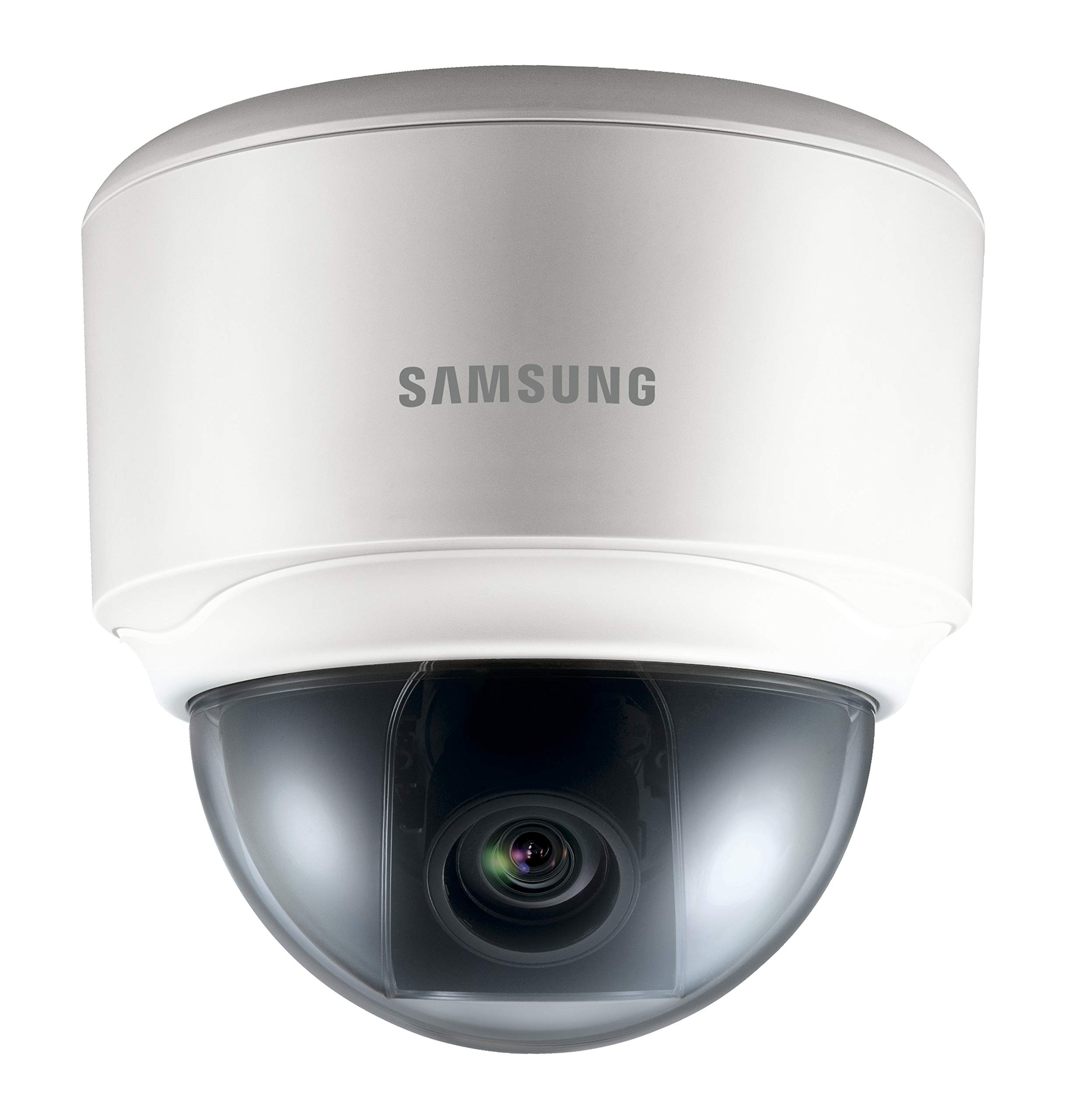
Image: The HANWHA TECHWIN SND-3082P Network Dome Camera, typically mounted on a ceiling for surveillance. This image illustrates the compact dome design.
3. الطاقة والاتصال بالشبكة
The camera supports Power over Ethernet (PoE) for simplified installation.
- اتصال بو: Connect an Ethernet cable from a PoE-enabled switch or injector to the camera's Ethernet port. This will provide both power and network connectivity.
- الطاقة القياسية (اختياري): If PoE is not used, connect a 12V DC power adapter (not included) to the camera's power input port. Then, connect an Ethernet cable from your network switch/router to the camera's Ethernet port.
Ensure the network connection is active and the camera receives power. The camera will typically perform a self-test upon power-up.
4. الوصول الأولي والتكوين
للوصول إلى الكاميرا web واجهة للإعداد الأولي:
- Install the provided IP Installer software (or similar discovery tool) on a computer connected to the same network as the camera.
- Run the software to discover the camera's IP address.
- افتح web قم بتشغيل المتصفح (مثل Chrome أو Firefox) وأدخل عنوان IP الخاص بالكاميرا في شريط العناوين.
- Log in using the default username and password (refer to the Quick Start Guide for default credentials). It is highly recommended to change the default password immediately for security.
- Follow the on-screen prompts to configure basic settings such as network parameters, date/time, and video streaming options.
تشغيل الكاميرا
1. حي View
بعد تسجيل الدخول web interface, you can access the live video feed. Adjust the camera's pan, tilt, and zoom (if applicable) to achieve the desired viewزاوية جي.
2. إعدادات الفيديو
Navigate to the video settings section to configure:
- الدقة ومعدل الإطارات: Set the desired resolution (up to 4CIF) and frame rate.
- ضغط: Choose between H.264, MPEG-4, or MJPEG codecs.
- WDR: Enable or disable Wide Dynamic Range for improved image quality in high-contrast scenes.
- وضع النهار/الليل: Configure automatic switching between color (day) and black & white (night) modes.
3. التسجيل والتخزين
تدعم الكاميرا خيارات تسجيل متنوعة:
- بطاقة مايكرو التنمية المستدامة: Insert a compatible Micro SD card into the camera's slot for local storage. Configure recording schedules and event-triggered recording (e.g., motion detection).
- مسجل الفيديو الشبكي (NVR): قم بتوصيل الكاميرا بجهاز تسجيل فيديو شبكي متوافق للتسجيل والإدارة المركزية.
- FTP/NAS: Configure the camera to upload recordings or snapshots to an FTP server or Network Attached Storage.
4. Event Management
Configure event triggers and actions:
- كشف الحركة: قم بإعداد مناطق الكشف ومستوى الحساسية.
- ناقوس الخطر الناتج: Trigger external devices upon event detection.
- إشعار البريد الإلكتروني: Receive email alerts with snapshots when an event occurs.
صيانة
- تنظيف: Regularly clean the camera's dome cover with a soft, damp قماش. تجنب المنظفات الكاشطة.
- تحديثات البرامج الثابتة: تحقق من الشركة المصنعة website periodically for firmware updates. Updating firmware can improve performance, add features, and enhance security. Follow the provided instructions carefully when performing updates.
- أمن الشبكة: Ensure your network is secure and change camera passwords regularly.
استكشاف الأخطاء وإصلاحها
| مشكلة | السبب المحتمل | حل |
|---|---|---|
| لا يوجد تغذية الفيديو | لا يوجد تيار كهربائي؛ كابل الشبكة مفصول؛ عنوان IP غير صحيح؛ جدار الحماية يمنع الوصول. | Check power supply/PoE connection; Verify network cable connection; Confirm camera's IP address; Adjust firewall settings. |
| جودة الصورة رديئة | Dirty lens/dome; Incorrect video settings (resolution, compression); Insufficient lighting; WDR not enabled in high-contrast scenes. | Clean the dome cover; Adjust resolution and compression settings; Ensure adequate lighting or enable Day/Night mode; Activate WDR. |
| لا يمكن الوصول web واجهة | Incorrect IP address; Network connectivity issue; Browser compatibility; Incorrect login credentials. | Use IP Installer to find IP; Check network cables; Try a different browser; Verify username/password (reset if necessary). |
| التسجيل لا يعمل | SD card full or faulty; Recording schedule not configured; NVR not connected or configured correctly. | Check SD card status, format or replace; Configure recording schedules; Verify NVR connection and settings. |
تحديد
| ميزة | التفاصيل |
|---|---|
| ماركة | هانوا |
| نموذج | SND-3082P |
| دقة | Up to 4CIF (704x480) at 30(25)fps |
| فيديو الترميز | H.264، مبيغ-4، مجبيغ |
| نهار/ليل | True Day/Night (ICR) |
| على نطاق واسع المدى الديناميكي (WDR) | نعم |
| مصدر الطاقة | PoE (Power over Ethernet), 12V DC |
| تكنولوجيا الاتصال | سلكي |
| تخزين | مايكرو سد فتحة |
| صوتي | Bi-Directional Audio |
| نوع التركيب | التركيب على السقف |
| عامل الشكل | قبة |
| لون | أبيض |
| وزن العنصر | 1.27 رطل (0.57 كجم) |
| أبعاد الحزمة | 5.24 × 5.24 × 5.09 بوصة (13.3 × 13.3 × 12.9 سم) |
| تصنيف الحماية الدولية | IP65 |
| الاستخدام الداخلي والخارجي | داخلي |
الضمان والدعم
For warranty information and technical support, please refer to the documentation included with your product or visit the official HANWHA TECHWIN webالموقع. احتفظ بإيصال الشراء الخاص بك كإثبات للشراء في حالة مطالبات الضمان.


