1. المقدمة
This manual provides detailed instructions for the Delton 10X Bluetooth Computer Headset. This wireless headset is designed for clear communication and extended use, featuring Bluetooth 5.0 connectivity, a noise-canceling microphone, and a USB dongle for versatile compatibility. Please read this manual thoroughly to ensure proper setup and operation of your device.

الصورة 1.1: The Delton 10X Bluetooth Computer Headset and its accompanying USB dongle. This image displays the headset's over-the-head design, single ear cup, adjustable microphone boom, and the compact USB dongle.
2. محتويات العبوة
تأكد من وجود جميع العناصر في الحزمة الخاصة بك:
- Delton 10X Bluetooth Headset
- دونجل يو اس بي
- كابل الشحن
- دليل المستخدم (هذا المستند)
3. مواصفات المنتج
The Delton 10X headset offers a range of features designed for optimal performance and user comfort:
- اتصال بلوتوث 5.0: Ensures stable and efficient wireless connection up to 30 feet.
- ميكروفون إلغاء الضوضاء: يقلل من الضوضاء الخلفية لنقل الصوت بوضوح.
- ميكروفون قابل للدوران 270 درجة: Allows for flexible positioning and use on either ear.
- عمر بطارية ممتد: Up to 15 hours talk time, 18 hours play time, and 160 hours standby time.
- الشحن السريع: يتم شحنه بالكامل خلال ساعتين تقريبًا.
- Adjustable Headband & Plush Ear Cushion: Provides comfort for prolonged wear.
- Ear Gripper T-Pad: Ensures secure fit during movement.
- التوافق العالمي: Works with smartphones, tablets, desktop PCs, laptops, and supports iOS and Windows platforms.

الصورة 3.1: A visual summary of the Delton 10X headset's key features, including 15 hours talk time, Bluetooth 5.0, adjustable headband, high fidelity sound, noise-canceling mic, rotatable mic, long battery backup, voice assistant support, and plush cushions.
3.1 أداء البطارية
The Delton 10X headset is equipped with a long-lasting battery to support your daily communication needs.
- وقت التحدث: تصل إلى 15 ساعة
- وقت اللعب: تصل إلى 18 ساعة
- وقت الاستعداد: تصل إلى 160 ساعة
- وقت الشحن: حوالي 1.5 ساعات
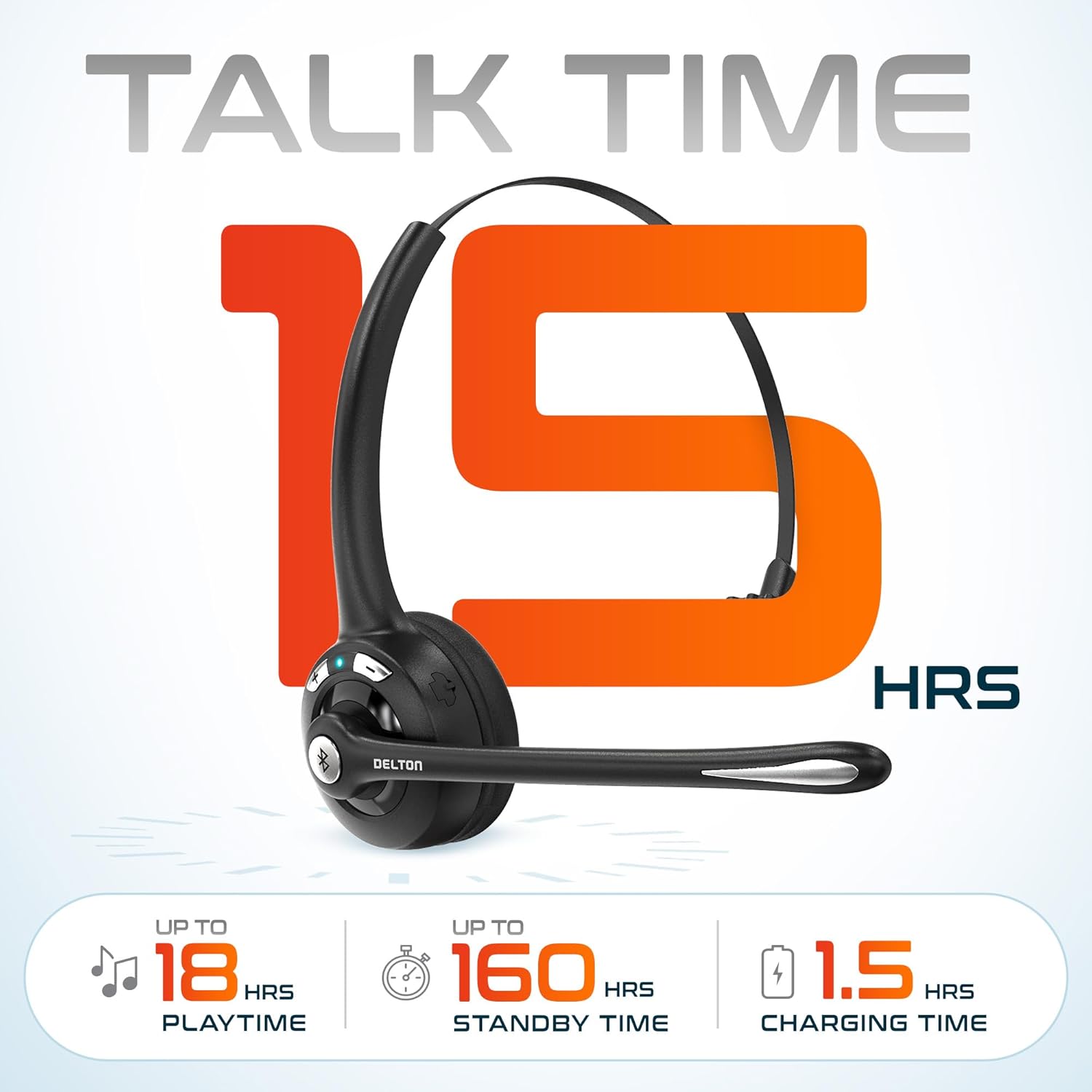
الصورة 3.2: An infographic detailing the battery performance of the Delton 10X headset, highlighting 15 hours of talk time, 18 hours of play time, 160 hours of standby time, and a 1.5-hour charging time.
3.2 التكنولوجيا المتقدمة
The headset incorporates an advanced chipset for seamless connectivity and improved power efficiency.

الصورة 3.3: لقطة مقرّبة view of the headset's internal components, illustrating the advanced Bluetooth 5.0 chipset. This image emphasizes the technology that reduces outside noise, improves power efficiency, and provides seamless connectivity up to 30 feet.
4. الإعداد
4.1 شحن سماعة الرأس
- Connect the provided charging cable to the charging port on the headset.
- Plug the other end of the cable into a USB power source (e.g., computer USB port, wall adapter).
- سيُظهر مؤشر LED حالة الشحن. يستغرق الشحن الكامل حوالي ساعتين.
4.2 تشغيل/إيقاف التشغيل
- لتشغيل: اضغط مع الاستمرار على زر الوظائف المتعددة (MFB) حتى يومض مؤشر LED باللون الأزرق.
- لإيقاف التشغيل: Press and hold the MFB until the LED indicator flashes red and then turns off.
4.3 Bluetooth Pairing (Direct)
To connect the headset directly to a Bluetooth-enabled device (e.g., smartphone, tablet):
- تأكد من إيقاف تشغيل سماعة الرأس.
- Press and hold the MFB for approximately 5-7 seconds until the LED indicator flashes red and blue alternately, indicating pairing mode.
- على جهازك، قم بتمكين البلوتوث وابحث عن الأجهزة المتاحة.
- Select "Delton 10X" from the list of found devices.
- بمجرد الاتصال، سيومض مؤشر LED الموجود على سماعة الرأس باللون الأزرق ببطء.
4.4 USB Dongle Connection
For computers without native Bluetooth or for a more stable connection, use the included USB dongle. The dongle provides instant auto-pairing.
- Plug the USB dongle into an available USB port on your computer. The dongle's LED will blink.
- Power on your Delton 10X headset.
- The headset and dongle will automatically pair. The dongle's LED will turn solid blue, and the headset's LED will flash blue slowly once connected.
- Ensure the Delton 10X is selected as the audio input and output device in your computer's sound settings.

الصورة 4.1: A visual representation of the USB dongle being inserted into a laptop's USB port. The image highlights the 'Auto-Pair USB Dongle' feature and 'Plug & Play' functionality, indicating no driver installation is required.
4.5 التوافق
The Delton 10X headset is designed for broad compatibility:
- الأجهزة: Smartphones, Tablets, Desktop PCs, Laptops.
- أنظمة التشغيل: iOS, Windows, Linux, Mac.
- التطبيقات: MS Teams, Zoom, Google Meet, Slack, Skype.

الصورة 4.2: رسم توضيحي يوضحasing the wide compatibility of the Delton 10X headset with various devices, including phones, tablets, iOS & Windows laptops, and desktop computers/iMacs. This emphasizes its versatility across different platforms.
5. تعليمات التشغيل
5.1 عناصر التحكم في سماعة الرأس
The headset features intuitive controls for managing calls and audio playback:
- زر متعدد الوظائف (MFB):
- Press once to Answer/End Call.
- Press and hold for 2 seconds to Redial.
- اضغط مرة واحدة لتشغيل/إيقاف الموسيقى مؤقتًا.
- زر رفع الصوت (+):
- اضغط مرة واحدة لزيادة الصوت.
- Press and hold for 2 seconds for Next Track.
- زر خفض الصوت (-):
- اضغط مرة واحدة لخفض مستوى الصوت.
- Press and hold for 2 seconds for Previous Track.

الصورة 5.1: A detailed diagram of the Delton 10X headset's controls, showing the Volume Down (-), Volume Up (+), and Multi-Function Button (MFB) with their respective functions for call management, track control, and power.
5.2 استخدام الميكروفون
The microphone is designed for clear voice pickup and can be adjusted for optimal positioning.
- ضبط الميكروفون: The microphone boom can rotate 270 degrees. Position the microphone approximately 1-2 inches from your mouth for best voice clarity.
- إلغاء الضوضاء: The integrated noise-canceling technology helps filter out ambient sounds, ensuring your voice is heard clearly by others.
5.3 ارتداء سماعة الرأس
The Delton 10X headset is designed for comfort and can be worn on either ear.
- عقال قابل للتعديل: Extend or retract the headband to fit your head size comfortably.
- Ear Gripper T-Pad: This feature helps secure the headset in place.
- Left or Right Ear: Rotate the microphone boom to position the ear cup on your preferred ear.

الصورة 5.2: An image illustrating the comfort and adjustability features of the Delton 10X headset. It shows the adjustable headband, the Ear Gripper T-Pad, the plush ear cushion, and the 270° rotation of the flexible microphone, demonstrating its usability on both left and right ears.
6. الصيانة
تضمن الصيانة المناسبة طول عمر سماعات الرأس والأداء الأمثل لها.
- تنظيف: استخدم قطعة قماش ناعمة وجافة لتنظيف سماعات الرأس. بالنسبة لوسائد الأذن، يُنصح بمسحها برفق.amp يمكن استخدام القماش، ولكن تأكد من جفافه تمامًا قبل الاستخدام. تجنب المواد الكيميائية القاسية أو المواد الكاشطة.
- تخزين: قم بتخزين سماعة الرأس في مكان بارد وجاف بعيدًا عن أشعة الشمس المباشرة ودرجات الحرارة القصوى.
- العناية بالبطارية: لإطالة عمر البطارية، تجنب تفريغها بالكامل بشكل متكرر. اشحنها بانتظام، حتى في حال عدم استخدامها لفترات طويلة.
- تجنب الماء: سماعة الرأس غير مقاومة للماء. تجنب تعريضها للسوائل.
7. استكشاف الأخطاء وإصلاحها
If you encounter issues with your Delton 10X headset, refer to the following common solutions:
| مشكلة | السبب المحتمل | حل |
|---|---|---|
| سماعة الرأس لا تعمل. | شحن البطارية منخفض أو معدوم. | قم بشحن سماعة الرأس لمدة ساعتين على الأقل. |
| لا يمكن الاقتران بالجهاز. | سماعة الرأس ليست في وضع الاقتران؛ البلوتوث غير مفعل على الجهاز؛ الجهاز بعيد جدًا. | Ensure headset is in pairing mode (flashing red/blue). Turn on device Bluetooth. Move headset closer to device (within 30 feet). Try using the USB dongle. |
| Poor microphone audio quality (others cannot hear me clearly). | Microphone position; computer audio settings; environmental noise. | Adjust the microphone closer to your mouth (1-2 inches). Check your computer's sound settings to ensure the Delton 10X is selected as the input device and microphone volume is adequate. Ensure the noise-canceling mic is facing the correct direction. |
| No sound or low sound from headset. | Headset volume too low; device volume too low; incorrect audio output device. | Increase headset volume using the '+' button. Increase volume on your connected device. Verify that the Delton 10X is selected as the audio output device in your computer's sound settings. |
| ينقطع الاتصال بشكل متكرر. | خارج النطاق؛ التداخل. | Ensure you are within 30 feet of the connected device or USB dongle. Minimize obstacles between the headset and device. |
8. المواصفات
Detailed technical specifications for the Delton 10X Bluetooth Computer Headset:
| ميزة | مواصفة |
|---|---|
| اسم الموديل | 10X Monoaural Headset + Dongle |
| تكنولوجيا الاتصال | لاسلكي (بلوتوث 5.0) |
| مدى البلوتوث | حتى 30 قدم |
| التحكم في الضوضاء | Sound Isolation (Noise-Canceling Mic) |
| استجابة التردد | 20 هرتز - 20,000 هرتز |
| عمر البطارية (وقت التحدث) | حتى ساعتين |
| عمر البطارية (مدة التشغيل) | حتى ساعتين |
| عمر البطارية (الاستعداد) | حتى ساعتين |
| وقت الشحن | 1.5 ساعة |
| مقبس سماعات الرأس | USB (للشحن) |
| نوع التحكم | Call Control, Volume Control, Track Control |
| وزن العنصر | 1.5 أونصات |
| أبعاد المنتج | 6 × 6 × 2 بوصة |
| مادة | بلاستيك |
| وضع الأذن | Over Ear (Monoaural) |
9. الضمان والدعم
For warranty information or technical assistance, please contact Delton customer support. Details can typically be found on the official Delton website or through your purchase documentation. Please retain your proof of purchase for warranty claims.


