1. انتهى المنتجview
The UGREEN M.2 NVME SATA SSD Enclosure (Model 80863) is designed to convert an M.2 NVME or SATA SSD into a portable external storage device. It features a USB-C 3.1 Gen 2 interface, offering data transfer speeds up to 10Gbps. This enclosure supports various M.2 SSD types and sizes, providing a versatile solution for data access and backup.
المميزات الرئيسية:
- نقل البيانات بسرعة عالية: USB 3.1 Gen 2 interface supports up to 10Gbps for NVME SSDs and 6Gbps for SATA SSDs.
- توافق واسع: Supports M-Key NVME, M+B Key NVME, and M+B Key SATA M.2 SSDs.
- أحجام متعددة لمحركات الأقراص الصلبة SSD: متوافق مع عوامل الشكل 2230 و2242 و2260 و2280.
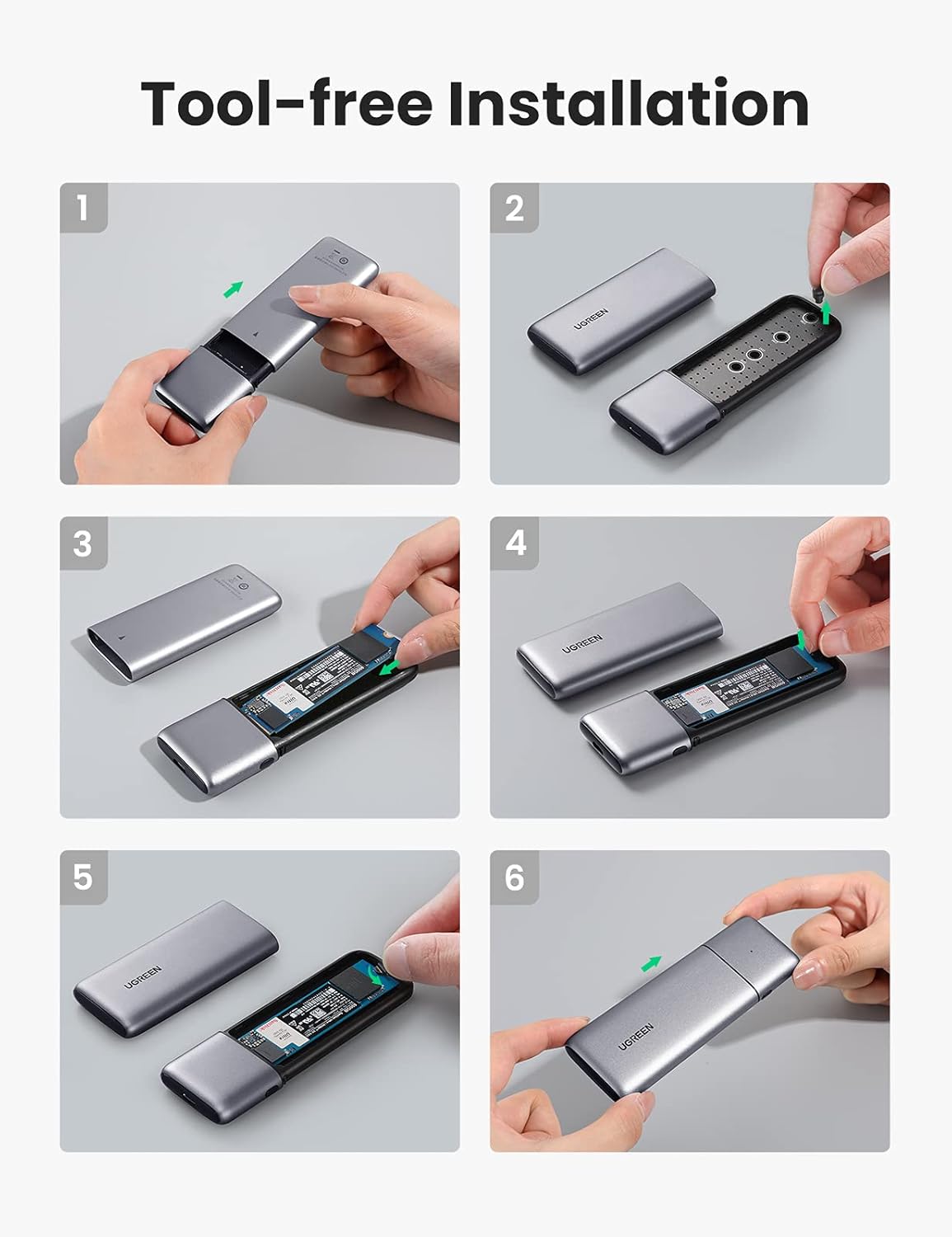
- التثبيت بدون أدوات: Easy and quick SSD installation without the need for tools.
- تصميم متين: سبيكة ألومنيوم جasing for efficient heat dissipation and protection.
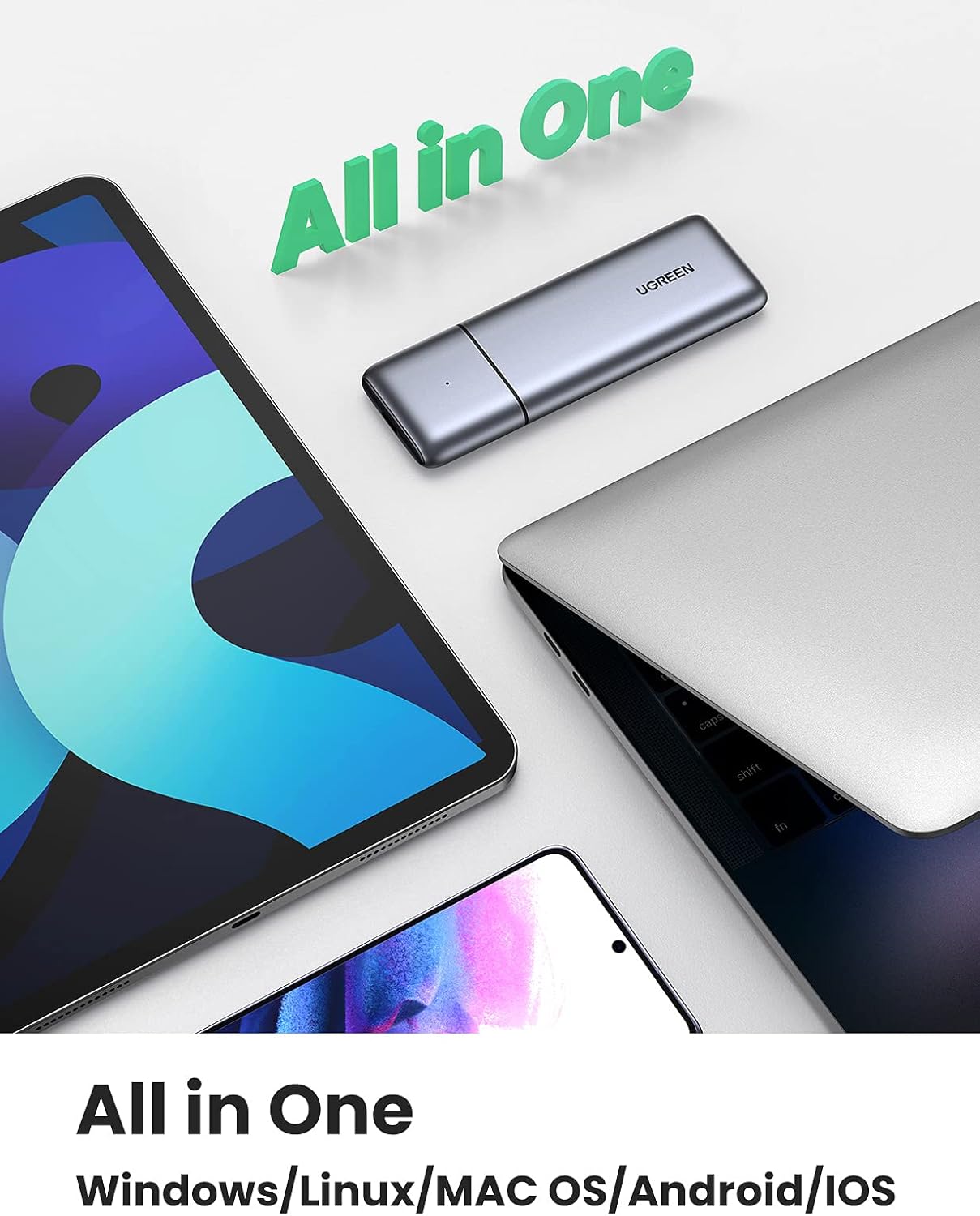
- Wide OS Support: Compatible with Windows, macOS, Linux, Android, and iOS devices.


2. محتويات العبوة
- UGREEN M.2 NVME SATA SSD Enclosure (Model 80863)
- كابل USB-C إلى USB-C
- كابل USB-C إلى USB-A
- دليل المستخدم

3. تعليمات الإعداد
Tool-Free SSD Installation:
- Slide Open: قم بتحريك الغطاء العلوي للعلبة برفق لفتحه.
- أدخل SSD: Align your M.2 SSD with the slot inside the enclosure and insert it firmly.
- SSD آمن: Use the provided rubber fastener to secure the M.2 SSD in place. Ensure it is properly seated.
- إغلاق الغلاف: Slide the top cover back onto the enclosure until it clicks into place.
4. تعليمات التشغيل
التوصيل بجهاز:
After installing your M.2 SSD, connect the enclosure to your computer, laptop, tablet, or smartphone using the appropriate USB-C cable (USB-C to USB-C or USB-C to USB-A). The enclosure is plug-and-play, requiring no additional drivers for most operating systems.
نقل البيانات:
Once connected, your operating system should recognize the SSD as an external drive. You can then perform data transfer operations such as copying files, backing up data, or running applications directly from the SSD.
التوافق:
The enclosure is compatible with a wide range of devices and operating systems, including:
- ويندوز (الكمبيوتر الشخصي)
- macOS (Mac)
- لينكس
- أجهزة أندرويد
- iOS devices (with appropriate adapters, if needed)

5. الصيانة
To ensure optimal performance and longevity of your UGREEN M.2 NVME SATA SSD Enclosure, follow these maintenance guidelines:
- تنظيف: استخدم قطعة قماش ناعمة وجافة لتنظيف الجزء الخارجي من الحاوية. تجنب استخدام المنظفات السائلة أو المذيبات.
- تخزين: قم بتخزين الحاوية في مكان بارد وجاف بعيدًا عن أشعة الشمس المباشرة ودرجات الحرارة القصوى.
- التعامل: Handle the enclosure with care to prevent physical damage. Avoid dropping it or exposing it to excessive force.
- تبديد الحرارة: الألومنيوم جasing is designed for heat dissipation. Ensure proper airflow around the enclosure during extended use to prevent overheating.

6. استكشاف الأخطاء وإصلاحها
If you encounter issues with your UGREEN M.2 NVME SATA SSD Enclosure, refer to the following common troubleshooting steps:
- لم يتم التعرف على محرك الأقراص ذي الحالة الصلبة (SSD):
- Ensure the M.2 SSD is correctly installed and seated firmly within the enclosure.
- حاول توصيل العلبة بمنفذ USB مختلف أو بجهاز كمبيوتر مختلف لاستبعاد مشاكل المنفذ أو النظام.
- Verify that the M.2 SSD is properly initialized and formatted in your operating system's Disk Management (Windows) or Disk Utility (macOS). New SSDs often require initialization before use.
- Confirm your SSD is NVME or SATA M.2 and not an incompatible type like M-SATA.
- سرعات نقل بطيئة:
- Ensure you are using a USB 3.1 Gen 2 compatible port on your host device to achieve maximum speeds. Older USB 2.0 or 3.0 ports will result in lower speeds.
- Check the quality of the USB cable. Use the provided UGREEN cables for optimal performance.
- كبير file transfers or prolonged heavy use can cause the SSD to heat up, potentially leading to thermal throttling and reduced speeds. Ensure adequate ventilation.
- "Power Surge on USB Port" Error:
- This error typically indicates that the USB port is not supplying sufficient power or there is an electrical issue.
- Try connecting the enclosure to a different USB port, preferably a powered USB 3.0/3.1 port directly on your computer's motherboard (for desktops) or a different laptop.
- Avoid using unpowered USB hubs, which may not provide enough power.
- Ensure the SSD is correctly installed and not causing a short circuit.
- يصبح المكان ساخناً:
- It is normal for the enclosure to become warm during operation, especially during intensive data transfers, as the aluminum casing acts as a heatsink to dissipate heat from the SSD.
- If it becomes excessively hot and performance drops, ensure it is in a well-ventilated area.
7. المواصفات
| ميزة | مواصفة |
|---|---|
| رقم الموديل | 80863 |
| مادة | الألومنيوم |
| الواجهة | USB-C 3.1 من الجيل الثاني |
| معدل نقل البيانات | Up to 10 Gbps (NVME), 6 Gbps (SATA) |
| أنواع محركات الأقراص الصلبة المتوافقة | M-Key NVME, M+B Key NVME, M+B Key SATA |
| أحجام محركات الأقراص الصلبة المتوافقة | 2230، 2242، 2260، 2280 |
| أقصى سعة تخزين | 2 تيرابايت |
| الأجهزة المتوافقة | Laptop, PC, Mac, Android, iOS |
| أنظمة التشغيل | ويندوز، ماك، لينكس، أندرويد، iOS |
| أبعاد المنتج | 4.69 × 1.46 × 0.47 بوصة (11.9 × 3.7 × 1.2 سم) |
| وزن العنصر | 2.26 أونصة (64 جرام) |
8. الضمان والدعم
UGREEN products come with a standard warranty. For detailed warranty information, product support, or technical assistance, please refer to the warranty card included in your package or visit the official UGREEN website. You may also contact UGREEN customer service directly through their support channels.


