1. المقدمة
The Fodsports M1-S Plus is a Bluetooth motorcycle headset designed for communication and entertainment during rides. It supports group intercom for up to 8 riders, music sharing, FM radio, and hands-free calling. This manual provides detailed instructions for installation, operation, and maintenance of your M1-S Plus headset.

Image 1.1: Fodsports M1-S Plus Bluetooth Motorcycle Headset.
2. معلومات السلامة
- أعطِ الأولوية دائمًا لسلامة الطريق. لا تستخدم الجهاز بطريقة تشتت انتباهك عن القيادة.
- تأكد من تثبيت الجهاز بإحكام على خوذتك قبل الركوب.
- تجنب التعرض لفترات طويلة لمستويات صوت عالية لمنع تلف السمع.
- لا تحاول تفكيك الجهاز أو تعديله، لأن ذلك قد يبطل الضمان ويسبب تلفاً.
- احفظ الجهاز بعيدًا عن درجات الحرارة القصوى وأشعة الشمس المباشرة.
3. محتويات العبوة
تأكد من وجود جميع العناصر في الحزمة الخاصة بك:
- 1 x M1-S Plus Bluetooth Motorcycle Intercom Headset (Blue)
- 1 x Detachable Boom Microphone
- 1 x Soft Button Microphone with Speakers
- 1 × كابل شحن USB-C
- 1 x Metal Clip
- 2 x Sticky Pads
- 2 x EVA Rubbers
- 1 × دليل المستخدم
- 1 x 2.5mm to 3.5mm Audio Cable

Image 3.1: Included components in the M1-S Plus package.
4. انتهى المنتجview
The M1-S Plus features an intuitive design with large buttons for easy operation even with gloves. It integrates Bluetooth 5.0 for stable connections and CVC noise cancellation for clear audio.
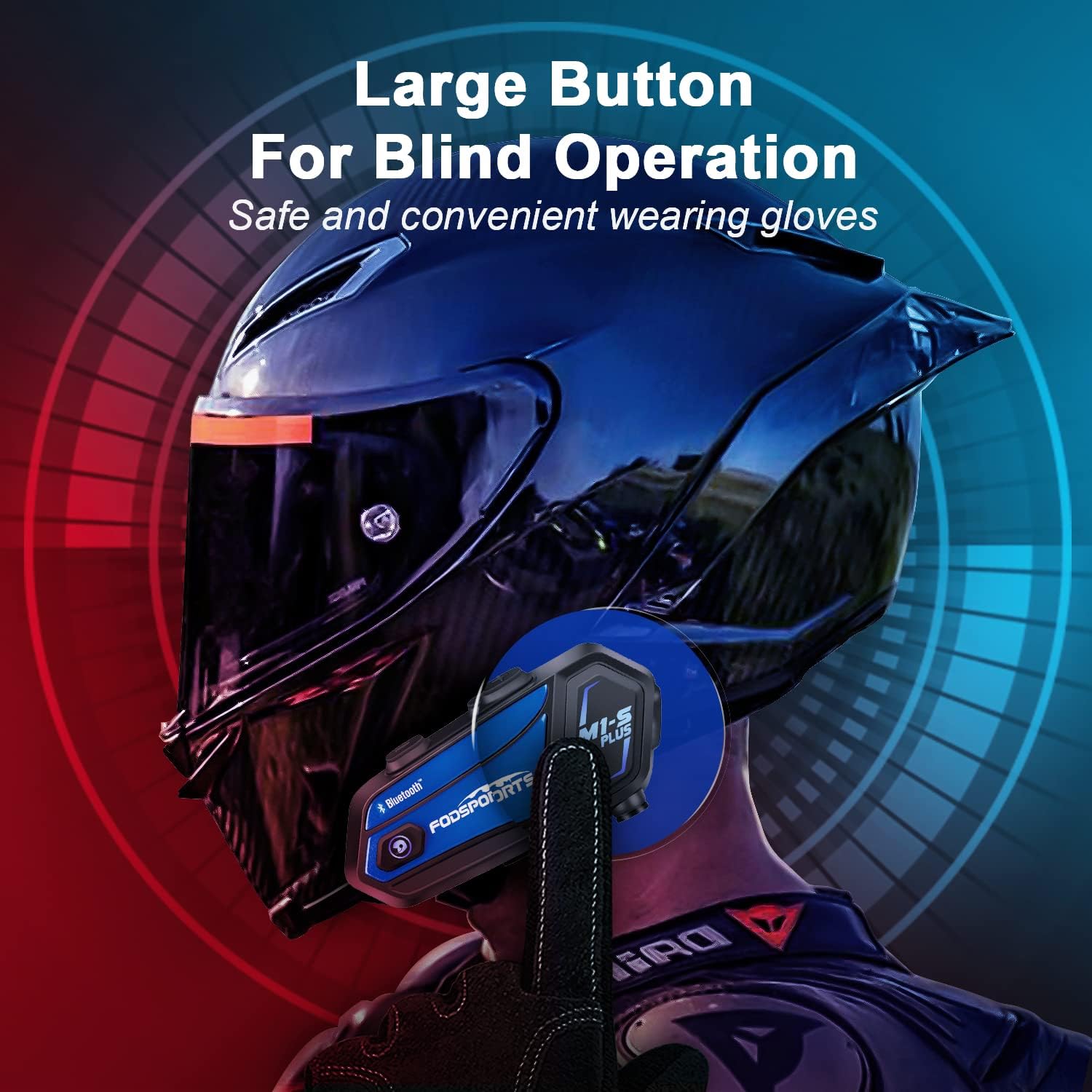
Image 4.1: M1-S Plus unit highlighting large buttons for blind operation.
5. التثبيت
The M1-S Plus is designed for versatile installation on various helmet types. Choose between the metal clip or adhesive mount, and select the appropriate microphone for your helmet style.
5.1. تركيب الوحدة الرئيسية
You can mount the M1-S Plus using either the metal clip or the 3M adhesive sticker.
- Metal Clip Installation: Slide the metal clip between the helmet shell and the inner padding. Secure the M1-S Plus unit onto the clip.
- Adhesive Mount Installation: Clean the desired area on the helmet surface. Attach the 3M adhesive sticker to the unit base, then firmly press the base onto the helmet.
5.2. Microphone and Speaker Installation
The M1-S Plus includes two types of microphones to suit different helmet designs:
- ميكروفون بوم: Recommended for open-face, flip-up, and modular helmets. Position the microphone close to your mouth.
- Soft-Wire Microphone: Suitable for full-face helmets. Attach the microphone inside the helmet near your mouth using the adhesive.
Install the speakers inside the helmet's ear pockets. Use the provided EVA rubbers to adjust the speaker position for optimal sound and comfort, ensuring they are as close to your ears as possible.
مهم: The speaker cable uses a Type-C interface. Ensure the microphone icon on the connector faces you when plugging it in to ensure both speakers function correctly.

Image 5.1: M1-S Plus compatibility with various helmet types and microphone options.

Image 5.2: Two-way installation guide for the M1-S Plus on a helmet.
6. الإعداد والاقتران
6.1. تشغيل/إيقاف التشغيل
- تشغيل الطاقة: اضغط مع الاستمرار على زر التشغيل لمدة 3 ثوانٍ حتى يومض ضوء المؤشر.
- إيقاف التشغيل: اضغط مع الاستمرار على زر التشغيل لمدة 3 ثوانٍ حتى ينطفئ ضوء المؤشر.
6.2. الاقتران بالهاتف عبر البلوتوث
- Ensure the M1-S Plus is powered off.
- اضغط مع الاستمرار على زر الطاقة لمدة 5-7 ثوانٍ تقريبًا حتى يومض ضوء المؤشر باللونين الأحمر والأزرق بالتناوب، مما يشير إلى وضع الاقتران.
- على هاتفك المحمول، قم بتفعيل البلوتوث وابحث عن الأجهزة المتاحة.
- Select "Fodsports M1-S Plus" from the list.
- بمجرد الاقتران، سيومض ضوء المؤشر باللون الأزرق ببطء.
6.3. Group Intercom Pairing (Up to 8 Riders)
The M1-S Plus supports intercom communication for up to 8 riders over a range of up to 2000 meters in open terrain.
- Ensure all M1-S Plus units are powered on and not connected to other devices.
- On the first unit, press and hold the Intercom button until the indicator light flashes red rapidly.
- On the second unit, press the Intercom button once. The units will search and connect.
- Repeat step 3 for additional units, pairing them one by one to the previously paired unit.
- Once all units are paired, a successful connection will be indicated by a voice prompt and a slow blue flash.

Image 6.1: M1-S Plus supporting group intercom for up to 8 riders.
6.4. الموسيقى تقاسم
The M1-S Plus allows two M1-S Plus units to share music from a single source.
- Ensure two M1-S Plus units are paired via Bluetooth intercom.
- On the unit playing music, press and hold the Volume + button for 3 seconds to initiate music sharing.
- The music will then be streamed to the second paired M1-S Plus unit.
- To stop sharing, press and hold the Volume + button for 3 seconds again.
ملحوظة: Music sharing is only supported between two M1-S Plus units.

Image 6.2: Music sharing functionality between two M1-S Plus units.
7. تعليمات التشغيل
7.1. التحكم في مستوى الصوت
- ارفع على الصوت: اضغط على زر الصوت +.
- تقليل الحجم: اضغط على زر التحكم في الصوت.
7.2. المكالمات الهاتفية
- الرد على المكالمة: اضغط على زر التشغيل مرة واحدة.
- رفض المكالمة: اضغط مع الاستمرار على زر الطاقة لمدة ثانيتين.
- إنهاء المكالمة: اضغط على زر الطاقة مرة واحدة أثناء المكالمة.
- إعادة الاتصال بالرقم الأخير: اضغط زر التشغيل مرتين.
- Voice Dial (Siri/Google Assistant): Press the Volume + and Volume - buttons simultaneously.

Image 7.1: Voice command functionality for hands-free calls.
7.3. تشغيل الموسيقى
- تشغيل/إيقاف مؤقت: اضغط على زر التشغيل مرة واحدة.
- المسار التالي: Press the Volume + button twice.
- المسار السابق: Press the Volume - button twice.
7.4. Intercom Usage
- تشغيل نظام الاتصال الداخلي: Press the Intercom button once.
- إنهاء الاتصال الداخلي: Press the Intercom button once.
- Reconnect Intercom: If a rider drops out of range for more than 5 minutes, press the Intercom button once to reconnect.
7.5. راديو FM
- تشغيل/إيقاف تشغيل راديو FM: Press the FM button once.
- قنوات المسح: Press and hold the FM button for 2 seconds.
- المحطة التالية: اضغط على زر الصوت +.
- المحطة السابقة: اضغط على زر التحكم في الصوت.

Image 7.2: M1-S Plus with built-in FM radio functionality.
7.6. Microphone Mute/Unmute
During a call or intercom conversation, you can mute your microphone for privacy.
- كتم صوت الميكروفون: اضغط مع الاستمرار على زر رفع الصوت + لمدة ثانيتين.
- إلغاء كتم صوت الميكروفون: Press and hold the Volume + button for 2 seconds again.
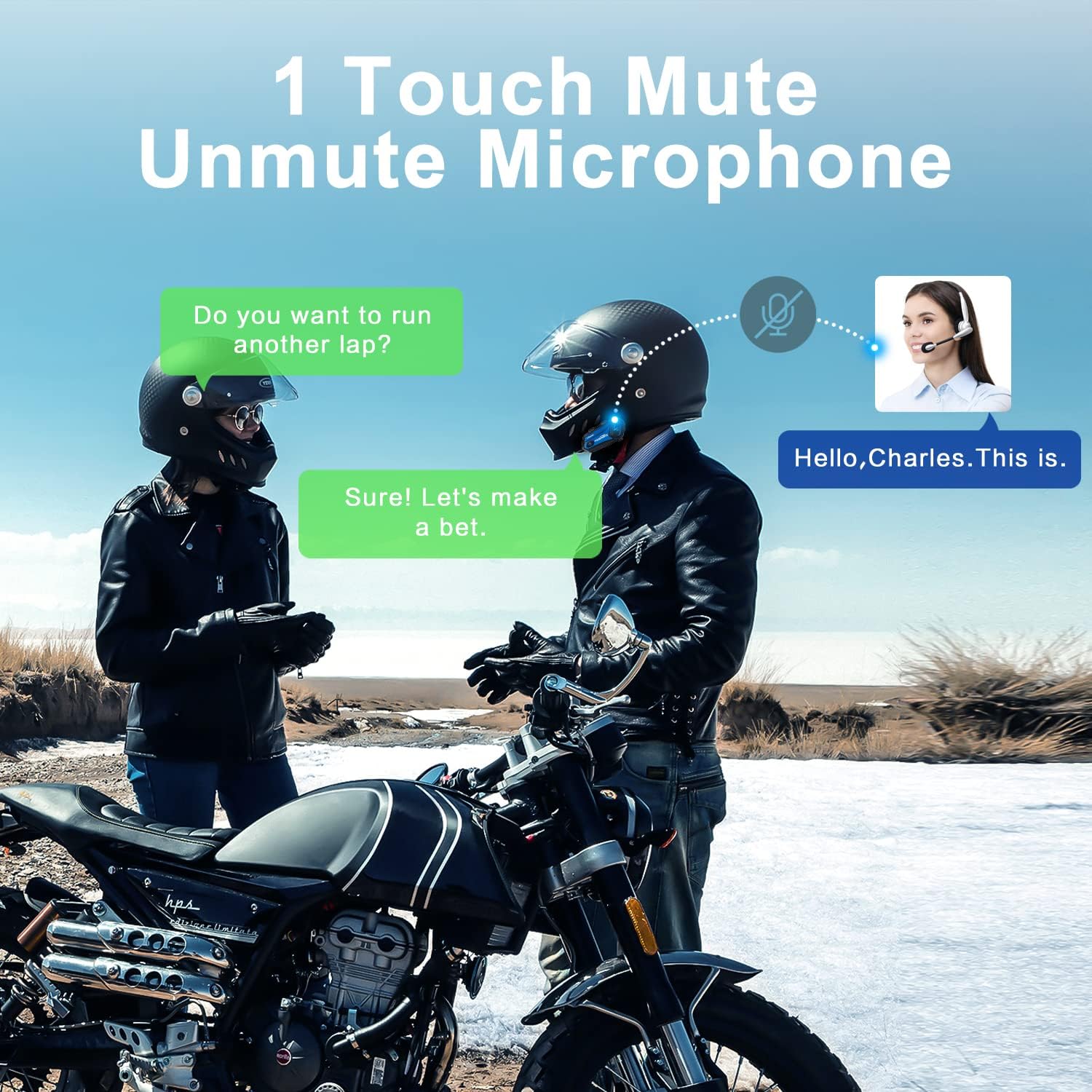
Image 7.3: One-touch mute/unmute microphone feature.
8. الصيانة
- الشحن: Connect the device to a USB power source using the provided USB-C cable. The indicator light will be red during charging and turn blue when fully charged. Charging time is approximately 2-3 hours.
- عمر البطارية: A full charge provides approximately 12-20 hours of talk time, 15 hours of music streaming, and 300 hours of standby time.
- تنظيف: استخدم قطعة قماش ناعمة وجافة لتنظيف الجهاز. تجنب استخدام المواد الكيميائية القاسية أو المواد الكاشطة.
- تخزين: قم بتخزين الجهاز في مكان بارد وجاف عندما لا يكون قيد الاستخدام.
- مقاومة الماء: The M1-S Plus is waterproof, designed to handle various weather conditions.
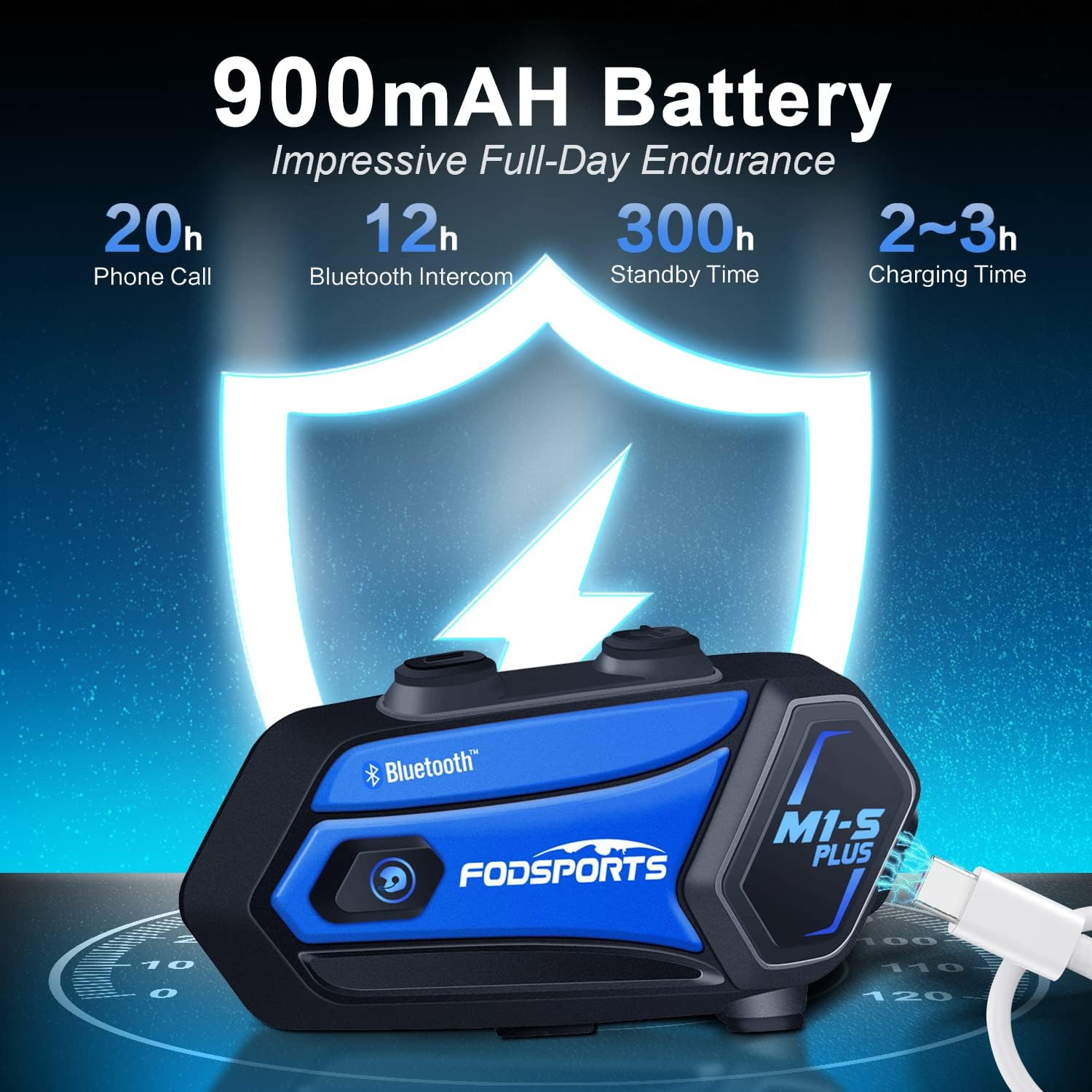
Image 8.1: M1-S Plus battery endurance and charging information.
9. استكشاف الأخطاء وإصلاحها
- No Sound from One Speaker: Ensure the Type-C speaker cable is fully inserted and the microphone icon on the connector faces you.
- حجم منخفض: Adjust the speaker position closer to your ears using the provided thicken pads. Ensure the device volume and your phone's volume are both set appropriately.
- لا يمكن الاقتران بالهاتف: Ensure the M1-S Plus is in pairing mode (red and blue flashing light) and your phone's Bluetooth is enabled. Try restarting both devices.
- انقطاع الاتصال الداخلي: If riders go out of range, they can reconnect by pressing the Intercom button once when back in range (within 5 minutes).
- استقبال راديو FM ضعيف: FM reception can vary based on location. Try scanning for channels again or moving to an area with better signal.
- الجهاز لا يستجيب: Try a soft reset by pressing and holding the Power button for 10 seconds. If issues persist, ensure the device is charged.
10. المواصفات
| ميزة | التفاصيل |
|---|---|
| اسم الموديل | M1-S بلس |
| تكنولوجيا الاتصال | بلوتوث 5.0 |
| Intercom Group Size | يتسع لما يصل إلى 8 ركاب |
| نطاق الاتصال الداخلي | Up to 2000 meters (open terrain) |
| سعة البطارية | 900 مللي أمبير |
| وقت الشحن | 2-3 ساعة |
| وقت التحدث | 12-20 ساعة |
| Music Streaming Time | 15 ساعة |
| وقت الاستعداد | 300 ساعة |
| التحكم في الضوضاء | Advanced CVC Noise Cancellation |
| مستوى مقاومة الماء | ضد للماء |
| مقبس سماعات الرأس | منفذ USB-C |
| مادة | بلاستيك ايه بي اس |
| وزن العنصر | 12.4 أونصات |
11. الضمان والدعم
For any missing accessories, quality issues, or operational problems, please contact Fodsports customer support. Refer to the contact information provided with your purchase or visit the official Fodsports webموقع للحصول على المساعدة.
يرجى الاحتفاظ بإثبات الشراء الخاص بك لمطالبات الضمان.


