مقدمة
This manual provides instructions for the Mars Gaming MCPTKLES RGB Combo, which includes a gaming keyboard and mouse. This combo is designed for optimal desktop space utilization and is compatible with multiple platforms, including Windows, Mac, PlayStation 4, Xbox One, and Nintendo Switch. The keyboard features RGB Breathing and RGB Flow lighting, H-Mech technology, and anti-ghosting capabilities. The mouse is equipped with a 3200 DPI optical sensor, RGB Flow lighting, and durable HUANO mechanical buttons.
محتويات الحزمة
- Mars Gaming MCPTKLES TKL RGB Keyboard
- Mars Gaming MCPTKLES RGB Mouse
- دليل المستخدم (هذا المستند)
يثبت
Connecting the Combo
The Mars Gaming MCPTKLES combo uses a standard USB connection for both the keyboard and mouse. No additional drivers are typically required for basic functionality on supported operating systems.
- حدد منفذ USB المتاح على جهاز الكمبيوتر الخاص بك أو وحدة التحكم في الألعاب.
- Plug the USB connector from the keyboard into the USB port.
- Plug the USB connector from the mouse into another available USB port.
- يجب أن يقوم نظام التشغيل الخاص بك تلقائيًا باكتشاف برامج التشغيل الضرورية وتثبيتها.
- The RGB lighting on both devices should illuminate upon successful connection.
التوافق مع منصات متعددة
This combo is designed to work with:
- أنظمة تشغيل ويندوز
- Mac operating systems
- بلاي ستيشن 4
- اكس بوكس ون
- نينتندو سويتش
Note: Specific game or console settings may be required for full functionality on gaming consoles. Refer to your console's user manual for peripheral setup.
تعليمات التشغيل
Keyboard Functions (TKL Design)
The TKL (Tenkeyless) design of the keyboard omits the numeric keypad, offering a more compact form factor. It features H-Mech technology for a smooth and precise typing experience.
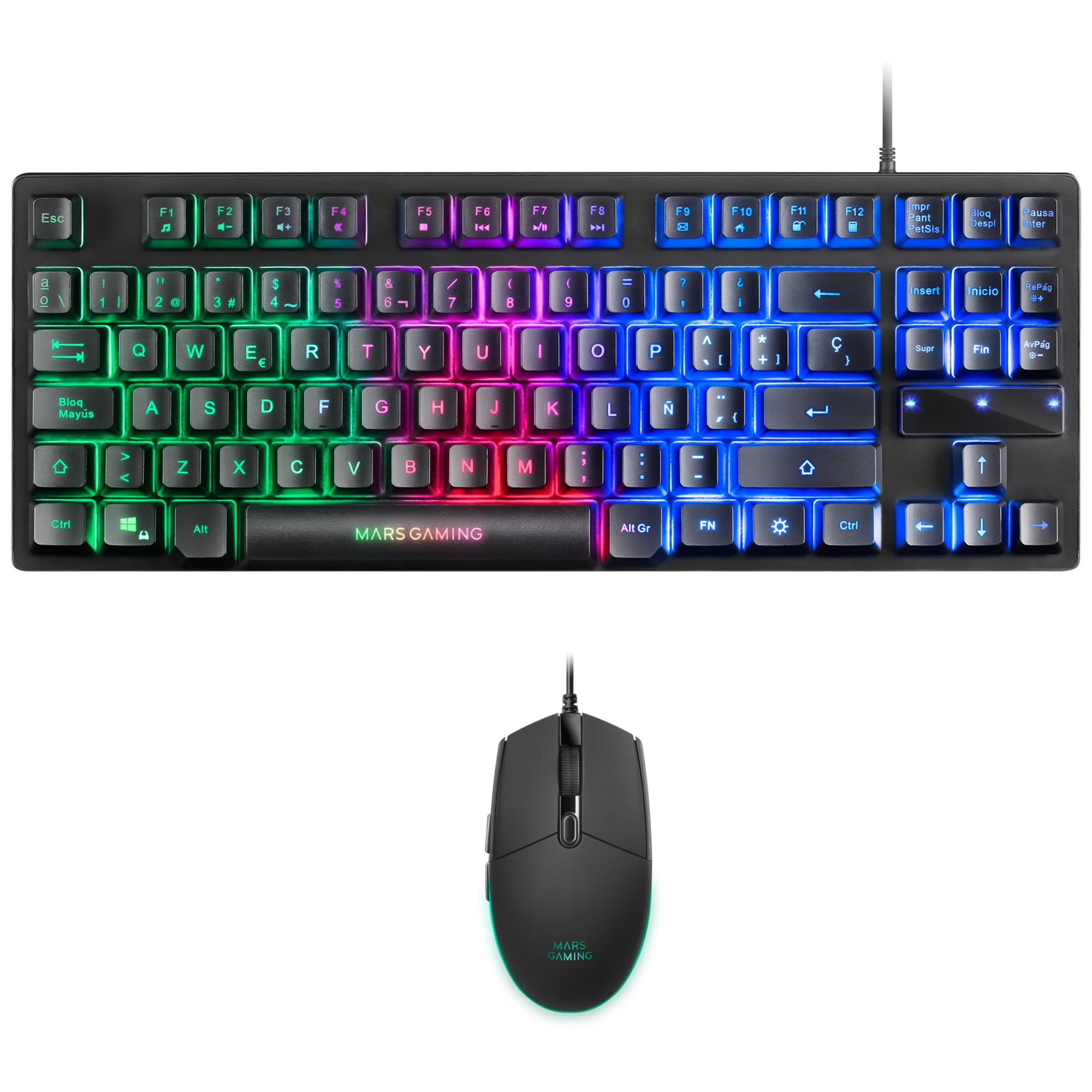
Image: Mars Gaming MCPTKLES TKL RGB Keyboard. This image shows the compact tenkeyless design of the keyboard with its RGB backlighting.
رغب التحكم في الإضاءة
The keyboard features RGB Control lighting. Specific key combinations allow you to cycle through different lighting modes and effects. Refer to the keyboard's function keys (Fn) combined with other keys for lighting adjustments. Common controls include:
- Fn + [مفتاح]: To change lighting modes (e.g., static, breathing, wave).
- Fn + [مفاتيح الأسهم]: To adjust brightness or speed of effects.

Image: Close-up of Mars Gaming MCPTKLES Keyboard RGB Keys. This image highlights the individual keys and their vibrant RGB backlighting.
مكافحة التظليل
The keyboard is equipped with anti-ghosting technology, which ensures that multiple key presses are registered simultaneously without conflict, crucial for fast-paced gaming.
وظائف الماوس
The lightweight mouse features an optical sensor with adjustable sensitivity up to 3200 DPI, RGB Flow lighting, and 6 programmable buttons with high-quality HUANO mechanical switches.

Image: Mars Gaming MCPTKLES RGB Mouse Top View. This image displays the top of the mouse, showing the scroll wheel and main buttons.
DPI Adjustment (On-the-fly)
Use the dedicated DPI button (often located near the scroll wheel) to cycle through different sensitivity levels (DPI - Dots Per Inch). This allows for quick adjustments to mouse speed without interrupting gameplay.

Image: Mars Gaming MCPTKLES RGB Mouse Side View. This image shows the ergonomic shape and side buttons of the mouse.
أزرار قابلة للبرمجة
The mouse features 6 buttons. While basic functionality is plug-and-play, advanced customization and macro programming may require specific software from Mars Gaming, if available. Visit the official Mars Gaming webموقع لتحميل البرامج .

Image: Mars Gaming MCPTKLES RGB Mouse with RGB Flow Lighting. This image illustrates the dynamic RGB lighting effects on the mouse.
صيانة
تنظيف
- Disconnect the keyboard and mouse from your computer before cleaning.
- استخدم قطعة قماش ناعمة وجافة وخالية من الوبر لمسح الأسطح.
- بالنسبة للأوساخ العنيدة، قم بإزالة الأوساخ برفق.ampانقع قطعة القماش في الماء أو محلول تنظيف خفيف. تجنب الرطوبة الزائدة.
- لا تستخدم مواد كيميائية قاسية، أو منظفات كاشطة، أو مذيبات.
- بالنسبة للوحة المفاتيح، استخدم الهواء المضغوط لإزالة الغبار والحطام من بين المفاتيح.
تخزين
قم بتخزين الأجهزة في مكان بارد وجاف بعيدًا عن أشعة الشمس المباشرة ودرجات الحرارة القصوى عندما لا تكون قيد الاستخدام لفترات طويلة.
استكشاف الأخطاء وإصلاحها
لوحة المفاتيح أو الفأرة لا تستجيب
- Ensure both USB cables are securely plugged into the computer or console.
- حاول توصيل الأجهزة بمنافذ USB مختلفة.
- أعد تشغيل الكمبيوتر أو وحدة التحكم الخاصة بك.
- Test the devices on another computer to determine if the issue is with the combo or your system.
إضاءة RGB لا تعمل
- Verify the devices are properly connected and powered.
- Check if the lighting has been turned off via keyboard shortcuts (Fn + lighting control keys).
- Ensure no software conflicts are present if you are using third-party lighting control applications.
Mouse Cursor Jumps or is Inaccurate
- قم بتنظيف منطقة مستشعر الماوس الموجودة على الجانب السفلي للفأرة.
- Ensure you are using the mouse on a clean, uniform surface (a mouse pad is recommended).
- Adjust the DPI settings using the mouse's DPI button.
تحديد
| ميزة | التفاصيل |
|---|---|
| ماركة | مارس للألعاب |
| رقم الموديل | MCPTKLES |
| تكنولوجيا الاتصال | USB (سلكي) |
| تخطيط لوحة المفاتيح | Spanish (TKL - Tenkeyless) |
| مميزات لوحة المفاتيح | H-Mech Technology, RGB Control Lighting, Anti-Ghosting |
| مستشعر الفأرة | بصري |
| مؤشر الماوس DPI | Up to 3200 DPI (On-the-fly adjustable) |
| أزرار الفأرة | 6 (with HUANO mechanical switches) |
| إضاءة الماوس | تدفق RGB |
| الأجهزة المتوافقة | Linux, Mac, PS4, Windows, XBOX ONE |
| أبعاد المنتج | 44 × 15.9 × 4.4 سم (لوحة المفاتيح) |
| وزن العنصر | 400 جرام |
| لون | أسود |
الضمان والدعم
للحصول على معلومات الضمان والدعم الفني، يرجى الرجوع إلى موقع Mars Gaming الرسمي webالموقع أو تواصل مع خدمة العملاء. احتفظ بإثبات الشراء لطلبات الضمان.
شركة مارس للألعاب الرسمية Webموقع: www.marsgaming.eu


