1. المقدمة
This manual provides comprehensive instructions for the setup, operation, and maintenance of your Zebronics Zeb-Ultimate Pro Full HD 1080p Webcam. Please read this manual carefully before using the product to ensure optimal performance and longevity. Keep this manual for future reference.
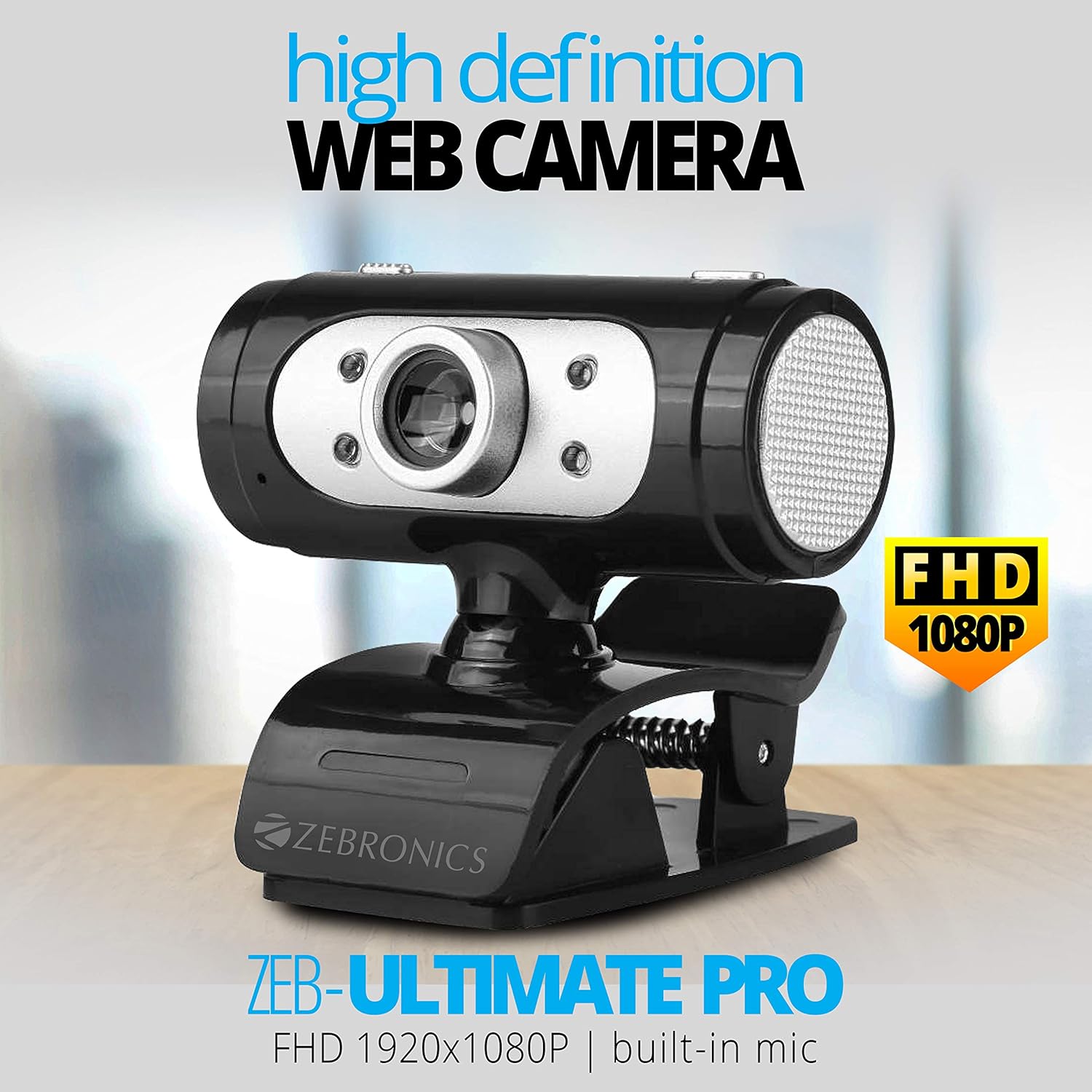
Image 1.1: The Zebronics Zeb-Ultimate Pro Full HD 1080p Webكاميرا، عرضasing its design and FHD 1080P capability.
2. محتويات العبوة
تأكد من وجود جميع العناصر المدرجة أدناه في عبوة المنتج الخاص بك:
- Zebronics Zeb-Ultimate Pro Webcam (1 Unit)
3. انتهى المنتجview
The Zebronics Zeb-Ultimate Pro is a Full HD webcam designed for clear video communication. It features a 5P quality lens, a built-in microphone, automatic white balance, night vision capabilities, and a manual switch for its integrated LED lighting.
المميزات الرئيسية:
- دقة الوضوح العالي الكامل 1080 بكسل: Delivers video at 1920x1080 pixels at 30 frames per second.
- 5P Quality Lens: Ensures sharp and clear image capture.
- ميكروفون مدمج: Provides integrated audio for video calls.
- توازن اللون الأبيض التلقائي: Automatically adjusts color balance for natural-looking video.
- الرؤية الليلية: يعزز الرؤية في ظروف الإضاءة المنخفضة.
- Manual LED Switch: Allows user control over the integrated LED light.
- واجهة USB: Simple plug-and-play connectivity.

Image 3.1: Diagram illustrating the 5P lens for Full HD videos and the built-in microphone for video calls.

Image 3.2: Visual representation of the USB interface for connectivity and the night vision feature for low-light performance.
4. تعليمات الإعداد
Follow these steps to set up your Zebronics Zeb-Ultimate Pro Webكام:
- فك الحزمة Webكام: قم بإزالة webتم إخراجها من عبوتها.
- وضع Webكام: ضع webcam securely on top of your monitor, laptop screen, or a flat surface. The adjustable clip allows for stable placement.
- الاتصال بجهاز الكمبيوتر: Insert the USB connector of the webقم بتوصيل الكاميرا بمنفذ USB المتوفر على جهاز الكمبيوتر الخاص بك.
- التثبيت التلقائي للسائق: ال webcam is designed for plug-and-play operation. Your operating system (Windows, macOS, iOS) should automatically detect and install the necessary drivers. Wait for a notification indicating that the device is ready for use.
- التحقق من التثبيت: Open a video conferencing application or your computer's camera application to confirm that the webتم التعرف على الكاميرا وعرض الفيديو.
5. تعليمات التشغيل
Once set up, the Zeb-Ultimate Pro Webالكاميرا جاهزة للاستخدام مع تطبيقات متنوعة.
استخدام Webكام:
- Video Calls and Conferences: Launch your preferred video communication software (e.g., Zoom, Microsoft Teams, Google Meet). Select the "Zebronics Zeb-Ultimate Pro" as your video and audio input device in the application's settings.
- Online Classes: ال webcam is suitable for participating in or conducting online educational sessions.
- تسجيل: Use your computer's native camera application or third-party software to record videos.

الصورة 5.1: webcam positioned on a laptop, illustrating its use for webاينار والمؤتمرات.

Image 5.2: A child using a laptop with the webcam for online classes, demonstrating its application in education.
ميزات الضبط:
- التركيز اليدوي: The lens of the webcam can be rotated to adjust the focus for a sharper image. Turn the lens gently until the image appears clear.
- ضوء LED: Use the manual switch located on the webcam to turn the integrated LED light on or off, especially useful in low-light environments.
6. الصيانة
تضمن الصيانة المناسبة طول عمر جهازك وأدائه الأمثل webكام.
- تنظيف العدسة: امسح العدسة برفق بقطعة قماش ناعمة وخالية من الوبر. تجنب استخدام المواد الكيميائية القاسية أو المواد الكاشطة التي قد تخدش العدسة.
- تنظيف الجسم: استخدمي منظفًا جافًا أو منظفًا خفيفًا.amp قطعة قماش لتنظيف الجزء الخارجي من webكام.
- تخزين: عندما لا تكون قيد الاستخدام ، قم بتخزين ملف webضع الكاميرا في مكان نظيف وجاف بعيدًا عن أشعة الشمس المباشرة ودرجات الحرارة القصوى.
- العناية بالكابلات: تجنب ثني أو لف كابل USB بشكل مفرط لمنع حدوث تلف داخلي.
7. استكشاف الأخطاء وإصلاحها
إذا واجهت مشاكل مع webكاميرا، راجع المشاكل والحلول الشائعة التالية:
| مشكلة | السبب المحتمل | حل |
|---|---|---|
| Webcam not detected or not working. | Loose USB connection, driver issue, or disabled camera. | Ensure the USB cable is securely connected. Try a different USB port. Restart your computer. Check privacy settings to ensure camera access is enabled for applications. |
| الصورة غير واضحة أو غير واضحة. | ضبط التركيز غير صحيح. | Gently rotate the lens of the webcam until the image becomes clear. |
| No audio from the webcam's microphone. | Microphone not selected or muted in software. | In your video conferencing application or system sound settings, ensure the Zebronics webcam's microphone is selected as the input device and is not muted. |
| جودة الصورة رديئة في الإضاءة المنخفضة. | إضاءة غير كافية. | تفعيل webcam's LED light using its manual switch. Ensure adequate ambient lighting in your environment. |
8. المواصفات
Technical specifications for the Zebronics Zeb-Ultimate Pro Webكام:
- نموذج: Zeb-Ultimate Pro
- دقة الفيديو: 1920 × 1080 (دقة عالية كاملة)
- معدل الإطارات: 30 إطارًا في الثانية
- مستشعر الصورة: سيموس
- نوع العدسة: 5P Quality Lens
- الواجهة: USB
- طول الكابل: 1.58 متر
- المميزات الخاصة: Built-in Microphone, Auto White Balance, Night Vision, Manual Switch for LED
- أبعاد المنتج: 7.2 × 7.2 × 6.4 سم
- وزن السلعة: 90 جرام
- أنظمة التشغيل المتوافقة: Windows, iOS (and generally other USB-compatible systems)
9. الضمان والدعم
For warranty information and technical support, please refer to the official Zebronics website or contact their customer service. Details regarding warranty periods and service centers are typically provided with your purchase documentation or on the manufacturer's webموقع.
الشركة المصنعة: 13,7, Smith Road, Royapettah CHENNAI-600002


