1. المقدمة
The TOA AT-10K-AM is a remote volume control designed for use in commercial and residential audio systems. This single-gang attenuator provides precise 10k Ohm resistance control over audio levels, allowing for convenient adjustment of sound output from a wall-mounted location. This manual provides essential information for the safe and correct installation, operation, and maintenance of your AT-10K-AM unit.
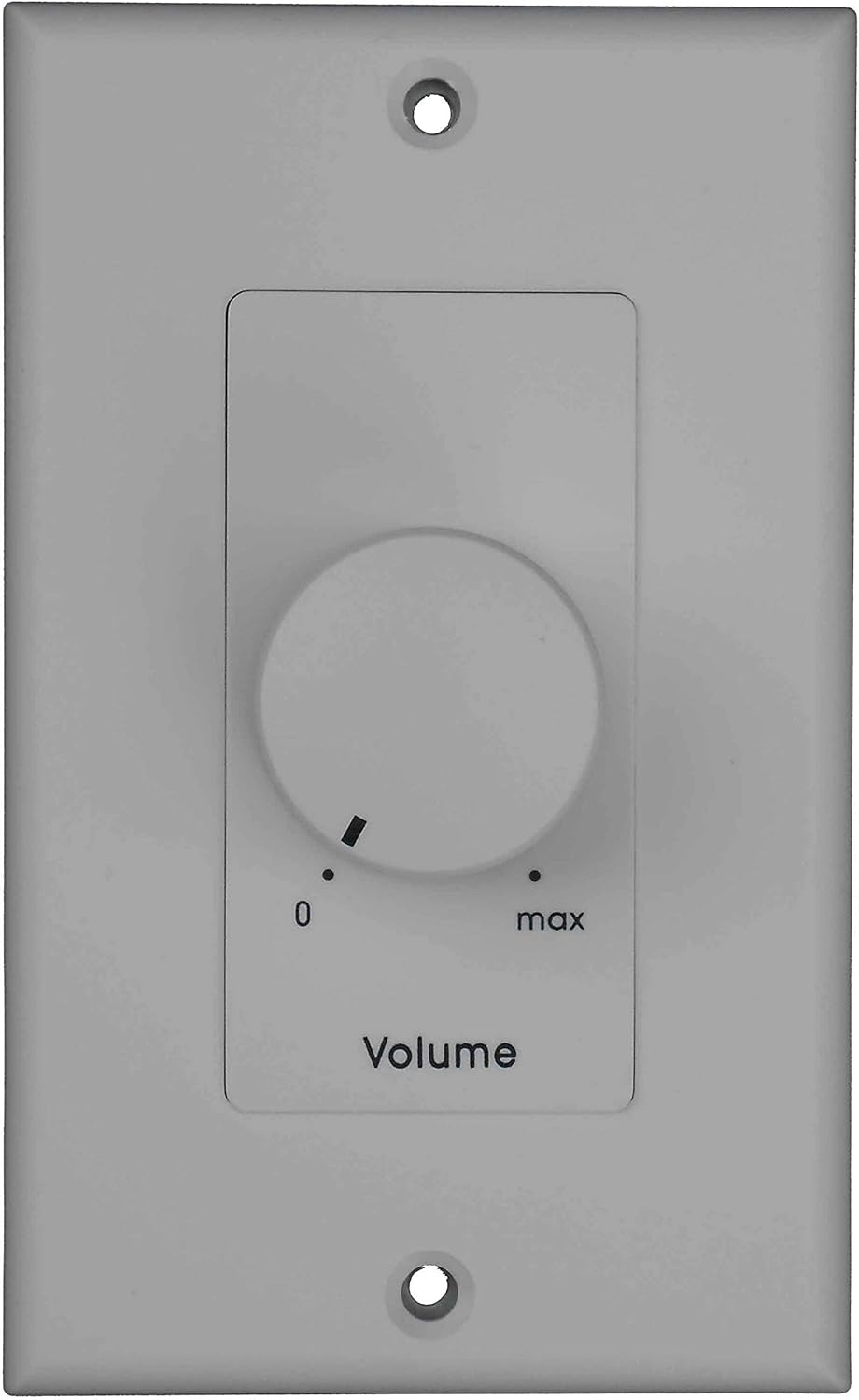
الشكل 1: الجبهة view of the TOA AT-10K-AM Remote Volume Control. This image displays the front view of the TOA AT-10K-AM Remote Volume Control. It features a light gray single-gang wall plate with a central circular knob for volume adjustment. Markings '0' and 'max' indicate the minimum and maximum volume settings, respectively. The word 'Volume' is printed below the knob. Two screw holes are visible at the top and bottom for mounting.
2. معلومات السلامة
To ensure safe operation and prevent damage to the unit or injury to personnel, please observe the following safety precautions:
- شخص مؤهل: Installation and wiring should only be performed by qualified and experienced personnel.
- انقطاع التيار الكهربائي: Always disconnect power to the audio system before installing, wiring, or servicing the volume control.
- الأسلاك الصحيحة: Ensure all wiring connections are correct and secure according to the wiring diagrams provided with your audio system and this device. Incorrect wiring can cause damage or fire.
- الظروف البيئية: Do not install the unit in locations exposed to direct sunlight, high temperatures, high humidity, dust, or vibrations.
- تجنب الرطوبة: لا تعرض الوحدة للمطر أو الرطوبة.
- الاستخدام الصحيح: Use the unit only for its intended purpose as a remote volume control for audio systems.
3. محتويات العبوة
تأكد من أن جميع العناصر المدرجة أدناه موجودة في العبوة:
- TOA AT-10K-AM Remote Volume Control Unit (1)
- براغي تركيب (2)
- دليل التعليمات (هذا المستند)
4. الإعداد والتثبيت
Follow these steps for proper installation of the AT-10K-AM volume control:
4.1 التركيب
- Prepare Wall Box: Ensure a standard single-gang electrical wall box is installed at the desired location.
- أسلاك المسار: Route the audio signal wires from your amplifier or audio source to the wall box.
- وحدة آمنة: Carefully align the AT-10K-AM unit with the wall box and secure it using the provided mounting screws. Do not overtighten.
- تثبيت الواجهة: If a separate decorative faceplate is used (not included), install it over the unit.
4.2 توصيلات الأسلاك
The AT-10K-AM functions as a 10k Ohm potentiometer. Refer to your amplifier or audio system's manual for specific wiring requirements for remote volume controls. A typical wiring configuration involves connecting the audio signal through the attenuator.
- اتصال الإدخال: Connect the audio input signal wires to the designated input terminals on the AT-10K-AM.
- اتصال الإخراج: Connect the audio output signal wires from the AT-10K-AM to the amplifier or next component in the audio chain.
- التأريض: Ensure proper grounding as specified by your audio system's manufacturer to prevent hum or noise.
ملحوظة: Always double-check wiring before restoring power to the system. Incorrect wiring can lead to equipment damage.
5. تعليمات التشغيل
Operating the TOA AT-10K-AM is straightforward:
- تشغيل الطاقة: Ensure your audio system is powered on and functioning.
- ضبط مستوى الصوت: Rotate the central knob clockwise to increase the audio volume and counter-clockwise to decrease it.
- الحد الأدنى للحجم: Turning the knob fully counter-clockwise will set the volume to its minimum level, indicated by '0'.
- الحجم الأقصى: Turning the knob fully clockwise will set the volume to its maximum level, indicated by 'max'.
The AT-10K-AM provides smooth and continuous volume adjustment within its operational range.
6. الصيانة
The TOA AT-10K-AM is designed for long-term, reliable operation with minimal maintenance. Follow these guidelines:
- تنظيف: Periodically wipe the surface of the unit with a soft, dry cloth. Do not use abrasive cleaners, solvents, or harsh chemicals.
- تقتيش: Occasionally inspect the unit for any visible damage or loose connections. If any issues are found, consult qualified service personnel.
- لا يوجد أجزاء قابلة للصيانة من قبل المستخدم: The unit contains no user-serviceable parts. Do not attempt to open or repair the unit yourself.
7. استكشاف الأخطاء وإصلاحها
If you encounter issues with your AT-10K-AM, refer to the following table for common problems and solutions:
| مشكلة | السبب المحتمل | حل |
|---|---|---|
| No sound or very low sound output. |
|
|
| Distorted or noisy sound. |
|
|
| Volume control feels loose or unresponsive. |
|
|
If the problem persists after attempting these solutions, contact TOA customer support or a qualified service technician.
8. المواصفات
Key specifications for the TOA AT-10K-AM Remote Volume Control:
- نموذج: AT-10K-AM
- مقاومة: 10 كيلو أوم
- نوع التحكم: Remote Volume Control / Attenuator
- التركيب: Single-gang wall plate
- تنسيق الإشارة: التناظرية
- أبعاد: Standard single-gang wall plate size (exact dimensions may vary slightly by region/manufacturer)
- وزن: حوالي 2 رطل (0.9 كجم)
المواصفات قابلة للتغيير دون إشعار مسبق بهدف تحسين المنتج.
9. الضمان والدعم
For warranty information and technical support regarding your TOA AT-10K-AM Remote Volume Control, please refer to the warranty card included with your purchase or visit the official TOA website. You may also contact TOA customer service directly for assistance with product inquiries, troubleshooting, or service requests.
TOA Corporation: www.toa-corp.com


