1. المقدمة
This manual provides comprehensive instructions for setting up, operating, and maintaining your Microsoft Surface Go 2 tablet. The Surface Go 2 is a versatile 10.5-inch touch-screen device, powered by an Intel Pentium processor, 8GB of RAM, and a 128GB SSD, running Windows 10. It is designed for portability and efficiency, suitable for various tasks from productivity to entertainment.
2. المكونات والمنافذ
Familiarize yourself with the physical components and connection ports of your Surface Go 2.
2.1 انتهى الجهازview
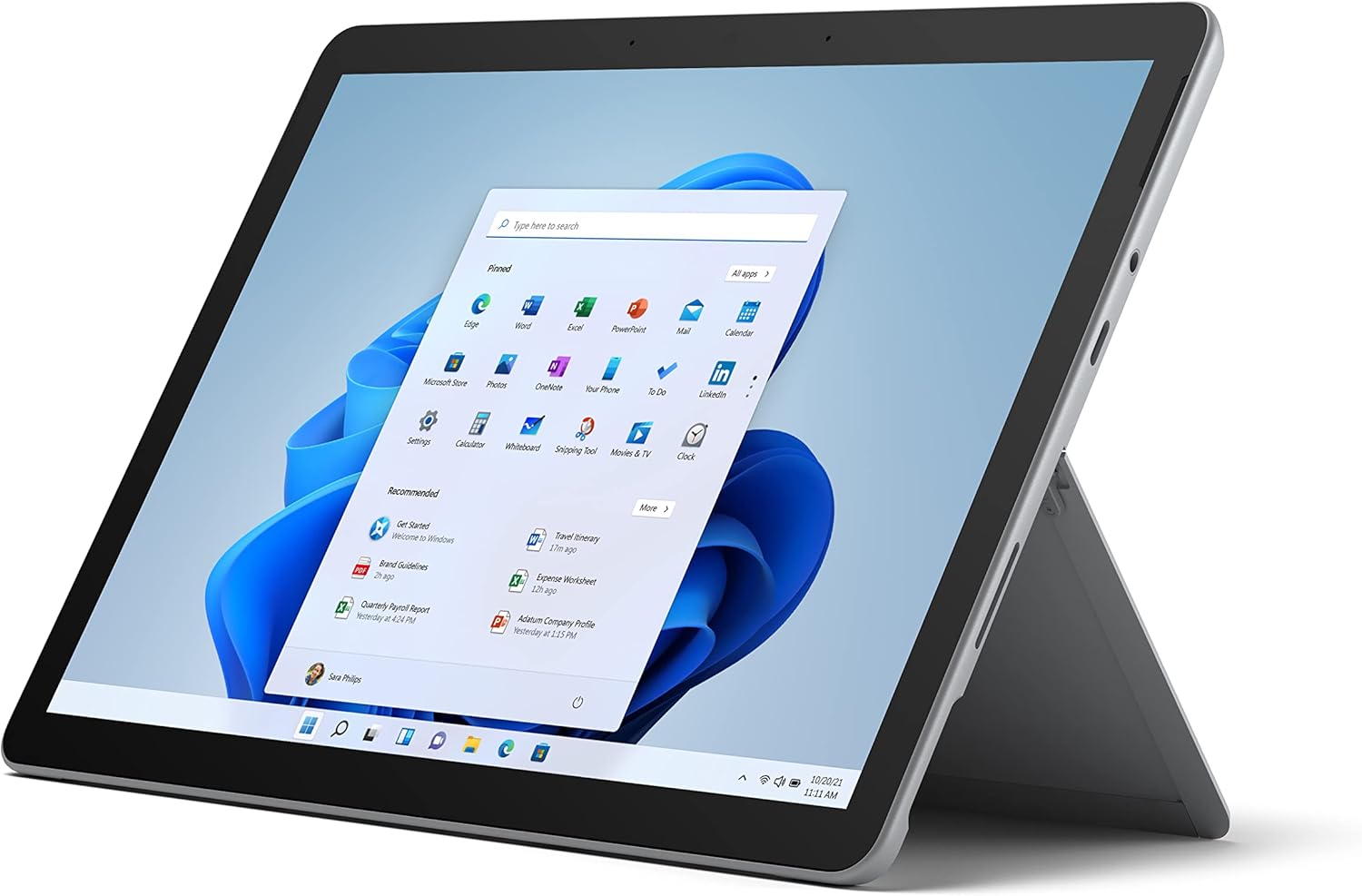
Figure 2.1: Microsoft Surface Go 2 tablet in landscape orientation, showcasing the Windows desktop interface.
2.2 Side Ports and Buttons
- منفذ USB من النوع C: لنقل البيانات وإخراج الفيديو والشحن.
- مقبس سماعة رأس 3.5 ملم: For connecting headphones or external audio devices.
- منفذ توصيل السطح: Magnetic port for charging and connecting to Surface Dock (sold separately).
- قارئ بطاقات MicroSD: For expanding storage with a microSD card.
- أزرار التحكم في الصوت: To adjust audio volume.
- زر الطاقة: To turn the device on/off or put it to sleep.

الشكل 2.2: عرض جانبيfile of the Surface Go 2, illustrating the various ports and buttons along its edge.
2.3 Integrated Kickstand
The Surface Go 2 features an integrated kickstand on the back, allowing for multiple viewing angles. This enables comfortable use in various modes, such as tablet, laptop (with Type Cover), or studio mode.

Figure 2.3: The Surface Go 2 with its Type Cover keyboard attached and the kickstand deployed, demonstrating its laptop-like configuration.
3. الإعداد الأولي
Follow these steps to set up your Surface Go 2 for the first time.
3.1 التشغيل والتكوين الأساسي
- اشحن الجهاز: Connect the included power adapter to the Surface Connect port on your device and plug it into a power outlet.
- تشغيل الطاقة: Press and hold the power button located on the top edge of the device until the Microsoft logo appears on the screen.
- اتبع الإرشادات التي تظهر على الشاشة: The device will guide you through selecting your region, language, and connecting to a Wi-Fi network.
- Microsoft Account Setup: Sign in with an existing Microsoft account or create a new one. This is essential for accessing Microsoft services and applications.
- إعدادات الخصوصية: Review and adjust your privacy settings as prompted.
- ويندوز هيلو: Set up facial recognition for faster and more secure sign-in (optional).
4. تعليمات التشغيل
The Surface Go 2 offers flexible interaction methods.
4.1 نظام الملاحة بشاشة اللمس
The 10.5-inch PixelSense display supports 10-point multi-touch. You can navigate Windows 10 using gestures similar to a smartphone or tablet:
- مقبض: حدد العناصر أو افتح التطبيقات.
- انتقاد: تصفح المحتوى أو تنقل بين الشاشات.
- التكبير والتصغير: Enlarge or reduce content size.
- اضغط مع الاستمرار على: Access context menus (right-click equivalent).
4.2 Using the Type Cover Keyboard (Sold Separately)
Attach the Type Cover keyboard to transform your Surface Go 2 into a laptop. The keyboard connects magnetically to the bottom edge of the tablet.
- مرفق: Align the Type Cover with the magnetic connector at the bottom of the Surface Go 2 until it snaps into place.
- الكتابة: Use the physical keys for efficient text input.
- لوحة التتبع: The integrated trackpad allows for precise cursor control and multi-touch gestures.

Figure 4.1: The Surface Go 2 tablet separated from its Type Cover keyboard, illustrating the modular design.
4.3 Using the Surface Pen (Sold Separately)
The Surface Pen (sold separately) enhances creativity and productivity, allowing for natural writing and drawing directly on the screen.

Figure 4.2: The Surface Go 2 tablet displayed with a compatible Surface Pen, highlighting its digital inking capabilities.
5. الصيانة
Proper care ensures the longevity and performance of your Surface Go 2.
- تنظيف الشاشة: استخدم قطعة قماش ناعمة وخالية من الوبر وامسحها برفق.ampاغسلها بالماء أو بمنظف شاشات معتمد. تجنب المواد الكيميائية القاسية.
- تنظيف جسم الجهاز: امسح الجزء الخارجي بقطعة قماش ناعمة وجافة.
- تحديثات البرامج: تحقق بانتظام من تحديثات Windows وثبّتها لضمان الأداء والأمان الأمثل. انتقل إلى الإعدادات > التحديث والأمان > تحديث Windows.
- العناية بالبطارية: لإطالة عمر البطارية إلى أقصى حد، تجنب درجات الحرارة القصوى وحاول الحفاظ على شحن البطارية بين 20% و80% عندما يكون ذلك ممكنًا.
- ادارة التخزين: مسح مؤقت بشكل دوري files and unnecessary data to free up storage space. Go to الإعدادات > النظام > التخزين.
6. استكشاف الأخطاء وإصلاحها
المشاكل الشائعة وحلولها.
- الجهاز لا يتم تشغيله: تأكد من شحن الجهاز. قم بتوصيل محول الطاقة وانتظر بضع دقائق قبل محاولة تشغيله مرة أخرى.
- شاشة اللمس لا تستجيب: Restart the device. If the issue persists, check for pending Windows updates or consider a system restore.
- مشكلات الاتصال بشبكة Wi-Fi: Verify your Wi-Fi network is active. Restart your router and the Surface Go 2. Check Wi-Fi settings on the device.
- الأداء البطيء: Close unnecessary applications. Check for background processes consuming high resources (Task Manager). Ensure sufficient free storage space.
- استنزاف البطارية بسرعة: Adjust screen brightness, disable unnecessary background apps, and ensure all software is up to date.
7. المواصفات
| ميزة | التفاصيل |
|---|---|
| عرض | 10.5" PixelSense 10-Point Touch Display |
| دقة | 1920 x 1280 (216 ppi) |
| المعالج | 1.6 GHz Intel Pentium 4425Y Dual-Core Processor |
| كبش | 8 جيجا بايت |
| تخزين | 128 جيجابايت SSD |
| الرسومات | بطاقة رسوميات Intel HD 615 مدمجة |
| لاسلكي | Wi-Fi 5 (802.11ac) | Bluetooth 4.1 |
| الكاميرات | 8MP Rear Camera | 5MP Front Camera |
| الموانئ | USB Type-C, 3.5 mm Headphone Jack, Surface Connect, MicroSD Card Reader |
| عمر البطارية | يصل إلى 9 ساعات (الاستخدام المعتاد) |
| نظام التشغيل | ويندوز 10 |
| وزن | 1.15 رطل (تقريبًا) |
| أبعاد | 6.8 × 9.64 × 0.32 بوصة |
8. الضمان والدعم
This Microsoft Surface Go 2 is a renewed product. Renewed products are eligible for replacement or refund under the Amazon Renewed Guarantee if you are not satisfied with your purchase. For specific terms and conditions, please refer to the Amazon Renewed program details.
For further technical support or inquiries, please visit the official Microsoft Surface support webالموقع أو الاتصال بخدمة العملاء الخاصة بهم.


