1. المقدمة
This manual provides essential information for the proper use and care of your Brinno Empower TLC2020 Time Lapse Camera and ATH1000 Waterproof Case. Please read these instructions carefully before operating the device to ensure optimal performance and longevity.
The Brinno TLC2020 is designed for capturing high-quality time-lapse, step video, and stop motion footage, particularly for long-term outdoor projects, thanks to its extended battery life and durable waterproof housing.
2. انتهى المنتجview
2.1. محتويات العبوة
- كاميرا برينو TLC2020 بفاصل زمني
- Brinno ATH1000 Waterproof Case
- AA Batteries (4x)
- دليل المستخدم (هذا المستند)
2.2. الميزات الرئيسية
- High-Resolution Capture: 1080P HDR video recording.
- مجال واسع من View: 118° lens for comprehensive scene capture.
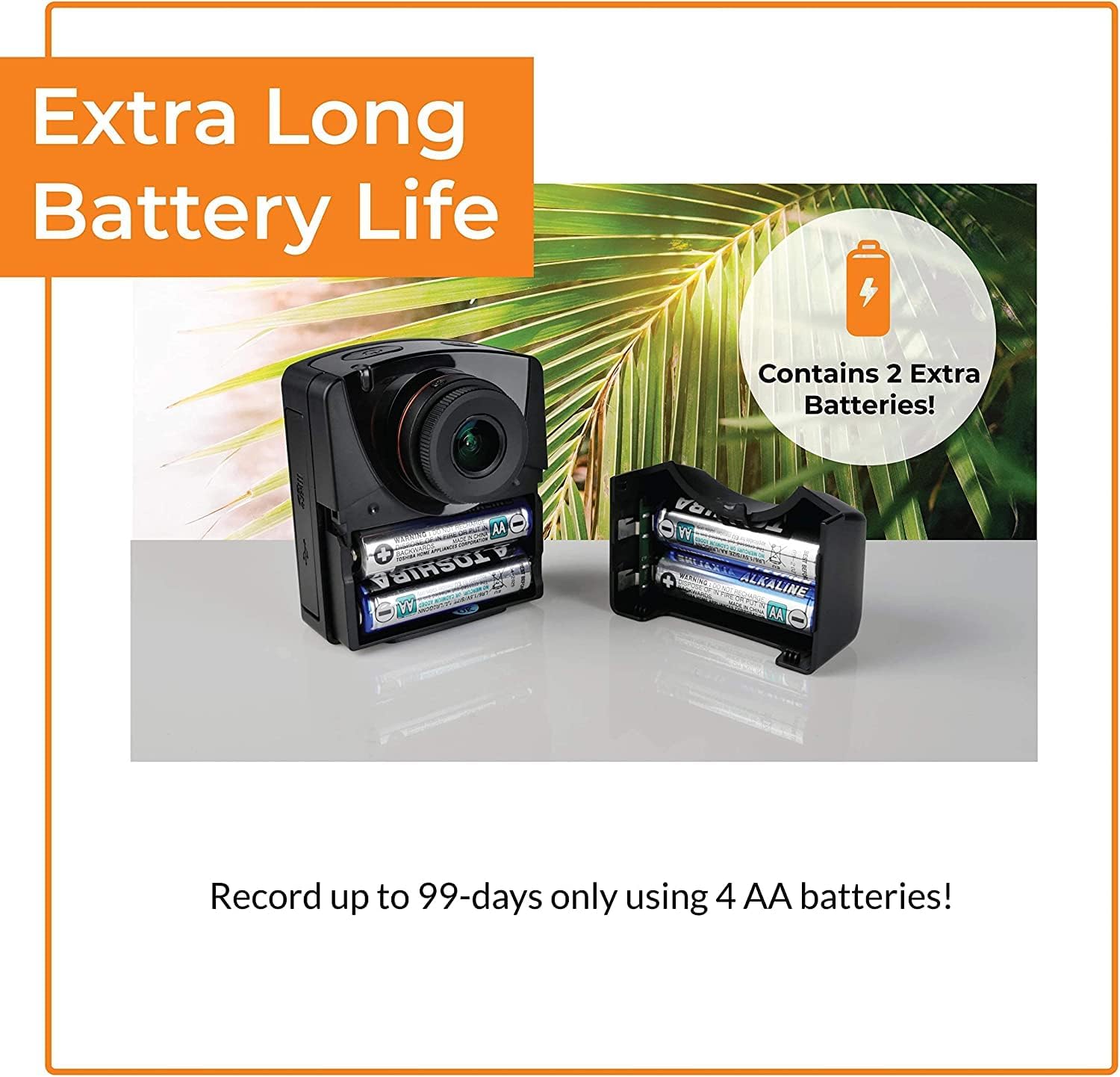
- عمر بطارية ممتد: Up to 99 days of recording with 4 AA batteries (5-minute interval).
- أوضاع التقاط متعددة الاستخدامات: Time-lapse, Step Video, and Stop Motion.
- حماية متينة: ATH1000 Waterproof Case for outdoor use.
- جدولة مرنة: Daily timer and scheduling features to conserve battery.
- تخزين: يدعم بطاقات الذاكرة الصغيرة (Micro SD) بسعة تصل إلى 128 جيجابايت.
- تصميم محمول: Compact and easy to deploy.
2.3. Camera and Case Components

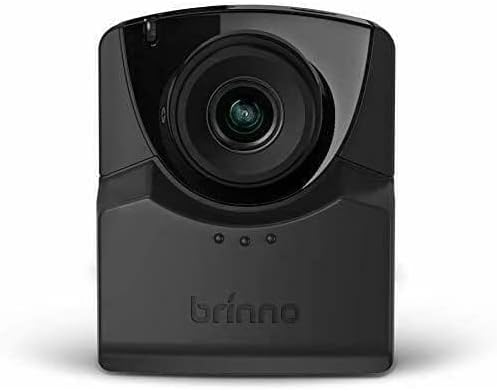
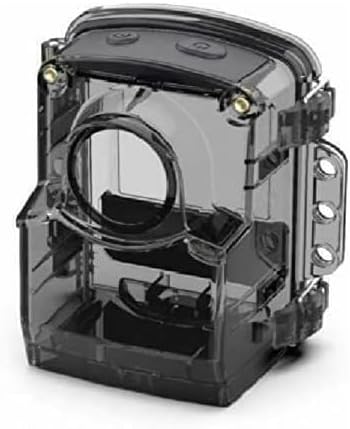
3. الإعداد
3.1. تركيب البطارية
- Open the battery compartment cover on the side of the TLC2020 camera.
- أدخل أربع (4) بطاريات AA، مع التأكد من صحة القطبية (+/-).
- أغلق غطاء حجرة البطارية جيدًا.

3.2. تركيب بطاقة MicroSD
- Locate the MicroSD card slot, typically near the battery compartment.
- Insert a MicroSD card (up to 128GB supported) into the slot until it clicks into place.
- للإزالة، ادفع البطاقة برفق حتى تخرج.

3.3. ATH1000 Waterproof Case Assembly
- Open the latches on the ATH1000 waterproof case.
- Carefully place the TLC2020 camera inside the case, ensuring it fits snugly.
- Close the latches firmly to seal the case. Verify the seal is complete before exposing to water.
3.4. التشغيل الأولي والإعدادات
Press the power button to turn on the camera. The 2-inch screen will display the menu. Use the navigation buttons to set the date, time, and desired capture mode. Refer to the on-screen prompts for guidance.
4. تعليمات التشغيل
4.1. أوضاع الالتقاط
The TLC2020 offers three distinct capture modes:
- الوقت الفاصل: Captures a sequence of photos at set intervals, automatically compiling them into a video. Ideal for monitoring construction projects, plant growth, or environmental changes.
- فيديو توضيحي خطوة بخطوة: Records short video clips at selected intervals. The camera combines these clips into a continuous video, suitable for dynamic storytelling or capturing movement.
- Stop Motion: Allows manual capture of multiple photos, one frame at a time. The camera then combines these into an animated video, perfect for creative projects.


4.2. Flexible Scheduling
Utilize the camera's daily timer and scheduling feature to select specific days and hours for recording. This extends battery life by preventing unnecessary recording during inactive periods.

4.3. Video Output and Sharing
Once recording is complete, the camera automatically processes the footage into an MP4 video file. هذا file is instantly available on the MicroSD card for transfer to a computer or other device for sharing.
5. الصيانة
5.1. العناية بالبطارية
- Always use fresh, high-quality AA batteries.
- قم بإزالة البطاريات إذا لم يتم استخدام الكاميرا لفترة طويلة لمنع التسرب.
- Monitor battery levels regularly, especially during long-term projects.
5.2. Waterproof Case and Lens Care
- Regularly inspect the ATH1000 case for cracks or damage to maintain its waterproof integrity.
- Clean the case and camera lens with a soft, lint-free cloth. For stubborn dirt, use a mild cleaning solution and ensure no residue remains.
- Avoid abrasive materials that could scratch the lens or case.
5.3. التخزين
Store the camera and case in a cool, dry place away from direct sunlight and extreme temperatures when not in use.
6. استكشاف الأخطاء وإصلاحها
6.1. الكاميرا لا تعمل
- تأكد من إدخال البطاريات بشكل صحيح وشحنها بالكامل.
- Try replacing with new batteries.
- تأكد من الضغط على زر التشغيل بقوة.
6.2. عمر البطارية القصير
- Utilize the flexible scheduling feature to record only during necessary periods.
- Ensure you are using high-quality alkaline or rechargeable AA batteries.
- Extreme cold temperatures can reduce battery performance.
6.3. Condensation Inside Waterproof Case
- Condensation can occur with significant temperature changes and high humidity.
- Place desiccant packets (silica gel) inside the case with the camera to absorb moisture.
- Ensure the camera and case are completely dry before sealing for outdoor use.
6.4. مشاكل التسجيل
- Check if the MicroSD card is properly inserted and has sufficient free space.
- Ensure the MicroSD card is formatted correctly (FAT32 or exFAT).
- Verify that the recording schedule and interval settings are configured as desired.
7. المواصفات
| ميزة | مواصفة |
|---|---|
| ماركة | برينو |
| رقم الموديل | TLC2020 |
| وزن العنصر | 1.34 رطل |
| أبعاد المنتج | 1.5 × 4.5 × 4.5 بوصة |
| البطاريات | بطاريات 4 AA المطلوبة |
| لون | أسود |
| تقنية مستشعر الصور | سيموس |
| دقة التقاط الفيديو | 1080 بكسل |
| الطول البؤري الأقصى | 19 مليمتر |
| الفتحة القصوى | 2 ف |
| نوع ذاكرة فلاش | مايكرو اس دي (حتى 128 جيجابايت) |
| تنسيق التقاط الفيديو | إم بي 4 |
| تنسيق الصوت المدعوم | AAC |
| حجم الشاشة | 2 بوصة |
| تكنولوجيا الاتصال | USB |
8. الضمان والدعم
Brinno is committed to providing reliable products. For detailed warranty information, please refer to the official Brinno website or the warranty card included with your purchase. For technical support, product inquiries, or service, please visit the Brinno support page or contact their customer service directly.
You can find more information and support resources on the official Brinno webموقع: www.brinno.com


