مقدمة
شكرا لك على الشراءasing the Helix True Wireless Earbuds. This manual provides essential information for setting up, operating, and maintaining your earbuds. Please read it carefully before use and retain it for future reference.

Image: Helix True Wireless Earbuds, black and white, resting inside their open black charging case. One earbud is also shown outside the case, indicating its design.
ماذا يوجد في الصندوق
- True Wireless Earbuds (Left and Right)
- حافظة الشحن
- كابل شحن USB
- دليل المستخدم
يثبت
1. الشحن الأولي
Before first use, fully charge the earbuds and the charging case. Connect the USB charging cable to the charging case and a power source. The LED indicators on the case will show charging status.

Image: An open charging case with two earbuds inside. Three blue LED lights are visible on the case, indicating power status. Text overlays highlight "Superior HD Audio", "Hands-Free Calling", and "Power LED Indicators".
2. Power On/Off and Auto-Pairing
The earbuds feature auto on/off and pairing. Simply remove the earbuds from the charging case to power them on. They will automatically enter pairing mode or reconnect to the last paired device. Place them back into the case to power off and begin charging.
3. اقتران بلوتوث
- Ensure the earbuds are charged and removed from the charging case.
- على جهازك (الهاتف الذكي، الجهاز اللوحي، وما إلى ذلك)، انتقل إلى إعدادات البلوتوث.
- بحث عن new devices and select "Helix TW" from the list.
- بمجرد الاتصال، سيشير جهازك إلى نجاح عملية الاقتران.
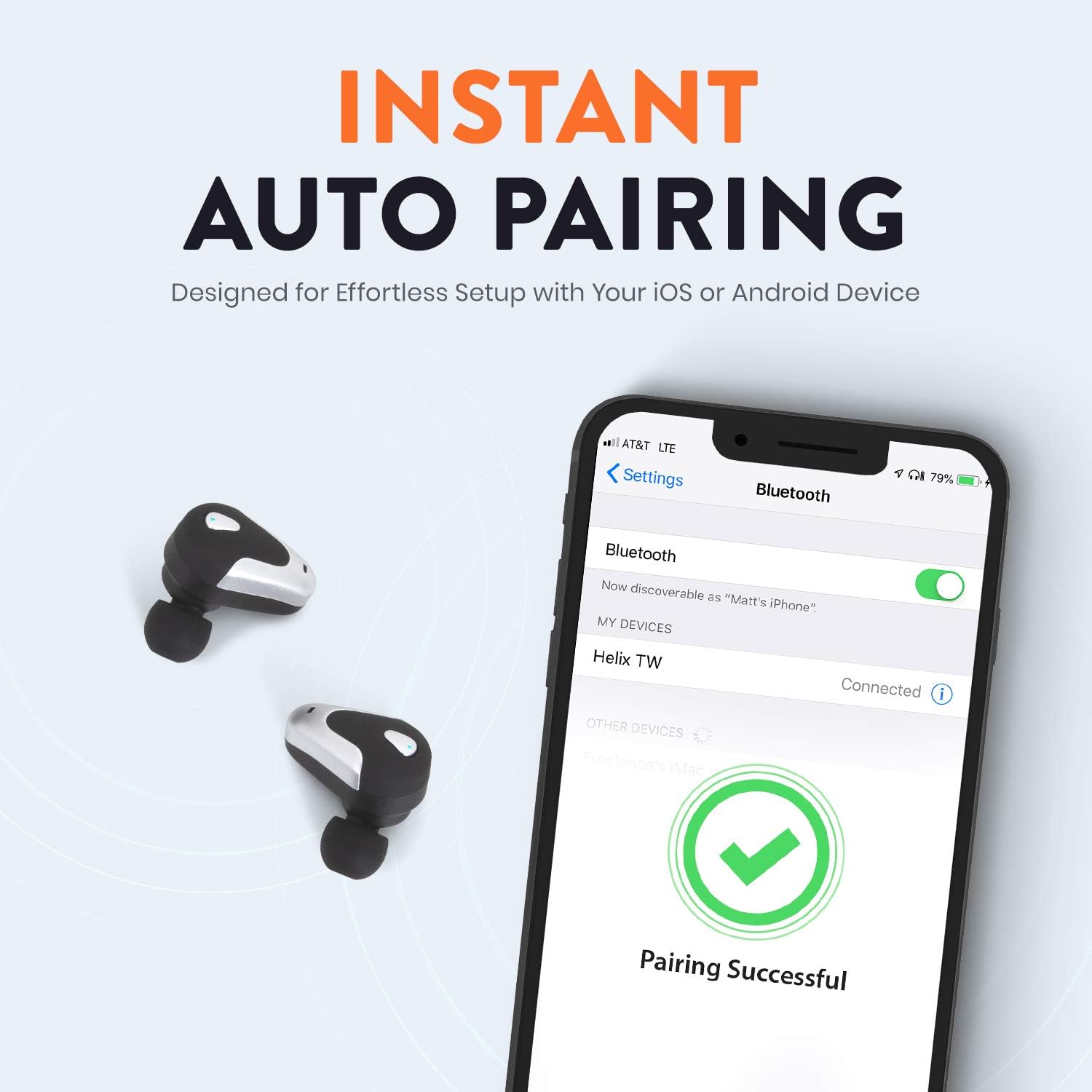
Image: A smartphone screen displaying Bluetooth settings, showing "Helix TW" as a connected device and a "Pairing Successful" message with a green checkmark. Two Helix earbuds are shown next to the phone.
4. SecureLock Fit
The Helix True Wireless Earbuds are designed with an ergonomic SecureLock Fit for comfort and stability during various activities. Gently insert the earbuds into your ears and twist slightly to secure them.

Image: A diagram illustrating the ergonomic SecureLock Fit of the earbuds, showing how they twist into the ear for a secure hold. In the background, people are exercising, suggesting the earbuds' suitability for active use.
تعليمات التشغيل
تشغيل الصوت
- تشغيل/إيقاف مؤقت: Tap the control area on either earbud once.
- المسار التالي: Double-tap the control area on the right earbud.
- المسار السابق: Double-tap the control area on the left earbud.
الاتصال بدون استخدام اليدين
- الرد/إنهاء المكالمة: Tap the control area on either earbud once.
- رفض المكالمة: Press and hold the control area on either earbud for 2 seconds.
التحكم بالمساعد الصوتي
Triple-tap the control area on either earbud to activate your device's voice assistant (e.g., Siri, Google Assistant).
عمر البطارية
The earbuds provide up to 4 hours of run time on a single charge. The charging case extends total listening time to approximately 16 hours.

Image: A graphic illustrating the battery life of the Helix earbuds. It shows "4 HOURS" for a single charge of the earbuds and "16 HOURS" when combined with the charging case.
صوت عالي الدقة
Experience HD audio with unrivaled bass, midtones, and treble frequencies for a rich listening experience.

Image: A graphic titled "NEXT-LEVEL HD AUDIO" with sound wave patterns in blue, representing high-definition audio quality. Two Helix earbuds are depicted in the foreground.
صيانة
- تنظيف: Use a soft, dry cloth to clean the earbuds and charging case. Do not use abrasive cleaners or immerse in water.
- تخزين: عندما لا تكون قيد الاستخدام، قم بتخزين سماعات الأذن في علبة الشحن الخاصة بها لحمايتها والحفاظ عليها مشحونة.
- مقاومة الماء: The earbuds are water resistant, but not waterproof. Avoid prolonged exposure to water or submersion.
استكشاف الأخطاء وإصلاحها
| مشكلة | حل |
|---|---|
| سماعات الأذن غير مقترنة بالجهاز. |
|
| لا يوجد صوت من سماعة أذن واحدة. |
|
| سماعات الأذن لا يتم شحنها. |
|
| جودة الصوت رديئة. |
|
تحديد
| ميزة | التفاصيل |
|---|---|
| اسم الموديل | الحلزون |
| رقم الموديل | ETHTWB |
| تكنولوجيا الاتصال | بلوتوث |
| نسخة البلوتوث | 5.0 |
| مدى البلوتوث | 10 مترا |
| عمر البطارية (سماعات الأذن) | تصل إلى 4 ساعة |
| إجمالي عمر البطارية (مع العلبة) | تصل إلى 16 ساعة |
| نوع برنامج تشغيل الصوت | سائق المحرك المتوازن |
| نطاق التردد | 20 هرتز إلى 20,000 هرتز |
| نوع التحكم | Media Control, Voice Assistant |
| ميكروفون | Included for Hands-Free Calling |
| مستوى مقاومة الماء | مقاوم للماء |
| شكل سماعة الأذن | داخل الأذن |
| مادة | بلاستيك |
| لون | أسود |
| وزن العنصر | 3.2 أونصات |
| الشركة المصنعة | الحلزون |
| رمز المنتج الموحد | 816983019126 |
معلومات الضمان
Specific warranty details are typically provided with your product packaging or available on the manufacturer's official website. Please refer to the documentation included with your purchase for comprehensive warranty terms and conditions.
يدعم
For further assistance, technical support, or customer service inquiries, please visit the official Helix website or contact their customer support channels as listed in your product documentation.
يمكنك أيضًا زيارة Helix Store on Amazon لمزيد من المعلومات عن المنتج.


