1. انتهى المنتجview
The GAMRY Digital Thermometer Hygrometer, Model HTC-1, is a versatile 5-in-1 device designed to help you monitor your indoor environment effectively. It combines the functions of a thermometer, hygrometer, clock, calendar, and alarm clock into one compact unit.
Equipped with an industrial high-standard, high-precision sensor, it measures indoor temperature and humidity in real-time every 10 seconds. This allows for precise adjustments to air conditioning and humidifiers, contributing to better health management against heatstroke, influenza, mold, and skin dryness.
The device features a large, easy-to-read 3.8-inch LCD screen with a wide 360° viewing angle, enhanced by wide-viewing angle LCD technology that improves vertical and horizontal viewing angles by 120°. This human-centered design ensures that temperature and humidity readings are easily visible even from a distance.
Beyond environmental monitoring, it displays local time and offers a memory function to show maximum and minimum temperature and humidity values over a 24-hour period (with automatic reset). Its compact size (100x92x20mm, 90g) and 2-way stand/wall mount design make it convenient for placement in various locations such as kitchens, bedrooms, warehouses, entrances, or by windows.

Figure 1.1: The GAMRY HTC-1 displaying its multi-functional capabilities including temperature, humidity, clock, and alarm settings.
2. دليل الإعداد
2.1 فك العبوة والتفتيش
- Carefully remove the thermometer hygrometer from its packaging.
- افحص الجهاز بحثًا عن أي علامات تلف. في حال وجود أي تلف، لا تستخدمه واتصل بخدمة العملاء.
- Ensure all components are present: the main unit and one AAA battery.
2.2 تركيب البطارية
- حدد مكان حجرة البطارية في الجزء الخلفي من الجهاز.
- حرك غطاء حجرة البطارية لفتحه.
- Insert one AAA battery, ensuring the positive (+) and negative (-) terminals align correctly with the markings inside the compartment.
- Close the battery compartment cover securely. The device should power on automatically and display readings.
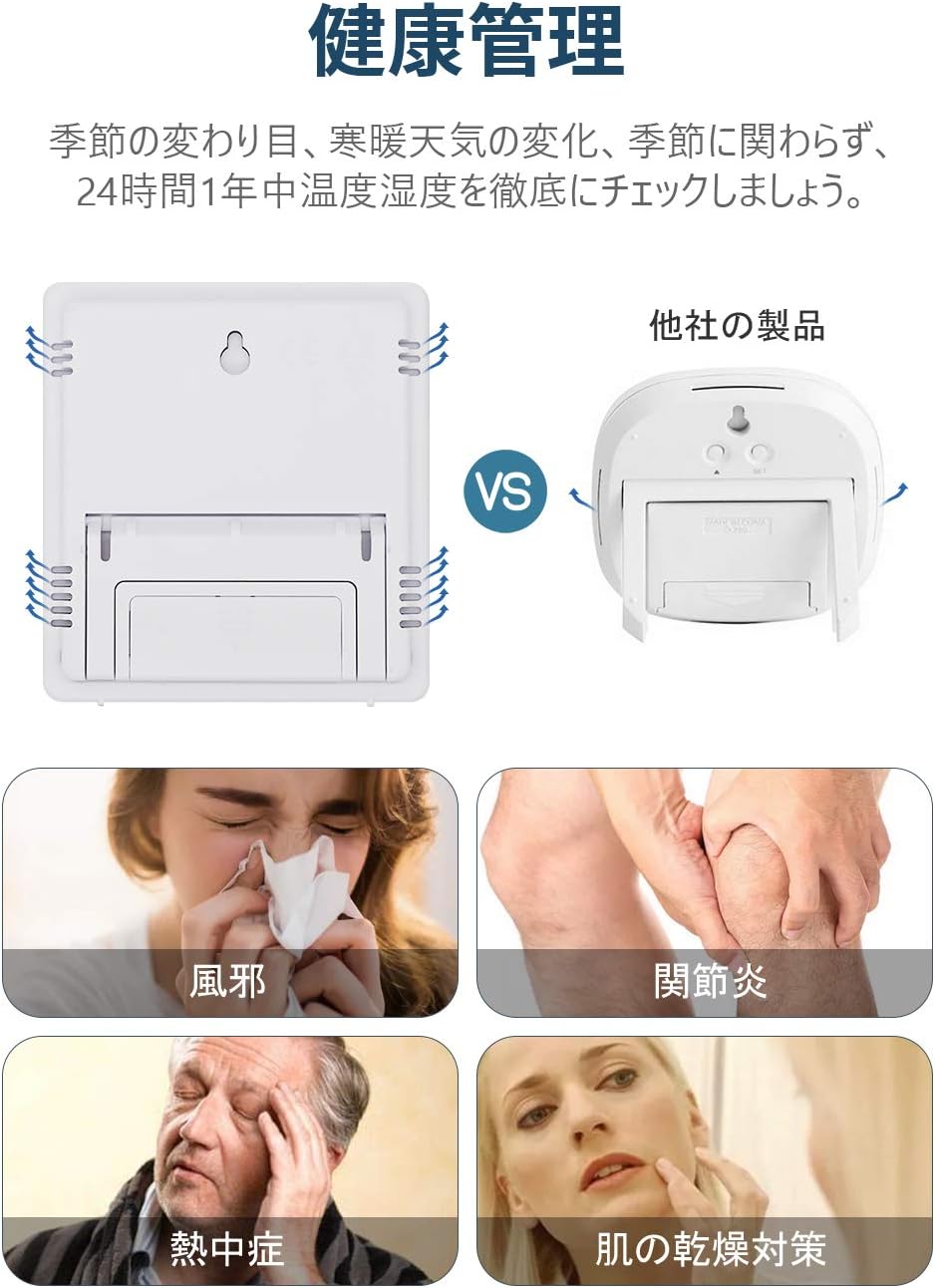
الشكل 2.1: خلفي view of the device, highlighting the battery compartment for easy installation.
2.3 خيارات التنسيب
The HTC-1 offers two convenient placement options:
- حامل طاولة: Utilize the integrated stand on the back of the unit to place it on any flat surface, such as a desk, shelf, or nightstand.
- جدار جبل: Use the keyhole slot on the back to hang the device on a wall using a nail or screw.

Figure 2.2: Illustration of the device's versatile 2-way placement options: wall-mounted using the keyhole or standing on a tabletop.
3. تعليمات التشغيل
3.1 عرض أكثرview
The large LCD screen displays temperature, humidity, time, and calendar information. Temperature is shown in the upper section, humidity in the lower right, and time in the lower left.

الشكل 3.1: مفصل view of the easy-to-read LCD screen, clearly indicating temperature and humidity readings.
3.2 وظائف الأزرار
The device has three control buttons on the front:
- اتجاهات: Used to switch between display modes (Time, Alarm, Calendar) and enter setting modes.
- ADJ (Adjust): Used to adjust values during setting modes.
- ذاكرة: Used to display maximum/minimum temperature and humidity, and to clear memory.
3.3 ضبط الوقت والتاريخ
- في وضع عرض الوقت العادي، اضغط مع الاستمرار على الزر وضع اضغط على الزر لبضع ثوانٍ حتى تبدأ أرقام الساعة بالوميض.
- استخدم صفة زر لضبط الساعة.
- يضعط وضع again to move to the minute setting, then use صفة لضبط الدقائق.
- تواصل الضغط وضع to cycle through year, month, and day settings, adjusting each with the صفة زر.
- بعد ضبط اليوم، اضغط على وضع للمرة الأخيرة للخروج من وضع الإعدادات.
3.4 ضبط المنبه
- من عرض الوقت العادي، اضغط على وضع button once to enter Alarm mode (indicated by an alarm icon).
- اضغط مع الاستمرار على وضع اضغط على الزر حتى تومض أرقام ساعة المنبه.
- استخدم صفة زر لتعيين ساعة التنبيه المطلوبة.
- يضعط وضع to move to the alarm minute setting, then use صفة لضبط الدقائق.
- يضعط وضع again to exit alarm setting mode.
- لتنشيط/إلغاء تنشيط التنبيه، اضغط على صفة button in Alarm mode. An alarm icon will appear/disappear on the display.
3.5 Switching Between ℃/℉
To switch the temperature unit between Celsius (°C) and Fahrenheit (°F), locate the small switch or button on the back or side of the device (often labeled °C/°F). Press or slide it to toggle the display unit.
3.6 Max/Min Temperature and Humidity Display
The device records the highest and lowest temperature and humidity values over a 24-hour period. These values automatically reset every 24 hours.
- اضغط على ذاكرة button once to display the maximum (MAX) temperature and humidity recorded since the last reset.
- اضغط على ذاكرة button again to display the minimum (MIN) temperature and humidity recorded.
- اضغط على ذاكرة button a third time to return to the current real-time readings.
4. الصيانة
4.1 التنظيف
- امسح الجهاز بقطعة قماش ناعمة وجافة.
- لا تستخدم المنظفات الكاشطة أو المذيبات أو تغمر الجهاز في الماء.
4.2 استبدال البطارية
When the display becomes dim or the device stops functioning, it's time to replace the battery. Follow the battery installation steps in Section 2.2.
- Always use a fresh AAA battery.
- تخلص من البطاريات المستعملة بطريقة مسؤولة وفقًا للوائح المحلية.
4.3 التخزين
في حالة تخزين الجهاز لفترة طويلة، قم بإزالة البطارية لمنع التسرب والتلف.
5. استكشاف الأخطاء وإصلاحها
| مشكلة | السبب المحتمل | حل |
|---|---|---|
| لا يوجد عرض أو عرض باهت | انخفاض مستوى شحن البطارية أو نفادها؛ تركيب البطارية بشكل غير صحيح. | Replace the battery with a new AAA battery; Ensure correct polarity (+/-). |
| قراءات غير دقيقة لدرجة الحرارة/الرطوبة | Sensor blocked; Device placed near heat/cold source or high humidity; Device recently moved. | Ensure sensor is clear; Relocate device to a stable environment away from direct sunlight, vents, or extreme humidity; Allow 10-15 minutes for readings to stabilize after moving. |
| Alarm not sounding or too quiet | Alarm not activated; Battery low. | Ensure alarm icon is displayed (refer to Section 3.4); Replace battery. |
| الوقت/التاريخ غير صحيح | Not set correctly; Battery removed/replaced. | Reset time and date (refer to Section 3.3). |
6. المواصفات
- نموذج: اتش تي سي-1
- لون: أسود
- عرض: شاشة LCD مقاس 3.8 بوصة
- نطاق قياس درجة الحرارة: -50 درجة مئوية إلى 70 درجة مئوية (-58 درجة فهرنهايت إلى 158 درجة فهرنهايت)
- نطاق قياس الرطوبة: 10% رطوبة نسبية إلى 99% رطوبة نسبية
- بيئة التخزين: -20°C to 60°C (20% RH to 80% RH)
- مصدر الطاقة: 1 × بطارية AAA (مضمنة)
- أبعاد: 100 مم × 92 مم × 20 مم
- وزن: 90 جرام
- الوظائف: Thermometer, Hygrometer, Clock, Calendar, Alarm Clock, Max/Min Memory
7. الضمان والدعم
7.1 Quality Guarantee
يأتي هذا المنتج مع ضمان الجودة لمدة 3 شهرًا from the date of purchase. If any initial defects or malfunctions occur within this warranty period, please do not hesitate to contact our customer support team.
7.2 دعم العملاء
For any questions, concerns, or warranty claims, please contact GAMRY customer support through the platform where you purchased the product. Please have your purchase details ready to assist us in providing prompt service.


