مقدمة
This manual provides comprehensive instructions for the setup, operation, and maintenance of your iTouch iFitness Bluetooth Smart Watch. The iFitness Activity Tracker is designed to assist you in monitoring your fitness goals, including steps, calories, distance, and sleep. It also offers smart notifications to keep you connected.
دليل الإعداد
1. شحن الجهاز
Before initial use, fully charge your iFitness Smart Watch. Connect the charging cable to the designated port on the device and a USB power source. A full charge typically takes approximately 2 hours.
2. تثبيت التطبيق
The iFitness Smart Watch requires the companion iFitness App for full functionality.
- For iOS devices, download the "iFitness App" from the Apple App Store.
- For Android devices, download the "iFitness App" from the Google Play Store.
3. إقران الجهاز
- تأكد من تمكين Bluetooth على هاتفك الذكي.
- Open the iFitness App on your smartphone.
- Follow the on-screen instructions within the app to search for and pair with your iFitness Smart Watch.
- قم بتأكيد طلب الاقتران على كل من هاتفك الذكي والساعة، إذا طُلب منك ذلك.

الشكل 1: الأمامي والخلفي view of the iTouch iFitness Smart Watch. The front displays the time and date, while the back shows the sensor area.
تعليمات التشغيل
الملاحة الأساسية
The iFitness Smart Watch typically features a touch-sensitive screen or a single button for navigation. Tap or swipe to cycle through different functions and screens. Refer to the in-app guide for specific gestures.
تتبع اللياقة البدنية
- عداد الخطى: Automatically tracks your steps throughout the day.
- متتبع السعرات الحرارية: Estimates calories burned based on your activity level and personal data.
- مسافة: يحسب المسافة المقطوعة بناءً على خطواتك.
- نظام تحديد المواقع العالمي (GPS) المتصل: When connected to your smartphone, the watch can utilize your phone's GPS for more accurate distance and route tracking during outdoor activities.
مراقبة النوم
Wear the iFitness Smart Watch to bed to monitor your sleep patterns. The device tracks sleep duration and quality, providing insights through the iFitness App.
الإشعارات الذكية
Once paired with your smartphone, the watch can display notifications for incoming calls, text messages, and alerts from various social media applications. Configure notification settings within the iFitness App.
وظيفة الكاميرا عن بعد
Use your iFitness Smart Watch as a remote shutter for your smartphone's camera. Activate this feature through the iFitness App and follow the instructions to capture photos remotely.
العثور على هاتفي
If your phone is misplaced but within Bluetooth range, use the "Find My Phone" feature on your watch to make your phone ring, helping you locate it.
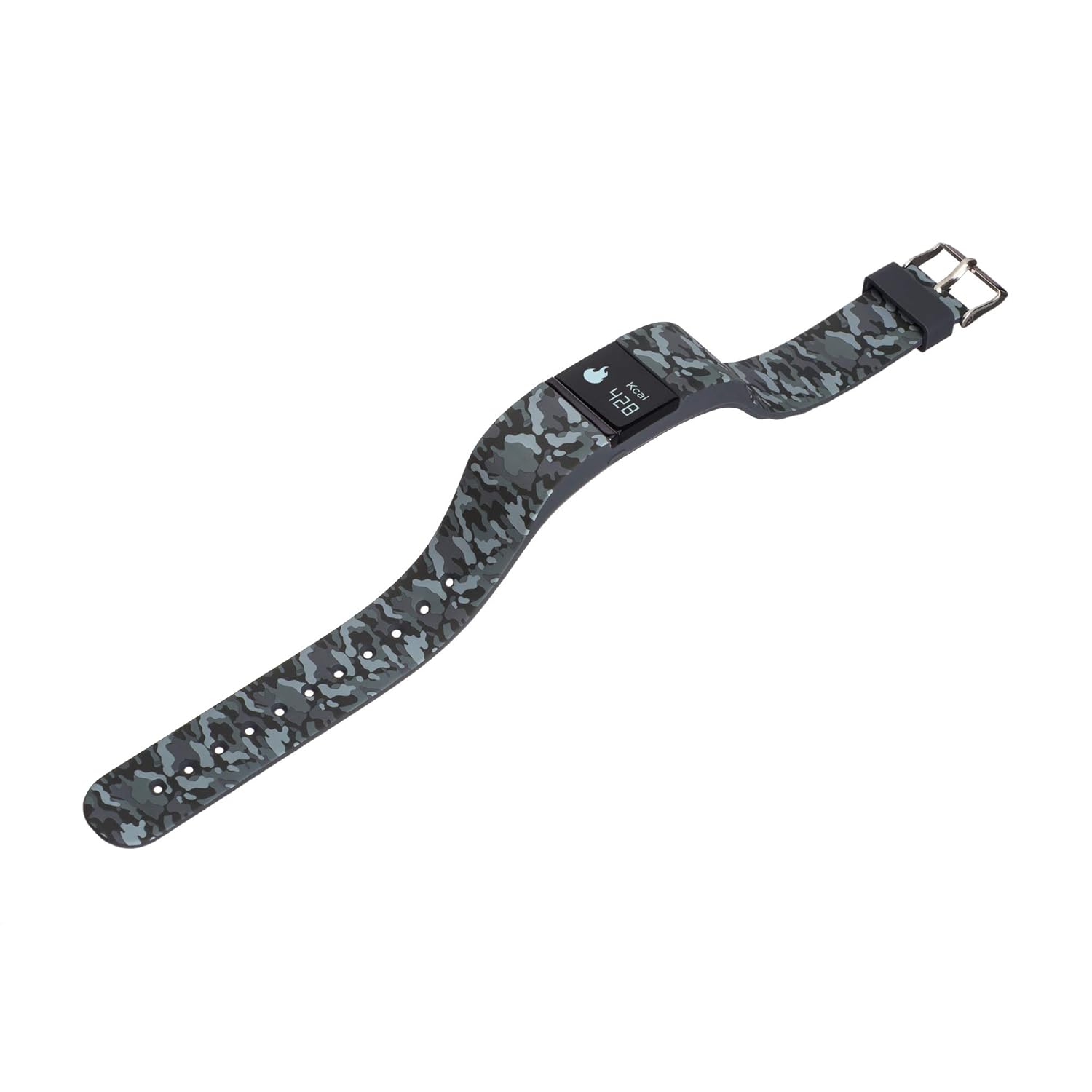
الشكل 2: الجانب view of the iTouch iFitness Smart Watch, highlighting the strap design and a calorie tracking display.
الصيانة والعناية
تنظيف
- امسح الجهاز بانتظام بقطعة قماش ناعمة.amp قطعة قماش.
- Avoid using harsh chemicals or abrasive cleaners, as these can damage the watch's finish and sensors.
- تأكد من أن جهات اتصال الشحن نظيفة وجافة قبل الشحن.
مقاومة الماء
The iFitness Smart Watch is water-resistant. This means it can withstand splashes, rain, and brief immersion in shallow water. It is not recommended for swimming, showering, or high-pressure water activities.
العناية بالحزام
The iFitness Activity Tracker comes with interchangeable straps. Clean straps regularly to prevent skin irritation. Ensure straps are securely attached before wearing.
استكشاف الأخطاء وإصلاحها
الجهاز لا يعمل
- Ensure the device is fully charged. Connect it to a charger for at least 30 minutes.
- Try performing a soft reset (refer to the app or manufacturer's website for specific instructions if available).
مشاكل الاقتران
- تأكد من تمكين البلوتوث على هاتفك الذكي وأن الساعة موجودة ضمن النطاق.
- Restart both your smartphone and the iFitness Smart Watch.
- Forget the device in your phone's Bluetooth settings and attempt to pair again through the iFitness App.
- Ensure the iFitness App is up to date.
Inaccurate Tracking Data
- تأكد من ارتداء الساعة بشكل مريح على معصمك، ولكن ليس بشكل ضيق للغاية.
- Verify that your personal information (height, weight, age) is correctly entered in the iFitness App.
- For connected GPS, ensure your phone is with you and has a clear GPS signal.
عدم ظهور الإشعارات
- Check notification settings within the iFitness App to ensure they are enabled for desired applications.
- Verify that your phone's notification settings allow the iFitness App to display alerts.
- Ensure the watch is connected via Bluetooth to your smartphone.
تحديد
| ميزة | التفاصيل |
|---|---|
| ماركة | اناالمس |
| نموذج | iFitness |
| تكنولوجيا الاتصال | بلوتوث |
| توافق نظام التشغيل | أندرويد، آي أو إس |
| نوع العرض | رقمي |
| سمات | Calorie Tracker, Pedometer, Sleep Monitor, Remote Camera, Find My Phone, Connected GPS |
| مقاومة الماء | Yes (Splash and rain resistant) |
| تكوين خلية البطارية | أيون الليثيوم |
| وزن العنصر | 249 جرام |
الضمان والدعم
For information regarding product warranty, technical support, or service, please refer to the official iTouch website or contact iTouch customer service directly. Keep your purchase receipt as proof of purchase.
الشركة المصنعة: American Exchange


