1. المقدمة
This manual provides essential information for the safe and efficient use of your Lenovo THINKPAD Slim 170W Adapter SLI. Please read this manual thoroughly before using the product and retain it for future reference.
The Lenovo THINKPAD Slim 170W Adapter SLI is designed to provide reliable power to compatible Lenovo ThinkPad laptops, ensuring optimal performance and charging capabilities.
2. معلومات السلامة
Always follow these safety precautions to prevent damage to the adapter, your device, or personal injury:
- Use only with compatible Lenovo ThinkPad devices.
- لا تعرض المحول للماء أو الرطوبة أو درجات الحرارة القصوى.
- Avoid dropping or subjecting the adapter to severe impacts.
- لا تحاول تفكيك المحول أو تعديله.
- Ensure the power outlet is easily accessible and properly grounded.
- Unplug the adapter during lightning storms or when unused for extended periods.
- يحفظ بعيدًا عن متناول الأطفال.
3. الإعداد
Follow these steps to set up your Lenovo THINKPAD Slim 170W Adapter SLI:
- قم بتوصيل سلك طاقة التيار المتردد: Insert the AC power cord into the adapter's power input port.
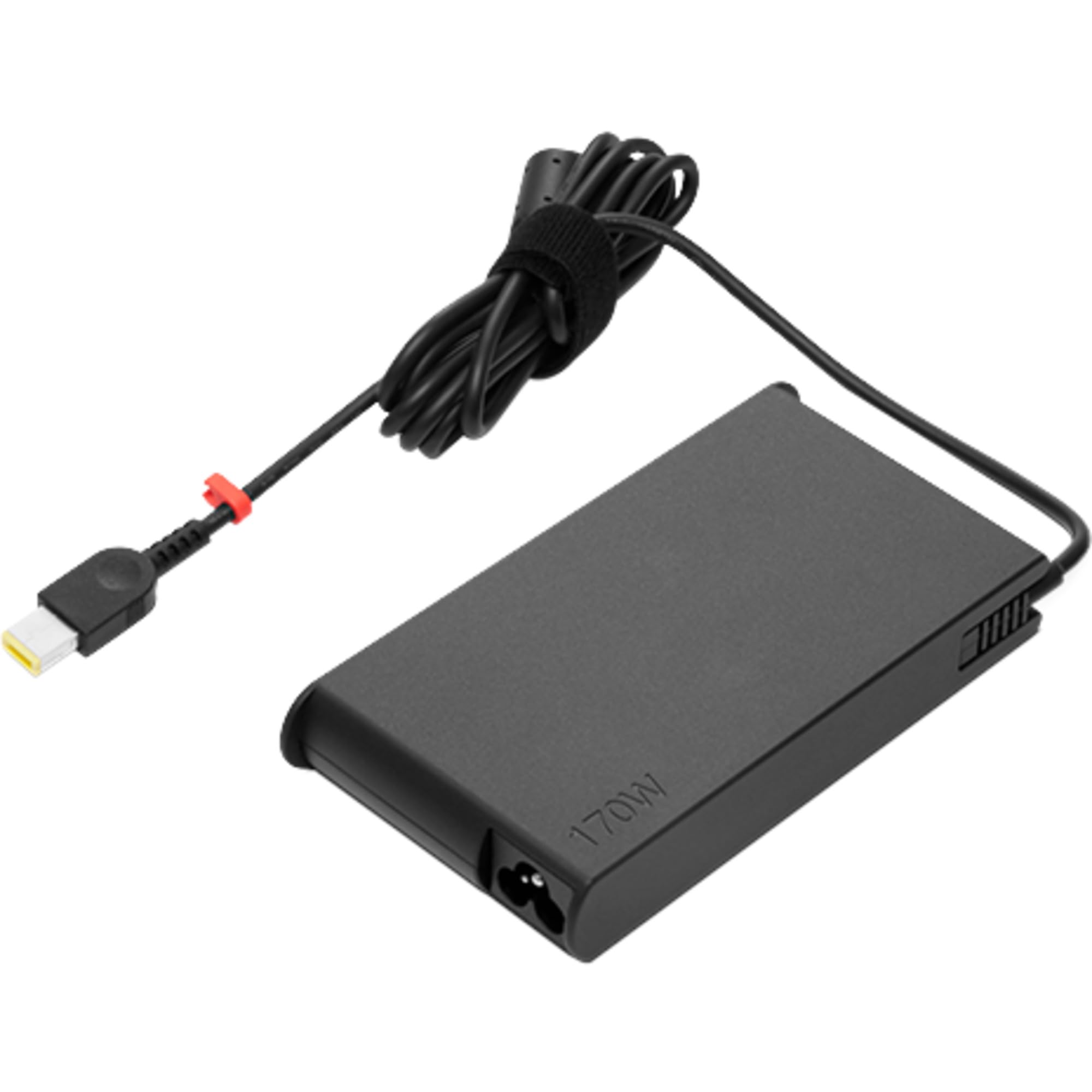
Image: The Lenovo THINKPAD Slim 170W Adapter SLI, showing the main unit with its power input port.
- الاتصال بمنفذ الطاقة: Plug the other end of the AC power cord into a standard electrical wall outlet.

Image: A black AC power cord with a two-prong European plug on one end and a C5/cloverleaf connector on the other, used to connect the adapter to a wall outlet.
- الاتصال بالكمبيوتر المحمول: Insert the adapter's output connector (slim tip) into the power input port of your compatible Lenovo ThinkPad laptop.
Ensure all connections are secure before powering on your laptop.
4. تعليمات التشغيل
Once properly connected, the adapter will begin charging your laptop's battery and/or powering the laptop directly. The charging status is typically indicated by an LED on your laptop.
- الشحن: When the laptop is off or in sleep mode, the battery will charge faster.
- القوة: The adapter provides continuous power to your laptop, allowing you to use it even when the battery is fully discharged.
- قطع الاتصال: To disconnect, first unplug the adapter from the laptop, then from the wall outlet.
5. الصيانة
Proper maintenance ensures the longevity and optimal performance of your adapter:
- تنظيف: استخدم قطعة قماش ناعمة وجافة لتنظيف المحول. لا تستخدم المنظفات السائلة أو المذيبات.
- تخزين: Store the adapter in a cool, dry place when not in use. Avoid wrapping the cable too tightly.
- العناية بالكابلات: Do not bend, twist, or pinch the power cord excessively. Inspect the cord regularly for any signs of damage.
- درجة حرارة: Operate the adapter within its specified temperature range. Avoid covering the adapter during use to ensure proper ventilation.
6. استكشاف الأخطاء وإصلاحها
| مشكلة | السبب المحتمل | حل |
|---|---|---|
| لا يشحن الكمبيوتر المحمول. | Loose connection, faulty outlet, adapter or laptop issue. |
|
| المحول ساخن. | Normal operation, poor ventilation, overload. |
|
| Power indicator on laptop not lighting up. | No power to adapter, adapter not connected to laptop. |
|
7. المواصفات
The following are the technical specifications for the Lenovo THINKPAD Slim 170W Adapter SLI:
- ماركة: لينوفو
- اسم الموديل: Lenovo 4X20S56701 adaptateur de puissance & onduleur Intérieure 170 W Noir
- انتاج الطاقة: 170 واط
- لون: أسود
- التوافق: Designed for Lenovo ThinkPad laptops (verify specific model compatibility with your device).
ملحوظة: Other specifications listed in the product details (e.g., Screen Size, Hard Disk Size, CPU Model, RAM, Operating System, Keyboard Feature, Graphics Card) pertain to a laptop and are not relevant to the power adapter itself. The relevant specifications for the adapter are listed above.
8. الضمان والدعم
For warranty information and technical support, please refer to the documentation included with your original Lenovo product or visit the official Lenovo support webموقع.
يمكنك العثور على دعم إضافي ومعلومات الاتصال على Lenovo Store on Amazon.com.tr.
When contacting support, please have your adapter's model number (4X20S56701) and any purchase details readily available.


