مقدمة
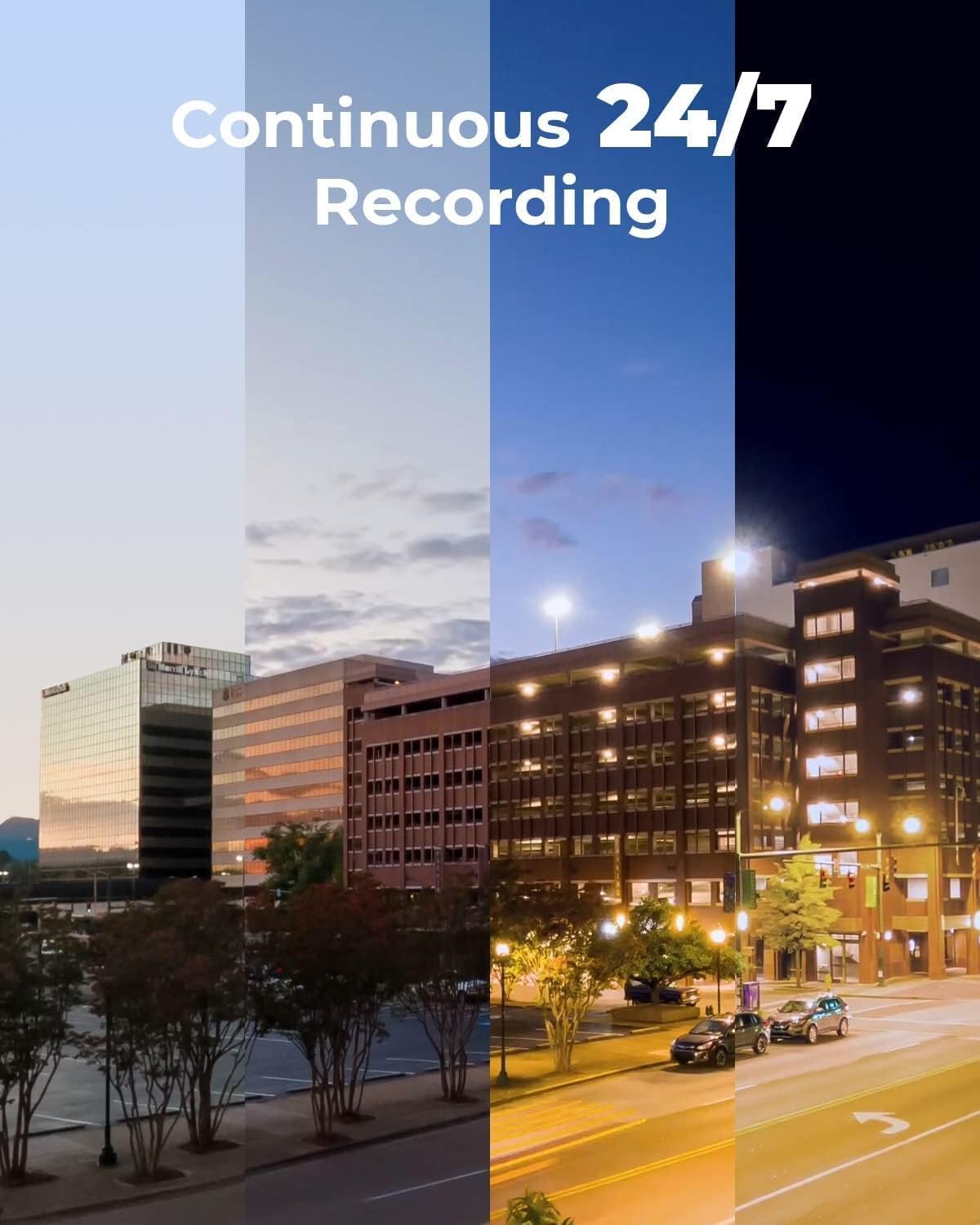
يُقدّم هذا الدليل تعليماتٍ مُفصّلة لإعداد وتشغيل وصيانة نظام كاميرات المراقبة REOLINK 4K، طراز RLK16-800B8. يتميّز هذا النظام بكاميرات PoE فائقة الوضوح بدقة 4K (8 ميجابكسل)، تُوفّر وضوحًا يفوق وضوح كاميرات 1080p بأربعة أضعاف تقريبًا. كما يتضمّن النظام خاصيةً مُتقدّمةً لاكتشاف الأشخاص والمركبات لتقليل الإنذارات الكاذبة، وإمكانية الوصول عن بُعد وتشغيل التسجيلات عبر تطبيق Reolink المجاني، بالإضافة إلى إعداد PoE سهل وسريع. يدعم النظام التسجيل المُستمر على مدار الساعة طوال أيام الأسبوع بفضل قرص صلب مُثبّت مُسبقًا بسعة 4 تيرابايت، قابل للتوسيع حتى 16 تيرابايت.
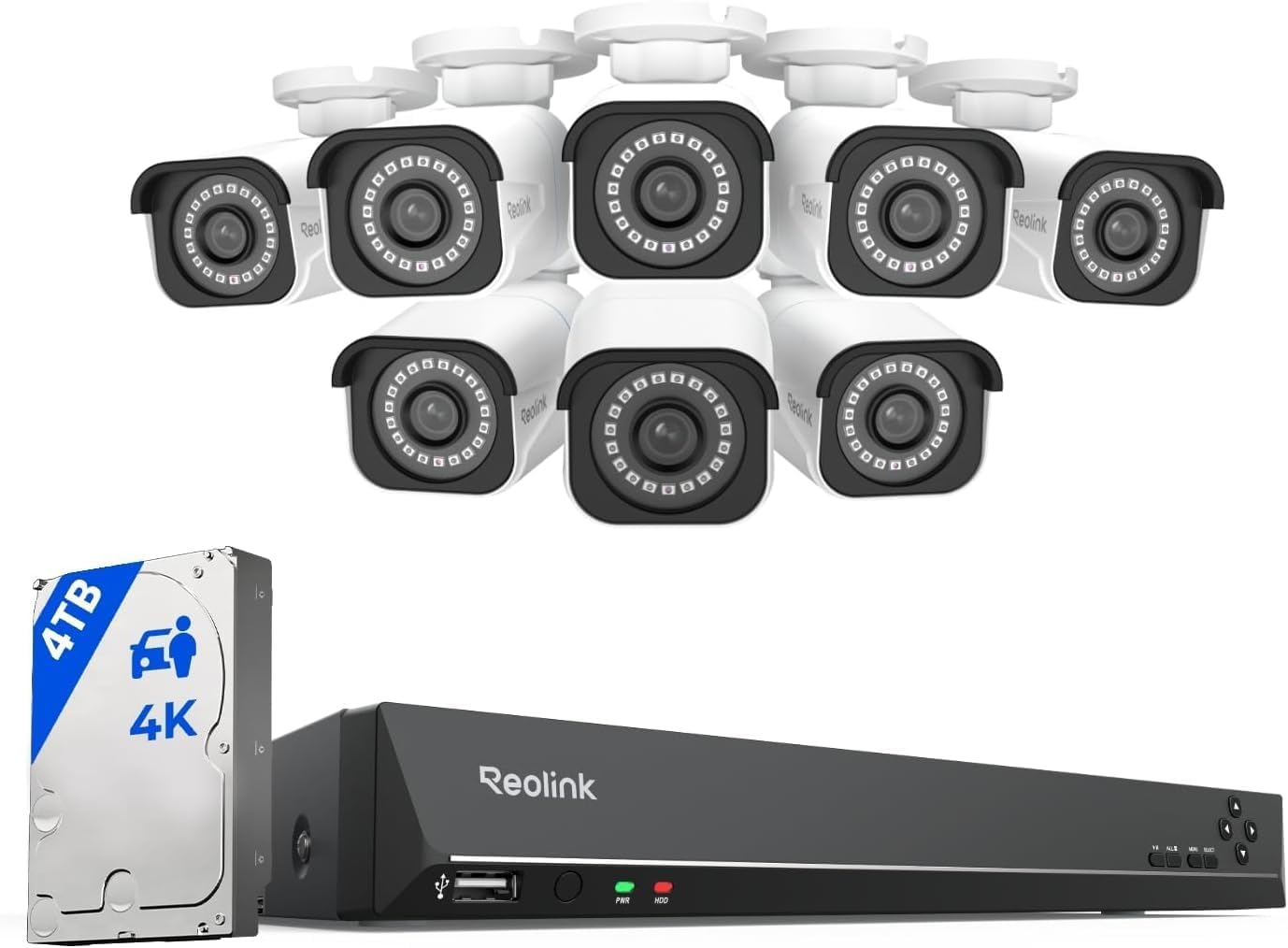
صورة: نظام كاميرات المراقبة REOLINK 4K، بما في ذلك جهاز تسجيل الفيديو الشبكي (NVR) وثماني كاميرات رصاصية.
ماذا يوجد في الصندوق
تأكد من وجود جميع المكونات في الحزمة الخاصة بك:
- RLN16-410 NVR (وحدة واحدة)
- كاميرات B800 4K PoE (8 وحدات)
- محول طاقة جهاز تسجيل الفيديو الشبكي (وحدة واحدة)
- كابل HDMI (وحدة واحدة)
- فأرة USB (وحدة واحدة)
- كابل شبكة بطول متر واحد (وحدة واحدة)
- كابل شبكة بطول 18 مترًا (8 وحدات)
يثبت
اتبع هذه الخطوات لإعداد نظام كاميرات المراقبة REOLINK 4K الخاص بك.
1. قم بتوصيل جهاز تسجيل الفيديو الشبكي (NVR).
- قم بتوصيل جهاز تسجيل الفيديو الشبكي (NVR) بشاشة باستخدام كابل HDMI أو VGA المرفق.
- قم بتوصيل فأرة USB بمنفذ USB الموجود على جهاز NVR.
- قم بتوصيل جهاز تسجيل الفيديو الشبكي (NVR) بجهاز التوجيه الخاص بك باستخدام كابل إيثرنت للوصول إلى الشبكة.
- قم بتوصيل محول الطاقة الخاص بجهاز التسجيل الشبكي (NVR) بالجهاز نفسه، ثم قم بتوصيله بمأخذ كهربائي. شغّل جهاز التسجيل الشبكي (NVR) إذا كان مزودًا بمفتاح تشغيل/إيقاف.

الصورة: الخلفية view يعرض جهاز تسجيل الفيديو الشبكي REOLINK منافذ HDMI وVGA وUSB وLAN وPoE.
2. توصيل الكاميرات
- قم بتوصيل كل كاميرا PoE بمنفذ PoE متاح على جهاز NVR باستخدام كابلات الشبكة المرفقة بطول 18 مترًا. ستعمل الكاميرات تلقائيًا.
- تأكد من أن جميع الكاميرات التي ترغب في إضافتها متصلة بنفس شبكة المنطقة المحلية (LAN) مثل جهاز NVR للكشف التلقائي.
صورة: كاميرا REOLINK PoE متصلة بجهاز NVR، توضح عملية الإعداد البسيطة التي تعمل بمجرد التوصيل.
3. التكوين الأولي
اتبع التعليمات التي تظهر على الشاشة المتصلة لإكمال الإعداد الأولي، بما في ذلك تعيين كلمة مرور لجهاز تسجيل الفيديو الشبكي (NVR).
فيديو: دليل مفصل حول فتح صندوق نظام REOLINK RLK16-800B8 وإعداده.
تشغيل النظام
الوصول عن بعد والتشغيل
يمكنك الوصول إلى كاميراتك عن بُعد من أي مكان باستخدام تطبيق Reolink المجاني على جهازك الذكي (iOS، Android) أو برنامج العميل (Windows، Mac OS). قم بالبث المباشر viewتشغيل الملفات الصوتية والمرئية عبر شبكة الواي فاي أو اتصال الجيل الثالث/الرابع.

صورة: تطبيق Reolink يعرض بثًا مباشرًا من الكاميرات على أجهزة ذكية مختلفة.
الكشف الذكي
تستطيع كاميرات IP الذكية بتقنية PoE تحديد الأشخاص والمركبات، مما يقلل من الإنذارات الخاطئة الناتجة عن الحيوانات أو الظلال. يمكنك ضبط التنبيهات لتحديد نوع الكشف عند إرسال الإشعارات إلى جهازك.
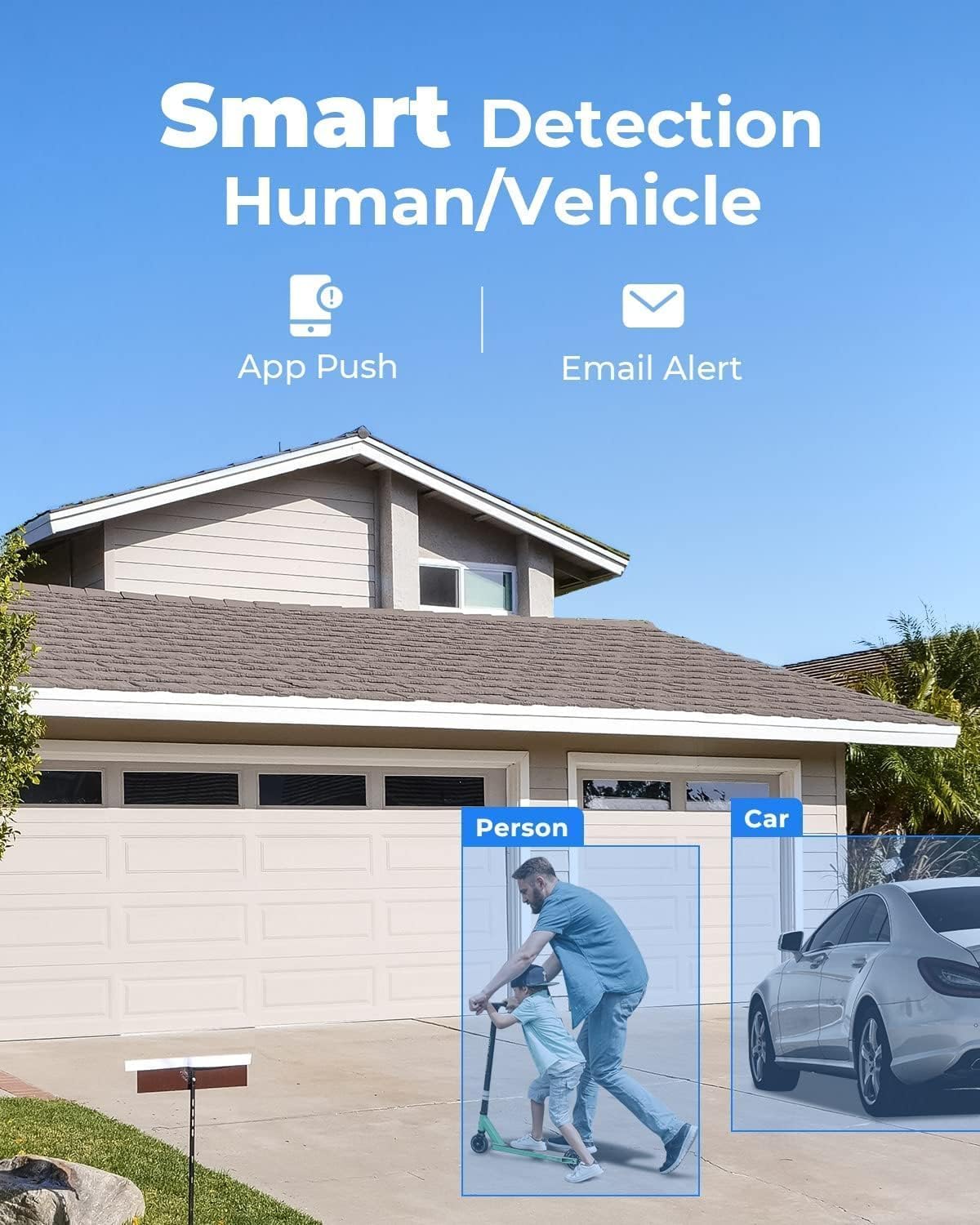
الصورة: حبيب سابقampمثال على ميزة الكشف الذكي التي تُبرز الشخص والسيارة.
جودة فيديو فائقة الوضوح 4K
استمتع بدقة 4K فائقة الوضوح، مما يوفر صورًا واضحة ومفصلة.tagحتى عند استخدام التكبير الرقمي. توفر الكاميرات وضوحًا ممتازًا ليلاً ونهارًا.
فيديو: عرض توضيحي لجودة الفيديو بدقة 4K من كاميرا Reolink.
صيانة
لضمان الأداء الأمثل وطول عمر نظام الأمان الخاص بك، ضع في اعتبارك نصائح الصيانة التالية:
- نظف عدسات الكاميرا بانتظام بقطعة قماش ناعمة و...amp قطعة قماش لمنع تراكم الغبار والأوساخ.
- تأكد من أن جميع توصيلات الكابلات آمنة ومحمية من العوامل البيئية.
- تحقق من تهوية جهاز تسجيل الفيديو الشبكي (NVR) لمنع ارتفاع درجة حرارته.
- إعادة بشكل دوريview تم تسجيل فوtagلضمان أن النظام يعمل كما هو متوقع.
استكشاف الأخطاء وإصلاحها
المشاكل الشائعة والحلول
- س: هل يعمل نظام PoE هذا مع ماركات أو طرازات كاميرات أخرى؟
ج: صُمم النظام ليعمل حصرياً مع كاميرات Reolink PoE لضمان الأداء الكامل والمستقر. لا يدعم النظام العلامات التجارية الأخرى أو الطرازات غير التابعة لشركة Reolink. - س: هل أحتاج إلى الإنترنت لاستخدام النظام؟
ج: الإنترنت مطلوب فقط للوصول عن بُعد. التسجيل المحلي سيعمل حتى بدون إنترنت. - س: ماذا أفعل إذا كانت الكاميرا أو جهاز التسجيل الشبكي لا يعمل بشكل صحيح؟
أ: تحقق من الكابل ومنافذ المحول، وتأكد من وجود الطاقة. إذا استمرت المشكلة، فاتصل بدعم Reolink مع معلومات طلبك لحل المشكلة بسرعة أو استبدال المنتج.
أسباب مشاكل تشغيل كاميرا PoE وحلولها
- السبب الأول: فشل وحدة PoE الخاصة بالكاميرا في الحصول على الطاقة.
الحل: يرجى استخدام محول التيار المستمر لتشغيل الكاميرا. - السبب الثاني: الكاميرا غير متصلة بشكل صحيح بجهاز التسجيل الشبكي (NVR).
الحل: يرجى التحقق من مؤشرات PoE الخاصة بجهاز NVR. إذا كانت المؤشرات مطفأة، يرجى توصيل الكاميرا بمنافذ أخرى تعمل واستخدام كابل إيثرنت آخر يعمل. - السبب الثالث: عدم كفاية مصدر الطاقة من جهاز تسجيل الفيديو الشبكي بتقنية PoE.
الحل: يرجى التأكد من أن عدد الكاميرات المضافة إلى جهاز التسجيل الشبكي (NVR) لا يتجاوز العدد المحدد. ثم افصل جميع الكاميرات الأخرى واترك كاميرا واحدة متصلة بجهاز التسجيل الشبكي (NVR) لإجراء الاختبار.
تحديد
| ماركة | ريولينك |
| رقم الموديل | RLK16-800B8 |
| تكنولوجيا الاتصال | سلكي |
| دقة التقاط الفيديو | 4K 8MP (2560 × 1920) |
| ميزة خاصة | قابل للتعديل، تحكم عبر تطبيق، سهل التركيب، خاصية كشف الحركة البشرية، مقاوم للعوامل الجوية |
| عدد القنوات | 16 |
| سعة تخزين الذاكرة | 4 تيرابايت |
| لون | أبيض |
| مصدر الطاقة | DC |
| نظام التشغيل | أنظمة التشغيل: iOS، Android، Windows، Mac OS |
| الأجهزة المتوافقة | الكاميرات، أجهزة الكمبيوتر المحمولة، أجهزة الكمبيوتر الشخصية، الهواتف الذكية، الأجهزة اللوحية |
| تقنية الإضاءة المنخفضة | الرؤية الليلية |
| نطاق الرؤية الليلية | 100 أقدام |
| معدل الإطارات | التيار الرئيسي: من 2 إلى 20 إطارًا في الثانية، التيار الفرعي: من 4 إلى 15 إطارًا في الثانية |
| وضع التسجيل | تسجيل الحركة؛ التسجيل المجدول؛ التسجيل على مدار الساعة |
| إجمالي منافذ USB | 2 |
| واجهة الأجهزة | إيثرنت، HDMI، USB، VGA، eSATA |
| نوع العدسة | مُثَبَّت |
| مدخل الفيديو | آر جيه 45 |
| Viewزاوية جي | 87 درجة |
| الشركة المصنعة | ريولينك ديجيتال |
| رمز المنتج الموحد | 633696952843 |
| وزن العنصر | 0.01 أونصات |
| تاريخ أول توفر | 9 ديسمبر 2019 |
الضمان والدعم
جميع منتجات ريولينك مشمولة بضمان لمدة عامين. في حال واجهت أي مشكلة، يرجى التواصل مع خدمة العملاء.
- ضمان محدود لمدة عامين: يغطي عيوب المواد والصناعة في ظل الاستخدام العادي.
- 24/7 الدعم عبر الإنترنت: يتوفر دعم متخصص لمساعدتك في أي أسئلة أو مشاكل.


