المنتج انتهىview
The DELTACO GAM-085 is an optical gaming mouse designed for both right and left-handed users, embodying the principle that "Gaming is for everyone." It features dynamic RGB lighting with 9 different modes, a high-precision sensor, and a durable build quality, making it suitable for extended gaming sessions.
This mouse is equipped with LED strips on both sides, a glossy surface for enhanced aesthetics, and a scroll wheel and logo that illuminate to indicate the active DPI setting. Its robust design ensures reliability and comfort.
يثبت
Setting up your DELTACO GAM-085 gaming mouse is straightforward. Follow these steps to get started:
- فك تغليف الفأرة: Carefully remove the mouse from its packaging. Ensure all components are present.
- الاتصال بجهاز الكمبيوتر الخاص بك: Locate an available USB port on your computer. Insert the USB connector of the GAM-085 mouse into the USB port.
- تثبيت برنامج التشغيل: Your operating system (Windows, macOS, Linux) should automatically detect and install the necessary drivers for the mouse. This process usually takes a few seconds. No additional software installation is required for basic functionality.
- برامج اختيارية: For advanced customization of DPI settings, button assignments, and RGB lighting effects, you may download the dedicated DELTACO GAMING software from the official DELTACO webموقع.

Image: The DELTACO GAM-085 gaming mouse, showcasing its sleek black design and USB cable connection.
تعليمات التشغيل
The DELTACO GAM-085 mouse offers various features for an optimized gaming experience. Here's how to operate its key functions:
ضبط DPI
The mouse features a PMW3325 sensor with adjustable DPI settings ranging from 400 to 5000 DPI. The scroll wheel and DELTACO GAMING logo will change color to indicate the current DPI level.
- To cycle through DPI settings, press the dedicated DPI button located behind the scroll wheel. Each press will switch to the next predefined DPI level.
- The specific DPI levels and their corresponding colors can be customized via the optional DELTACO GAMING software.

الصورة: أعلى view of the mouse, highlighting the scroll wheel and the DPI adjustment button.
أوضاع إضاءة RGB
The GAM-085 mouse features 9 different RGB lighting modes, plus an option to turn the lighting completely off. The glossy surface enhances the visual effect of the RGB lighting.
- To switch between RGB lighting modes, simultaneously press the عجلة التمرير و ال انقر بزر الماوس الأيمن. Each combination press will cycle to the next lighting mode.
- To turn off the LEDs, cycle through the modes until the lighting is off, or press and hold the scroll wheel for 5 seconds (undocumented feature).
- Further customization of lighting effects, colors, and speed is available through the DELTACO GAMING software.

Image: The DELTACO GAM-085 mouse illuminated with purple RGB lighting, showcasing the side LED strips.

Image: The DELTACO GAM-085 mouse illuminated with blue RGB lighting, highlighting the scroll wheel and logo.
أزرار قابلة للبرمجة
The GAM-085 mouse features 6 buttons, including the standard left/right click, scroll wheel click, DPI button, and two side buttons. These buttons can be reprogrammed for various functions using the DELTACO GAMING software.
- By default, the two side buttons function as "page up" and "page down."
- Refer to the software's user interface for detailed instructions on button remapping.

الصورة: الجانب view of the DELTACO GAM-085 mouse, clearly showing the two programmable side buttons.
صيانة
Proper maintenance ensures the longevity and optimal performance of your DELTACO GAM-085 gaming mouse.
- تنظيف: استخدم قطعة قماش ناعمة وجافة وخالية من الوبر لمسح سطح الفأرة. لإزالة الأوساخ المستعصية، افركها برفق.ampen the cloth with water or a mild cleaning solution. Avoid using harsh chemicals, abrasive cleaners, or solvents.
- تنظيف المستشعر: Occasionally, dust or debris may accumulate around the optical sensor on the bottom of the mouse. Use a cotton swab or compressed air to gently clean the sensor area. Do not touch the sensor directly with your fingers.
- العناية بالكابلات: The mouse features a fabric-covered USB cable. Avoid sharp bends, kinks, or excessive pulling on the cable to prevent damage. Store the cable neatly when not in use.
- تخزين: When not in use for extended periods, store the mouse in a clean, dry environment away from direct sunlight and extreme temperatures.

Image: The underside of the DELTACO GAM-085 mouse, showing the optical sensor and glide pads.
استكشاف الأخطاء وإصلاحها
If you encounter issues with your DELTACO GAM-085 gaming mouse, refer to the following common troubleshooting steps:
| مشكلة | السبب المحتمل | حل |
|---|---|---|
| لا يستجيب الماوس. | اتصال USB فضفاض، منفذ USB معيب، مشكلة في برنامج التشغيل. |
|
| DPI settings not changing. | DPI button not pressed correctly, software conflict. |
|
| RGB lighting is off or not changing modes. | Lighting mode is off, incorrect button combination, software override. |
|
| Mouse cursor erratic or not moving smoothly. | مستشعر بصري متسخ، سطح لوحة الماوس غير مناسب. |
|
تحديد
| ميزة | التفاصيل |
|---|---|
| رقم الموديل | جام-085 |
| ماركة | ألعاب DELTACO |
| تكنولوجيا الاتصال | USB (سلكي) |
| نوع المستشعر | Optical (PMW 3325) |
| نطاق DPI | 400-5000 نقطة في البوصة |
| معدل التصويت | 1000 هرتز |
| عدد الأزرار | 6 |
| نوع المفتاح | Huano (up to 10 million clicks) |
| إضاءة RGB | 9 LED modes, customizable via software |
| طول الكابل | 1.85m fabric-covered USB cable |
| اتجاه اليد | ثنائي الاستخدام |
| لون | أسود |
| الأجهزة المتوافقة | PC, Gaming Consoles (where USB mouse input is supported) |
الضمان والدعم
DELTACO GAMING products are built with quality and durability in mind. For information regarding warranty coverage, technical support, or to download the latest software and drivers for your GAM-085 mouse, please visit the official DELTACO GAMING webالموقع أو الاتصال بخدمة دعم العملاء الخاصة بهم.
- رسمي Webموقع: www.deltaco.eu (أو الموقع الإقليمي ذي الصلة)
- دعم العملاء: يرجى الرجوع إلى قسم الاتصال على الموقع الرسمي webموقع لقنوات الدعم (البريد الإلكتروني، الهاتف، إلخ).
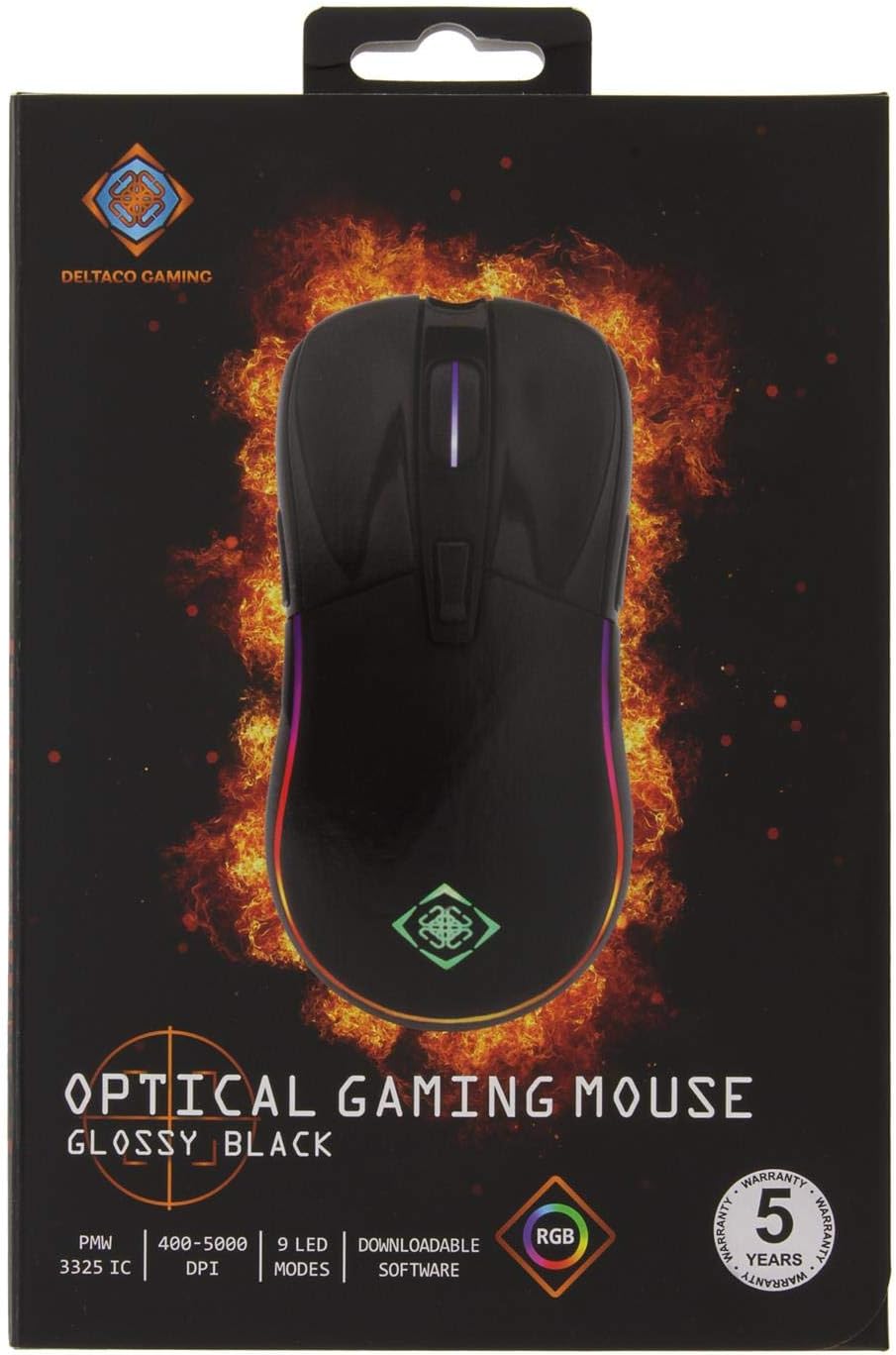
Image: The retail packaging for the DELTACO GAM-085 Optical Gaming Mouse, highlighting key features and branding.


