مقدمة
شكرا لك على الشراءasing the Havit IX-102 Wired In-Ear Headphones with Microphone. This manual provides essential information for the proper setup, operation, and maintenance of your new earphones. Please read this guide thoroughly before use to ensure optimal performance and longevity of your product.
المنتج انتهىview
The Havit IX-102 headphones are designed for clear audio and convenient communication. Familiarize yourself with the components:
- In-Ear Earphones (Left and Right)
- Integrated Microphone and Control Module (on cable)
- شنومكسم جاك الصوت
- أحجام متعددة من وسائد الأذن
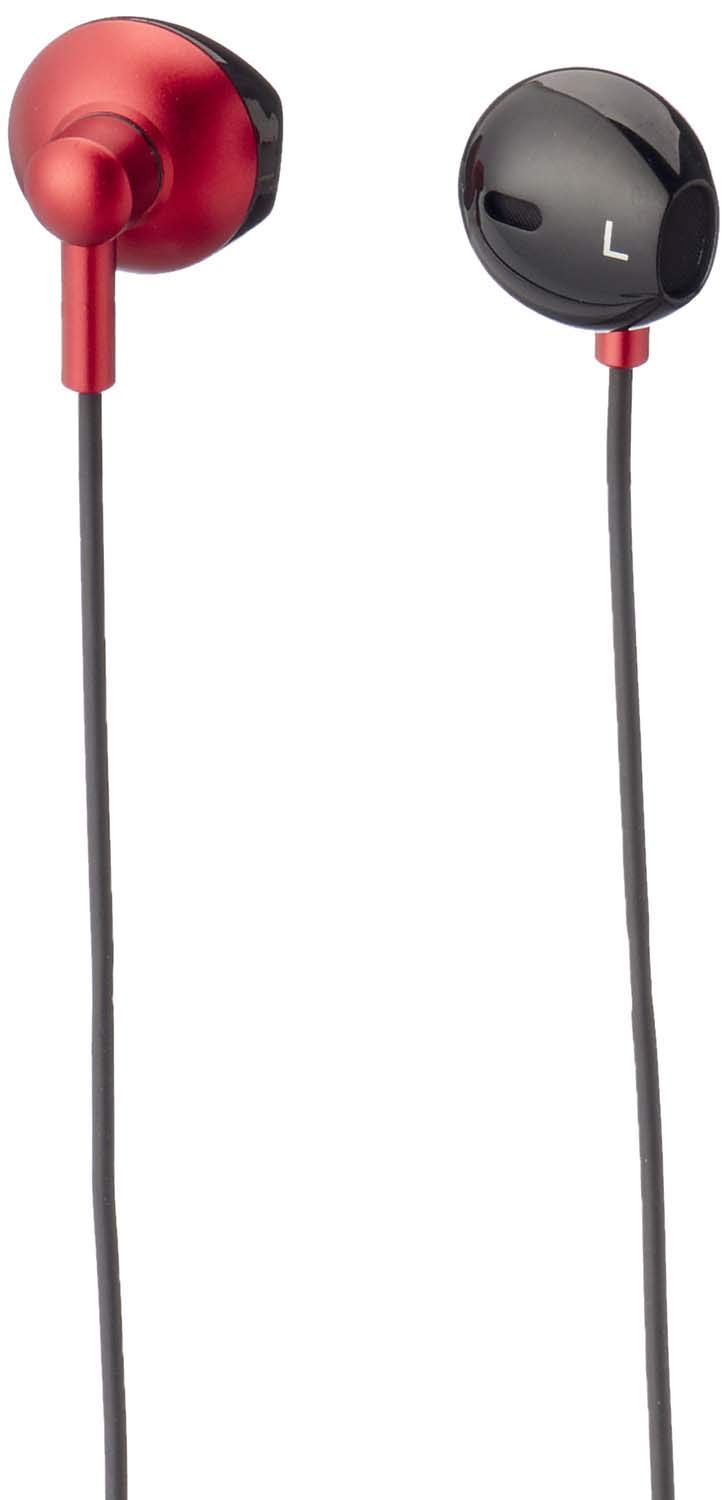
الشكل 1: Havit IX-102 Wired In-Ear Headphones. This image shows the complete set of in-ear headphones, featuring the earbuds, cable, and 3.5mm audio jack.

الشكل 2: Cable with Integrated Control Module. This image highlights the cable section that includes the microphone and a potential control button for managing audio and calls.

الشكل 3: 3.5mm Audio Jack. A close-up view of the standard 3.5mm connector used to plug the headphones into compatible audio devices.

الشكل 4: Replacement Ear Cushions. This image displays the various sizes of silicone ear cushions provided for a comfortable and secure fit.
يثبت
- اختر وسائد الأذن: Choose the ear cushion size that provides the most comfortable and secure fit for your ears. A good seal enhances sound quality and bass response. Gently attach the selected ear cushions to the earphone nozzles.
- الاتصال بالجهاز: Insert the 3.5mm audio jack firmly into the headphone port of your audio device (smartphone, tablet, laptop, MP3 player, etc.). Ensure the jack is fully inserted to prevent audio issues.
- ارتدي سماعات الأذن: Place the earphones into your ears. Adjust them until they feel comfortable and provide a good seal.
تعليمات التشغيل
The Havit IX-102 headphones feature an in-line control module for basic audio and call management. Functionality may vary slightly depending on your connected device.
- تشغيل/إيقاف الموسيقى: Press the button on the control module once to play or pause the current track.
- الرد/إنهاء المكالمة: عند ورود مكالمة، اضغط على الزر مرة واحدة للرد. أثناء المكالمة، اضغط على الزر مرة واحدة لإنهاء المكالمة.
- رفض المكالمة: اضغط مع الاستمرار على الزر لمدة ثانيتين تقريبًا لرفض المكالمة الواردة.
- المسار التالي: اضغط على الزر مرتين بسرعة للانتقال إلى الأغنية التالية.
- المسار السابق: Press the button three times quickly to go back to the previous song.
- استخدام الميكروفون: The integrated microphone allows for hands-free communication during calls. Ensure the microphone is positioned clearly for optimal voice pickup.
Note: Volume control is typically managed directly on your connected audio device.
صيانة
Proper care will extend the life of your Havit IX-102 headphones.
- تنظيف وسائد الأذن: Remove the silicone ear cushions and wash them gently with mild soap and water. Rinse thoroughly and allow them to air dry completely before reattaching.
- تنظيف سماعات الأذن: Use a soft, dry, lint-free cloth to wipe the earphone bodies. Do not use harsh chemicals or abrasive materials. Avoid getting moisture into the speaker grilles.
- العناية بالكابلات: Avoid sharp bends, twists, or excessive pulling on the cable. Store the headphones neatly to prevent tangling.
- تخزين: When not in use, store your headphones in a clean, dry place, away from extreme temperatures and direct sunlight.
استكشاف الأخطاء وإصلاحها
إذا واجهت مشكلات مع سماعات الرأس، فراجع المشكلات والحلول الشائعة التالية:
| مشكلة | السبب المحتمل | حل |
|---|---|---|
| لا يوجد صوت أو مستوى صوت منخفض |
|
|
| الصوت مشوّه أو متقطع |
|
|
| الميكروفون لا يعمل |
|
|
تحديد
| ماركة | هافيت |
| رقم الموديل | IX-102 |
| لون | الأسود والأحمر |
| عامل شكل سماعات الرأس | داخل الأذن |
| تكنولوجيا الاتصال | سلكي |
| نوع الموصل | مقبس 3.5 ملم |
| طول الكابل | 1.2 متر |
| نوع المادة | بلاستيك |
| وزن العنصر | 60 جرام |
| المكونات المضمنة | وسائد الأذن |
| الأجهزة المتوافقة | Multiple devices with 3.5mm audio jack |
الضمان والدعم
For warranty information or technical support, please refer to the documentation included with your purchase or contact Havit customer service directly. Contact details can typically be found on the manufacturer's official webتغليف الموقع أو المنتج.
احتفظ بإثبات الشراء الخاص بك لاستخدامه في حالة وجود أي مطالبات بالضمان.


