مقدمة
This manual provides detailed instructions for the safe and effective use of your OneOdio A70 Wireless Bluetooth Headphones. Please read this manual thoroughly before using the product and retain it for future reference.

Image: OneOdio A70 Wireless Bluetooth Headphones in red and black, shown with 3.5mm and 6.35mm audio cables.
محتويات الحزمة
تأكد من وجود جميع العناصر في العبوة:
- OneOdio A70 Fusion Headphones
- 3.5mm to 3.5mm Jack Cable with Microphone (1.2 M)
- 3.5mm to 6.35mm Jack Cable with Spring Wire (2-3 M)
- Micro-USB Charging Cable (0.6 M)
- الحقيبة الواقية
- دليل المستخدم (هذا المستند)

الصورة: أكثر منview of the OneOdio A70 package contents, including the headphones, various cables, and a carrying pouch.
المنتج انتهىview
The OneOdio A70 headphones feature a versatile design for both wireless and wired use, offering high-quality audio and comfortable wear.
- برامج تشغيل الصوت: Equipped with 40mm drivers for powerful bass and clear treble.
- الاتصال: Bluetooth 5.2 for wireless connection, and multiple wired options (3.5mm, 6.35mm).
- عمر البطارية: Up to 72 hours of playback on a single charge (at 50% volume).
- ميكروفون: Integrated CVC 8.0 noise-cancelling microphone for clear calls.
- Share Port: Allows two headphones to connect to one audio source for shared listening.
- راحة: Thick foam ear pads and a foldable, adjustable headband for extended wear comfort.
- Jack Lock: Secure locking mechanism for the auxiliary stereo cable.
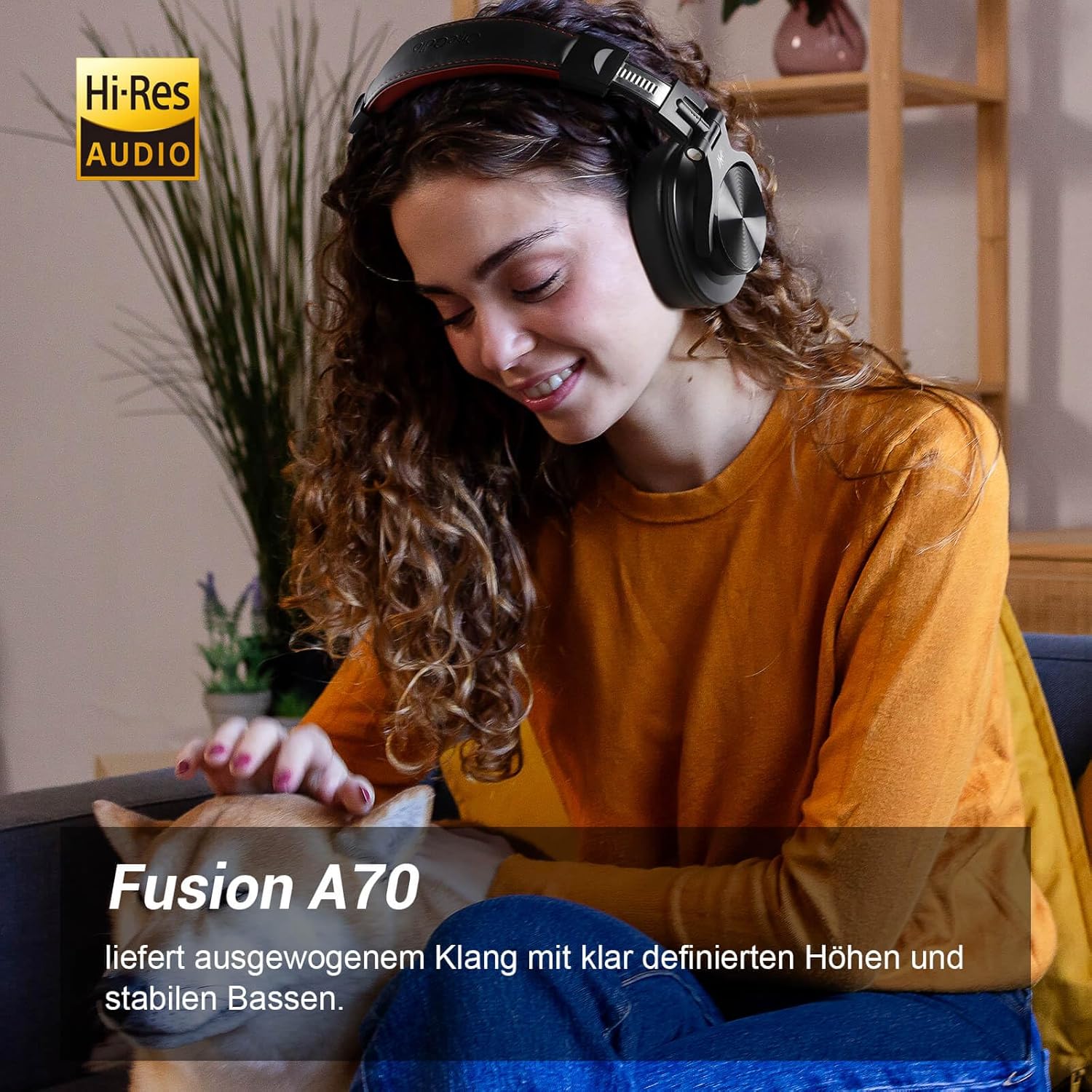
Image: A woman wearing the OneOdio A70 headphones, emphasizing the Hi-Res Audio capability.
يثبت
شحن سماعات الرأس
Before first use, fully charge the headphones. Use the provided Micro-USB charging cable.
- Connect the Micro-USB end of the charging cable to the charging port on the headphone.
- قم بتوصيل طرف USB-A بمحول طاقة USB (غير مرفق) أو بمنفذ USB في الكمبيوتر.
- سيُظهر مؤشر LED حالة الشحن (على سبيل المثال، أحمر للشحن، أزرق للشحن الكامل).

الصورة: تفصيلية view of the headphone's side, showing the Micro-USB charging port and control buttons.
بلوتوث الاقتران
لتوصيل سماعات الرأس لاسلكيًا:
- تأكد من شحن سماعات الرأس وإيقاف تشغيلها.
- Press and hold the Multi-function button (usually the power button) for approximately 5 seconds until the LED indicator flashes red and blue alternately, indicating pairing mode.
- على جهازك (الهاتف الذكي، الجهاز اللوحي، الكمبيوتر الشخصي)، قم بتمكين البلوتوث وابحث عن الأجهزة المتاحة.
- Select "OneOdio A70" from the list of devices.
- بمجرد الاتصال، سيتحول مؤشر LED إلى اللون الأزرق الثابت أو يومض باللون الأزرق ببطء.
اتصال سلكي
The A70 headphones support two types of wired connections:
- 3.5mm to 3.5mm Cable: For connecting to smartphones, tablets, laptops, and other devices with a 3.5mm audio jack. This cable includes an in-line microphone for calls.
- 3.5mm to 6.35mm Cable: For connecting to professional audio equipment like DJ mixers, amplifiers, and guitars.
To use a wired connection, simply plug the appropriate cable into the headphone's corresponding port and the other end into your audio source. The headphones will automatically switch to wired mode when a cable is inserted.

Image: A visual guide illustrating the wide compatibility of the OneOdio A70 headphones with different devices using 3.5mm and 6.35mm cables.
تعليمات التشغيل
Basic Controls (Bluetooth Mode)
| وظيفة | فعل |
|---|---|
| تشغيل/إيقاف الطاقة | Press and hold Multi-function button for 3 seconds. |
| تشغيل/إيقاف مؤقت | Press Multi-function button once. |
| رفع الصوت | Press '+' button. |
| خفض الصوت | Press '-' button. |
| المسار التالي | Press and hold '+' button. |
| المسار السابق | Press and hold '-' button. |
| الرد على المكالمة/إنهائها | Press Multi-function button once. |
| رفض المكالمة | Press and hold Multi-function button for 2 seconds. |
| تفعيل المساعد الصوتي | Double-press Multi-function button. |

Image: Controls for the in-line microphone on the 3.5mm cable, detailing functions like play, pause, answer, and end calls.
Share Port Function
The OneOdio A70 headphones feature a unique Share Port, allowing two headphones to share audio from one source.
- Connect the 3.5mm to 3.5mm cable to the 3.5mm input port on your A70 headphones.
- Connect the other end of this cable to the 3.5mm output port of another headphone (e.g., another A70 or compatible headphone).
- Ensure the primary A70 headphone is connected to your audio source (via Bluetooth or 6.35mm cable).
- ستتلقى كلتا السماعتين الآن الصوت من نفس المصدر.

Image: Two individuals sharing audio from a single device using the Share Port technology of the OneOdio A70 headphones.
الصيانة والعناية
- نظّف سماعات الرأس بانتظام بقطعة قماش ناعمة وجافة. لا تستخدم المنظفات الكاشطة أو المذيبات.
- Store the headphones in the provided protective pouch when not in use to prevent scratches and damage.
- تجنب تعريض سماعات الرأس لدرجات الحرارة العالية أو الرطوبة أو أشعة الشمس المباشرة.
- لا تحاول تفكيك سماعات الرأس أو تعديلها، لأن ذلك سيؤدي إلى إبطال الضمان.
- The headphones are not waterproof. Avoid contact with liquids.

Image: The OneOdio A70 headphones in their folded configuration, ready for storage in the protective pouch.
استكشاف الأخطاء وإصلاحها
| مشكلة | السبب المحتمل | حل |
|---|---|---|
| لا يوجد صوت (بلوتوث) | Headphones not paired or connected. Low battery. Volume too low. | Ensure headphones are in pairing mode and connected. Recharge headphones. Increase volume on headphones and device. |
| لا يوجد صوت (سلكي) | Cable not fully inserted. Incorrect cable used. Device volume too low. | Ensure cables are securely plugged in. Use the correct cable for your device. Increase volume on device. |
| جودة الصوت سيئة | Interference (Bluetooth). Damaged cable. Low quality audio source. | Move closer to the Bluetooth device. Try a different cable. Test with a different audio source. |
| الميكروفون لا يعمل | Using wrong cable (only 3.5mm to 3.5mm has mic). Mic muted on device. | Ensure you are using the 3.5mm cable with the in-line microphone. Check microphone settings on your device. |
| سماعات الرأس لن يتم تشغيلها | البطارية فارغة تماماً. | Charge the headphones for at least 30 minutes before attempting to power on. |
تحديد
| ميزة | التفاصيل |
|---|---|
| اسم الموديل | OneOdio A70 Fusion |
| تكنولوجيا الاتصال | Bluetooth 5.2, Wired (3.5mm, 6.35mm) |
| حجم السائق | 40 ملم |
| نطاق التردد | 20 هرتز - 20,000 هرتز |
| مقاومة | 32 أوم |
| حساسية | 110 ديسيبل |
| تكوين البطارية | ليثيوم بوليمر |
| عمر البطارية | ما يصل إلى 72 ساعات (بحجم 50%) |
| وزن | 250 جرام |
| مادة | Leather (earpads/headband) |
| المميزات الخاصة | Volume Control, Noise Isolation, Built-in Microphone (CVC 8.0), Foldable Design, Share Port, Jack Lock |
الضمان والدعم
OneOdio products are designed and manufactured to the highest quality standards. For warranty information and customer support, please refer to the official OneOdio webالموقع أو اتصل بخدمة العملاء الخاصة بهم مباشرة.
الشركة المصنعة: وان أوديو
بائع: OneOdio EU (via Amazon.com.be)
لمزيد من المساعدة، قم بزيارة OneOdio Store on Amazon.


