مقدمة
Thank you for choosing the MEDION P66096 Shower Radio. This device is designed to provide entertainment and convenience in your bathroom environment, featuring FM radio, Bluetooth connectivity, and an IPX6 waterproof rating. Please read this manual carefully before using the product to ensure proper operation and to maximize its lifespan.
معلومات السلامة
Observe the following safety guidelines to prevent damage to the device or injury to yourself.
- مقاومة الماء: The MEDION P66096 is IPX6 rated, meaning it is protected against strong jets of water. It is suitable for use in a shower environment but should not be submerged in water.
- سلامة البطارية: The device contains a built-in lithium-polymer battery. Do not attempt to replace the battery yourself. Do not expose the device to extreme temperatures, direct sunlight, or fire.
- تنظيف: استخدمي قطعة قماش ناعمةamp قطعة قماش للتنظيف. لا تستخدم المنظفات الكاشطة أو المذيبات.
- الموقع: Ensure the suction cup is securely attached to a clean, smooth, non-porous surface to prevent the radio from falling.
- الشحن: Only use the provided micro USB charging cable. Ensure the charging port is dry before connecting the cable.

The MEDION P66096 shower radio is designed for use in wet environments, offering IPX6 water protection against strong water jets.
محتويات الحزمة
يرجى التأكد من وجود جميع العناصر في العبوة:
- MEDION P66096 Shower Radio
- كابل شحن ميكرو يو اس بي
- دليل المستخدم (هذا المستند)
- بطاقة الضمان
المنتج انتهىview
Familiarize yourself with the buttons, display, and ports of your shower radio.

أمام view of the shower radio, highlighting the LED display and control buttons.

مفصل view of the LED display, showing the current time and battery status.
عناصر التحكم والعرض:
- زر التشغيل (⑁): Press and hold to turn the device on or off. Short press to change display brightness.
- زر الوضع (M): Short press to switch between FM radio and Bluetooth modes.
- زر الاتصال (☎): In Bluetooth mode, short press to answer/end calls. Long press to reject a call.
- Play/Pause Button (⏸/⏸): In FM mode, long press to auto-scan and save stations. In Bluetooth mode, short press to play/pause music.
- Previous/Volume Down (⏪): Short press to go to the previous station/track. Long press to decrease volume.
- Next/Volume Up (⏩): Short press to go to the next station/track. Long press to increase volume.
- عرض الصمام: Shows time, current mode (FM/BT), frequency, and battery level.
Ports and Suction Cup:

جانب view of the shower radio, illustrating the micro USB charging port and the removable suction cup.
- منفذ مايكرو يو اس بي: Used for charging the internal battery. Located on the side, protected by a waterproof cover.
- كوب شفط: Detachable suction cup for mounting the radio on smooth, non-porous surfaces.
يثبت
1. الشحن الأولي
Before first use, fully charge the shower radio. Open the waterproof cover on the side and connect the micro USB charging cable to the port. Connect the other end to a USB power adapter (not included) or a computer USB port. The LED display will indicate charging status. A full charge takes approximately 3-4 hours.
2. تركيب الراديو
Ensure the surface where you intend to mount the radio is clean, dry, and smooth (e.g., tile, glass). Press the suction cup firmly against the surface until it adheres securely. You can also place the radio on a flat surface without using the suction cup.
تعليمات التشغيل
تشغيل/إيقاف الطاقة
اضغط مع الاستمرار على Power Button (⑁) for approximately 3 seconds to turn the radio on or off.
اختيار الوضع
اضغط لفترة قصيرة على زر الوضع (م) to switch between FM radio mode and Bluetooth mode.
تشغيل راديو FM
- قم بالتبديل إلى وضع FM باستخدام زر الوضع (م).
- لإجراء مسح تلقائي وحفظ محطات FM المتاحة، اضغط مطولاً على Play/Pause Button (⏸/⏸). The radio will scan and store stations automatically.
- To navigate through saved stations, short press the Previous (⏪) or Next (⏩) أزرار.
- To adjust the volume, long press the Previous (⏪) (volume down) or Next (⏩) (volume up) buttons.
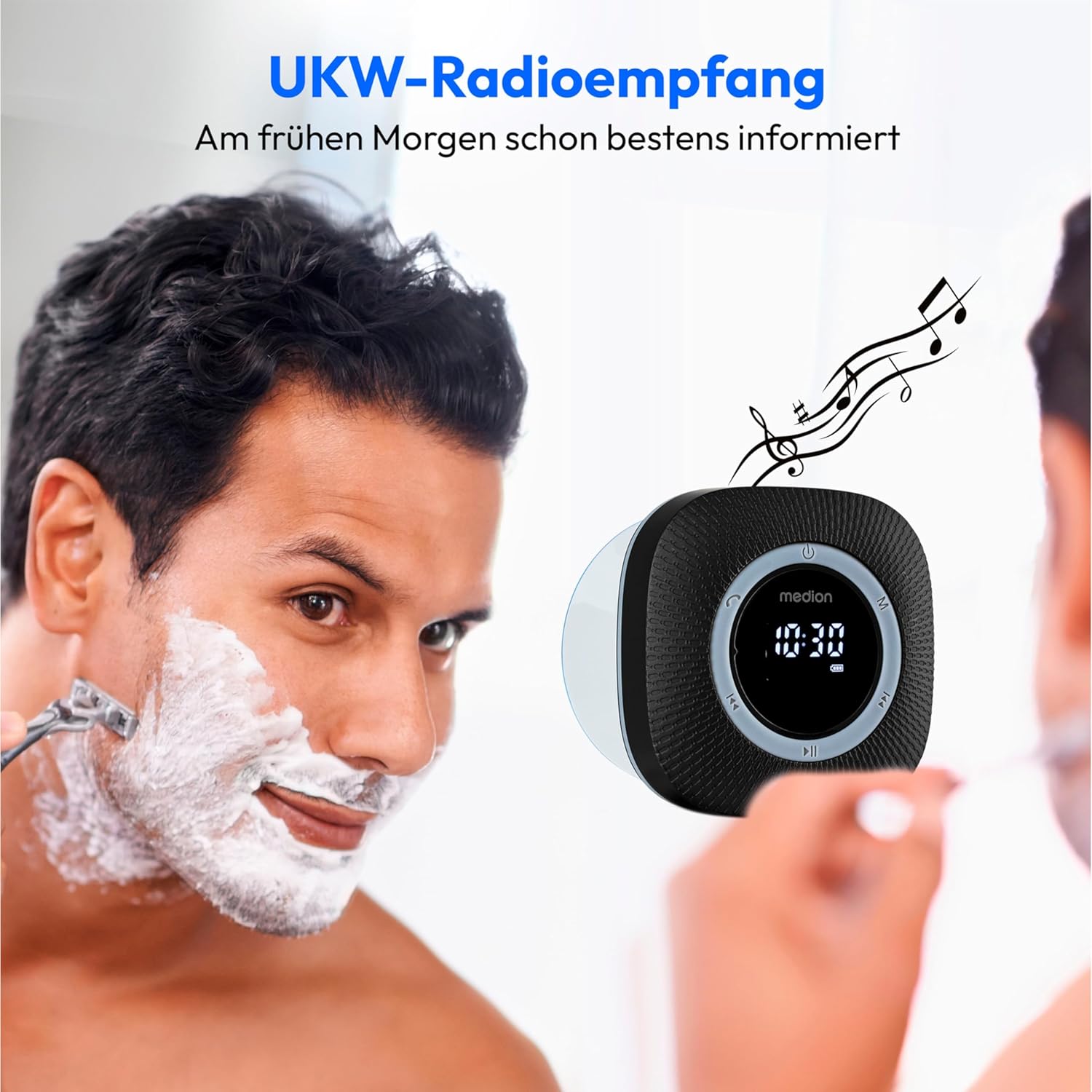
Enjoy FM radio reception with clear sound, perfect for your morning routine.
تشغيل البلوتوث
- قم بالتبديل إلى وضع البلوتوث باستخدام زر الوضع (م). The display will show 'BT' and the radio will enter pairing mode, indicated by a flashing Bluetooth icon.
- On your smartphone or tablet, enable Bluetooth and search for available devices. Select 'MEDION P66096' from the list.
- Once paired, the Bluetooth icon on the radio's display will stop flashing. You can now stream audio from your device to the shower radio.
- استخدم Play/Pause Button (⏸/⏸) to control playback. Use the Previous (⏪) و Next (⏩) buttons to skip tracks. Adjust volume by long pressing these buttons.

Wirelessly stream your favorite music from your smartphone or tablet via Bluetooth 5.0.
الاتصال بدون استخدام اليدين
When connected via Bluetooth to your smartphone, the radio can be used for hands-free calls:
- الرد/إنهاء المكالمة: اضغط لفترة قصيرة على Call Button (☎).
- رفض المكالمة: اضغط لفترة طويلة على Call Button (☎).
Setting Clock and Alarm
The radio features an LED clock display and an alarm function. Refer to the detailed instructions in the included printed manual for specific steps on setting the time and alarm, as button combinations may vary.
شحن البطارية
The MEDION P66096 has a built-in rechargeable lithium-polymer battery, providing up to 12 hours of music playback on a full charge.
- When the battery is low, the battery icon on the LED display will flash.
- Connect the micro USB charging cable to the radio's charging port and a USB power source.
- The battery icon will show charging progress. Once fully charged, the icon will indicate a full battery.
- Ensure the waterproof cover for the USB port is securely closed after charging to maintain water resistance.

The integrated lithium-polymer battery provides up to 12 hours of continuous music playback.
صيانة
- تنظيف: امسح الراديو بقطعة ناعمة ، دamp قماش. لا تستخدم مواد كيميائية قاسية أو مواد كاشطة.
- تخزين: عند عدم استخدام الراديو لفترات طويلة، قم بتخزينه في مكان بارد وجاف.
- العناية بالبطارية: لإطالة عمر البطارية، تجنب تفريغها بالكامل بشكل متكرر. اشحنها بانتظام، حتى لو لم تكن قيد الاستخدام المستمر.
استكشاف الأخطاء وإصلاحها
| مشكلة | السبب المحتمل | حل |
|---|---|---|
| الراديو لا يعمل. | تم تفريغ البطارية. | قم بشحن البطارية باستخدام كابل USB الصغير. |
| لا يوجد صوت أو مستوى الصوت منخفض. | مستوى الصوت منخفض جدًا أو مكتوم. | قم بزيادة مستوى الصوت باستخدام Next (⏩) button. Check volume on connected Bluetooth device. |
| لا يمكن الاتصال عبر البلوتوث. | Radio is not in pairing mode or too far from device. | Ensure radio is in Bluetooth mode (flashing 'BT'). Move device closer to the radio. Forget device on your phone and re-pair. |
| استقبال راديو FM ضعيف. | إشارة ضعيفة أو تداخل. | Try repositioning the radio. Perform an auto-scan again. |
| لا يثبت كوب الشفط. | Surface is not clean, smooth, or non-porous. | Clean the surface and the suction cup. Ensure the surface is completely smooth and dry. |
تحديد
| ميزة | التفاصيل |
|---|---|
| ماركة | MEDION |
| رقم الموديل | ص66096 |
| لون | أسود |
| تكنولوجيا الاتصال | بلوتوث 5.0 |
| تكنولوجيا الضبط | FM |
| نطاقات الراديو المدعومة | FM (87.5 MHz) |
| المميزات الخاصة | Integrated Battery, Bluetooth, Microphone, LED Display, Clock with Alarm Function, Suction Cup |
| تصنيف حماية المياه | IPX6 (Protected against strong water jets) |
| مصدر الطاقة | Battery Powered (1 Lithium-polymer battery, included) |
| عمر البطارية | تصل إلى 12 ساعة |
| الأجهزة المتوافقة | الهواتف الذكية، أجهزة لوحية |
| المكونات المضمنة | Shower Radio, Micro USB Charging Cable |
الضمان والدعم
Your MEDION P66096 Shower Radio comes with a warranty. Please refer to the included warranty card for detailed information regarding warranty terms and conditions, including the duration and coverage. For technical support or service inquiries, please contact MEDION customer service through the contact information provided on your warranty card or the official MEDION webموقع.


