1. المقدمة
Thank you for choosing the CREATE NETBOT S15 Robot Vacuum Cleaner. This manual provides essential information for the safe operation, maintenance, and troubleshooting of your device. Please read it thoroughly before first use and retain it for future reference.
المنتج انتهىview

The image above displays the CREATE NETBOT S15 Robot Vacuum Cleaner, its dedicated remote control, and a smartphone screen showing the companion application interface. The robot is black with a textured top surface and a central green power button. The remote control features a digital display and various control buttons. The app shows a map of a cleaned area.
The NETBOT S15 is designed to simplify your cleaning routine, offering multiple cleaning modes and smart features for efficient floor maintenance.
2. تعليمات السلامة
لضمان التشغيل الآمن ومنع التلف، يرجى مراعاة احتياطات السلامة التالية:
- اقرأ كافة التعليمات قبل استخدام الجهاز.
- لا تسمح للأطفال بتشغيل المكنسة الكهربائية الروبوتية. راقب الأطفال والحيوانات الأليفة أثناء تشغيل الروبوت.
- Ensure the charging base is placed against a wall on a hard, level surface, with adequate clear space around it.
- احتفظ بالشعر والملابس الفضفاضة والأصابع وجميع أجزاء الجسم بعيدًا عن الفتحات والأجزاء المتحركة.
- لا تلتقط الأشياء الكبيرة أو الحادة أو السوائل أو المواد المحترقة/المدخنة.
- لا تستخدم الروبوت في البيئات الرطبة أو على الأسطح الرطبة.
- قم بإزالة أسلاك الطاقة والأشياء الصغيرة والأشياء الهشة من الأرض قبل التشغيل لمنع التشابك أو التلف.
- Use only the original charger and battery provided by the manufacturer.
- Do not modify or attempt to repair the robot vacuum yourself. Contact qualified service personnel for repairs.
3. محتويات العبوة
تأكد من وجود جميع المكونات في العبوة:

The image shows the retail box for the CREATE NETBOT S15 Robot Vacuum Cleaner, indicating the product and its key features.
- مكنسة روبوتية CREATE NETBOT S15
- قاعدة الشحن
- محول الطاقة
- جهاز التحكم عن بعد
- Dustbin (600 ml capacity)
- خزان مياه (سعة 400 مل)
- Side Brushes (2 + 2 replacements)
- HEPA Filter (1 + 1 replacement)
- Cleaning Mop (1 + 1 replacement)
- فرشاة التنظيف
- الشريط المغناطيسي
- دليل المستخدم
4. الإعداد
4.1 وضع قاعدة الشحن

The image shows the CREATE NETBOT S15 Robot Vacuum Cleaner correctly docked on its charging station, indicating proper placement for recharging.
- Place the charging base against a wall in an open area.
- Ensure there is at least 1 meter (3 feet) of clear space on both sides of the charging base and 2 meters (6 feet) in front of it.
- قم بتوصيل محول الطاقة بقاعدة الشحن وقم بتوصيله بمأخذ الحائط.
- Ensure the power indicator light on the charging base is illuminated.
4.2 الشحن الأولي

This image depicts the CREATE NETBOT S15 Robot Vacuum Cleaner positioned near its charging dock in a room, ready for or undergoing charging.
Before first use, fully charge the robot vacuum. Place the robot onto the charging base, ensuring the charging contacts align. The indicator light on the robot will show charging status. A full charge typically takes 4-5 hours.
4.3 تثبيت التطبيق والاتصال به
The CREATE NETBOT S15 can be controlled via a smartphone application, compatible with Alexa and Google Home.
- Download the official CREATE app from your smartphone's app store.
- تسجيل حساب وتسجيل الدخول.
- Follow the in-app instructions to add your NETBOT S15 device. This typically involves putting the robot into pairing mode and connecting it to your home Wi-Fi network.
- Once connected, you can program cleaning schedules, select cleaning modes, and monitor the robot's status from your phone.
- For voice control, link the CREATE app with your Alexa or Google Home account through their respective applications.
5. تعليمات التشغيل
5.1 أوضاع التنظيف
The NETBOT S15 offers four cleaning functions:
- مسح: Uses side brushes to gather debris.
- مكنسة كهرباء: Utilizes suction power to collect dust and dirt. Features up to 1500 Pa suction power with adjustable levels.
- ممسحة: Wipes floors with a damp cloth from the water tank.
- غسل: Combines sweeping, vacuuming, and mopping for comprehensive cleaning.

This image illustrates the CREATE NETBOT S15 Robot Vacuum Cleaner actively cleaning under a sofa, demonstrating its ability to reach confined spaces. Two dogs are visible in the foreground, suggesting a pet-friendly environment.
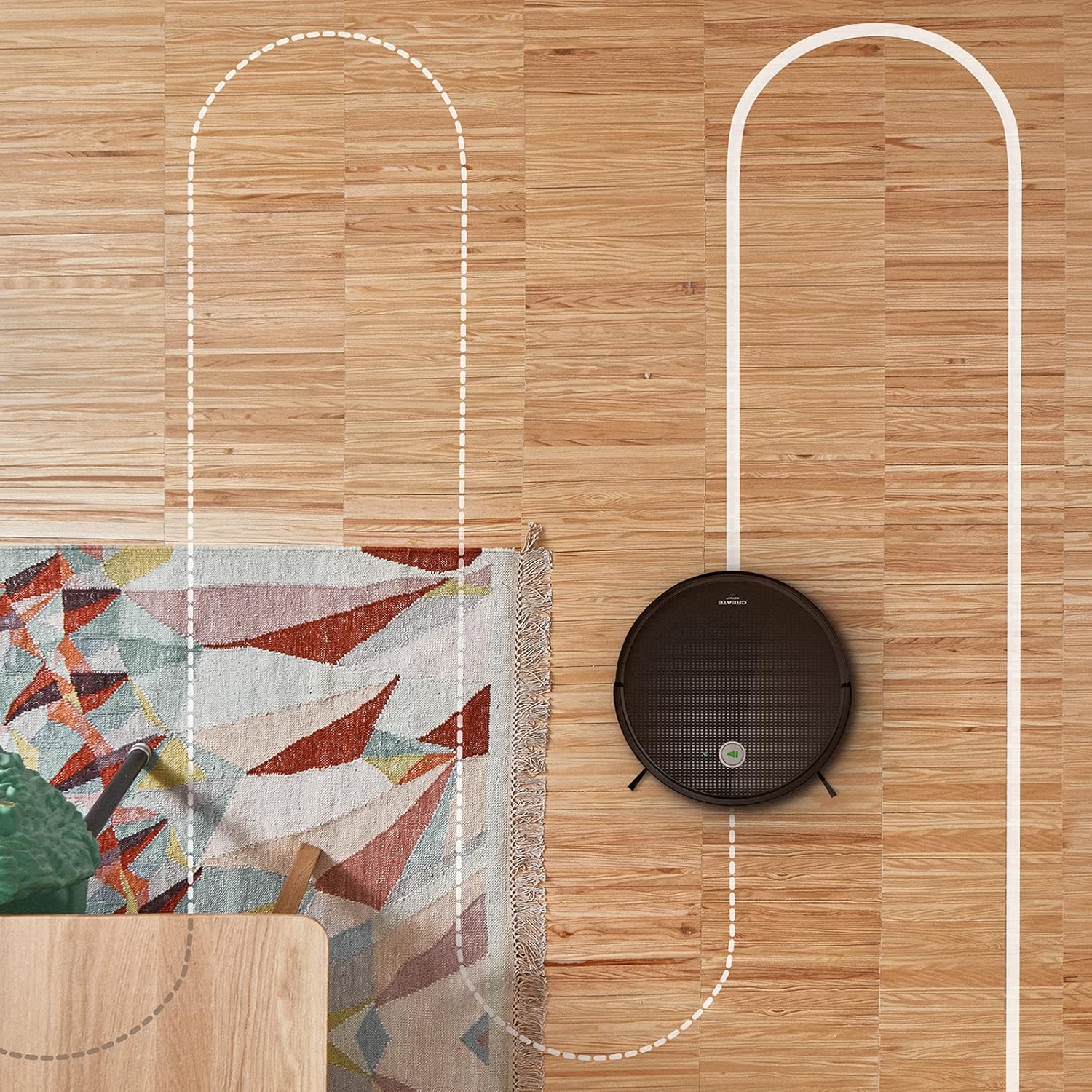
هوائي view shows the CREATE NETBOT S15 Robot Vacuum Cleaner moving across a wooden floor, with a dotted line indicating its systematic cleaning path, highlighting its gyroscopic navigation.
5.2 استخدام جهاز التحكم عن بعد
The included remote control allows for direct operation of the robot vacuum. Refer to the remote control diagram in your quick start guide for button functions. Common functions include:
- بدء / إيقاف التنظيف مؤقتًا
- العودة إلى قاعدة الشحن
- Directional Control (manual steering)
- تنظيف البقع
- تنظيف الحواف
- إعداد الجدول
5.3 Magnetic Strip Usage
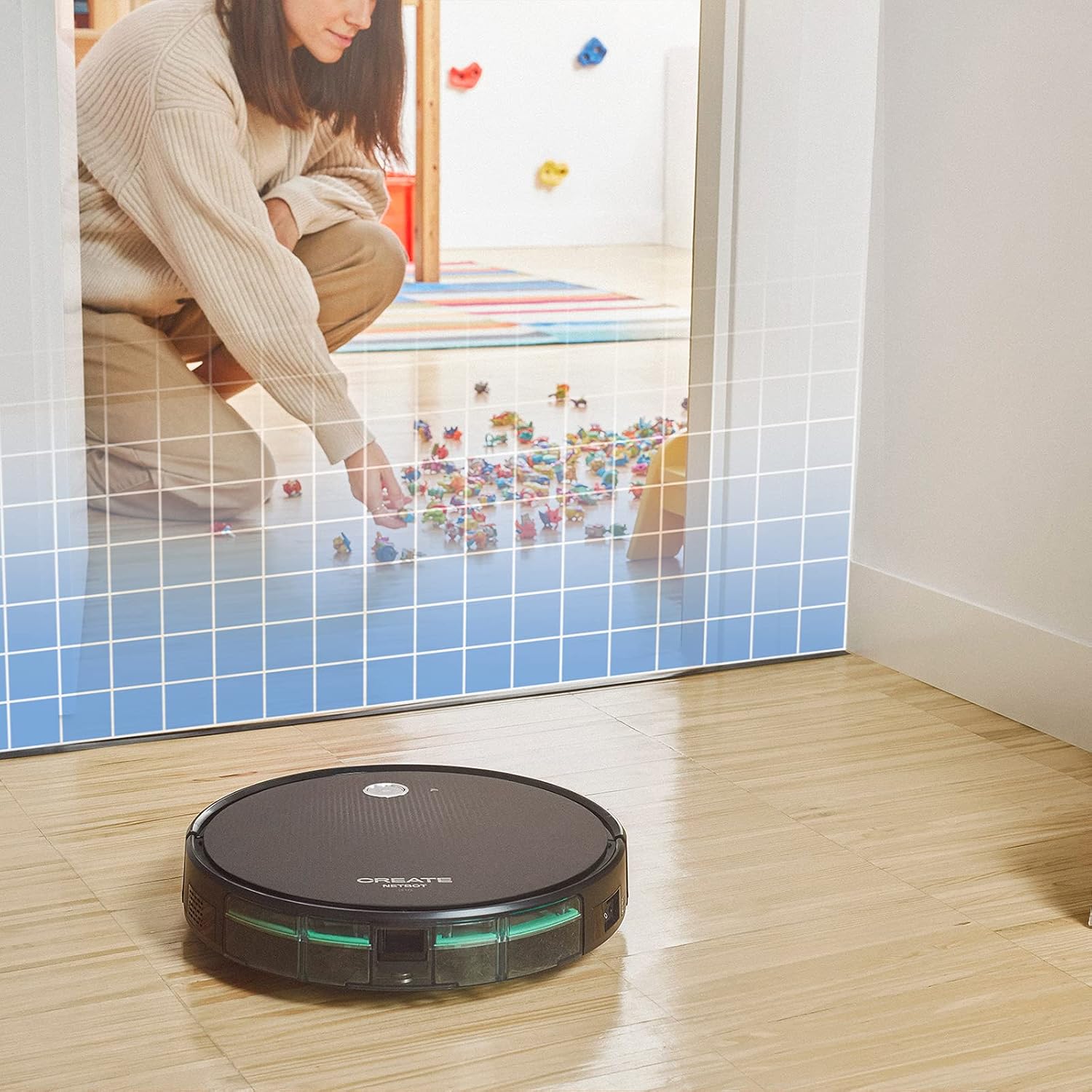
This illustration demonstrates the CREATE NETBOT S15 Robot Vacuum Cleaner approaching a virtual boundary, represented by a grid, which prevents it from entering a specific area, such as where toys are located.
Use the provided magnetic strip to create virtual boundaries that the robot will not cross. Place the strip on the floor to delimit areas where the robot should not enter, such as pet feeding zones or areas with delicate items.
5.4 عمر البطارية
The NETBOT S15 is equipped with a long-lasting LG Lithium battery, providing up to 120 minutes of cleaning autonomy on a single charge, depending on the selected power mode.
6. الصيانة
تضمن الصيانة الدورية الأداء الأمثل وتطيل عمر مكنسة الروبوت الخاصة بك.
6.1 Dustbin and Water Tank Cleaning
Empty the dustbin after each use. The 600 ml dustbin is easily removable. If using the mopping function, empty and rinse the 400 ml water tank after each use to prevent mold or odors.
6.2 تنظيف الفرشاة

لقطة مقرّبة view of the CREATE NETBOT S15 Robot Vacuum Cleaner's side brush, showing its design for sweeping debris into the main suction path.
- الفرش الجانبية: Regularly check for hair or debris entanglement. Remove and clean as needed. Replace worn brushes with the provided spares.
- الفرشاة الرئيسية: أزيلي غطاء الفرشاة الرئيسي وارفعي الفرشاة للخارج. استخدمي أداة التنظيف لإزالة الشعر المتشابك والشوائب.
6.3 تنظيف/استبدال الفلتر
The robot uses a double filter system: a sponge filter and a HEPA filter. Tap the filters to remove loose dirt. Do not wash HEPA filters with water. Replace filters every 3-6 months, or more frequently with heavy use, to maintain suction performance.
6.4 تنظيف المستشعر
Wipe the cliff sensors (located on the bottom of the robot) and the bumper sensors (on the front) with a clean, dry cloth to ensure proper navigation and obstacle detection.
7. استكشاف الأخطاء وإصلاحها
If you encounter issues with your NETBOT S15, refer to the following common problems and solutions:
| مشكلة | السبب المحتمل | حل |
|---|---|---|
| الروبوت لا يبدأ أو لا يستجيب. | بطارية منخفضة؛ إيقاف تشغيل الطاقة؛ الروبوت عالق. | قم بشحن الروبوت؛ تأكد من تشغيل مفتاح الطاقة؛ قم بإزالة أي عوائق. |
| أداء التنظيف ضعيف. | Full dustbin; Clogged brushes/filters; Worn brushes. | Empty dustbin; Clean brushes and filters; Replace brushes/filters. |
| لا يستطيع الروبوت العثور على قاعدة الشحن. | قاعدة الشحن مسدودة؛ الروبوت بعيد جدًا عن القاعدة؛ القاعدة غير موصولة بالكهرباء. | Ensure clear space around base; Manually place robot closer; Check power connection to base. |
| الروبوت يتعطل بشكل متكرر. | Cables/small objects on floor; Uneven surfaces; Dark colored carpets. | Clear floor of obstacles; Use magnetic strips for problem areas; Robot may struggle on very dark surfaces. |
| مشاكل في الاتصال بشبكة Wi-Fi. | كلمة مرور الواي فاي غير صحيحة؛ جهاز التوجيه بعيد جدًا؛ شبكة 5 جيجاهرتز. | Verify password; Move robot closer to router; Ensure connection to a 2.4GHz Wi-Fi network. |
8. المواصفات
Key technical specifications for the CREATE NETBOT S15 Robot Vacuum Cleaner:
- ماركة: يخلق
- رقم الموديل: نت بوت S15
- لون: Black - Turquoise
- الأبعاد (الطول × العرض × الارتفاع): 33 × 33 × 7.5 سم
- وزن: 3 كيلوغرام
- قوة: 25 واط
- قوة الشفط: ما يصل إلى 1500 باسكال
- مستوى الضوضاء: 62 ديسيبل
- نوع البطارية: ليثيوم أيون
- عمر البطارية: حتى 120 دقيقة
- سعة سلة المهملات: 600 مل
- سعة خزان المياه: 400 مل
- نظام الفلتر: Double sponge Clean + HEPA filter
- الاتصال: Wi-Fi, App Control
- توافق المساعد الصوتي: جوجل هوم، أليكسا
- المميزات الخاصة: Gyroscopic navigation, Magnetic strip boundary, 4 cleaning modes (sweep, vacuum, mop, wash)
9. الضمان والدعم
For warranty information, technical support, or service inquiries, please refer to the warranty card included with your product or visit the official CREATE webالموقع. احتفظ بإيصال الشراء كإثبات للشراء.


