مقدمة
Welcome to your new TERIOS Mobile Game Controller. This manual provides detailed instructions for setup, operation, and maintenance to ensure optimal performance and an enhanced gaming experience across various platforms including Android smartphones, Windows PCs, and PlayStation 3 consoles. Please read this manual thoroughly before using the device.
الميزات الرئيسية
- Innovative Gaming: Designed to enrich your mobile gaming experience with precision and responsiveness.
- التوافق الواسع: Connects via Bluetooth 4.0 to Android smartphones, and is compatible with Windows PC and PlayStation 3. Supports popular games like PUBG, Call of Duty, and Mobile Legends.
- Gaming Joysticks: Features dual analog sticks for comprehensive and precise control.
- تصميم مريح: Comfortable grip with an integrated smartphone holder for extended gaming sessions.
- وظيفة التربو: Allows for rapid, continuous input with a single button press.
- Responsive Active Buttons: Includes 2 quick access buttons on the back and numerous action buttons for enhanced accuracy.
- عمر بطارية طويل: Up to 12 hours of continuous play on a single charge.
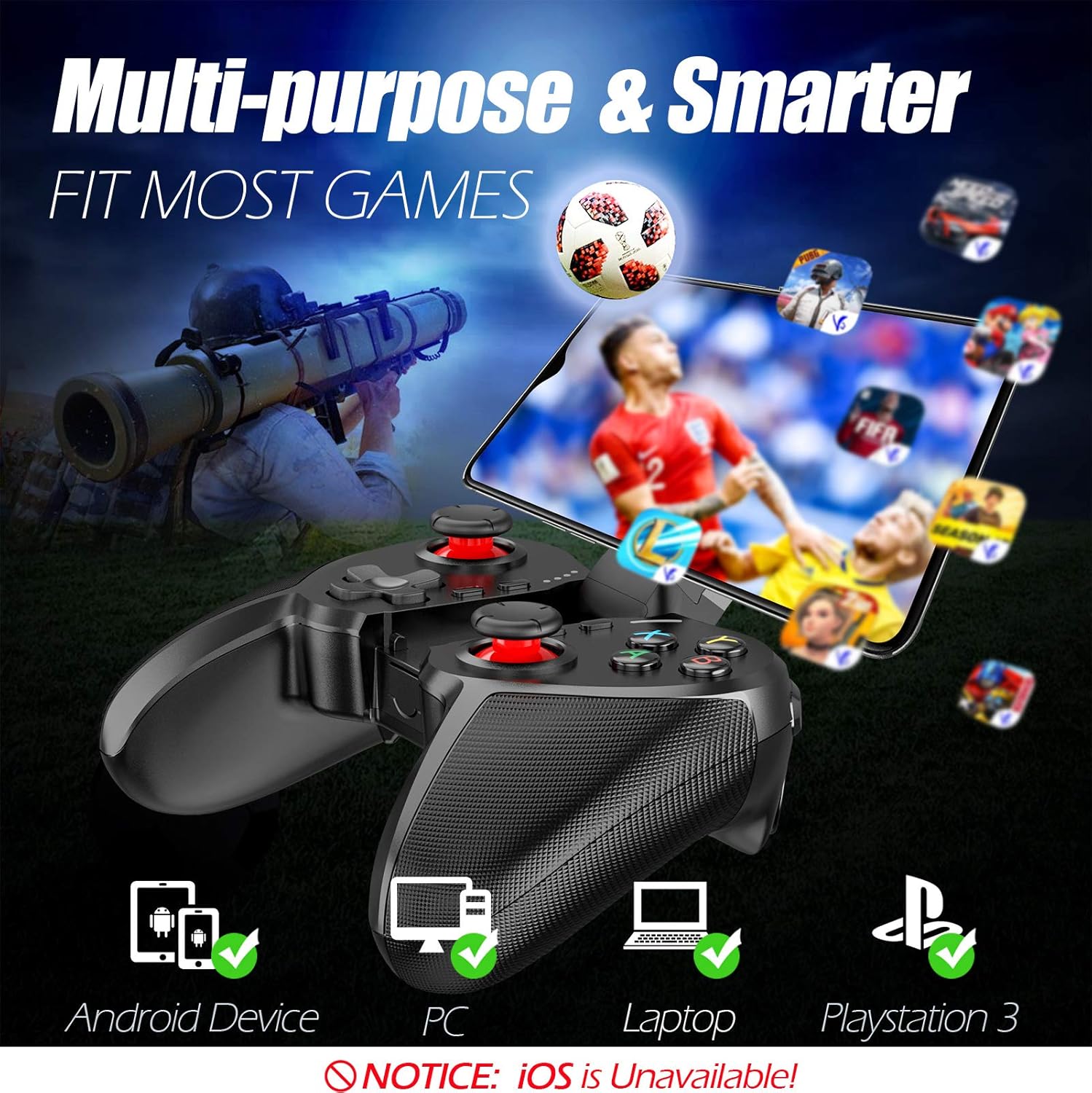
Figure 1: The TERIOS controller is compatible with Android devices, PCs, Laptops, and PlayStation 3.

Figure 2: Detail of the controller's built-in smartphone bracket, accurate buttons, and comfortable soft rubber grips.
الإعداد والاتصال
1. شحن وحدة التحكم
Before first use, fully charge the controller. Connect the provided Micro USB cable to the controller's charging port and the other end to a USB power source (e.g., computer USB port, USB wall adapter). The indicator lights will show charging status and turn off when fully charged.

Figure 3: The controller features a 400mAh battery, providing 12-14 hours of playtime with a 2-3 hour charging time.
2. تشغيل / إيقاف التشغيل
- لتشغيل: اضغط مع الاستمرار على بيت button for 2 seconds. The indicator lights will flash.
- لإيقاف التشغيل: اضغط مع الاستمرار على بيت button for 5 seconds until the indicator lights turn off. The controller will automatically power off after 5 minutes of inactivity.
3. Bluetooth Pairing (Android Smartphones / PS3)
- تأكد من إيقاف تشغيل وحدة التحكم.
- On your Android smartphone or PS3, enable Bluetooth.
- اضغط مع الاستمرار على بيت button on the controller until the indicator lights flash rapidly, indicating pairing mode.
- On your device, search for new Bluetooth devices. Select "TERIOS Gamepad" or similar from the list.
- بمجرد الاتصال، سيصبح ضوء المؤشر ثابتًا.
4. اتصال الكمبيوتر
For PC connection, the controller typically uses a USB dongle (often included). Insert the USB dongle into an available USB port on your PC. The controller should automatically connect. If not, press the بيت button to initiate connection.
5. Initial Setup and App (V3 App)
For optimal customization and compatibility with certain mobile games, it is recommended to download the V3 app from the Google Play Store. This app allows you to map virtual keys on your screen to the physical buttons of the controller.
- Download the "V3" app from the Google Play Store.
- Connect the TERIOS gamepad to your smartphone via Bluetooth.
- Open the V3 app and follow the on-screen instructions to customize key mappings for your desired games.

Figure 4: The V3 app allows for easy customization of virtual keys to match controller buttons, creating more combinations.
تعليمات التشغيل
1. تخطيط الأزرار ووظائفها

Figure 5: The TERIOS Mobile Game Controller with a smartphone securely mounted in its integrated holder.
- عصا التحكم التناظرية اليسرى: التحكم الأساسي في الحركة.
- عصا التحكم التناظرية اليمنى: التحكم بالكاميرا أو الحركة الثانوية.
- لوحة الاتجاهات (D-Pad): Precise directional input.
- أزرار أبكسي: Standard action buttons (A, B, X, Y).
- L1/L2, R1/R2 Buttons: أزرار الكتف والزناد لتنفيذ مختلف الإجراءات داخل اللعبة.
- حدد زر: تُستخدم عادةً للتنقل بين القوائم أو وظائف محددة في اللعبة.
- زر البدء: تُستخدم عادةً لإيقاف الألعاب مؤقتًا أو للوصول إلى القوائم.
- زر الصفحة الرئيسة: Powers on/off, enters pairing mode, and returns to home screen on some devices.
- زر توربو: Activates the turbo function for other buttons.
- زر CLEAR: يعطل وظيفة التوربو.

Figure 6: The dual analog sticks are designed for precise control and execution in games.
2. وظيفة التوربو
The Turbo function allows a button to be pressed repeatedly as long as you hold it down, which is useful for rapid-fire actions in games.
- للتفعيل: اضغط مع الاستمرار على توربيني button, then press the desired action button (e.g., A, B, X, Y, L1, R1). Release both buttons. Now, holding down the action button will activate turbo fire.
- للإلغاء: اضغط مع الاستمرار على واضح button, then press the action button for which turbo was activated. Release both buttons.

Figure 7: The dedicated Turbo button enables rapid-fire functionality with one click.
3. Smartphone Holder Usage
The integrated smartphone holder can accommodate most smartphone sizes. Gently extend the holder and place your smartphone securely within the clamps. Ensure the phone is centered for balance.
صيانة
- تنظيف: استخدم قطعة قماش ناعمة وجافة لتنظيف وحدة التحكم. لا تستخدم المنظفات الكاشطة أو المذيبات.
- تخزين: قم بتخزين وحدة التحكم في مكان بارد وجاف بعيدًا عن أشعة الشمس المباشرة ودرجات الحرارة القصوى.
- العناية بالبطارية: لإطالة عمر البطارية، تجنب تفريغ وحدة التحكم بالكامل بشكل متكرر. اشحنها بانتظام، حتى في حال عدم استخدامها لفترات طويلة.
استكشاف الأخطاء وإصلاحها
| مشكلة | السبب المحتمل | حل |
|---|---|---|
| لا يتصل جهاز التحكم عبر البلوتوث. | Controller not in pairing mode; device Bluetooth off; interference. | Ensure controller is in pairing mode (rapid flashing lights). Check device Bluetooth settings. Move closer to the device. Try restarting both controller and device. |
| الأزرار لا تستجيب أو تتأخر في الاستجابة. | Low battery; software glitch; interference. | Charge the controller fully. Restart the controller. Ensure no other strong wireless signals are nearby. For mobile games, check V3 app settings. |
| يتم فصل وحدة التحكم بشكل متكرر. | انخفاض مستوى البطارية؛ بُعد كبير عن الجهاز؛ تداخل. | Charge the controller. Stay within the recommended Bluetooth range. Minimize wireless interference. |
| خاصية التيربو لا تعمل. | Incorrect activation sequence; button not supported. | Ensure you press and hold TURBO, then press the desired action button, then release both. Some games or buttons may not fully support turbo. |
مواصفات المنتج
| ميزة | التفاصيل |
|---|---|
| ماركة | تيريوس |
| نموذج | تي-12 |
| تكنولوجيا الاتصال | بلوتوث 4.0 |
| الأجهزة المتوافقة | Android Smartphones, Windows PC, PlayStation 3 |
| مصدر الطاقة | يعمل بالبطارية (ليثيوم بوليمر) |
| سعة البطارية | 400mAh (approx. 1.48 Watt Hours) |
| وقت اللعب | ما يصل إلى 12-14 ساعات |
| وقت الشحن | 2-3 ساعات |
| عدد الأزرار | 16 (including ABXY, D-pad, analog sticks, L/R triggers/bumpers, Select, Start, Home, Turbo, Clear) |
| المميزات الخاصة | Turbo Function, Dual Analog Sticks, In-built Smartphone Holder, Responsive Action Buttons |
| الأبعاد (العبوة) | 17 × 12.4 × 7.7 سم |
| الوزن (الحزمة) | 310 جرام |
معلومات الضمان والدعم
The TERIOS Mobile Game Controller is designed for durability and performance. For any product-related inquiries, technical support, or warranty claims, please refer to the contact information provided with your purchase or visit the official TERIOS support webيرجى الاحتفاظ بإثبات الشراء لأغراض الضمان.


