مقدمة
This manual provides instructions for the setup, operation, and maintenance of your Blink Indoor wireless HD security camera system. The Blink Indoor camera offers wireless monitoring with HD video, infrared night vision, motion detection, and two-way audio, all powered by a long-lasting battery.

Image: The Blink Indoor camera, a compact white and black device, shown on a wooden surface next to a plant.
محتويات الحزمة
قبل البدء، تأكد من تواجد جميع المكونات:
- Blink Indoor Camera (quantity dependent on system purchased)
- Blink Sync Module 2
- AA 1.5V Lithium Metal Batteries (two per camera)
- Mounting Kit (per camera)
- كابل يو اس بي
- محول الطاقة
يثبت
The Blink Indoor camera system is designed for easy self-installation without the need for professional wiring.
متطلبات النظام
- Always-on high-speed internet connection (broadband, fiber, or DSL).
- 2.4 GHz 802.11b/g/n Wi-Fi network.
- Compatible smartphone or tablet with:
- iOS 17 أو أحدث
- Android 10 أو الأحدث
- Fire OS 8 or newer
خطوات التثبيت
- قم بتنزيل تطبيق Blink Home Monitor: بحث عن ابحث عن تطبيق "Blink Home Monitor" في متجر التطبيقات الخاص بجهازك وقم بتثبيته.
- إنشاء حساب: افتح التطبيق واتبع التعليمات التي تظهر على الشاشة لإنشاء حساب Blink جديد أو تسجيل الدخول إلى حساب موجود.
- Set up the Sync Module 2:
- Plug the Sync Module 2 into a power outlet using the provided USB cable and power adapter.
- Follow the in-app instructions to connect the Sync Module 2 to your home Wi-Fi network. The Sync Module acts as a hub for your Blink cameras.
- Insert Batteries into the Camera:
- Open the battery compartment on the back of the Blink Indoor camera.
- Insert the two AA 1.5V lithium metal batteries, ensuring correct polarity.
- أغلق حجرة البطارية بشكل محكم.

Image: A Blink Indoor camera shown with an overlay indicating "Long-lasting battery life — runs up to two years on two AA lithium batteries."
- Add the Camera to Your System:
- In the Blink Home Monitor app, tap the "+" icon to add a new device.
- Select "Blink Indoor Camera" and scan the QR code located inside the camera's battery compartment.
- Follow the remaining in-app prompts to complete the camera setup and link it to your Sync Module.
- Mount the Camera (Optional): Use the included mounting kit to position your camera in your desired indoor location. Ensure it has a clear view للمنطقة التي ترغب في مراقبتها.
تعليمات التشغيل
The Blink Indoor camera provides comprehensive home monitoring features accessible through the Blink Home Monitor app.
يعيش View والصوت ثنائي الاتجاه
- Open the Blink Home Monitor app.
- Select your camera to initiate a live view تدفق.
- Use the microphone icon in the app to speak through the camera's speaker, and listen through the app for two-way audio communication.

Image: A Blink Indoor camera next to a smartphone displaying a live feed from the camera, showing a dog in a living room. Text reads: "Monitor your home right from your phone using the Blink app."

Image: Hands holding a smartphone displaying a live feed from a Blink Indoor camera, showing a living room with a dog on a couch. Text reads: "Stay connected to what's happening inside your home — day or night."
كشف الحركة والتنبيهات
- Enable motion detection in the Blink Home Monitor app settings for your camera.
- Customize motion sensitivity and activity zones to receive alerts only when necessary.
- When motion is detected, the camera will record a short video clip and send a notification to your smartphone.
الرؤية الليلية بالأشعة تحت الحمراء
The Blink Indoor camera automatically switches to infrared HD night vision in low-light conditions, allowing for clear monitoring day or night.
مؤشرات LED
- الصمام الأزرق: Indicates when the camera is active (optional, can be disabled in settings).
- الصمام الأحمر: Illuminates when recording in night vision mode.
التكامل مع اليكسا
The Blink Indoor camera works with Alexa-enabled devices. Link your Blink account to Alexa through the Alexa app to use voice commands for monitoring your home.
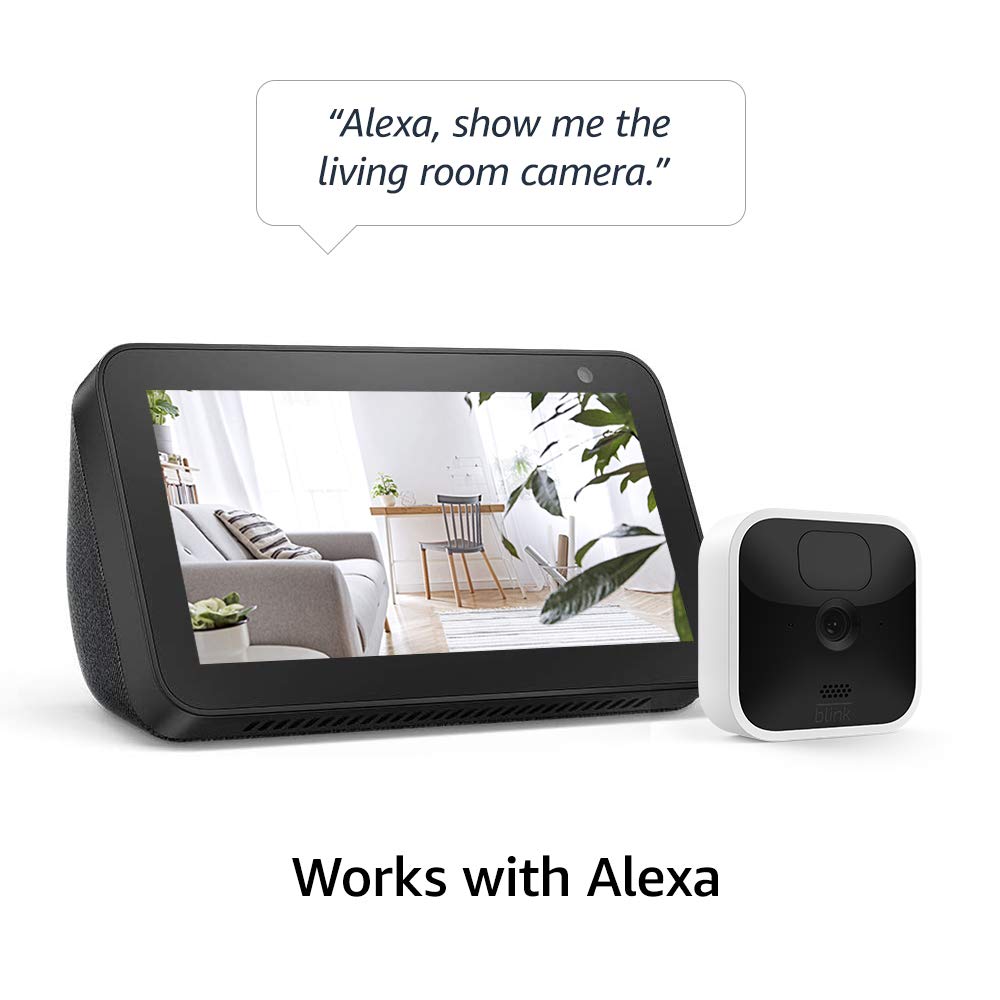
Image: A Blink Indoor camera next to an Amazon Echo Show device displaying a live feed from the camera. A speech bubble above reads: "Alexa, show me the living room camera."
صيانة
استبدال البطارية
The Blink Indoor camera is powered by two AA 1.5V lithium metal batteries, designed to last up to two years under typical usage. Battery life can vary based on device settings, usage frequency, and environmental factors. Replace batteries when the app indicates low power.
- Access the battery compartment on the back of the camera.
- قم بإزالة البطاريات القديمة.
- Insert two new AA 1.5V lithium metal batteries, ensuring correct polarity.
- أغلق حجرة البطارية بشكل آمن.
ملحوظة: Use only non-rechargeable AA 1.5V lithium metal batteries for optimal performance and battery life.
تنظيف
To clean the camera, gently wipe the exterior with a soft, dry cloth. Avoid using liquid cleaners or abrasive materials.
استكشاف الأخطاء وإصلاحها
If you encounter issues with your Blink Indoor camera, consider the following basic troubleshooting steps:
- لا يعيش Viewالكاميرا غير المتصلة بالإنترنت:
- Check your home Wi-Fi connection and ensure it is active and stable.
- Verify the Sync Module 2 is powered on and connected to the internet.
- Ensure the camera batteries are not depleted.
- Restart the Sync Module 2 by unplugging it for 30 seconds and plugging it back in.
- جودة الفيديو رديئة:
- تأكد من أن عدسة الكاميرا نظيفة وخالية من العوائق.
- Check your Wi-Fi signal strength at the camera's location. A weak signal can affect video quality.
- مشاكل كشف الحركة:
- Review motion detection settings in the Blink Home Monitor app, including sensitivity and activity zones.
- Ensure there are no objects blocking the camera's field of view.
For more detailed troubleshooting, refer to the official Blink support resources mentioned in the Support section.
تحديد
| ميزة | التفاصيل |
|---|---|
| مجال View | 110 درجة قطريًا |
| دقة الفيديو | 1080p HD (day), Infrared HD night vision (dark) |
| دقة الصورة | 640 x 360 nHD |
| معدل إطارات الكاميرا | حتى 30 إطارًا في الثانية |
| مقاس | 71 × 71 × 31 ملم |
| وزن | 48 جرام |
| وحدة المعالجة المركزية | معالج إيميديا الخاص – AC1002B، 4 أنوية / 200 ميجاهرتز |
| الطاقة (الكاميرا) | 2 AA 1.5V lithium metal (non-rechargeable) batteries |
| الطاقة (وحدة المزامنة 2) | محول من 100-220 فولت تيار متردد إلى 5 فولت تيار مستمر |
| عمر البطارية | Up to 2 years (varies by settings/use) |
| الاتصال | 2.4 جيجا هرتز 802.11b/g/n واي فاي |
| صوتي | مخرج مكبر الصوت وتسجيل الصوت ثنائي الاتجاه |
| مصابيح LED | 1 blue (active, optional), 1 red (night vision recording) |
| درجة حرارة التشغيل | 32 إلى 95 درجة فهرنهايت (0 إلى 35 درجة مئوية) |
| جيل | الجيل الثالث |
معلومات الضمان
The Blink Indoor camera system comes with a ضمان محدود لمدة سنة واحدة. For full details regarding warranty coverage and service terms, please refer to the official Blink website or the terms provided with your product documentation.
Use of Blink cameras is subject to the terms found هنا.
يدعم
For additional information, detailed guides, and customer support, please visit the official Blink support resources:
- Blink Indoor Support Page: View مزيد من المعلومات
- دليل الإعداد: See the setup guide


