1. المقدمة
The Lexon MIAMI SUNRISE Therapeutic Alarm Clock is designed to provide a gentle wake-up experience by simulating a natural sunrise. This device combines a light alarm with natural sounds to help you start your day more serenely. Please read this manual carefully to ensure proper use and maintenance of your alarm clock.

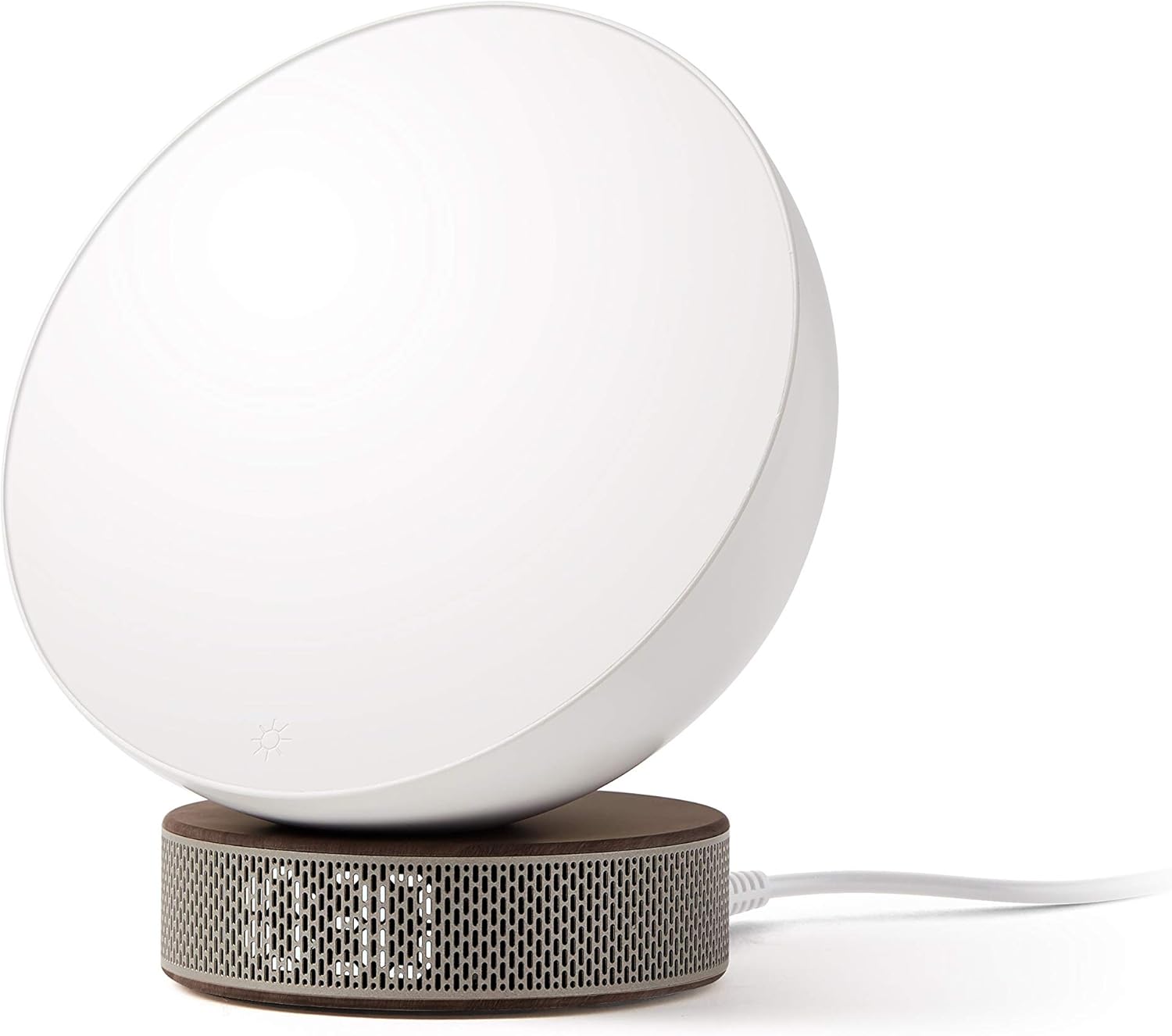
أمام view of the Lexon Miami Sunrise alarm clock, showing the white light disc and the wooden base with LED time display.
2. الميزات الرئيسية
- Light alarm and sunrise simulator for gradual awakening.
- Includes 6 natural sounds for a pleasant wake-up experience.
- Integrated LED display to indicate the current time.
- Powered via micro-USB port (cable included).
- Option to use 2 AA batteries (not supplied) as a backup power source during outagإِسْ
3. الإعداد
3.1 توصيل الطاقة
- Locate the micro-USB port on the back of the alarm clock.
- Connect the provided micro-USB cable to the port.
- قم بتوصيل الطرف الآخر من كابل USB بمحول طاقة USB متوافق (غير متضمن) ثم بمأخذ الحائط.
جانب view of the Lexon Miami Sunrise alarm clock, showing the micro-USB power cable connected to the base.
3.2 تركيب بطارية احتياطية
من أجل السلطة outage protection, you can install AA batteries:
- Locate the battery compartment on the underside of the alarm clock.
- افتح غطاء الحجرة.
- قم بإدخال 2 بطاريات AA (غير متضمنة)، مع التأكد من القطبية الصحيحة (+/-).
- أغلق غطاء حجرة البطارية جيدًا.
3.3 ضبط الوقت الأولي
Upon first power-up or after a complete power loss without battery backup, the time display may need to be set.
- اضغط على وقت button (usually marked with a clock icon) to enter time setting mode.
- استخدم + و - أزرار لضبط الساعات.
- اضغط على وقت اضغط على الزر مرة أخرى للتبديل إلى ضبط الدقائق.
- استخدم + و - أزرار لضبط الدقائق.
- اضغط على وقت button one last time to confirm and exit time setting mode.

مؤخرة view of the Lexon Miami Sunrise alarm clock, highlighting the control buttons and the micro-USB port.
4. تعليمات التشغيل
4.1 ضبط المنبه
- اضغط على إنذار button (usually marked with a bell icon) to enter alarm setting mode.
- استخدم + و - أزرار لضبط ساعة التنبيه المطلوبة.
- اضغط على إنذار اضغط على الزر مرة أخرى للتبديل إلى ضبط الدقائق.
- استخدم + و - أزرار لضبط دقائق التنبيه المطلوبة.
- اضغط على إنذار button one last time to confirm and activate the alarm. An alarm icon should appear on the display.
4.2 Adjusting Sunrise Simulation and Light Intensity
The alarm clock's light will gradually brighten before your set alarm time, simulating a sunrise. You can adjust the maximum brightness:
- اضغط على ضوء button (often a sun icon) to turn the light on/off.
- While the light is on, press and hold the + or - buttons to adjust the light intensity.

أمام view of the Lexon Miami Sunrise alarm clock with the light disc illuminated, displaying the time.
4.3 Selecting Natural Sounds
The alarm clock offers 6 natural sounds to accompany your wake-up light.
- اضغط على صوت button (often a music note icon) to cycle through the available natural sounds.
- The selected sound will play briefly as you cycle through.
- To adjust the volume of the alarm sound, use the + و - buttons while a sound is playing or during the alarm.

الجانب القريب view of the Lexon Miami Sunrise alarm clock, showing the control buttons for time, alarm, sound, and volume.
4.4 وظيفة الغفوة
عندما يصدر صوت التنبيه ، اضغط على غفوة button (if available, or often the main button on top) to temporarily pause the alarm. The alarm will sound again after a short interval (e.g., 9 minutes).
4.5 Turning Off the Alarm
To turn off the alarm completely for the day, press any button other than the snooze button, or press the إنذار اضغط على الزر مرة أخرى لإلغاء تنشيطه.
5. الصيانة
5.1 التنظيف
To clean the alarm clock, use a soft, dry cloth. Do not use abrasive cleaners, solvents, or harsh chemicals, as these may damage the surface or internal components. Avoid getting moisture into any openings.
5.2 استبدال البطارية
If using battery backup, replace the AA batteries when the display dims or if the clock fails to maintain time during a power outage. Ensure proper polarity when inserting new batteries.
6. استكشاف الأخطاء وإصلاحها
| مشكلة | السبب المحتمل | حل |
|---|---|---|
| Alarm clock does not turn on. | لا يوجد مصدر طاقة أو اتصال فضفاض. | Ensure the micro-USB cable is securely connected and the power adapter is plugged into a working outlet. |
| Alarm does not sound or light does not activate. | Alarm not set or deactivated. Volume too low. | Verify the alarm is set and activated. Check the alarm volume settings. |
| Time display is incorrect after power loss. | No battery backup or depleted batteries. | Install fresh AA batteries for backup. Reset the time manually. |
| الأزرار لا تستجيب. | خلل مؤقت في البرنامج. | Unplug the device from power and remove batteries (if installed) for a few minutes, then reconnect. |
7. المواصفات
| ميزة | التفاصيل |
|---|---|
| ماركة | ليكسون |
| رقم موديل العنصر | LR146DWD |
| أبعاد المنتج (الطول × العرض × الارتفاع) | 8.9 × 8.9 × 13.7 سم |
| وزن العنصر | 370 جرام |
| لون | أبيض |
| مادة | خشب |
| مصدر الطاقة | Micro-USB (cable included), Battery Powered (2 AA batteries required for backup, not included) |
| المجلدtage | 5 فولت |
| نوع المصباح | قاد |
| عدد مصادر الضوء | 1 |
| المميزات الخاصة | منفذ يو اس بي |
8. معلومات الضمان
This Lexon product is covered by a manufacturer's warranty against defects in materials and workmanship. The specific terms and duration of the warranty may vary by region. Please retain your proof of purchase for warranty claims. For detailed warranty information, refer to the documentation included with your product or visit the official Lexon webموقع.
9. دعم العملاء
If you encounter any issues or have questions not covered in this manual, please visit the official Lexon website for support resources, FAQs, and contact information. You may also refer to the retailer where you purchased the product for assistance.
Official Lexon Webموقع: www.lexon-design.com


