مقدمة
This manual provides detailed instructions for the installation, operation, and maintenance of your Foscam D2EP IP Camera. The D2EP is a high-definition 2-megapixel outdoor security camera designed for reliable surveillance with features such as infrared night vision, smart motion detection, and wired connectivity. Please read this manual thoroughly before using the product to ensure correct setup and optimal performance.
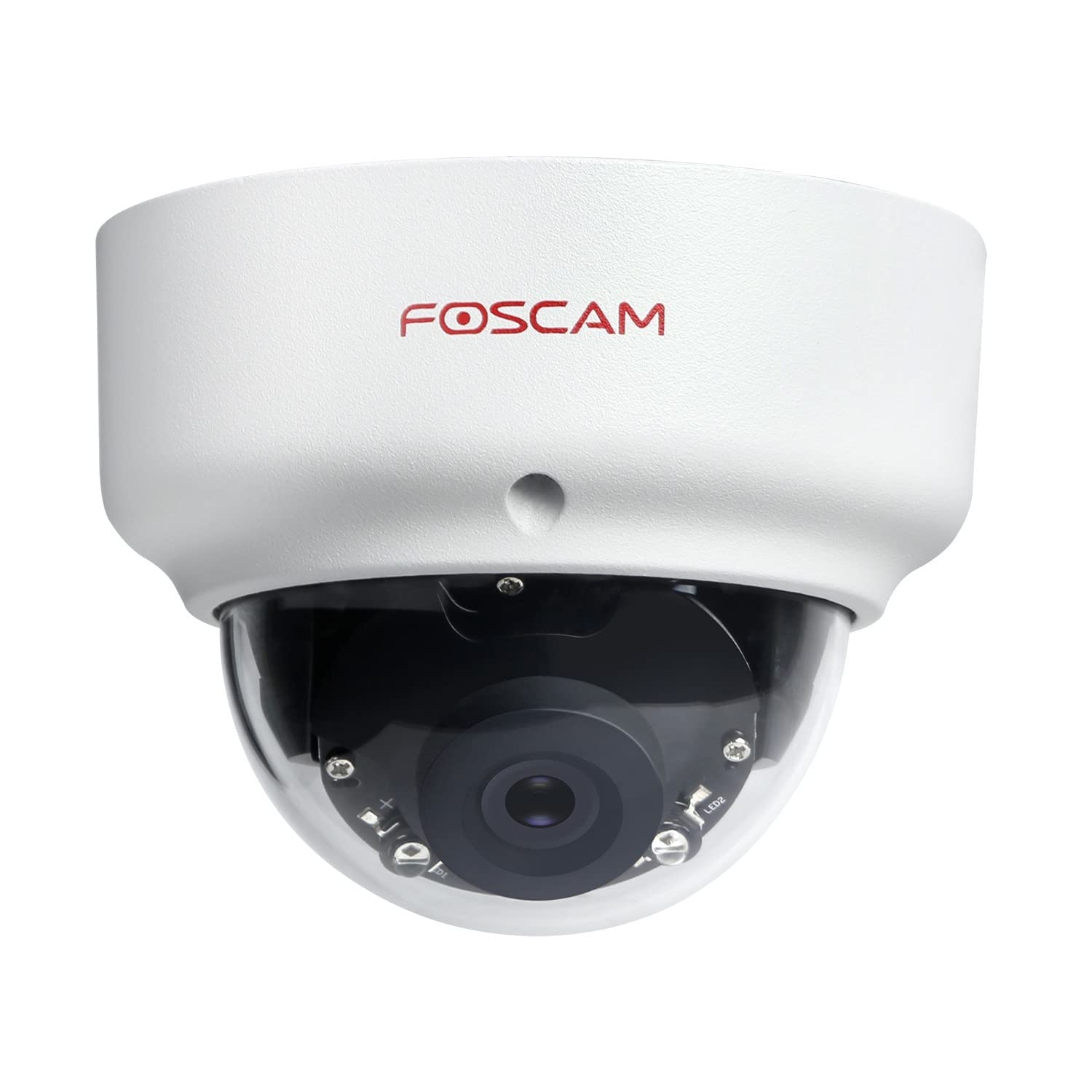
Image: The Foscam D2EP IP Camera, showcasing its compact, dome-shaped design suitable for outdoor environments.
1. الإعداد والتثبيت
1.1 محتويات العبوة
قبل البدء بالتثبيت، يرجى التأكد من وجود جميع المكونات في العبوة:
- Foscam D2EP IP Camera
- مسامير التثبيت ومقابس الحائط
- كابل إيثرنت
- محول الطاقة
- دليل التثبيت السريع

Image: Foscam D2EP IP Camera with its power and Ethernet cables, illustrating the main components included in the box.
1.2 التثبيت المادي
The Foscam D2EP camera is designed for outdoor use with an IP66 waterproof rating. Choose a suitable location that provides the desired viewing angle and is within reach of a power source and network connection.
- مكان التركيب: Identify a secure mounting surface, such as a wall or ceiling, that offers a clear view للمنطقة التي ترغب في مراقبتها.
- ثقوب الحفر: Use the provided mounting template (if included) or the camera base to mark and drill pilot holes for the mounting screws. Insert wall plugs if mounting on masonry.
- الكاميرا الآمنة: قم بتثبيت قاعدة الكاميرا بإحكام على سطح التركيب باستخدام البراغي المرفقة.
- ضبط الزاوية: Loosen the adjustment screws on the camera body to position the lens for the optimal viewing angle. Tighten the screws once the desired angle is achieved.

Image: Foscam D2EP IP Camera mounted under an outdoor patio roof, demonstrating a typical installation scenario for outdoor surveillance.
1.3 اتصال الشبكة والطاقة
- توصيل كابل إيثرنت: Connect one end of the Ethernet cable to the camera's network port and the other end to your router or network switch.
- توصيل محول الطاقة: Plug the power adapter into the camera's power input and then into a suitable electrical outlet.
- مؤشر الضوء: Wait for the camera's indicator light to show a stable status, indicating it is powered on and connected to the network. Refer to the Quick Installation Guide for specific indicator light behaviors.
1.4 التكوين الأولي
To access and configure your camera, download the Foscam app on your smartphone or use the Foscam client software on your computer.
- تنزيل التطبيق/البرنامج: بحث عن "Foscam" in your app store (iOS/Android) or visit the official Foscam website for desktop software.
- إضافة كاميرا: Follow the in-app or software instructions to add your D2EP camera. This typically involves scanning a QR code on the camera or manually entering its UID.
- ضبط كلمة السر: For security, change the default password immediately upon first access.
- إعدادات الشبكة: Configure any necessary network settings, such as static IP (if required by your network).
2. تعليمات التشغيل
2.1 مباشر View والتسجيل
Once configured, you can access the live video feed from your Foscam D2EP camera through the Foscam app or desktop client.
- يعيش View: حدد الكاميرا الخاصة بك من قائمة الأجهزة لـ view the real-time 1080p HD video stream.
- التسجيل اليدوي: Most Foscam applications allow you to manually start and stop video recordings directly from the live view واجهة.
- لقطة: التقاط الصور الثابتة من البث المباشر.
2.2 اكتشاف الحركة
The D2EP features smart motion detection to alert you to activity in the monitored area.
- تمكين اكتشاف الحركة: Navigate to the camera settings in the Foscam app/software and enable motion detection.
- Configure Detection Area: تحديد مناطق محددة داخل الكاميرا view where motion should be detected, ignoring irrelevant zones.
- ضبط الحساسية: Set the motion detection sensitivity to minimize false alarms while ensuring important events are captured.
- إعدادات التنبيه: Configure how you receive alerts (e.g., push notifications, email).
2.3 الرؤية الليلية والنهارية
The camera automatically switches between day (color) and night (infrared black and white) vision modes based on ambient light conditions. The infrared LEDs provide clear vision up to 20 meters in low-light environments.
2.4 Amazon Alexa Compatibility
The Foscam D2EP camera is compatible with Amazon Alexa, allowing for voice control and integration into your smart home system. Refer to the Foscam website or Alexa app for detailed instructions on linking your Foscam account and controlling your camera via Alexa commands.
3. الصيانة
3.1 تنظيف الكاميرا
Regularly clean the camera lens and housing to ensure optimal image quality and prevent debris buildup, especially for outdoor installations.
- استخدمي قطعة قماش ناعمةamp قطعة قماش لمسح جسم الكاميرا.
- بالنسبة للعدسة، استخدم قطعة قماش ومحلول مخصص لتنظيف العدسات لتجنب الخدوش.
- لا تستخدم مواد كيميائية قاسية أو مواد كاشطة.
3.2 تحديثات البرامج الثابتة
Foscam regularly releases firmware updates to improve camera performance, add new features, and enhance security. It is recommended to keep your camera's firmware up to date.
- Check for updates through the Foscam app or desktop client.
- Follow the on-screen instructions carefully during the update process. Do not power off the camera during an update.
4. استكشاف الأخطاء وإصلاحها
4.1 الكاميرا لا تتصل بالشبكة
- فحص الكابلات: Ensure the Ethernet cable is securely connected to both the camera and the router/switch.
- قوة: Verify the camera is powered on and the power adapter is working correctly.
- حالة جهاز التوجيه: Confirm your router is functioning and providing network access.
- تعارض عنوان IP: If using a static IP, ensure it does not conflict with other devices on your network. Try DHCP first.
- إعادة تعيين الكاميرا: If issues persist, perform a factory reset (refer to the Quick Installation Guide for reset button location and procedure).
4.2 جودة الصورة الرديئة
- عدسة نظيفة: Ensure the camera lens is clean and free from dirt or smudges.
- إضاءة: Verify adequate lighting in the monitored area during the day.
- الرؤية الليلية: In night mode, ensure there are no obstructions blocking the infrared LEDs.
- إعدادات الدقة: Check that the camera's resolution is set to 1080p (2MP) in the app/software settings.
4.3 عدم عمل خاصية كشف الحركة أو كثرة الإنذارات الكاذبة
- تفعيل الميزة: Confirm motion detection is enabled in the camera settings.
- منطقة الكشف: Adjust the detection zone to cover only relevant areas.
- حساسية: Increase sensitivity if events are missed; decrease if there are too many false alarms (e.g., from moving trees, shadows).
- جدول: Check if motion detection is scheduled to be active during the desired times.
5. المواصفات
| اسم الموديل | D2EP |
| ماركة | فوسكام |
| دقة | 2 Megapixel (1080p) |
| تكنولوجيا الاتصال | سلكي |
| الاستخدام الموصى به | كاميرا الأمن في الهواء الطلق |
| مقاومة الطقس | IP66 مقاوم للماء |
| نطاق الرؤية الليلية | يصل مداه إلى 20 أمتار (الأشعة تحت الحمراء) |
| الميزات الرئيسية | Motion Sensor, Day/Night Vision, Amazon Alexa Compatible |
6. معلومات الضمان
The Foscam D2EP IP Camera comes with a ضمان لمدة 2 سنوات from the date of purchase. This warranty covers manufacturing defects and ensures the product functions as described under normal use. Please retain your proof of purchase for warranty claims. For detailed warranty terms and conditions, please visit the official Foscam webموقع.
7. دعم العملاء
If you encounter any issues or have questions regarding your Foscam D2EP IP Camera that are not covered in this manual, please refer to the following resources:
- مسؤول فوسكام Webموقع: يزور www.foscam.com for FAQs, support articles, and the latest firmware.
- الدعم الفني: Contact Foscam technical support directly via their webالموقع أو معلومات الاتصال المقدمة في عبوة المنتج الخاص بك.


