مقدمة
Welcome to the user manual for your Soundcore Anker Liberty Neo True Wireless Earbuds. These earbuds are designed to provide a high-quality audio experience with features tailored for active lifestyles. This manual will guide you through the setup, operation, maintenance, and troubleshooting of your device to ensure optimal performance.

Figure 1: Soundcore Anker Liberty Neo True Wireless Earbuds in their charging case.
ماذا يوجد في الصندوق
Your Soundcore Anker Liberty Neo True Wireless Earbuds package includes the following items:
- حافظة الشحن
- دليل المستخدم (هذا المستند)
- كابل شحن USB
- Multiple sizes of EarTips and WingTips for a secure fit

Figure 2: Included accessories with the Soundcore Anker Liberty Neo Earbuds.
يثبت
1. شحن سماعات الأذن والحافظة
قبل الاستخدام الأول، قم بشحن سماعات الأذن وعلبة الشحن بالكامل.
- ضع سماعات الأذن في علبة الشحن. تأكد من تثبيتها بشكل صحيح؛ ستضيء مؤشرات LED الموجودة على سماعات الأذن لتأكيد الشحن.
- Connect the provided USB charging cable to the charging port on the case and to a power source. The LED indicators on the charging case will show the charging status.
- Once fully charged, the LED indicators will turn solid or off, depending on the model.

Figure 3: Earbuds placed in the charging case.
2. الاقتران بجهازك
The Liberty Neo earbuds feature one-step pairing for convenience.
- Open the charging case. The earbuds will automatically enter pairing mode, and their LED indicators will flash white.
- على جهازك (الهاتف الذكي، الجهاز اللوحي، وما إلى ذلك)، قم بتمكين البلوتوث.
- بحث عن "Soundcore Liberty Neo" in the list of available Bluetooth devices and select it to connect.
- Once connected, the LED indicators on the earbuds will turn solid white or off, indicating successful pairing.
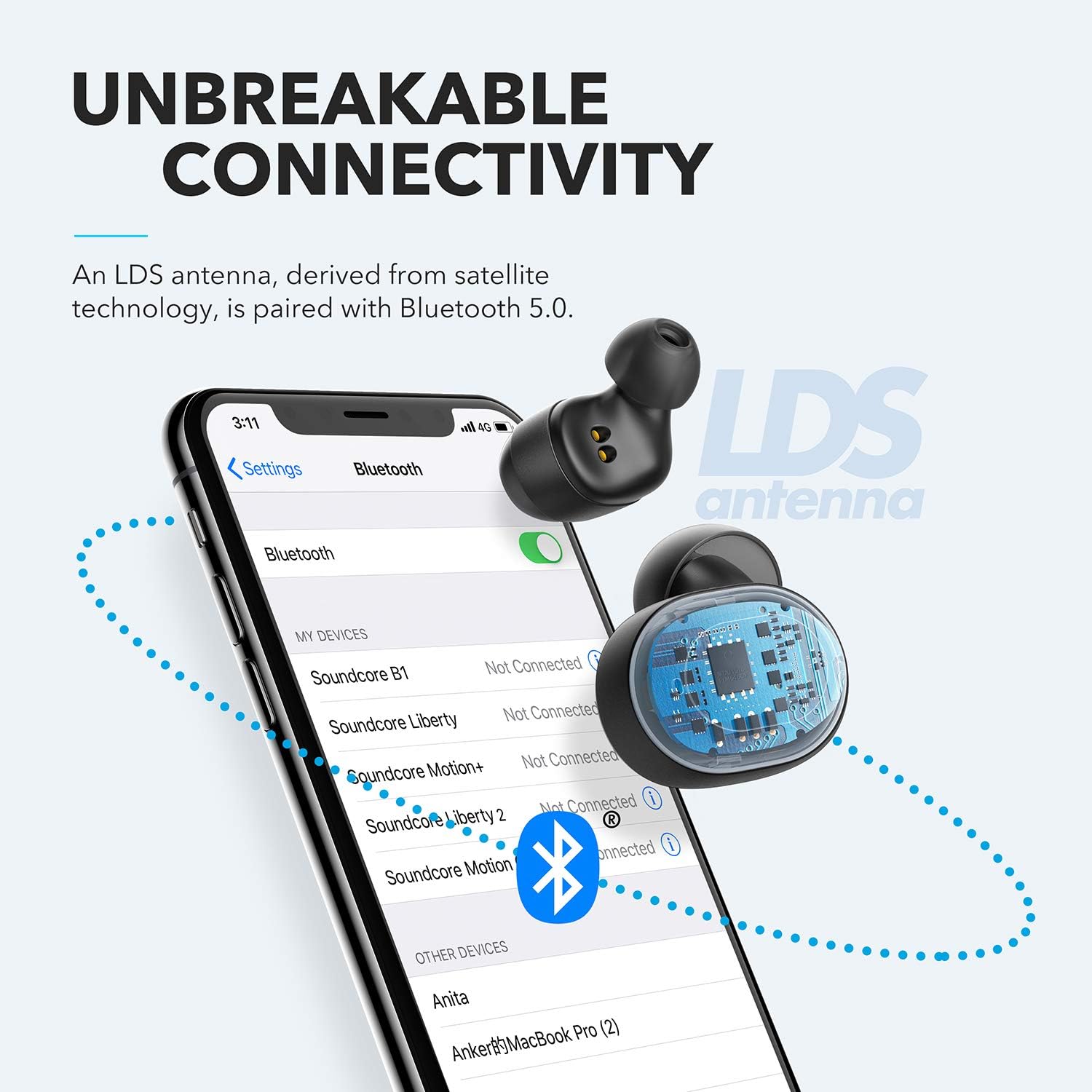
Figure 4: Bluetooth pairing process on a smartphone.
تشغيل سماعات الأذن الخاصة بك
1. ارتداء سماعات الأذن
For optimal sound quality and a secure fit, choose the correct size of EarTips and WingTips. Insert the earbuds into your ears and twist them gently until they feel snug and comfortable.

Figure 5: Proper wearing of the earbuds for a secure fit.
2. عناصر التحكم
The Liberty Neo earbuds feature intuitive touch controls:
- تشغيل/إيقاف مؤقت: اضغط على الزر متعدد الوظائف الموجود على أي من سماعتي الأذن مرة واحدة.
- المسار التالي: انقر نقراً مزدوجاً على الزر متعدد الوظائف الموجود على سماعة الأذن اليمنى.
- المسار السابق: انقر نقراً مزدوجاً على الزر متعدد الوظائف الموجود على سماعة الأذن اليسرى.
- الرد/إنهاء المكالمة: اضغط على الزر متعدد الوظائف الموجود على أي من سماعتي الأذن مرة واحدة.
- رفض المكالمة: اضغط مع الاستمرار على زر الوظائف المتعددة الموجود على أي سماعة أذن لمدة ثانيتين.
- تنشيط مساعد الصوت: Press and hold the multi-function button on either earbud for 1 second.
3. أوضاع الصوت
While the Liberty Neo earbuds offer excellent passive noise isolation, they do not feature Active Noise Cancellation (ANC) or Transparency modes. They are designed to provide a rich audio experience with Soundcore's signature sound and BassUp technology.
صيانة
لضمان طول عمر سماعات الأذن وأدائها الأمثل:
- حافظ على نظافة وجفاف سماعات الأذن وعلبة الشحن. استخدم قطعة قماش ناعمة وجافة لمسحها.
- تجنب درجات الحرارة القصوى.
- لا تستخدم المنظفات المسببة للتآكل.
- The earbuds are IPX7 waterproof, meaning they can withstand sweat and rain. However, the charging case is not waterproof. Ensure earbuds are dry before placing them back in the case.

Figure 6: Earbuds demonstrating IPX7 waterproof rating.
استكشاف الأخطاء وإصلاحها
إذا واجهت أي مشاكل مع سماعات الأذن الخاصة بك، فراجع الحلول الشائعة التالية:
| مشكلة | حل |
|---|---|
| سماعات الأذن لا تقترن | Ensure earbuds are charged. Turn off Bluetooth on your device, then turn it back on. Try resetting the earbuds (refer to Soundcore support for specific reset instructions). |
| سماعة أذن واحدة فقط تقوم بتشغيل الصوت | Place both earbuds back into the charging case, close the lid, then open it again. Ensure both earbuds are connected to your device. |
| جودة الصوت سيئة | Ensure earbuds are clean and free of debris. Try different sized EarTips for a better seal. Check your device's audio settings. |
| سماعات الأذن تسقط | Experiment with different sizes of EarTips and WingTips to find the most secure and comfortable fit for your ears. |
تحديد
| ميزة | التفاصيل |
|---|---|
| اسم الموديل | ليبرتي نيو |
| رقم الموديل | أ3911 |
| تكنولوجيا الاتصال | لاسلكي (بلوتوث 5.0) |
| مستوى مقاومة الماء | IPX7 (سماعات الأذن فقط) |
| عمر البطارية | 8 Hours (Earbuds), 40 Hours with Charging Case |
| نوع برنامج تشغيل الصوت | Dynamic Driver (Graphene-enhanced) |
| طريقة التحكم | يلمس |
| وزن العنصر | 1.76 أونصات |
| أبعاد المنتج | 2.95 × 1.38 × 1.18 بوصة |
الضمان والدعم
For warranty information and customer support, please refer to the official Soundcore webالموقع أو تواصل مع خدمة العملاء مباشرةً. احتفظ بإيصال الشراء لطلبات الضمان.
الدعم عبر الإنترنت: يزور www.soundcore.com للحصول على الأسئلة الشائعة، ودليل استكشاف الأخطاء وإصلاحها، ومعلومات الاتصال.


